
Introduction
The TCFUNDY 1500W DMX RGB LED Snow Machine is designed to create a realistic snowflake effect for various indoor and outdoor events. This manual provides essential information for safe and effective operation of your snow machine.
Key Features:
- High Output: Produces abundant snow with an output distance of 5-7 meters (16.4-22.9 ft).
- Integrated LED Lights: Equipped with 12 RGB LED lights for colorful visual effects.
- Multiple Control Modes: Supports wireless remote, manual, and DMX control for versatile operation.
- Large Capacity Tank: Features a 5L (169 oz) tank for extended snow production.
- Durable & Portable Design: Constructed from aluminum and iron for durability, with a handle for easy transport.
Safety Information
- Always disconnect power before changing fuses or performing maintenance.
- No user-serviceable parts inside. Refer servicing to qualified personnel.
- Operate only with adult supervision.
- Do not operate without liquid in the tank.
- For indoor use, ensure adequate ventilation.
- Do not aim towards face or eyes.
- Use only professional snow fluid. Ensure it is non-toxic and safe for children, pets, and plants.
- Turn off the machine before the snow liquid runs out to ensure safety and prevent damage.
Package Contents
Verify that all items are present in the package:
- TCFUNDY 1500W Snow Machine
- Wireless Remote Control
- Power Cord
- User Manual
- Hanging Bracket (for installation)
Setup
- Attach Handle/Bracket: Secure the carrying handle or hanging bracket to the machine using the provided screws.
- Fill Fluid Tank: Unscrew the cap of the 5L fluid tank. Carefully pour professional snow fluid (not included) into the tank. Ensure the pump tube is fully submerged in the fluid. Screw the cap back on tightly.

Image: Pouring snow fluid into the machine's tank. - Connect Power: Connect the power cord to the machine's power socket and then to a suitable power outlet (AC110V, 60Hz).
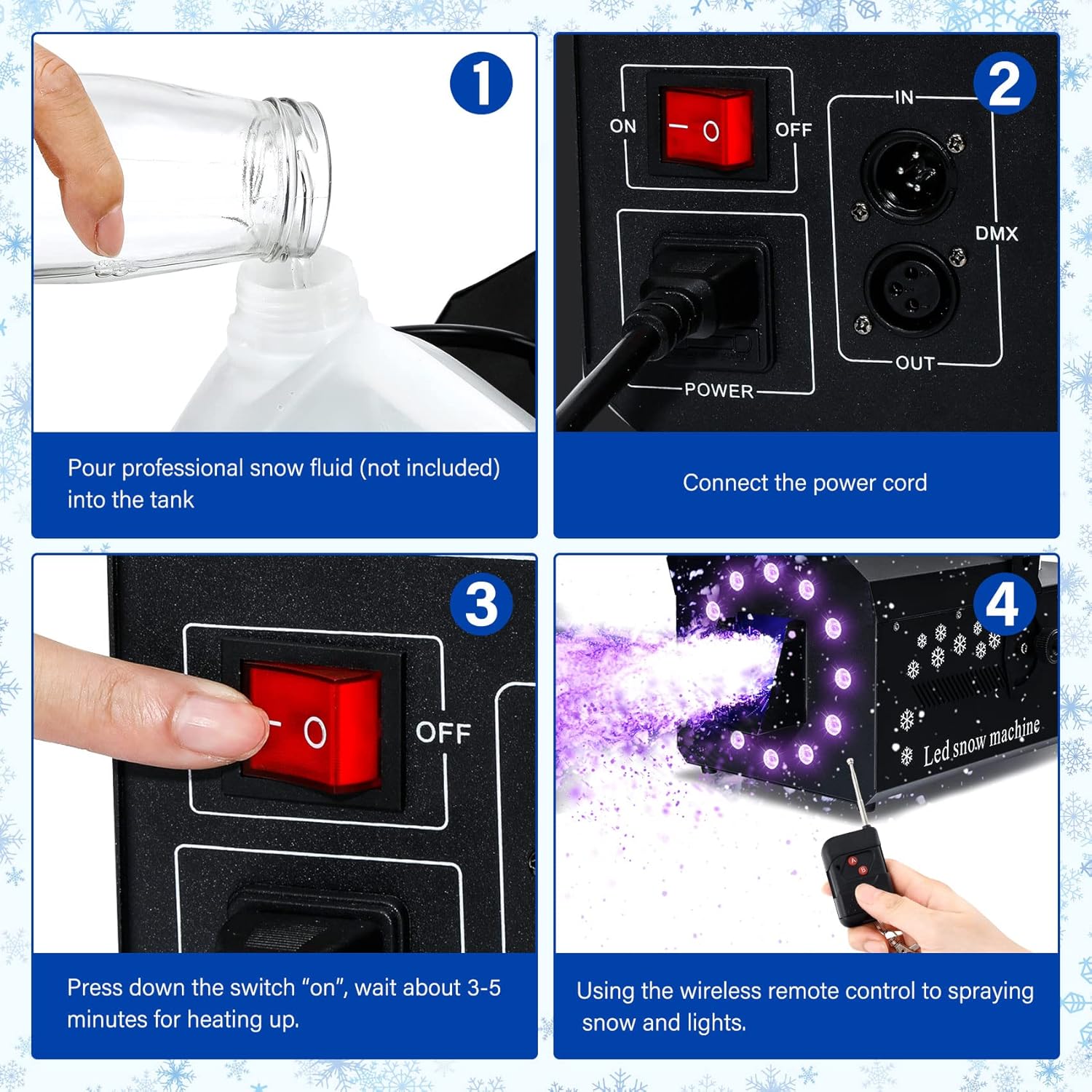
Image: Connecting the power cord to the snow machine. - Connect Remote Receiver: Plug the wireless remote receiver into its designated port on the back of the machine.
Operating Instructions
- Power On: Flip the main power switch to the "ON" position. The machine will begin to heat up. This typically takes 3-5 minutes. The indicator light will change when ready.

Image: Activating the power switch on the snow machine. - Wireless Remote Control: Once heated, use the wireless remote to control snow output and LED lights.
- Press 'A Key' to spray snowflakes and activate lights.
- Press 'B Key' to spray snowflakes only (no lights).
- The remote allows separate control of snow and light functions.

Image: Wireless remote control for snow and light functions. - Manual Control: The machine also features manual controls for snow output and light settings directly on the unit.
- DMX Function: For professional stage performances, the machine is equipped with DMX functionality. A DMX controller (not included) is required for this mode.
- Adjusting Output: The snow output intensity can be adjusted to create effects from a gentle dusting to a heavy snowfall.
Video: Demonstration of the TCFUNDY LED Snow Machine 600W in operation, showcasing snow output and LED lights.
Maintenance
- Cleaning: Regularly clean the exterior of the machine with a soft, dry cloth. Do not use harsh chemicals or abrasive materials.
- Fluid Management: Always ensure there is sufficient snow fluid in the tank during operation. Running the machine dry can cause damage.
- Storage: When not in use, store the machine in a cool, dry place away from direct sunlight and extreme temperatures. Ensure the tank is empty or securely sealed to prevent leaks.
Troubleshooting
| Problem | Possible Cause | Solution |
|---|---|---|
| No snow output |
|
|
| Weak snow output |
|
|
| Lights not working |
|
|
Specifications
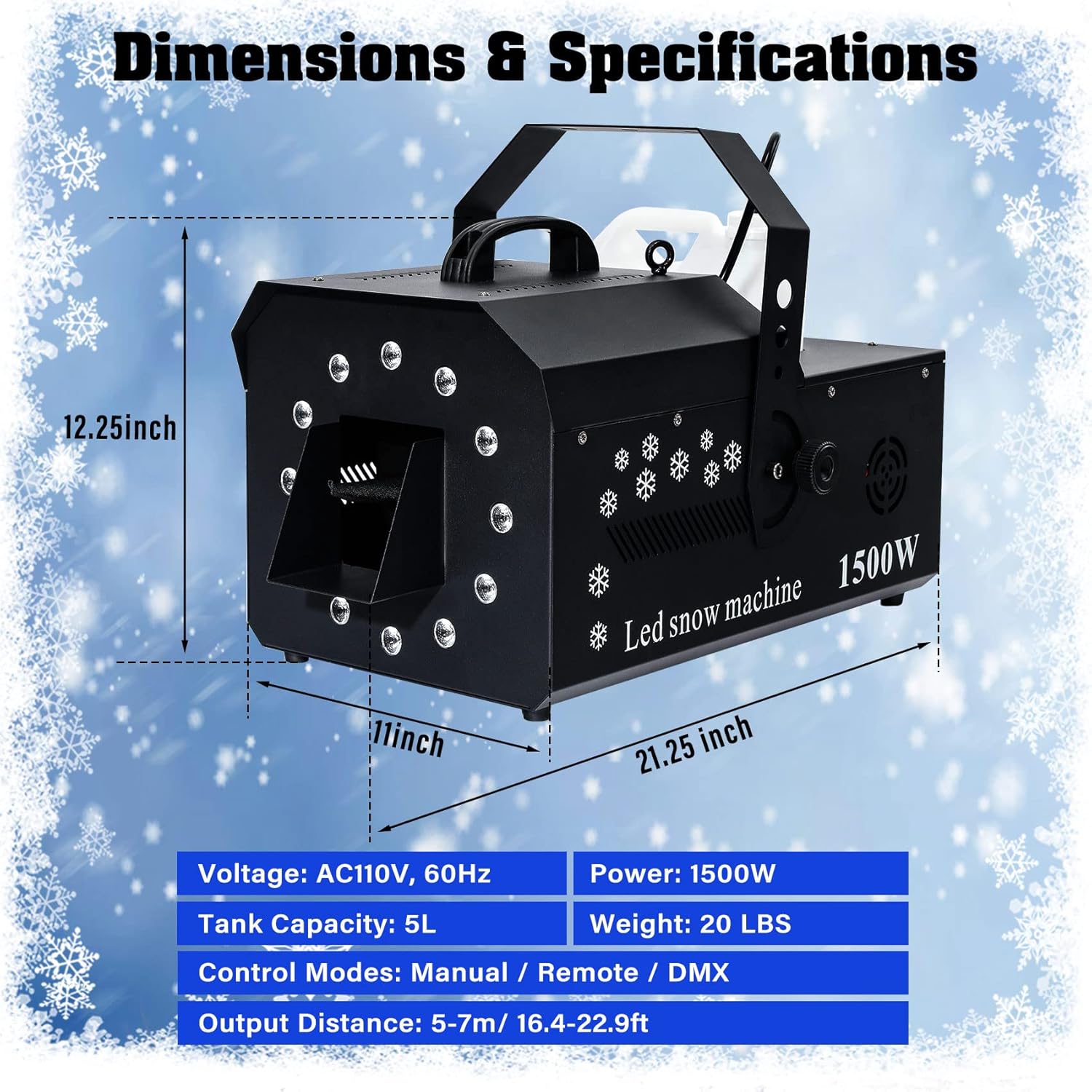
- Power: 1500W
- Voltage: AC110V, 60Hz
- Tank Capacity: 5L (169 oz)
- Output Distance: 5-7m (16.4-22.9 ft)
- Control Modes: Wireless Remote, Manual, DMX
- LED Lights: 12 RGB LEDs
- Item Weight: 21.3 pounds
- Package Dimensions: 24.17 x 15.2 x 13.82 inches
- Material: Aluminum and Iron
Warranty and Support
For warranty information or technical support, please refer to the contact details provided in your product packaging or visit the official TCFUNDY website. Protection plans may be available for extended coverage.