
1. Safety Information
Please read all safety instructions carefully before using the appliance. Keep this manual for future reference.
- Ensure the power supply voltage matches the rating label on the vacuum cleaner.
- Do not use the vacuum cleaner to pick up water or wet materials.
- Do not vacuum flammable or combustible materials, hot ashes, or sharp objects.
- Always unplug the appliance from the power outlet before cleaning or performing maintenance.
- Keep hair, loose clothing, fingers, and all parts of the body away from openings and moving parts.
- Do not operate the vacuum cleaner with a damaged cord or plug.
- This appliance is for indoor household use only.
2. Package Contents
Verify that all components are present in the packaging:
- Nikai NEVC22B Canister Vacuum Cleaner Unit
- Flexible Hose
- Telescopic Metal Tube
- Floor Brush
- Crevice Tool
- Small Brush/Upholstery Nozzle
- Instruction Manual
3. Product Overview
The Nikai NEVC22B is a 2200W canister vacuum cleaner designed for efficient cleaning of various surfaces, including carpets and hard floors. It features a telescopic metal tube, stepless speed control, and an automatic cord rewind function for convenience. A filter full indicator helps maintain optimal performance.

Image 1: Main unit of the Nikai NEVC22B 2200W Canister Vacuum Cleaner, showing the power button, cord rewind button, and suction control dial.

Image 2: The Nikai NEVC22B vacuum cleaner with a human figure for scale, indicating its approximate dimensions and compact design.
4. Setup
- Attach the Flexible Hose: Insert the end of the flexible hose into the suction inlet on the main unit until it clicks securely into place.
- Assemble the Telescopic Tube: Connect the telescopic metal tube to the handle end of the flexible hose. Extend the telescopic tube to your desired length by pressing the release button and pulling the tube.
- Attach the Floor Brush: Connect the floor brush to the end of the telescopic tube. Ensure it is firmly attached.
- Attach Other Accessories: For specific cleaning tasks, attach the crevice tool or small brush/upholstery nozzle directly to the flexible hose handle or the telescopic tube.
- Power Connection: Pull out the power cord to the required length and insert the plug into a suitable electrical outlet (220-240V, 50/60Hz). Do not pull the cord beyond the yellow mark.
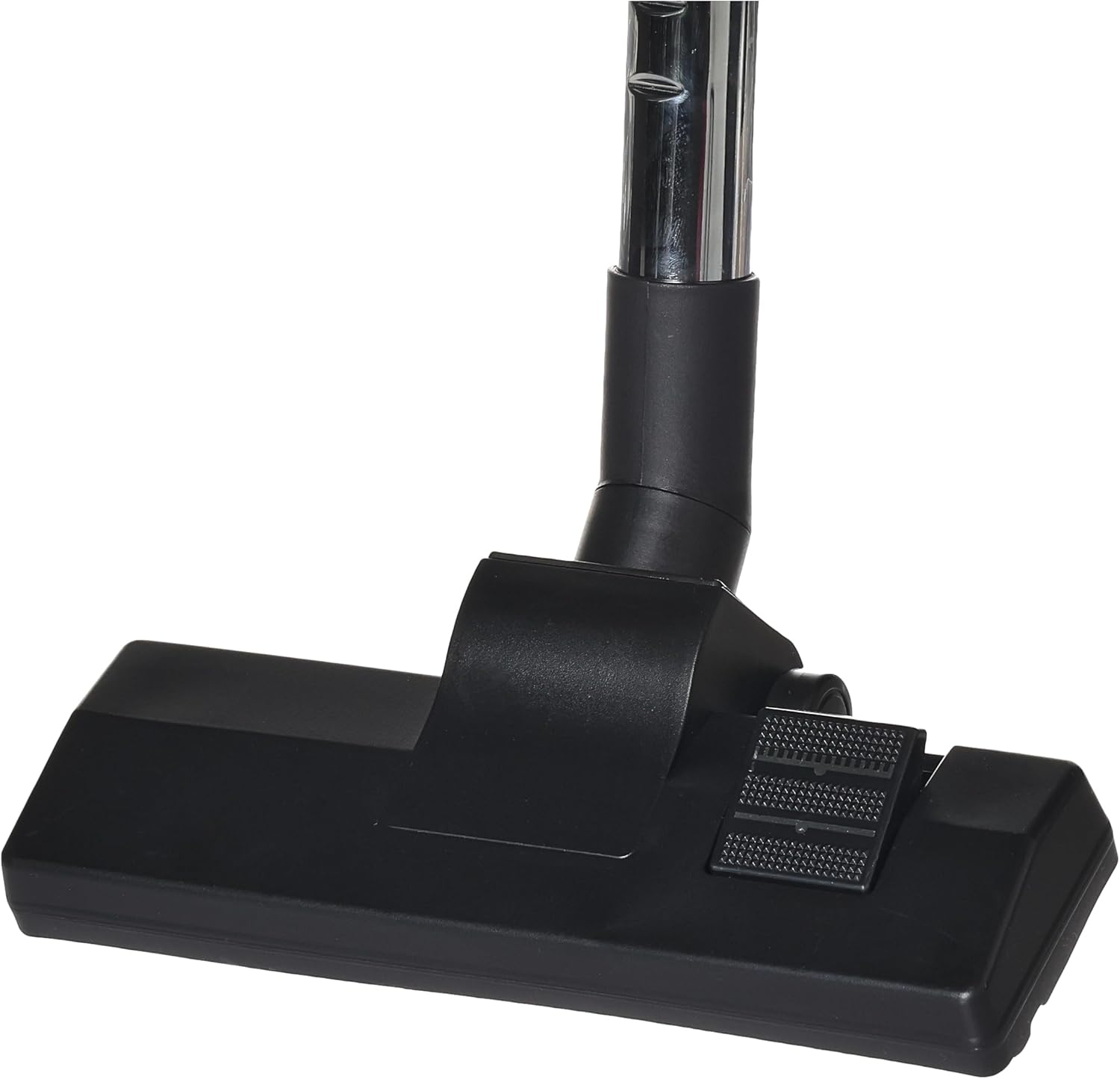
Image 3: The floor brush attachment for the Nikai NEVC22B vacuum cleaner, designed for effective cleaning on various floor types.

Image 4: Close-up of the hose handle for the Nikai NEVC22B vacuum cleaner, showing the air flow control slider for adjusting suction power.
5. Operating Instructions
- Power On/Off: Press the On/Off button (marked with 'I' for On and 'O' for Off) located on the main unit to start or stop the vacuum cleaner.
- Adjust Suction Power:
- Stepless Speed Control: Rotate the speed control dial on the main unit to increase or decrease the suction power.
- Air Flow Control: Use the air flow control slider on the hose handle to further adjust suction for delicate surfaces or to reduce suction if the brush sticks to the floor.
- Cleaning Surfaces:
- For carpets, ensure the floor brush is set to the carpet mode (usually by pressing a pedal on the brush).
- For hard floors, ensure the floor brush is set to the hard floor mode.
- Use the crevice tool for narrow gaps and corners.
- Use the small brush/upholstery nozzle for furniture, curtains, and delicate surfaces.
- Cord Rewind: After use, unplug the power cord from the outlet. Press the automatic cord rewind button on the main unit to retract the power cord. Guide the cord to prevent whipping.
6. Maintenance
Regular maintenance ensures optimal performance and extends the life of your vacuum cleaner.
6.1. Emptying the Dust Bag/Container
- The vacuum cleaner is equipped with a filter full indicator. When this indicator shows full, or suction power decreases significantly, the dust bag/container needs to be emptied.
- Switch off and unplug the vacuum cleaner.
- Open the dust compartment cover.
- Carefully remove the dust bag/container and empty its contents into a waste bin. If using a disposable bag, replace it with a new one.
- Close the dust compartment cover securely.
6.2. Cleaning Filters
- Depending on the model, your vacuum cleaner may have a motor protection filter and an exhaust filter.
- Switch off and unplug the vacuum cleaner.
- Locate and remove the filters as per the diagrams in the full manual (if available).
- Tap the filters gently to remove loose dust. If washable, rinse them under cold running water and allow them to air dry completely before reinserting. Do not use detergents or hot water.
- Replace filters if they are heavily soiled or damaged.
6.3. Cleaning Attachments
- Periodically check the floor brush and other attachments for tangled hair, threads, or debris. Remove any obstructions to ensure effective cleaning.
- Wipe the exterior of the vacuum cleaner with a soft, damp cloth. Do not use abrasive cleaners.
7. Troubleshooting
| Problem | Possible Cause | Solution |
|---|---|---|
| Vacuum cleaner does not start. | No power supply. | Check if the plug is properly inserted into the outlet. Check the power outlet with another appliance. |
| Low suction power. | Dust bag/container is full. Clogged filter. Obstruction in hose or attachments. | Empty or replace the dust bag/container. Clean or replace filters. Remove any obstructions from the hose, telescopic tube, or attachments. |
| Unusual noise. | Obstruction in the fan or motor area. | Switch off and unplug. Check for and remove any foreign objects. If the noise persists, contact customer support. |
| Cord does not rewind. | Cord is tangled or mechanism is jammed. | Gently pull out a small length of cord and press the rewind button again. Ensure the cord is not twisted. |
If you encounter problems not listed here, or if the issue persists, please contact Nikai customer support.
8. Specifications
| Feature | Specification |
|---|---|
| Brand | Nikai |
| Model Name | NEVC22B |
| Product Type | Canister Vacuum Cleaner |
| Power Source | Corded Electric |
| Wattage | 2200 Watts |
| Voltage | 220-240 Volts |
| Frequency | 50/60 Hz |
| Special Features | Automatic Cord Rewind, Filter Full Indicator, Stepless Speed Control |
| Recommended Surfaces | Carpet, Hard Floor |
| Color | Silver |
| Item Weight | 4 Kilograms |
| Product Dimensions (L x W x H) | 46 x 31 x 24 cm |
| Form Factor | Canister |
| Control Type | Push Button, Rotary Dial |
| Included Components | Set of accessories |
9. Warranty and Support
This Nikai NEVC22B vacuum cleaner comes with a manufacturer's warranty of two years from the date of purchase.
For warranty claims, technical support, or service inquiries, please refer to the contact information provided on your purchase receipt or visit the official Nikai website. Keep your proof of purchase for warranty validation.