
1. Introduction
The Dyson HEPA Big+Quiet Formaldehyde BP06 is an advanced air purifier designed to effectively clean the air in large spaces. This manual provides essential information for the setup, operation, and maintenance of your device, ensuring optimal performance and longevity. This product is intended for commercial use.
It is Dyson’s quietest, most powerful air purifier, engineered to evenly purify large spaces. Cone aerodynamics create powerful jets of air to project purified air around the room. The purifier is acoustically engineered to operate at lower noise levels, even at its highest power setting (just 55.6dBA).

Image: The Dyson HEPA Big+Quiet Formaldehyde BP06 air purifier.
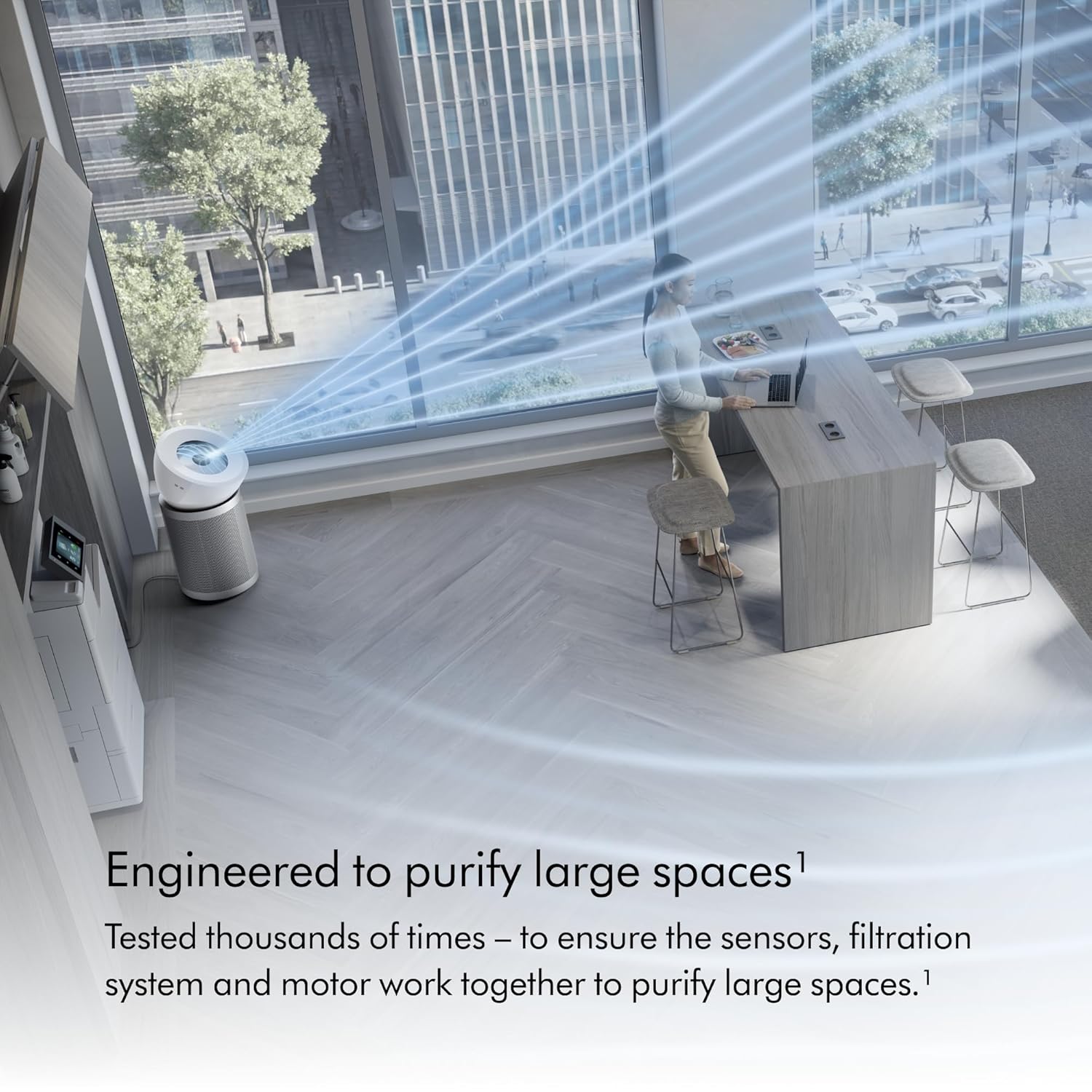
Image: The air purifier in an office environment, demonstrating its reach in large spaces.
Key features include:
- Large format purifier with HEPA H13 grade filtration.
- Powerful and quiet operation, purifying the whole room evenly.
- Destroys formaldehyde permanently.
- HEPA H13 grade filter is 3.8 times larger than previous generations and lasts up to 5 years.
- Two airflow speeds for adjustable purification.
- Senses and reports CO₂ levels in real-time.
- Single button operation for simplicity.
2. What's in the Box
Upon unboxing, please ensure all components are present:
- Dyson HEPA Big+Quiet Formaldehyde BP06 Air Purifier
- Activated carbon filter
- HEPA filter
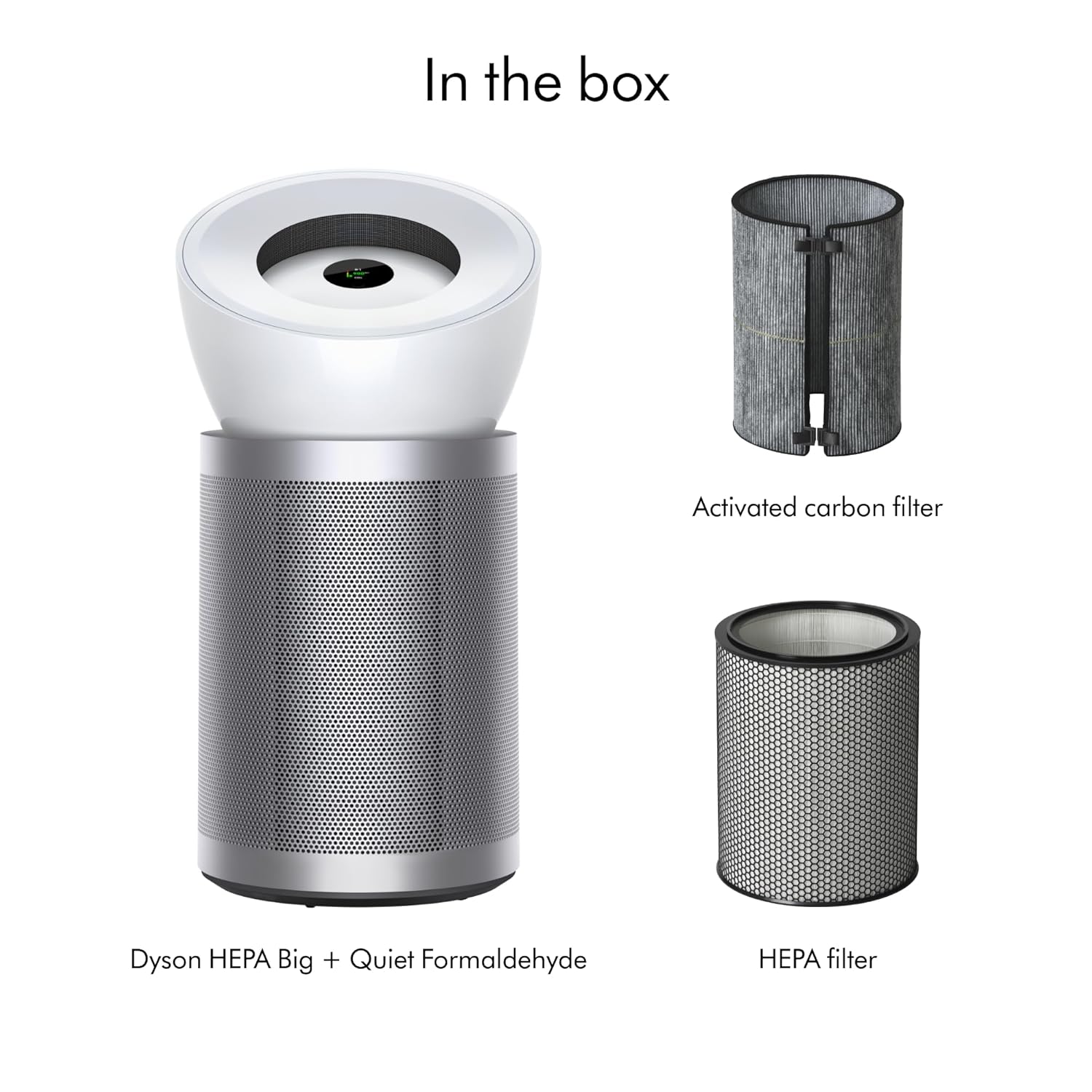
Image: The Dyson HEPA Big+Quiet Formaldehyde BP06 air purifier, along with its activated carbon filter and HEPA filter, as they appear when unboxed.
3. Setup Instructions
- Unpack the Device: Carefully remove the air purifier and all components from the packaging.
- Install Filters:
- Remove the outer cover of the purifier.
- Insert the HEPA filter, followed by the activated carbon filter, ensuring they are seated correctly.
- Replace the outer cover, ensuring it clicks into place.
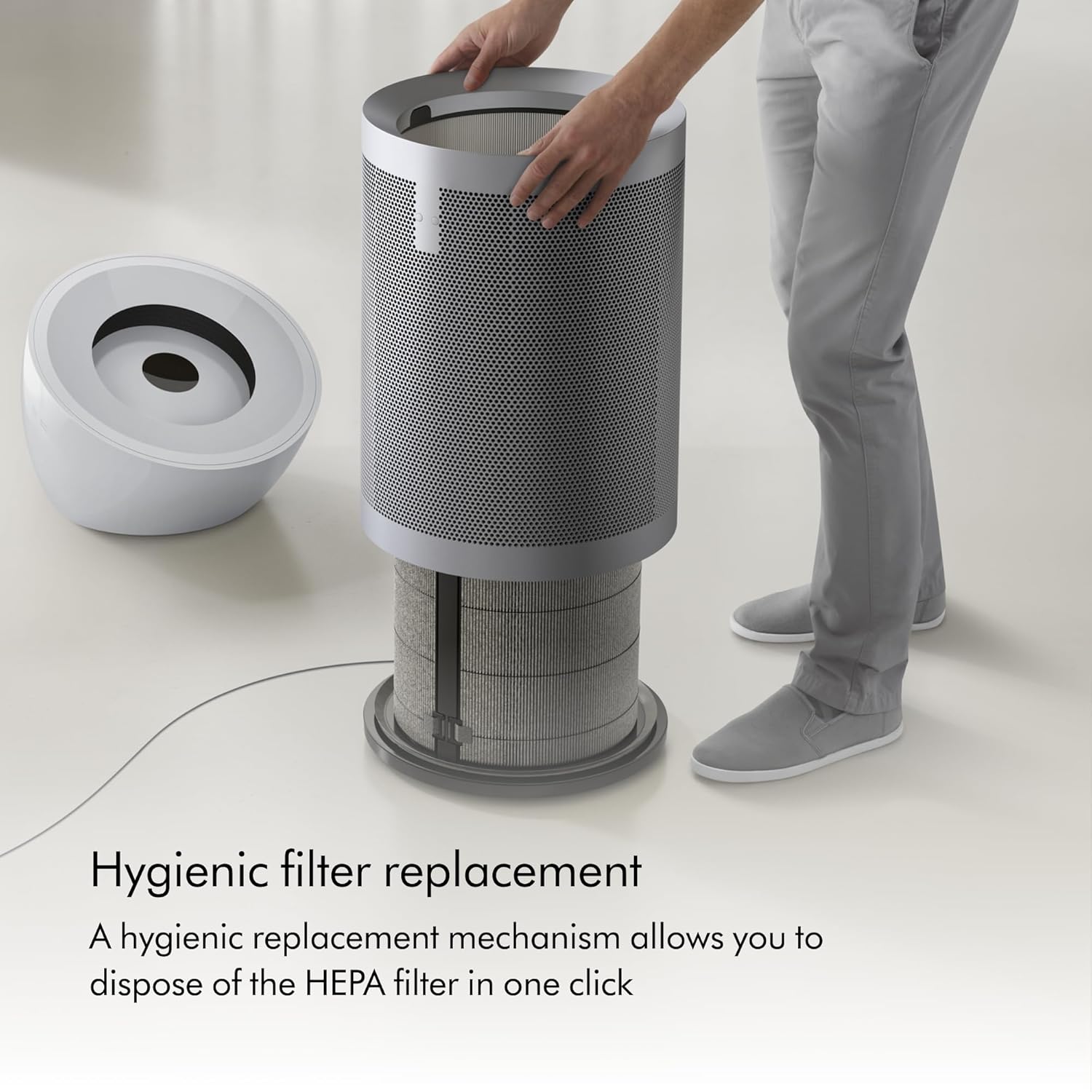
Image: Illustration of filter installation/replacement. The outer casing is removed, revealing the internal filter components.
- Position the Purifier: Place the purifier on a flat, stable surface, ensuring adequate clearance around the unit for optimal airflow.
- Connect to Power: Plug the power cord into a suitable electrical outlet.
4. Operating the Device
The Dyson HEPA Big+Quiet Formaldehyde BP06 features a simple single-button operation.
- Power On/Off: Press the single button located on the top of the unit to turn the purifier on or off.
- Adjust Airflow Speed: Press the button repeatedly to cycle between the two available airflow speeds (low and high).

Image: Close-up of the single button operation interface, showing a hand interacting with the control panel.

Image: The air purifier in a room, emphasizing its quiet performance.
The device will automatically sense and report CO₂ levels in real-time on its display.
5. Advanced Filtration System
The BP06 utilizes an advanced 360° HEPA H13 grade filtration system designed to capture a wide range of airborne pollutants.
- Particle Capture: The HEPA filter captures 99.97% of fine particles as small as 0.3 microns, including allergens, pollen, and pet dander.
- Gas and Odor Removal: The activated carbon filter removes gases and odors from the air, including acetic acid, acetaldehyde, ammonia, benzene, and NO2.
- Formaldehyde Destruction: The purifier is engineered to permanently destroy formaldehyde, converting it into water and carbon dioxide.

Image: Visual representation of the multi-stage filtration process, detailing how air is cleaned as it passes through the filters.
6. Maintenance and Filter Replacement
Regular maintenance ensures the continued efficiency of your Dyson air purifier. The HEPA H13 grade filter is designed to last up to 5 years, depending on usage and air quality.
Filter Replacement Procedure:
- Power Off: Ensure the purifier is turned off and unplugged from the power outlet.
- Remove Outer Cover: Gently twist and lift the outer cover of the purifier to expose the filters.
- Remove Old Filters: Carefully remove the used HEPA and activated carbon filters. Dispose of them according to local regulations.
- Install New Filters: Insert the new HEPA filter first, followed by the new activated carbon filter, ensuring they are securely in place.
- Replace Outer Cover: Align the outer cover and twist it back into position until it locks.
For optimal performance, use genuine Dyson replacement filters.
7. Specifications
| Brand | Dyson |
| Model Number | BP06 |
| Product Dimensions | 17.1 x 16.3 x 32.7 inches (43.4 x 41.4 x 83.1 cm) |
| Weight | 7.34 Pounds (3.33 kg) |
| Color | White/Silver |
| Floor Area Coverage | 1000.0 sq ft |
| Filtration Type | HEPA H13 Grade, Activated Carbon |
| Formaldehyde Destruction | Yes |
| CO₂ Sensing | Real-time reporting |
| Specification Met | AHAM Certified |
8. Troubleshooting
If you encounter issues with your Dyson HEPA Big+Quiet Formaldehyde BP06, please refer to the following common solutions:
- Device Not Powering On:
- Ensure the power cord is securely plugged into both the purifier and a working electrical outlet.
- Check if the outlet is functional by plugging in another device.
- Reduced Airflow or Unusual Noise:
- Check if the filters are correctly installed and not obstructed.
- Inspect the air intake and outlet for any blockages.
- Consider replacing filters if they are old or heavily soiled, as this can restrict airflow.
- Unpleasant Odor from Purifier:
- This may indicate that the activated carbon filter is saturated and needs replacement.
- Ensure the area around the purifier is clean and free of strong odors that the unit might be processing.
- CO₂ Readings Seem Inaccurate:
- Ensure the purifier is placed in an open area and not directly next to a CO₂ source (e.g., exhaled breath).
- Allow the device some time to stabilize its readings after initial power-on or relocation.
If the issue persists after attempting these solutions, please contact Dyson customer support for further assistance.
9. Warranty and Support
Your Dyson HEPA Big+Quiet Formaldehyde BP06 air purifier comes with a manufacturer's warranty. Please refer to the warranty card included with your product for specific terms and conditions, including coverage duration and claim procedures.
For technical support, replacement parts, or warranty inquiries, please visit the official Dyson website or contact Dyson customer service directly. Keep your purchase receipt and product serial number handy when contacting support.
Dyson Official Website: www.dyson.com


