
1. Introduction
The BoxWave Charger Direct (15W) is a high-performance wall charger designed to provide rapid and reliable power to your compatible devices, such as the Emdoor EM-I17J. Featuring a built-in 6-foot USB Type-C cable, this charger ensures a secure connection and eliminates the need for separate cables. Its adaptive circuitry supports both North American and international voltage standards, making it an ideal companion for travel.
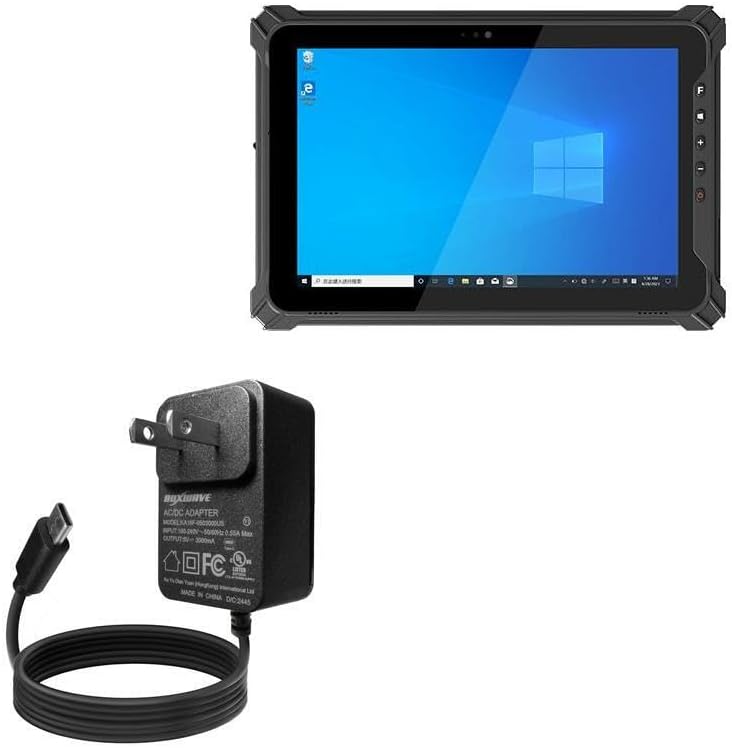
Image: The BoxWave Charger Direct (15W) shown alongside a compatible tablet, illustrating its compact design and integrated cable.
This manual provides essential information on setting up, operating, maintaining, and troubleshooting your BoxWave Charger Direct (15W) to ensure optimal performance and longevity.
2. Setup
- Unpack the Charger: Carefully remove the BoxWave Charger Direct (15W) from its packaging.
- Inspect for Damage: Before use, visually inspect the charger and its integrated cable for any signs of damage. Do not use if damaged.
- Locate a Power Outlet: Identify a standard wall power outlet (AC 100-240V, 50/60Hz).
- Plug in the Charger: Insert the charger's prongs firmly into the wall outlet.
- Connect to Device: Plug the USB Type-C connector of the integrated 6-foot cable into the charging port of your Emdoor EM-I17J or other compatible device. Ensure the connection is secure.

Image: A detailed view of the BoxWave Charger Direct (15W), highlighting the integrated USB Type-C cable and product labeling.
3. Operating Instructions
Once connected, the BoxWave Charger Direct (15W) will automatically begin charging your device. The 15W power delivery ensures rapid charging, minimizing downtime for your device.
- Rapid Charging: The charger is designed to safely and quickly charge your device. Charging speed may vary based on your device's battery level and power management settings.
- Built-in Cable Advantage: The integrated 6-foot cable provides ample reach, allowing you to comfortably use your device while it charges, even if the power outlet is not immediately adjacent. This design also prevents loose connections often associated with detachable cables.

Image: A smartphone screen showing a high charge percentage and the text "15W Fast Charging," demonstrating the charger's rapid charging capability.

Image: The charger's 6-foot cable extending across a living room floor to a device, illustrating the freedom of movement it provides during charging.
4. Maintenance
Proper care will extend the life of your BoxWave Charger Direct (15W).
- Cleaning: Disconnect the charger from the power outlet and your device before cleaning. Use a soft, dry cloth to wipe the surface. Do not use liquid cleaners or aerosols.
- Storage: Store the charger in a cool, dry place when not in use. Avoid extreme temperatures.
- Cable Care: Do not bend the cable sharply or apply excessive force to the connectors. The charger features reinforced strain relief to minimize kinking and tearing, but proper handling is still recommended.

Image: A close-up of the charger's cable connector, highlighting the reinforced strain relief designed to prevent damage from bending.
5. Troubleshooting
If you encounter issues with your charger, refer to the following common problems and solutions:
| Problem | Possible Cause | Solution |
|---|---|---|
| Device not charging. | Loose connection, faulty outlet, device issue. | Ensure the charger is firmly plugged into the wall and the USB-C connector is securely inserted into your device. Try a different wall outlet. Test with another compatible device if possible. |
| Slow charging. | Device drawing less power, background apps, cable issue. | Close unnecessary applications on your device. Ensure your device supports 15W charging. While the cable is integrated, ensure it's not damaged. |
| Charger feels warm. | Normal operation during charging. | It is normal for chargers to become warm during operation. If it becomes excessively hot or emits smoke/odor, immediately unplug it and discontinue use. |
If the problem persists after trying these solutions, please contact BoxWave customer support for assistance.
6. Specifications
| Feature | Detail |
|---|---|
| Model Number | BW-WCD |
| Brand | BoxWave |
| Connectivity Technology | USB Type-C (Integrated Cable) |
| Special Feature | Fast Charging |
| Mounting Type | Wall Mount |
| Wattage | 15 watts |
| Material | Polycarbonate |
| Item Weight | 3.3 ounces |
| Cable Length | 6 feet (approx. 1.8 meters) |
| Input Voltage | 100-240V AC, 50/60Hz (Universal) |
7. Warranty and Support
BoxWave Corporation stands behind the quality of its products. This product typically comes with a standard return policy of 30 days from the date of purchase, allowing for refund or replacement in case of defects or dissatisfaction.
For technical support, warranty claims, or any inquiries regarding your BoxWave Charger Direct (15W), please contact BoxWave Corporation directly. Contact information can usually be found on the product packaging or the official BoxWave website.
Please note that limited 3rd party tech support for your device (up to 3 inquiries via messaging) may be included, but this is not affiliated with or endorsed by Emdoor.