
1. Introduction
Welcome to the Masimo Stork Vitals+ Smart Baby Monitoring System. This system is designed to provide continuous monitoring of your baby's vital signs, including pulse rate, oxygen saturation, and skin temperature, offering peace of mind through advanced technology.
The Stork Vitals+ system includes a comfortable boot with an integrated sensor, a high-definition camera, and a dedicated mobile application for real-time data and alerts. This manual provides essential information for setting up, operating, and maintaining your device.

Image: The Masimo Stork Vitals+ system, showcasing the camera, the sensor boot, and a smartphone displaying the monitoring app interface with vital signs.
2. Important Safety Information
WARNING:
- Masimo Stork is not intended to replace the monitoring, diagnosis, or treatment provided by a physician or healthcare provider. Always consult with a medical professional for any health concerns regarding your baby.
- Masimo Stork is not intended for use with infants and neonates previously diagnosed with cardiovascular or respiratory disease or conditions.
- This product is designed for use with healthy infants 0-18 months of age and between 6 to 30 lbs.
- Ensure all cables are kept out of reach of children to prevent strangulation hazards.
- Do not use damaged components. If any part of the system is damaged, discontinue use and contact customer support.
3. What's Included
The Masimo Stork Vitals+ system comes with the following components:
- Stork Boot with Sensor
- Stork Camera
- Installation Hardware
- Cable Management Accessories
- Quick Start Guide
- Charger

Image: A visual representation of the Masimo Stork Vitals+ system components, including the camera, sensor boot, and a smartphone showing the app, indicating a complete monitoring solution.
4. Setup Guide
4.1. Charging the Sensor Boot
- Connect the sensor boot to the provided charger.
- Allow approximately 2 hours for a full charge. A full charge provides up to 16 hours of continuous monitoring.
- Ensure the sensor is fully charged before first use.
4.2. Camera Placement
The Stork Camera can be placed on a flat surface or wall-mounted. Choose a location that provides a clear view of your baby's sleeping area, ensuring it is out of your baby's reach.
- Position the camera to capture the entire crib area.
- Utilize the included installation hardware and cable management accessories to secure the camera and hide cables.

Image: The Masimo Stork camera securely mounted on a wall, positioned to monitor a baby's crib, demonstrating proper installation.
4.3. App Installation and Pairing
- Download the "Stork App" from your smartphone's app store (available for iOS and Android).
- Follow the on-screen instructions within the app to create an account and pair your Stork Sensor Boot and Camera.
- Ensure your smartphone is connected to a stable Wi-Fi network during the pairing process.
5. Operating Instructions
5.1. Monitoring Vitals
Once paired, the Stork App will display real-time data for your baby's pulse rate, oxygen saturation (SpO2), and skin temperature. The sensor boot continuously transmits this data to the app.
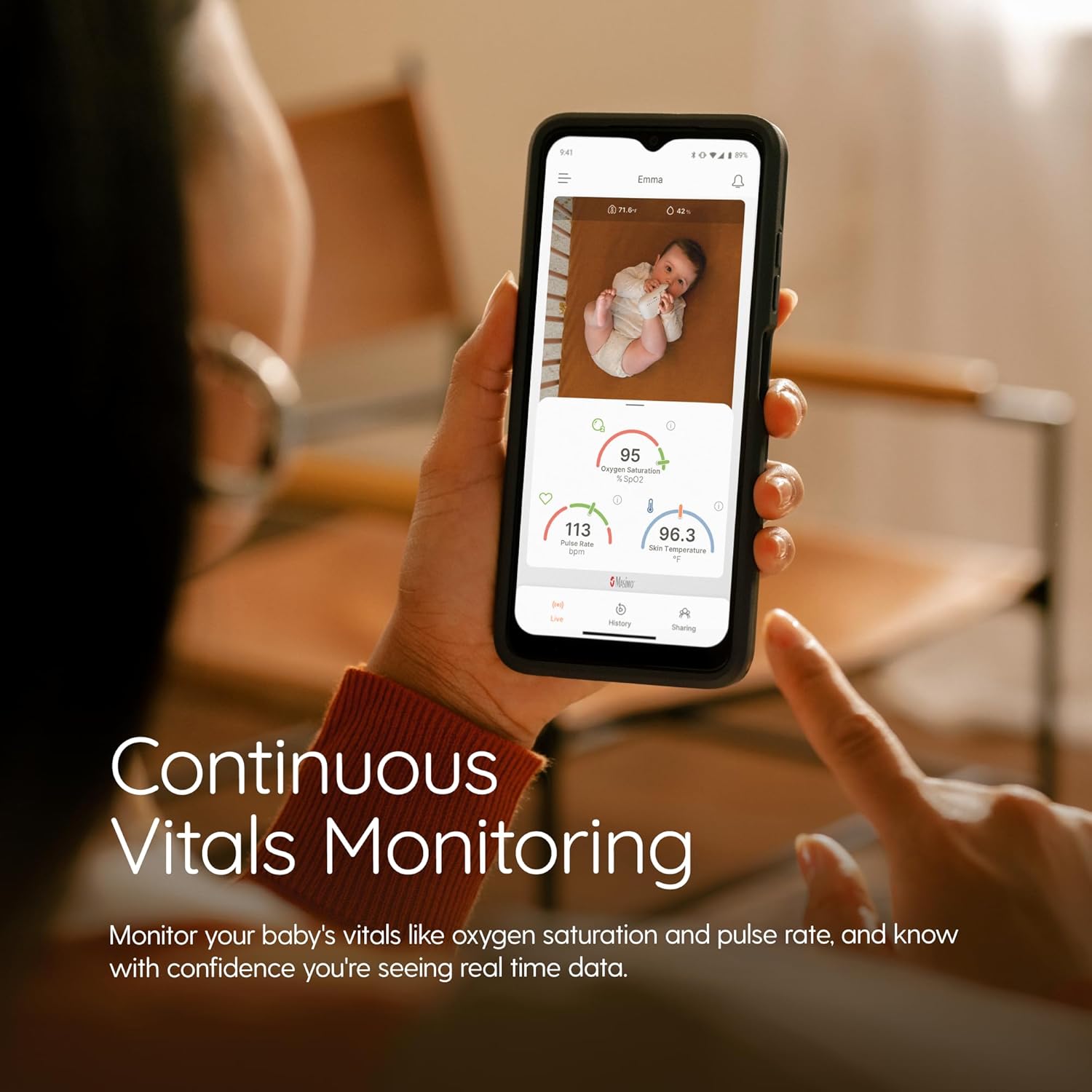
Image: A close-up of the Stork app interface on a smartphone, showing live readings of a baby's oxygen saturation, pulse rate, and skin temperature, highlighting continuous vital monitoring.
5.2. Using the Camera
The QHD-capable camera provides crystal-clear video, day or night. Access the live feed through the Stork App.
- Zoom Function: Pinch to zoom in or out on the video feed.
- Room Condition Monitoring: The app displays room temperature and humidity.
- Two-Way Audio: Use the microphone icon in the app to speak to your baby through the camera's speaker.
- Video History: The app stores up to 24 hours of video history for review.

Image: A comparison view demonstrating the Stork camera's capability to provide clear video both during the day and at night, ensuring continuous visibility of the baby.
5.3. Alarms and Notifications
The system is designed to provide visual and audio alarms when oxygen saturation and pulse rate fall outside of preset ranges. You will receive in-app notifications and audio alerts on your smartphone.
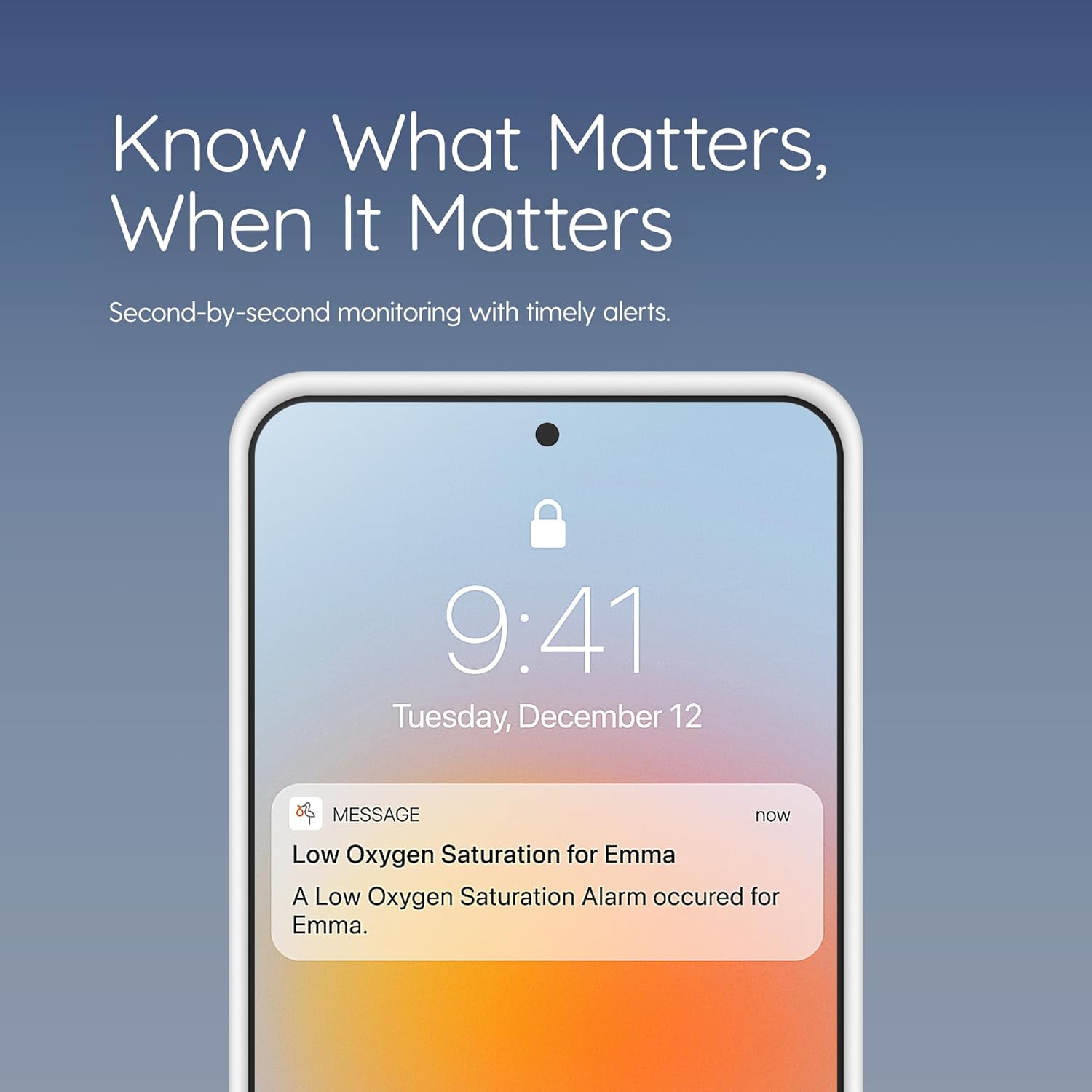
Image: A smartphone displaying a critical alert from the Stork app, indicating a low oxygen saturation event for the monitored baby, demonstrating timely notifications.
For additional information on the Stork Smart Home Baby Monitor, please watch the official product video below:
Video: An official product video from Masimo Stork, providing an overview of the Smart Home Baby Monitor system and its features.
6. Maintenance
6.1. Cleaning
- Wipe the Stork Boot and Camera with a soft, damp cloth.
- Do not use abrasive cleaners or immerse any components in water.
- Ensure all components are dry before re-use.
6.2. Battery Care
- Charge the sensor boot regularly to maintain optimal battery life.
- Avoid fully discharging the battery frequently to prolong its lifespan.
- Store the sensor boot in a cool, dry place when not in use.
7. Troubleshooting
| Problem | Possible Cause | Solution |
|---|---|---|
| Sensor Boot not connecting to app. | Low battery, out of range, app issue. | Charge the sensor boot. Ensure it's within range of the camera/hub. Restart the app and/or your smartphone. |
| Camera video feed is black or frozen. | Poor Wi-Fi connection, camera power issue. | Check Wi-Fi signal strength. Ensure camera is powered on and connected. Restart the camera and app. |
| Inaccurate vital sign readings. | Improper boot placement, sensor obstruction. | Ensure the sensor boot is correctly and securely placed on your baby's foot. Check for any obstructions or dirt on the sensor. |
| No audio from two-way talk. | Microphone/speaker settings, app permissions. | Check volume settings on your phone and in the app. Verify app permissions for microphone access. |
8. Specifications
| Brand | Stork |
| Model | B0CFG5J6K4 |
| Manufacturer | Masimo Corporation |
| Compatible Devices | Smartphones |
| Sensor Type | Temperature, Pulse Rate, Oxygen Saturation |
| Sensor Battery Life | Up to 16 Hours |
| Sensor Battery Type | Lithium-Ion |
| Camera Resolution | QHD-capable |
| Mounting Type | Wall Mount (or surface) |
| Product Weight | Approximately 4.64 pounds (2.11 Kilograms) |
| UPC | 843997007689 |
9. Warranty and Support
For detailed warranty information and customer support, please refer to the official Masimo Stork website or the documentation included with your product. You can also contact Masimo Corporation directly for assistance.
Manufacturer: Masimo Corporation


