
Introduction
This manual provides detailed instructions for the safe and effective use of your Diydeg 18000 LM Diving Flashlight. Please read this manual thoroughly before operating the device and retain it for future reference.
The Diydeg diving flashlight is designed for underwater activities, offering high brightness and multiple lighting modes. Its robust construction ensures performance in challenging underwater environments.

Image: The Diydeg diving flashlight provides excellent illumination for various underwater activities, including diving, caving, and photography, with a high color rendering index for realistic visuals.
Safety Information
- Waterproof Integrity: Ensure all seals are clean and properly seated before submerging the flashlight. Improper sealing can lead to water ingress and damage.
- Battery Safety: Use only the specified rechargeable lithium batteries. Do not attempt to open or modify the battery pack. Charge the battery using the provided USB cable.
- Heat Generation: The flashlight may generate heat during prolonged use, especially at high brightness settings. Avoid direct contact with skin when operating out of water for extended periods.
- Eye Protection: Do not shine the light directly into eyes. The high intensity light can cause temporary vision impairment.
- Storage: Store the flashlight in a cool, dry place away from direct sunlight and extreme temperatures.
- Disposal: Dispose of batteries and the flashlight according to local regulations.
Package Contents
Verify that all items listed below are present in your package:
- 1 x Diving Flashlight
- 1 x Handle
- 1 x USB Cable
- 1 x Hexagonal Wrench
- 1 x Metal Plate
- 1 x Long Screw
- 1 x Short Screw
- 1 x Column Head (Ball Joint)

Image: The complete package contents of the Diydeg diving flashlight, including the main unit and various accessories for assembly and charging.
Specifications
| Item Type | Diving Flashlight |
| Material | Aluminum alloy |
| Weight | Approx. 777g (27.4oz) |
| Head Diameter | Approx. 60mm (2.4in) |
| Length | Approx. 130mm (5.1in) |
| Battery | 3 x Built-in Lithium batteries, 14400mAh total |
| Light Sources | White, Red, Blue COB LED |
| Maximum Dive Depth | 100 meters (328 feet) |
| Brightness | 18000 LM |
| IP Rating | IPX8 |
| LED Lifespan | Over 50,000 hours |

Image: Physical dimensions of the Diydeg diving flashlight.
Setup
- Initial Charge: Before first use, fully charge the flashlight using the provided USB cable. Connect the USB cable to the charging port on the flashlight and a compatible USB power source. The charging indicator will show the charging status.
- Handle Installation (Optional):
- Attach the handle to the flashlight body using the hexagonal wrench and screws provided.
- If using for camera fill light, attach the column head (ball joint) to the handle or directly to the flashlight if applicable, using the metal plate and screws.
- Pre-Dive Check: Before each dive, inspect the flashlight for any visible damage. Ensure the charging port cover is securely closed to maintain waterproof integrity.

Image: Handle and ball joint accessory for mounting or enhanced grip.

Image: Overview of the flashlight showing the two control buttons and their functions.
Operating Instructions
The Diydeg diving flashlight features two independent buttons for controlling different light modes.

Image: Close-up view of the two distinct control buttons.
Button 1: White Light Modes
Press Button 1 to cycle through the white light brightness settings:
- First press: High brightness white light
- Second press: Medium brightness white light
- Third press: Low brightness white light
- Fourth press: Turn off white light
Button 2: Red and Blue Light Modes
Press Button 2 to cycle through the red and blue light settings. These modes are often used for observing marine life as many aquatic creatures are less sensitive to red and blue light.
- First press: Constant red light
- Second press: Flashing red light
- Third press: Constant blue light
- Fourth press: Turn off red/blue light
Note: Both white light and red/blue light modes can be operated independently or simultaneously.

Image: Examples of the white and red light output from the flashlight.
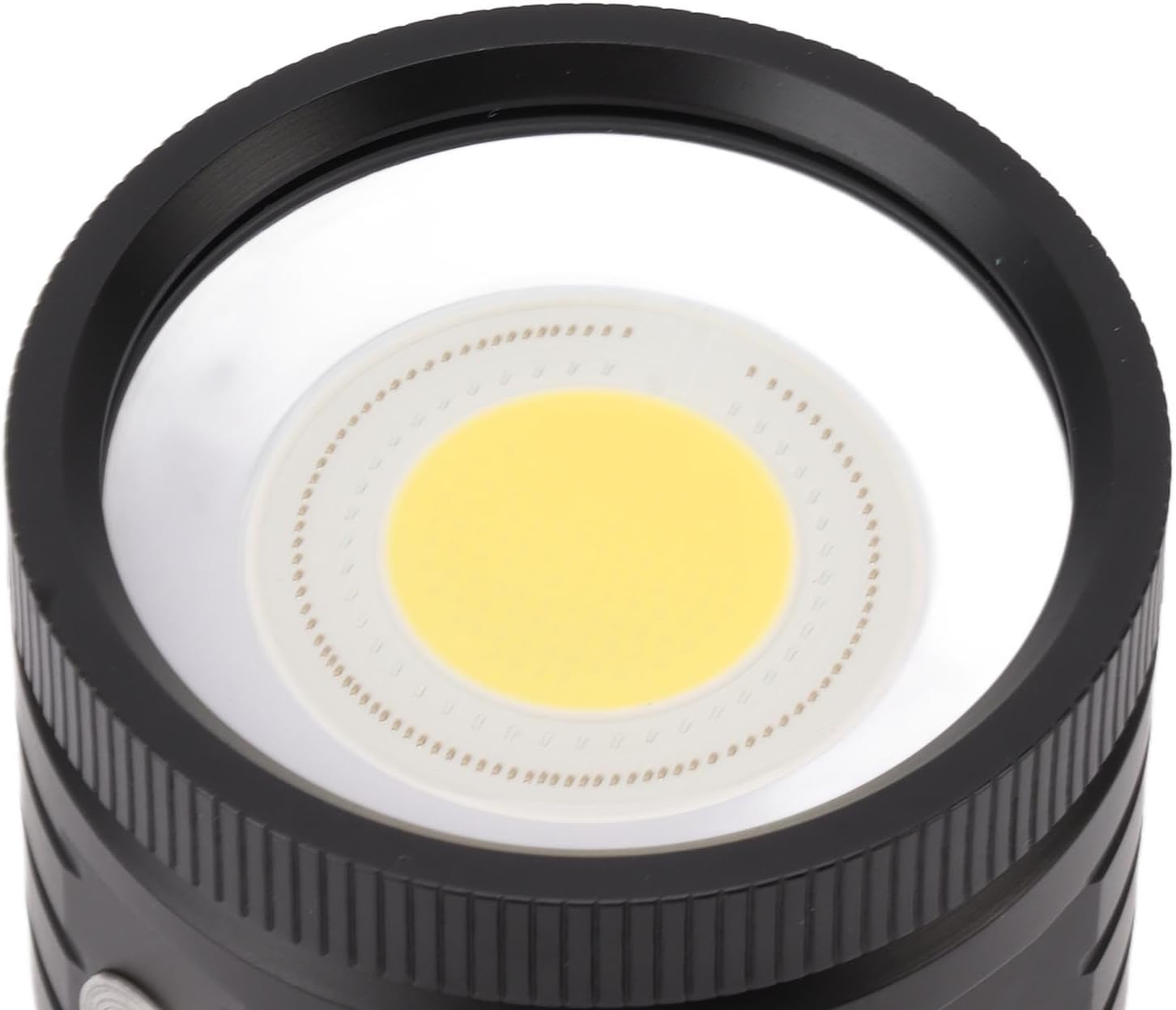
Image: Detailed view of the COB LED light source.
Maintenance
- Rinsing: After each dive, rinse the flashlight thoroughly with fresh water to remove salt, sand, and other debris.
- Drying: Dry the flashlight completely with a soft cloth before storage.
- O-Ring Care: Periodically inspect the O-rings for cracks, tears, or signs of wear. Clean them and apply a thin layer of silicone grease if necessary to maintain a watertight seal. Replace damaged O-rings immediately.
- Charging Port: Ensure the charging port is clean and dry before connecting the USB cable. Keep the port cover securely closed when not charging.
- Battery Life: For optimal battery life, avoid fully discharging the battery frequently. Recharge the flashlight regularly, especially if it will be stored for an extended period.
Troubleshooting
| Problem | Possible Cause | Solution |
|---|---|---|
| Flashlight does not turn on. | Battery is depleted. | Charge the flashlight using the provided USB cable. |
| Light output is dim. | Low battery charge. | Recharge the flashlight. |
| Water inside the flashlight. | Improperly sealed O-rings or damaged seals. | Immediately turn off the flashlight. Open the battery compartment, dry thoroughly, inspect O-rings for damage, clean, and re-grease. If damage is severe, contact customer support. |
| Buttons are unresponsive. | Temporary software glitch or low battery. | Recharge the flashlight. If the issue persists, contact customer support. |
Warranty and Support
For warranty information or technical support, please refer to the contact details provided with your purchase or visit the official Diydeg website. Keep your purchase receipt as proof of purchase for warranty claims.
If you have any questions about your underwater LED flashlight, please contact us. We aim to reply within 24 hours and provide a satisfactory solution.