
1. Introduction
This manual provides detailed instructions for the installation, operation, and maintenance of your TAFFIO 9-inch Touch Android Head Unit. This unit is designed for specific compatibility with Mazda CX-7 vehicles manufactured between 2007 and 2014. Please read this manual thoroughly before use to ensure proper functionality and to maximize your experience with the device.
Key features include an intuitive user interface, FULL HD resolution capacitive multi-touch screen, FM/AM radio with RDS, USB/SD/SDHC media playback, Bluetooth hands-free calling and A2DP music streaming, 2-Zone function, Auto-Memory, Back-Zone function, day and night display, Play Store access for Android apps, customizable EQ settings, rear camera connection, multiple audio/video inputs/outputs, integrated CarPlay & Android Auto, and built-in WiFi.
2. Package Contents
Verify that all items listed below are present in your package. If any items are missing or damaged, please contact customer support.

Figure 2.1: Included Components
- TAFFIO 9-inch Android Head Unit with Frame
- Power Cable with CAN-BUS Decoder
- USB Cables (for data and charging)
- GPS Antenna
- 4G Antenna
- RCA Cables (Audio/Video input/output)
- Radio Antenna Adapter
- Rear Camera Input Cable
- External Microphone
- Installation Guide
- Troubleshooting Guide
- Frame Removal Tool
- Mounting Screws
3. Setup and Installation
The TAFFIO head unit features a Plug & Play installation design, minimizing the need for additional adapters or mounting frames. However, professional installation is recommended to ensure correct wiring and vehicle integration.
3.1 Pre-Installation Checklist
- Ensure the vehicle's ignition is off and the battery is disconnected.
- Gather all necessary tools, including the provided frame removal tool.
- Review the vehicle's specific wiring diagram for your Mazda CX-7 (2007-2014).
3.2 Connecting the Unit
Connect the various cables to the back of the head unit as shown in the diagram below. Ensure all connections are secure before mounting the unit.

Figure 3.1: Rear Panel Connections
- GPS Antenna: Connect the GPS antenna for navigation functionality.
- 4G Antenna: Connect the 4G antenna for mobile data connectivity (if applicable).
- Rear CAM IN: Connect your backup camera here. If using an original rear camera, connect with No. 3.
- USB Ports: Connect USB devices for media playback or data transfer.
- CAN-BUS Connector: Connect the vehicle's CAN-BUS system for steering wheel controls and other vehicle data integration.
- RCA Plugs & SIM Slot: Connect RCA cables for audio/video input/output and insert a SIM card if 4G functionality is desired.
- Radio Antenna: Connect the vehicle's radio antenna.
- Video IN (Optional): For additional video input sources.
- Microphone IN (Optional): For an external microphone.
- Subwoofer (Optional): For connecting an external subwoofer.
- Video IN 2 (Optional): Second optional video input.
- AUX IN: Auxiliary audio input.
- Audio Output L/R: Left and Right audio outputs.
After connecting all necessary cables, carefully mount the head unit into the dashboard opening, securing it with the provided fixing brackets and screws. Reconnect the vehicle battery and test the unit.
4. Operating Instructions
The TAFFIO head unit runs on Android 12, offering a familiar and intuitive interface. Navigate using the capacitive multi-touch screen or the physical buttons on the unit.
4.1 Main Interface
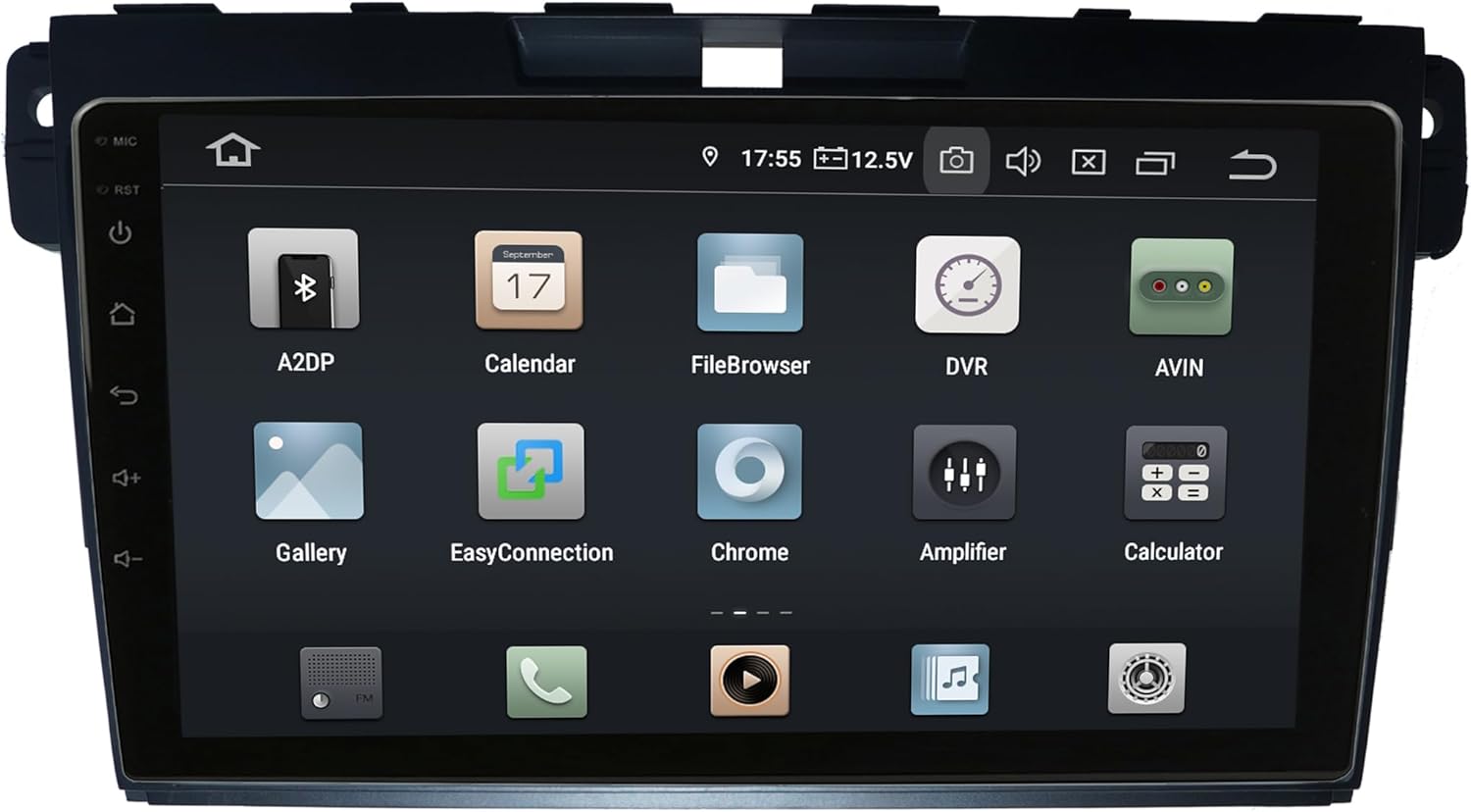
Figure 4.1: Main Android Interface
From the main screen, you can access all installed applications and system settings. Swipe left or right to navigate through app pages.
4.2 CarPlay and Android Auto
The unit supports integrated Wireless CarPlay and Android Auto without requiring additional adapters. Connect your compatible smartphone via USB or wirelessly (if supported by your phone and the unit's software) to access navigation, music, messages, and more directly on the head unit's screen.
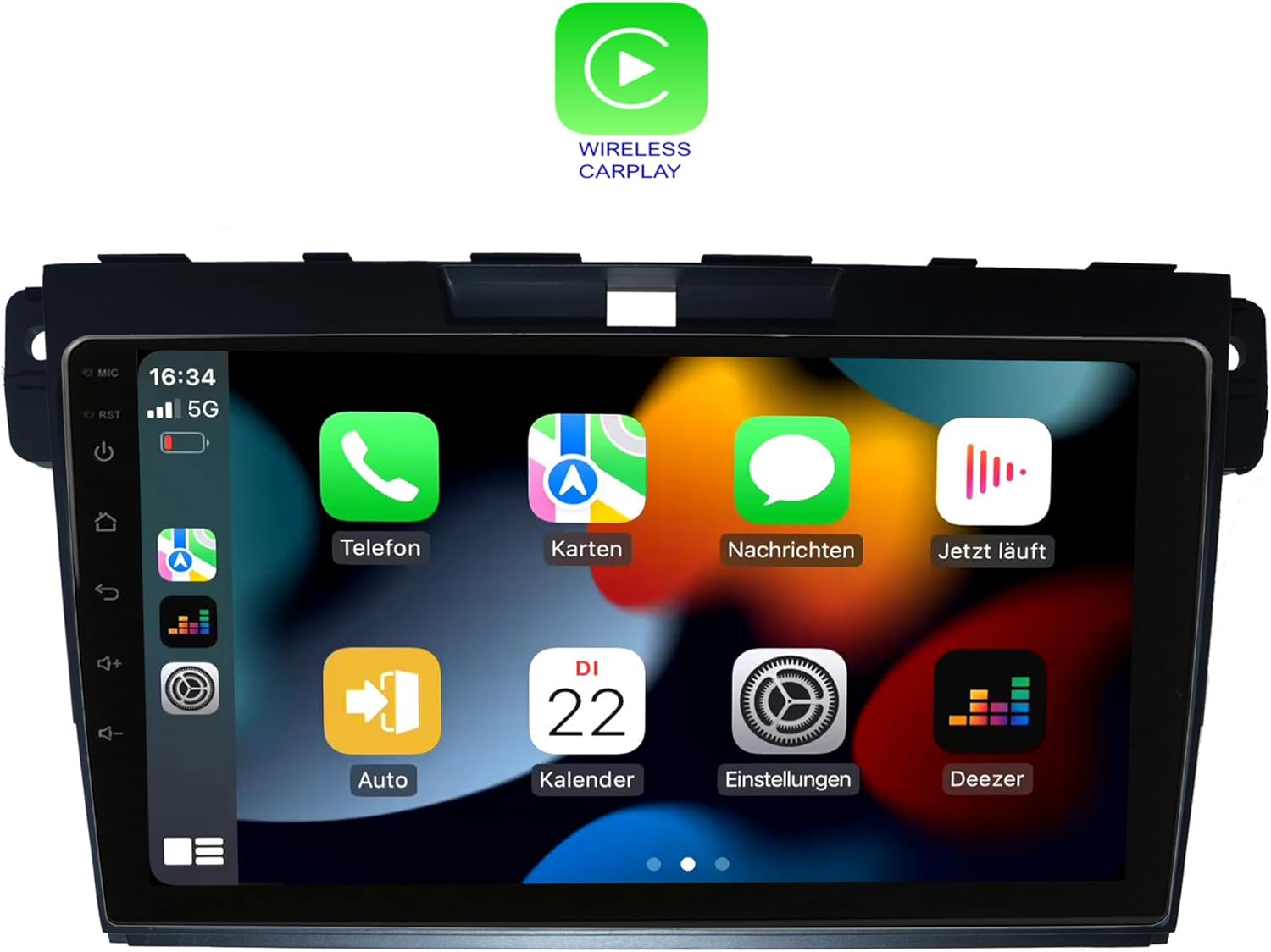
Figure 4.2: Wireless CarPlay Interface
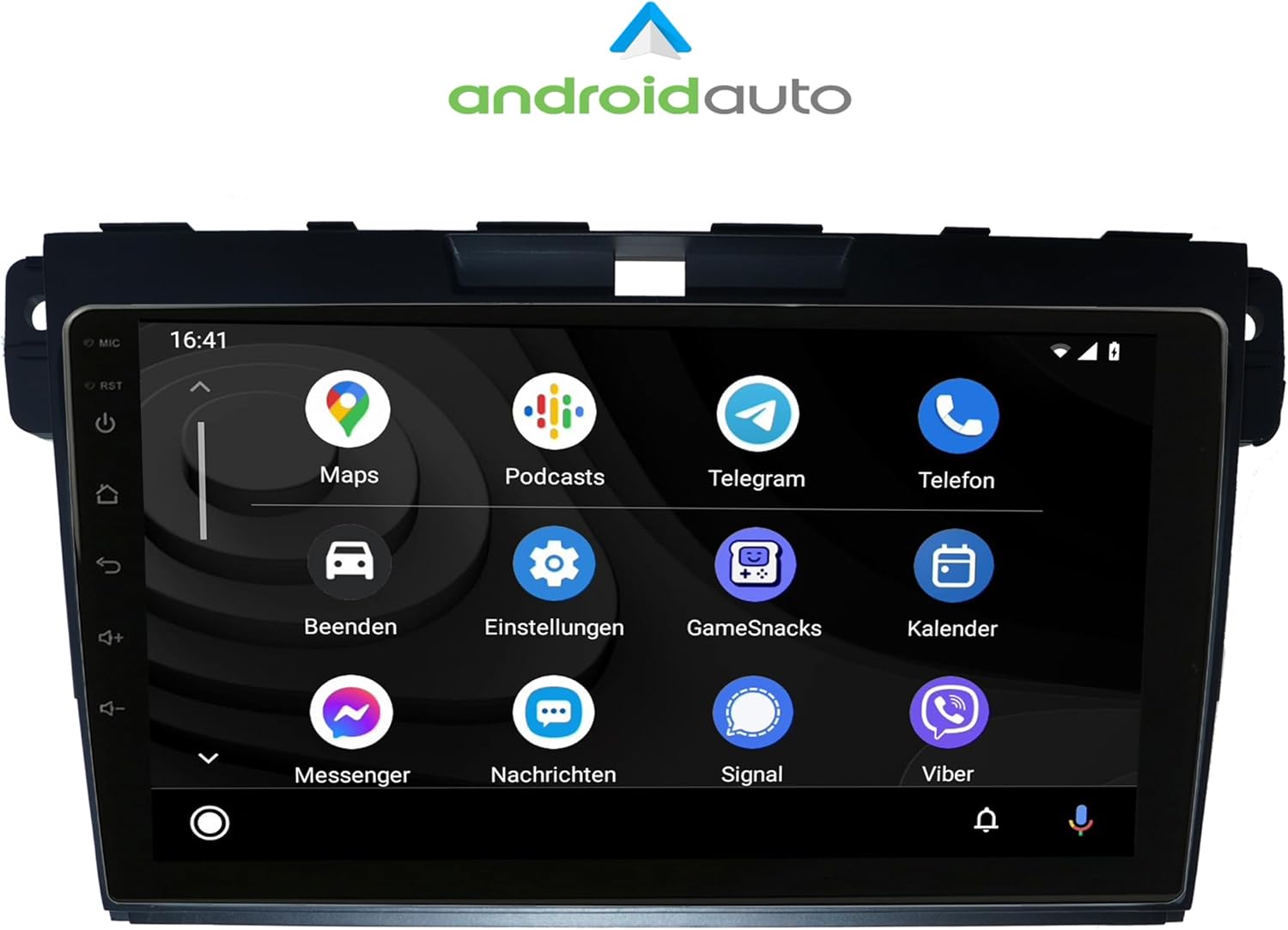
Figure 4.3: Android Auto Interface
4.3 Radio (FM/AM)
Access the Radio application to tune into FM or AM stations. The unit supports RDS (Radio Data System) for displaying station information. Use the on-screen controls or physical buttons to scan, save presets, and adjust volume.

Figure 4.4: Radio Interface
4.4 Bluetooth Functions
Pair your mobile phone via Bluetooth for hands-free calling and A2DP music streaming. The unit supports phonebook synchronization for easy access to your contacts.

Figure 4.5: Bluetooth Dialer
4.5 Audio Settings (Amplifier/EQ)
Customize your audio experience using the built-in amplifier and equalizer settings. Adjust bass, treble, and balance, or select from predefined EQ presets (Pop, Classic, Rock, Jazz). You can also fine-tune the sound stage for optimal listening.

Figure 4.6: Amplifier and EQ Settings
4.6 Other Functions
- Navigation: Utilize the integrated GPS for worldwide map navigation.
- WiFi: Connect to local WLAN hotspots or your smartphone's hotspot for internet access and app downloads.
- 2-Zone Function: Allows navigation on the main screen while rear passengers can watch videos or listen to music.
- Back-Zone Function: Navigate in the front while TV or video content plays in the back.
- Auto-Memory: All saved settings and positions are automatically retained.
- Day and Night Display: Automatic or manual adjustment of screen brightness for optimal visibility.
- Play Store: Download and install additional Android applications.
5. Maintenance
To ensure the longevity and optimal performance of your TAFFIO head unit, follow these maintenance guidelines:
- Cleaning: Use a soft, dry cloth to clean the screen and exterior. Avoid abrasive cleaners or solvents.
- Software Updates: Periodically check for and install software updates to ensure the unit has the latest features and bug fixes. Connect to Wi-Fi to perform updates.
- Temperature: Avoid exposing the unit to extreme temperatures, which can affect performance and lifespan.
- Power: Ensure stable power supply to prevent damage. Avoid frequent power interruptions.
6. Troubleshooting
For common issues and solutions, refer to the included "Troubleshooting Guide" document. If you encounter problems not covered in the guide, or if solutions do not resolve the issue, please contact TAFFIO customer support.
Common issues may include:
- No power or unit not turning on.
- No sound or distorted audio.
- GPS signal loss or inaccurate navigation.
- Bluetooth connectivity issues.
- Touchscreen unresponsiveness.
- CarPlay/Android Auto connection failures.
7. Specifications
| Feature | Detail |
|---|---|
| Model Number | LMGQ9187 |
| Display Size | 9 Inches |
| Operating System | Android 12 |
| Processor | Octa-Core 1.6Ghz CPU |
| RAM | 4GB |
| Internal Storage | 64GB Flash |
| Screen Type | Capacitive Multi-Touch |
| Resolution | FULL HD |
| Connectivity | Wi-Fi, Bluetooth |
| Navigation | GPS (Worldwide Map Type) |
| Special Features | CarPlay, Android Auto, Touchscreen, Bluetooth |
| Audio Output Mode | AUX |
| Mounting Type | Dashboard Mount |
| Vehicle Service Type | Car (Mazda CX-7 2007-2014) |
8. Warranty and Support
This TAFFIO head unit comes with a 2-year warranty. For warranty claims, technical support, or any inquiries, please refer to the contact information provided in your purchase documentation or visit the official TAFFIO website.
Please retain your proof of purchase for warranty validation.


