
1. Introduction
This manual provides essential information for the proper installation, operation, and maintenance of your Lapcare LM22WHD 22-inch FHD IPS LED Monitor. Please read this manual thoroughly before using the product and retain it for future reference.
2. Safety Information
- Ensure the monitor is placed on a stable, flat surface to prevent accidental falls.
- Do not expose the monitor to rain, moisture, or extreme temperatures.
- Avoid blocking ventilation openings to prevent overheating.
- Use only the power adapter supplied with the monitor.
- Disconnect the power cable from the outlet before cleaning or if the monitor will not be used for an extended period.
- Do not attempt to repair the monitor yourself. Refer all servicing to qualified personnel.
3. Package Contents
Verify that all items are present in the package:
- Lapcare LM22WHD LED Monitor
- Monitor Stand (Base and Neck)
- Power Adapter/Cable
- HDMI Cable
- User Manual (this document)
4. Product Overview
The Lapcare LM22WHD is a 22-inch (54.61CM) IPS LED monitor featuring Full HD (1920 x 1080) resolution. It offers a flick-free viewing experience and a wide 178-degree viewing angle for consistent image quality from various positions. The monitor boasts a slim, frameless design and includes both VGA and HDMI ports for versatile connectivity.

Figure 4.1: Front view of the Lapcare LM22WHD monitor.

Figure 4.2: Side view showcasing the monitor's slim design.
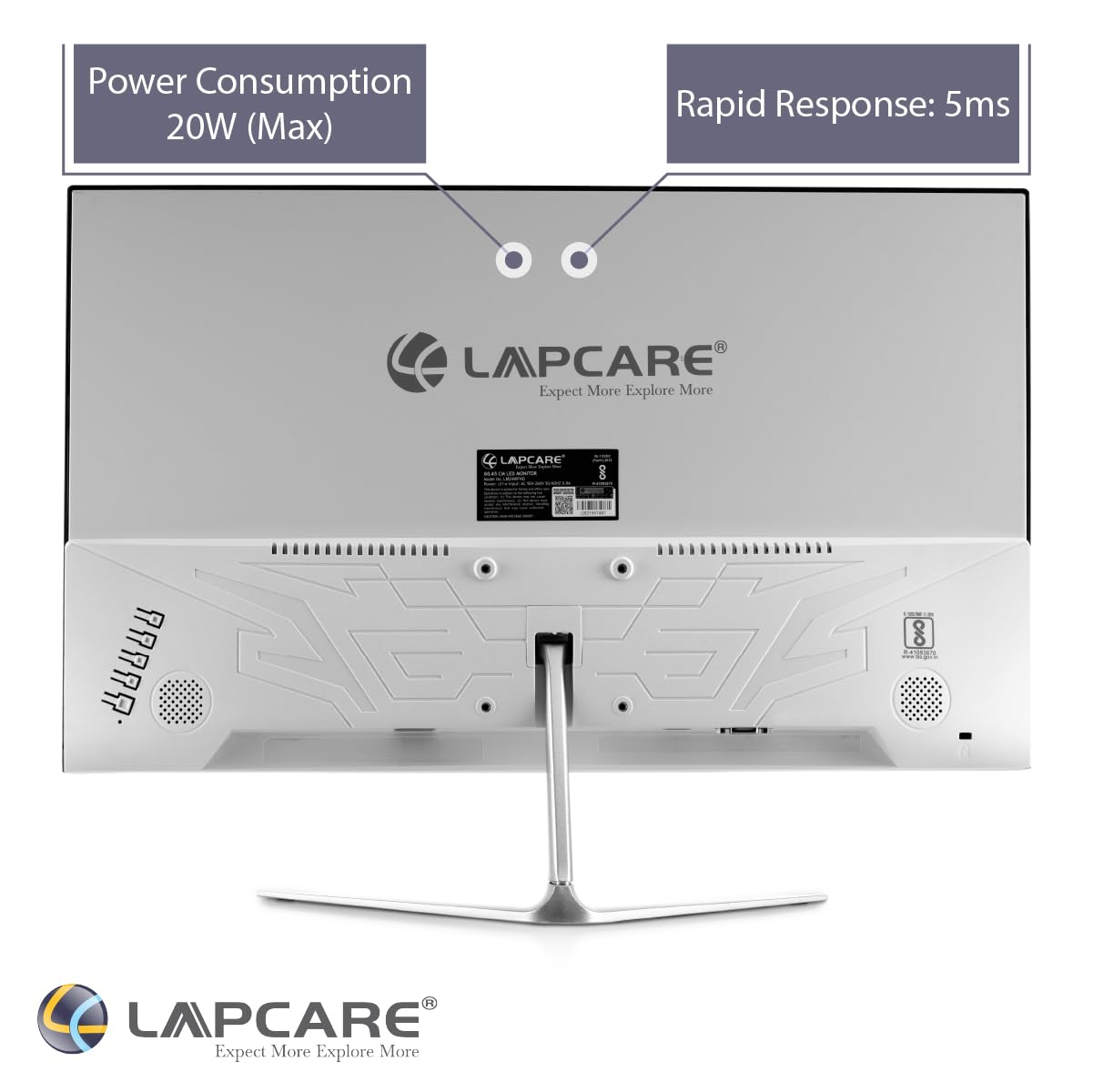
Figure 4.3: Rear view with connectivity ports and VESA mounting options.

Figure 4.4: Detailed view of the VGA and HDMI input ports.

Figure 4.5: The sturdy metal stand for the monitor.

Figure 4.6: The monitor supports wall mounting for flexible placement.
5. Setup
5.1 Assembling the Stand
- Carefully remove the monitor and stand components from the packaging.
- Attach the stand neck to the monitor's rear panel by aligning the tabs and securing with screws (if provided).
- Connect the stand base to the stand neck, ensuring it clicks into place or is secured with the provided screw.
- Place the assembled monitor on a stable, flat surface.
5.2 Connecting Cables
- Power Connection: Connect the power cable to the monitor's power input and then to a power outlet.
- Video Connection:
- HDMI: Connect one end of the HDMI cable to the HDMI port on your computer or device and the other end to the HDMI port on the monitor.
- VGA: Connect one end of the VGA cable to the VGA port on your computer or device and the other end to the VGA port on the monitor.
- Ensure all connections are secure.
6. Operating Instructions
6.1 Powering On/Off
Press the power button located on the monitor to turn it on or off. The power indicator light will illuminate when the monitor is on.
6.2 Input Selection
Use the monitor's control buttons (usually located on the bottom or back) to access the On-Screen Display (OSD) menu. Navigate to the 'Input' or 'Source' option and select your desired input (HDMI or VGA).
6.3 Adjusting Display Settings
The OSD menu allows you to adjust various display settings such as brightness, contrast, color temperature, and aspect ratio. Refer to the OSD menu for detailed options.
The monitor features a Flicker-Free display technology, which reduces eye strain during prolonged use. Its 178-degree Wide Viewing Angle ensures consistent color and clarity from almost any perspective.
Video 6.1: An overview of the Lapcare LM22WHD monitor's key features and specifications, including display quality, ports, and design elements.
7. Maintenance
7.1 Cleaning the Monitor
- Always unplug the monitor before cleaning.
- Use a soft, lint-free cloth lightly dampened with water or a mild, non-abrasive screen cleaner.
- Do not spray cleaner directly onto the screen.
- Wipe the screen gently to remove dust and smudges.
8. Troubleshooting
| Problem | Possible Cause | Solution |
|---|---|---|
| No image on screen | Power cable disconnected; Video cable loose; Incorrect input selected | Check power and video connections; Select correct input source via OSD menu. |
| Image is blurry or distorted | Incorrect resolution; Video cable faulty | Set display resolution to 1920x1080; Try a different video cable. |
| Monitor not turning on | No power; Faulty power adapter | Ensure power cable is securely connected and outlet is working; Test with another power adapter if available. |
9. Specifications
| Feature | Specification |
|---|---|
| Brand | Lapcare |
| Model Number | LM22WHD |
| Screen Size | 22 Inches (54.61 CM) |
| Display Type | IPS LED |
| Resolution | 1920 x 1080 (Full HD) |
| Aspect Ratio | 16:9 |
| Viewing Angle | 178 Degrees (Wide) |
| Flicker-Free | Yes |
| Ports | 1x HDMI, 1x VGA |
| Design | Slim, Frameless Body |
| Stand Type | Metal Stand |
| Wall Mountable | Yes |
| Item Dimensions (LxWxH) | 17 x 38 x 34 cm |
| Item Weight | 230 g |
| Voltage | 220 Volts |
10. Warranty and Support
The Lapcare LM22WHD LED Monitor comes with a 3-Year Warranty from the date of purchase. Please retain your proof of purchase for warranty claims.
For technical support, service, or warranty inquiries, please contact Lapcare customer service through their official website or the contact information provided with your product documentation.