
UGREEN CD350
Contents
UGREEN 35W USB C Charger Instruction Manual
Model: CD350
1. Introduction
Thank you for choosing the UGREEN Nexode 35W USB C Charger. This compact and powerful wall charger is designed to provide efficient and safe charging for a wide range of devices, including smartphones, tablets, laptops, and smartwatches. Featuring GaN II technology and multiple fast charging protocols, it offers a versatile solution for your charging needs.
This manual provides detailed instructions on how to set up, operate, and maintain your charger, along with important safety information and troubleshooting tips.
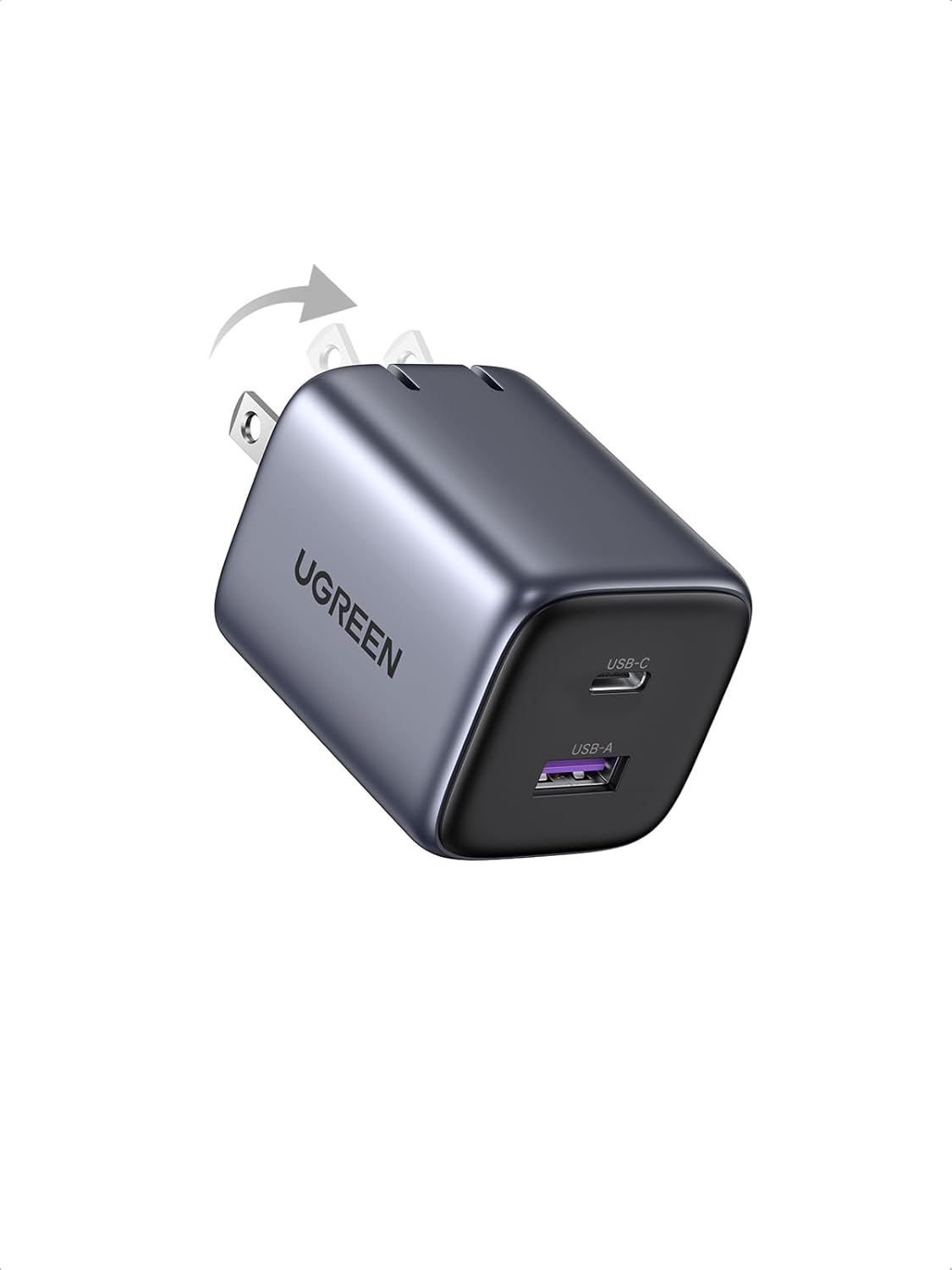
Figure 1: UGREEN 35W USB C Charger (Model CD350) with foldable prongs.
2. Safety Information
- Do not expose the charger to liquids, extreme temperatures, or high humidity.
- Avoid dropping or subjecting the charger to strong impacts.
- Do not disassemble, modify, or attempt to repair the charger. This will void the warranty and may cause damage or injury.
- Ensure the charger is plugged into a power outlet with the correct voltage (100-240V~ 50/60Hz).
- Unplug the charger from the power outlet when not in use or during electrical storms.
- Keep out of reach of children.
- If the charger exhibits unusual behavior, emits smoke, or gets excessively hot, immediately unplug it and contact customer support.
3. Setup
The UGREEN 35W USB C Charger is designed for ease of use. Follow these simple steps to begin charging your devices:
- Unfold the Prongs: Gently pull out the foldable AC prongs from the charger body until they lock into place.
- Connect to Power Outlet: Insert the charger's prongs into a standard wall power outlet (100-240V~).
- Connect Your Device: Use a compatible USB-C to USB-C cable or USB-A to device cable to connect your electronic device to the appropriate port on the charger.

Figure 2: The compact and foldable design makes the charger highly portable.
4. Operating Instructions
The UGREEN 35W USB C Charger features both a USB-C port and a USB-A port, allowing for flexible charging options.
4.1 Single Port Charging
When only one port is in use, the charger delivers its maximum power output to that port:
- USB-C Port: Provides up to 35W of charging power. Ideal for fast charging compatible devices like iPhone 16 Pro (0-57% in 30 minutes) or Galaxy S24 (0-57% in 30 minutes).
- USB-A Port: Provides up to 22.5W of charging power. Suitable for devices that utilize USB-A for charging.

Figure 3: Fast charging capabilities of the USB-C port.
4.2 Dual Port Charging
When both ports are used simultaneously, the power output is intelligently distributed:
- USB-C Port: Up to 25W (e.g., for iPhone 15 Pro Max/15 Pro/15 Plus/14/13, Galaxy S24/S23).
- USB-A Port: Up to 7.5W (e.g., for Apple Watch S8/Ultra, AirPods).

Figure 4: Charging two devices at once.
4.3 Universal Compatibility
The charger supports various fast charging protocols including PD 3.0, PPS, QC 4+ 3.0, and SCP, ensuring broad compatibility with a wide range of devices. Compatible devices include, but are not limited to:
- Smartphones: iPhone 16/15/14/13/12 series, Samsung Galaxy S25/S24/S23 series, Google Pixel 8 Pro/8/7, Xperia, Moto Edge.
- Tablets: iPad Pro/Air/Mini series.
- Laptops: MacBook Air 13' (2018), MacBook 12', MacBook Pro 13'/15', Dell XPS 13, Chromebook.
- Other Devices: Apple Watch S8/Ultra, AirPods/Pro/Max, MagSafe Wireless Charger/Duo, Steam Deck, Nintendo Switch.

Figure 5: Universal compatibility with a wide range of electronic devices.
4.4 Product Video
Watch the official product video for a visual guide on the UGREEN 35W USB C Charger's features and usage scenarios.
Video 1: UGREEN 35W USB C Charger, 35W Fast Charging, 2-IN-1. This video demonstrates the charger's compact size, dual-port charging capabilities, and fast charging performance for various devices.
5. Maintenance
To ensure the longevity and optimal performance of your UGREEN 35W USB C Charger, follow these maintenance guidelines:
- Cleaning: Disconnect the charger from the power outlet and all devices before cleaning. Use a soft, dry cloth to wipe the surface. Do not use liquid cleaners or aerosols.
- Storage: Store the charger in a cool, dry place away from direct sunlight and moisture. Ensure the foldable prongs are retracted for compact storage and to prevent damage.
- Cable Care: Always handle charging cables by the plug, not the cable itself, to prevent damage to the connectors and wiring.
6. Troubleshooting
If you encounter any issues with your UGREEN 35W USB C Charger, refer to the following common problems and solutions:
| Problem | Possible Cause | Solution |
|---|---|---|
| Device not charging. |
|
|
| Slow charging. |
|
|
| Charger feels warm. |
|
|

Figure 6: The charger includes comprehensive protection features against short circuit, overload, overheat, and overvoltage.
7. Specifications
| Feature | Detail |
|---|---|
| Model Number | CD350 |
| Product Dimensions | 1.57 x 1.57 x 1.89 inches |
| Item Weight | 3.84 ounces |
| Input | 100-240V~ 50/60Hz 900mA Max |
| Connectivity Technology | USB |
| Connector Type | USB Type A, USB Type C |
| Special Features | Output overcurrent/overvoltage/overtemperature/short circuit protection, PC material/UL94-V0 shell, Supports 25W PPS Samsung Super Fast Charging 1.0 |
| Included Components | Charger with foldable plug, 1 USB C port, and 1 USB A port |

Figure 7: Advanced GaN II technology optimizes charging efficiency and allows for a compact design.
8. Warranty and Support
The UGREEN 35W USB C Charger is covered by the manufacturer's warranty. For specific warranty terms and conditions, please refer to the documentation included with your purchase or visit the official UGREEN website.
For technical support, troubleshooting assistance, or any product-related inquiries, please contact UGREEN customer service. You can often find support contact information on the product packaging or through the official UGREEN store on Amazon: UGREEN Official Store.
Ask a question about this manual
Ask about setup, troubleshooting, compatibility, parts, safety, or missing instructions. Manuals+ will review the question and use this page’s manual context to help answer it.