
1. Introduction
This comprehensive user manual provides detailed instructions for the YIPFREE Red Light Cap (Model: B0CFF6KJ49). The Red Light Cap is designed for head and hair therapy, utilizing advanced red and infrared light wavelengths to support various health and wellness benefits. Please read this manual thoroughly before use to ensure safe and effective operation.
2. Safety Information
Important Safety Precautions:
- Do not look directly into the LED lights during operation.
- Keep the device dry. Do not use in wet environments.
- Keep out of reach of children.
- Consult a healthcare professional before use if you have any pre-existing medical conditions, are pregnant, or are taking photosensitizing medications.
- Discontinue use if you experience any discomfort or adverse reactions.
Legal Disclaimer: Statements regarding dietary supplements have not been evaluated by the FDA and are not intended to diagnose, treat, cure, or prevent any disease or health condition.
3. Package Contents
Verify that all items are present in your package:
- 1 x Red Light Cap
- 1 x Controller
- 1 x USB Cable
- 1 x Adaptor
- 1 x User Manual

4. Setup
Adjust the Cap Size: The Red Light Cap features an adjustable belt for a comfortable and secure fit. Adjust the belt to ensure the cap sits snugly on your head.

Figure 4.1: Adjusting the cap for a comfortable fit. Connect the Controller: Locate the DC plug end of the controller cable and connect it to the DC input port on the Red Light Cap. Ensure a firm connection.
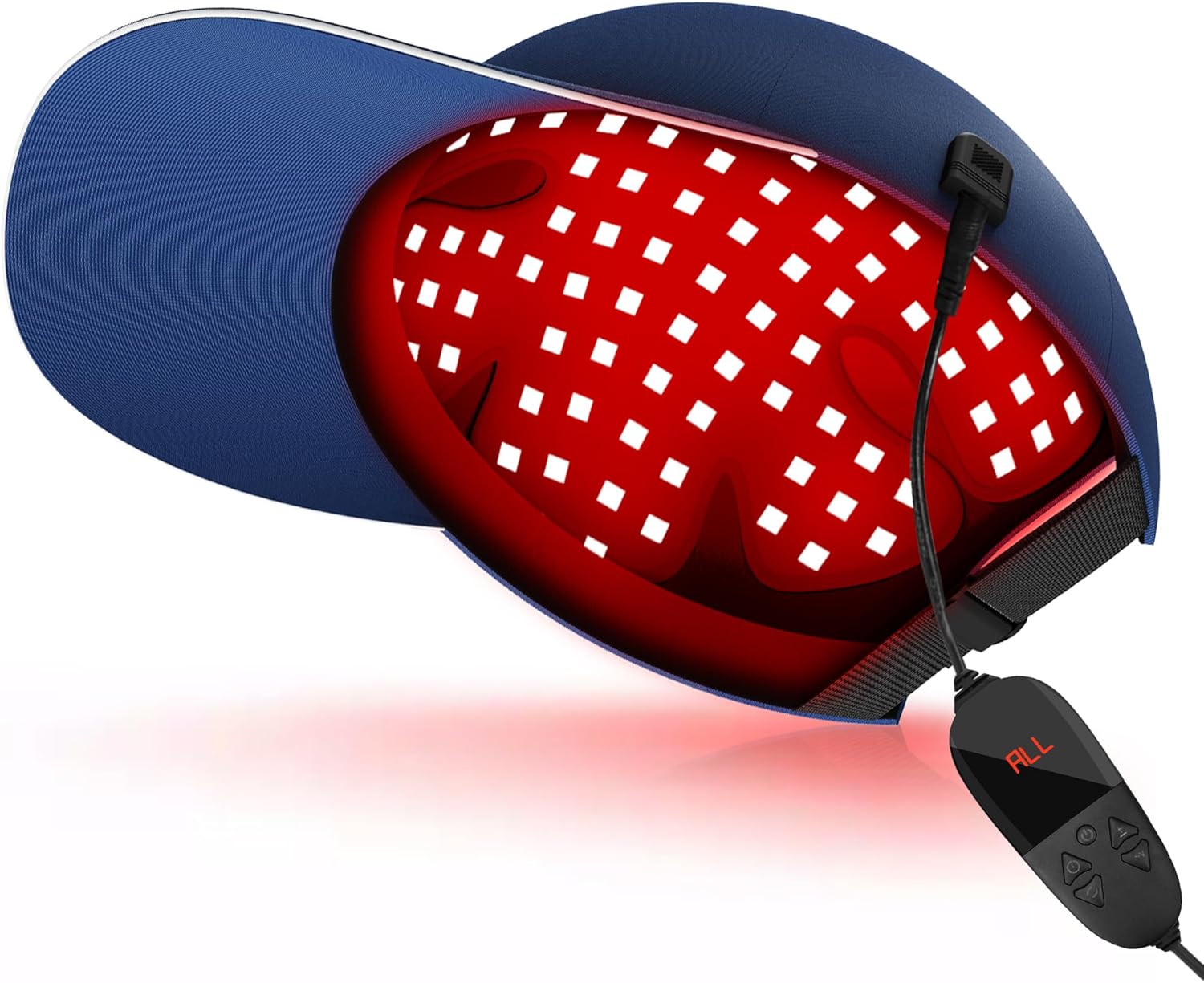
Figure 4.2: The Red Light Cap connected to its controller. Power the Device: The Red Light Cap supports dual power modes:
- Wall Outlet: Connect the adaptor to the controller, then plug the adaptor into a standard wall outlet.
- Power Bank: For portable use, connect the USB cable to a compatible 5V power bank (not included).

Figure 4.3: Dual power options for the Red Light Cap.
5. Operating Instructions
The intelligent controller allows for easy adjustment of settings:

Power On/Off: Press the power button to turn the device on or off. The LED screen will illuminate.
Wavelength Modes: Press the 'M' button to cycle through the available wavelength modes:
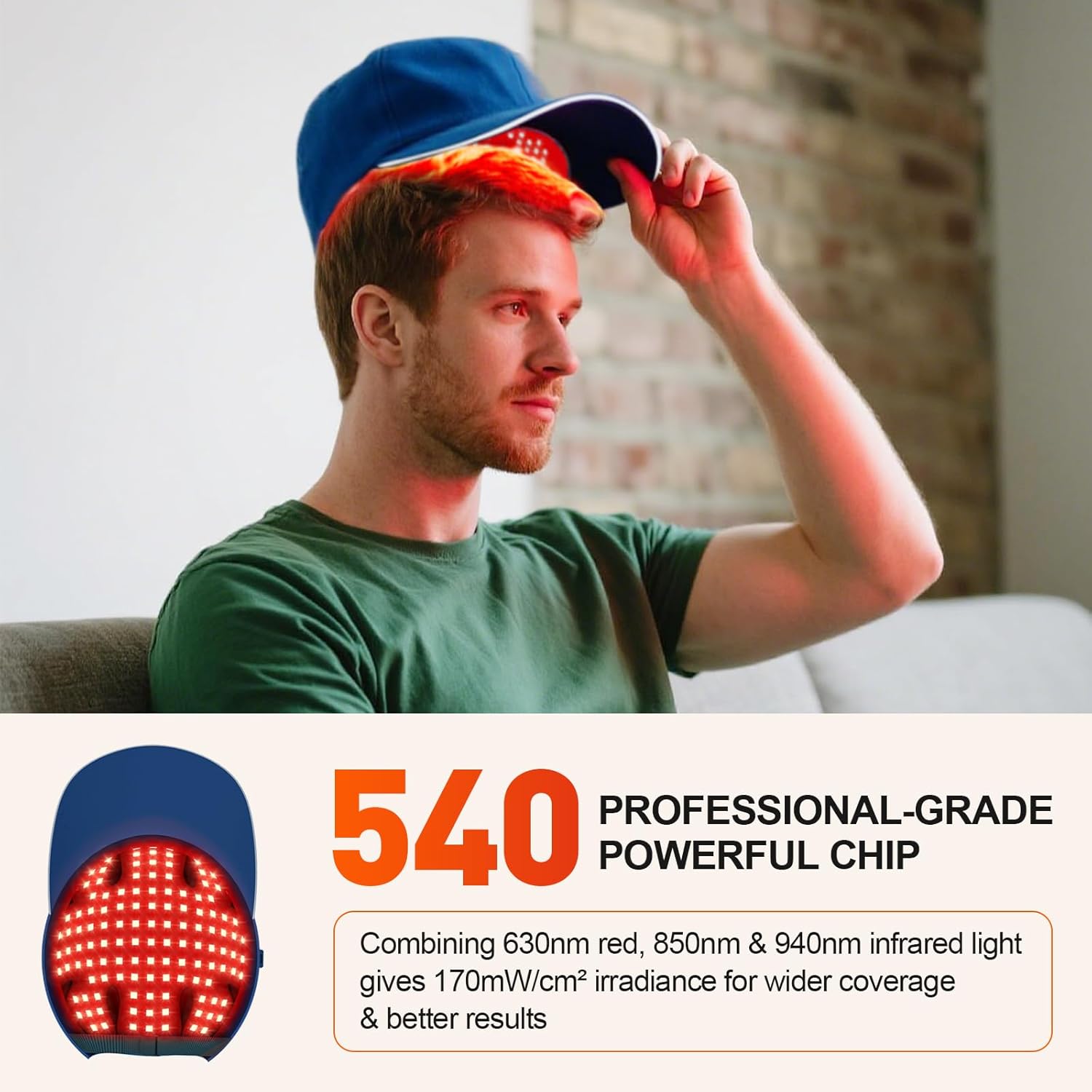
- 630nm Red Light: Primarily absorbed by the scalp, promoting blood circulation.
- 850nm & 940nm Infrared Light: Invisible to the naked eye, penetrates deeper into tissues.
- All (630nm + 850nm + 940nm): Combines all wavelengths for comprehensive therapy.
Brightness Adjustment: Use the '+' and '-' buttons to adjust the brightness level (P1 to P5). P5 offers the highest irradiance of 170 mW/cm2.
Timer Setting: Press the timer button to set the session duration from 5 to 30 minutes (5, 10, 15, 20, 25, 30 minutes). The device will automatically shut off after the set time.
Pulse Mode: Activate the pulse mode for a gentler experience, especially for thin skin areas. This mode provides a buffer for the skin if the continuous energy feels too intense.
6. Usage Recommendations
For optimal results, it is recommended to use the Red Light Cap for 20-30 minutes daily, at least four times a week. Consistency is key for achieving desired benefits.
The cap is lightweight and suitable for various settings, including home, office, and gym, allowing you to integrate therapy into your daily routine.


7. Maintenance
- Cleaning: Gently wipe the cap with a soft, dry cloth. Do not use abrasive cleaners or immerse the device in water.
- Storage: Store the Red Light Cap in a cool, dry place away from direct sunlight and extreme temperatures.
8. Troubleshooting
| Problem | Possible Cause | Solution |
|---|---|---|
| Device does not power on. | Loose connection or no power. | Ensure all cables are securely connected. Check power source (wall outlet or power bank). |
| Lights are dim or flickering. | Low power or incorrect brightness setting. | Ensure adequate power supply. Increase brightness level using the '+' button on the controller. |
| Controller display is not working. | Power issue or controller malfunction. | Check power connection. If problem persists, contact customer service. |
9. Specifications
| Feature | Detail |
|---|---|
| Wavelengths | 630nm, 850nm, 940nm |
| LED Quantity | 180 LEDs (540 chips total) |
| Irradiance | Up to 170 mW/cm² |
| Brightness Levels | 5 (P1-P5) |
| Timer Settings | 5, 10, 15, 20, 25, 30 minutes |
| Special Modes | Pulse Mode |
| Power Source | DC 5V (via adaptor or power bank) |
| Package Dimensions | 12.01 x 8.27 x 5.35 inches |
| Weight | 2.05 Pounds |
| Manufacturer | YIPFREE |
| ASIN | B0CFF6KJ49 |
10. Official Product Videos
Red Light Cap Overview
This video provides a general overview of the YIPFREE Red Light Cap, demonstrating its design and ease of use.
Red Light Therapy Hat Features
Learn more about the specific features of the Red Light Therapy Hat, including its wavelengths and modes of operation.
11. Warranty and Support
The Red Light Cap comes with long-term, friendly customer service. In the event that your infrared light cap encounters any issues not caused by improper use, we will gladly replace or repair it for you. Please contact YIPFREE customer support for assistance.


