
BTHFST VD-L
BTHFST Makeup Vanity with Lights and Charging Station
Model: VD-L
Introduction
Thank you for choosing the BTHFST Makeup Vanity with Lights and Charging Station. This manual provides essential information for the safe assembly, operation, maintenance, and troubleshooting of your new vanity. Please read these instructions carefully before beginning assembly or use, and retain them for future reference.
Safety Information
Your safety is paramount. Adhere to the following guidelines:
- Electrical Safety: Always ensure the vanity's power strip is properly grounded. Do not use the vanity near water or in excessively damp environments. Unplug the unit from the power outlet before cleaning or performing any maintenance. Do not overload the electrical outlets on the charging station.
- Pinch Points: Be aware of potential pinch points when opening and closing drawers. Keep fingers clear to prevent injury.
- Stability: Ensure all fasteners are securely tightened during assembly and periodically check them. Do not overload shelves or drawers, as this can compromise stability. It is recommended to secure the vanity to a wall using anti-tip hardware if available, especially in households with children or pets.
- Material Care: The vanity is constructed from engineered wood and metal. Avoid exposing it to extreme temperatures or direct sunlight for prolonged periods, which can cause warping or discoloration.
- Assembly: Follow the assembly instructions precisely. Incorrect assembly can lead to instability and potential hazards.
Package Contents
Before beginning assembly, verify that all components are present and undamaged. Refer to the detailed parts list provided in your separate assembly guide. Typically, your package should include:
- Vanity Desk Components (panels, drawers, shelves)
- Mirror with Integrated LED Lights
- Charging Station Unit (pre-installed or separate)
- Assembly Hardware (screws, dowels, cam locks, etc.)
- Assembly Tools (e.g., Allen wrench, screwdriver)
- Instruction Manual (this document)
Assembly Instructions
A detailed, step-by-step assembly guide with numbered parts and accessories is included in your package. It is highly recommended to follow these steps carefully for proper and safe assembly. While assembly can be completed by one person, having a second person assist can make the process easier and safer, especially when handling larger components like the mirror.
Ensure you have ample space to work and lay out all parts before starting. Do not overtighten screws, but ensure all connections are firm and secure.

Figure 1: Product Dimensions and Component Layout. This diagram illustrates the overall size and key measurements of the vanity, including the mirror, desktop, and drawer units.

Figure 2: Fully Assembled Vanity Desk. This image provides a comprehensive view of the vanity once assembled, showcasing its various features and storage options.
Operating Instructions
HD Lighted Mirror & 3 Lighting Modes
The vanity mirror is equipped with 10 integrated LED bulbs, providing bright and soft illumination. You can select from three distinct light colors and adjust their brightness to suit your needs:
- Cool White: Ideal for official or formal makeup application, providing clear, bright light.
- Warm White: Suitable for skincare routines or regular daily makeup, offering a balanced and natural light.
- Warm Yellow: Perfect for evening makeup, such as for dinner or party looks, creating a softer, ambient glow.
To change the light color, locate the touch sensor or button on the mirror frame and tap it. To adjust brightness, press and hold the same sensor or button until the desired brightness level is achieved.
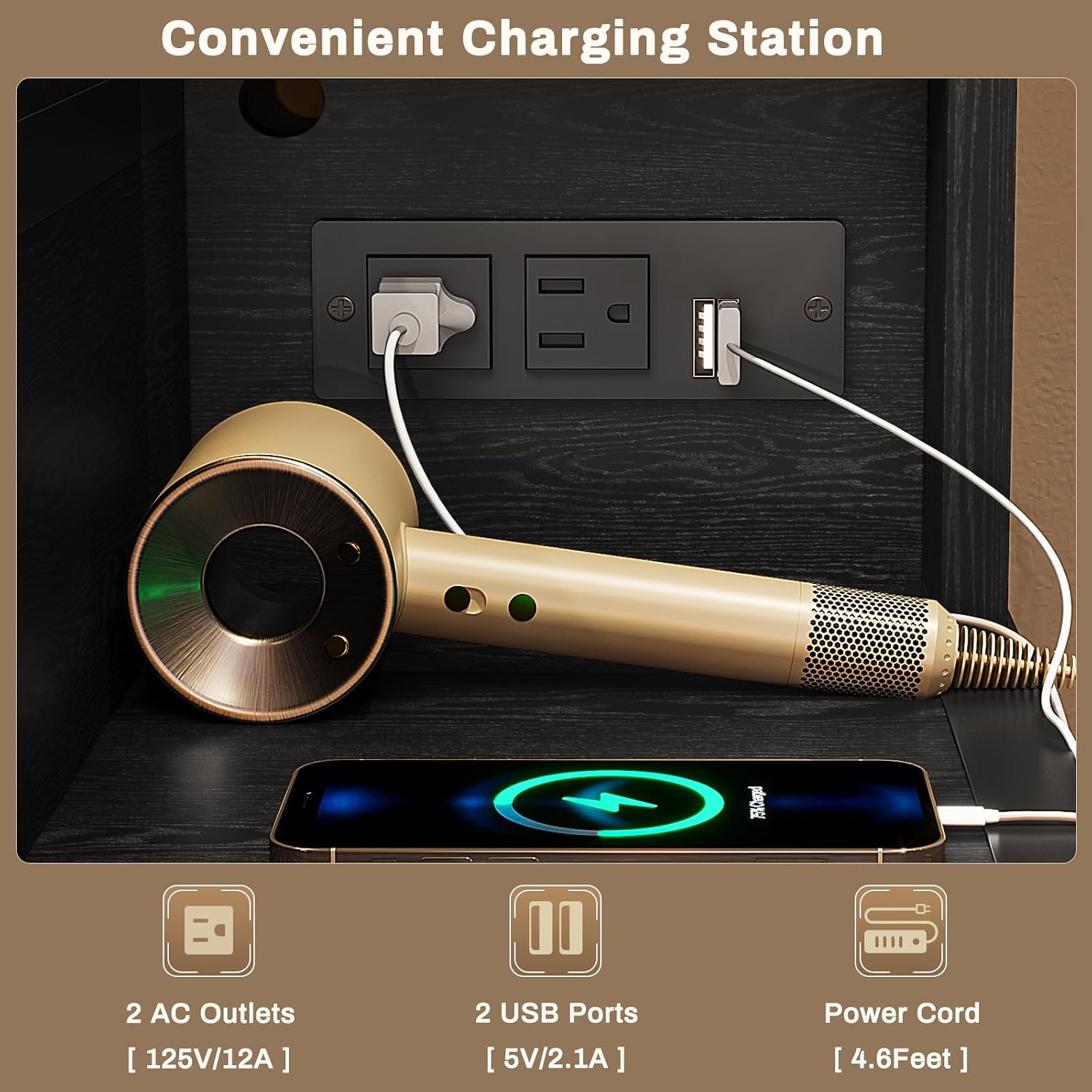
Figure 3: 3 Lighting Effects & Adjustable Brightness. This image demonstrates the three available light color modes and the controls for adjusting their intensity.
Equipped with Power Strip (Charging Station)
The vanity includes a convenient charging station with 2 standard AC plug sockets (125V/12A) and 2 USB ports (5V/2.1A). This allows you to power or charge various electronic devices simultaneously, such as hair dryers, curling irons, beauty instruments, smartphones, or tablets.
Simply plug your devices into the appropriate outlets. Ensure the vanity is connected to a wall power outlet for the charging station to function.

Figure 4: Convenient Charging Station. This image highlights the integrated power strip with AC outlets and USB ports, demonstrating its utility for various devices.
Ample Storage Space
The vanity is designed with multiple storage solutions to keep your desktop organized and your beauty essentials accessible:
- Desktop Tier Shelf: An elevated shelf above the main desktop provides open storage for frequently used items or decorative pieces.
- 3-Tier Storage Shelf: Located on the right side, this open shelving unit offers additional space for bottles, perfumes, or other accessories.
- 5 Drawers: Five spacious drawers provide hidden storage for cosmetics, hair tools, and other personal items, helping to maintain a clean and tidy appearance. The design of the 3-drawer chest can also serve as a nightstand, offering versatile functionality.

Figure 5: Powerful Storage Function. This image provides an overview of the vanity's extensive storage capabilities, including open shelves and multiple drawers.

Figure 6: 3 Drawer Chest Detail. This image focuses on the three large drawers, illustrating their capacity for storing various items.
Maintenance and Care
Proper care will extend the life and maintain the appearance of your vanity:
- Cleaning: For general cleaning, wipe surfaces with a dry cloth. For more stubborn marks, use a slightly damp cloth. Avoid using harsh chemicals, abrasive cleaners, or polishes that may damage the wood grain finish or metal components.
- Dusting: Regularly dust the vanity with a soft, dry cloth to prevent dust buildup, especially on the mirror and light bulbs.
- Spills: Immediately wipe up any spills to prevent liquid from penetrating the wood and causing damage.
- Electrical Components: Ensure the charging station and light connections are clean and free of debris. Do not attempt to repair electrical components yourself; contact qualified personnel if issues arise.
- Hardware: Periodically check all screws and fasteners to ensure they remain tight. Retighten if necessary to maintain stability.
Troubleshooting
If you encounter any issues with your vanity, refer to the following common problems and solutions:
| Problem | Possible Cause | Solution |
|---|---|---|
| Lights not turning on or flickering | Loose power connection; faulty bulb; power strip not receiving power. | Ensure the vanity's power cord is securely plugged into a working wall outlet. Check all connections to the mirror lights. If a bulb is replaceable, check its connection or replace it. |
| Charging station not working | Vanity not plugged in; device not compatible; power surge. | Verify the vanity is plugged into a live outlet. Test with a different device. If multiple devices are plugged in, try reducing the load. |
| Drawers do not slide smoothly or fit properly | Incorrect assembly of drawer slides or drawer box; obstruction. | Review the assembly guide for drawer and slide installation. Ensure slides are aligned correctly and free of debris. Check if the drawer box itself was assembled squarely. |
| Vanity feels unstable or wobbly | Loose fasteners; uneven floor; overloaded shelves/drawers. | Check and tighten all screws and bolts. Ensure the vanity is placed on a level surface. Distribute weight evenly in drawers and on shelves. Consider using anti-tip hardware. |
If you continue to experience issues after attempting these solutions, please do not hesitate to contact BTHFST customer service for further assistance. We are committed to resolving any concerns you may have.
Specifications
| Feature | Specification |
|---|---|
| Brand | BTHFST |
| Model Number | VD-L |
| Product Dimensions (L x W x H) | 36.3 x 15.8 x 56.5 inches (92.2 x 40.1 x 143.5 cm) |
| Item Weight | 83.2 pounds (37.7 kg) |
| Frame Material | Metal |
| Furniture Finish | Black Wood Grain |
| Color | Black |
| Lighting Modes | Cool White, Warm White, Warm Yellow (Adjustable Brightness) |
| Charging Station | 2 AC Outlets (125V/12A), 2 USB Ports (5V/2.1A) |
| Storage Capacity | 5 Drawers, Tier Shelf, 3-Tier Side Shelf |
Warranty and Support
For information regarding product warranty, returns, or technical support, please contact the seller or manufacturer directly through your purchase platform. Please have your order number and product model (VD-L) ready when contacting support to facilitate a quicker resolution.
We are dedicated to providing high-quality products and excellent customer service. Your satisfaction is our priority.
Ask a question about this manual
Ask about setup, troubleshooting, compatibility, parts, safety, or missing instructions. Manuals+ will review the question and use this page’s manual context to help answer it.