
Introduction
Thank you for choosing the Kuulaa Portable Charger USB C Power Bank. This compact and portable power bank is designed to provide emergency power for your USB-C enabled devices, including Android phones like Samsung Galaxy, Pixel, LG, Moto, and OnePlus, as well as other devices such as the Nintendo Switch. With its 4500mAh capacity and plug-and-play design, it offers a convenient charging solution on the go.
Please read this manual carefully before using the product to ensure proper operation and to maximize its lifespan.
Package Contents
- 1 x Kuulaa 4500mAh USB-C Power Bank
- 1 x USB Charging Cable
- 1 x User Manual (this document)
Product Overview

Figure 1: Kuulaa Portable Charger USB C Power Bank (Pink color variant).
The Kuulaa Portable Charger features a compact, lipstick-sized design with a built-in USB-C connector for direct plug-in charging. It includes LED indicator lights to show the battery level and a USB-C input port for recharging the power bank itself.

Figure 2: The power bank features four LED indicator lights to display the remaining battery charge. Each light represents approximately 25% of the battery capacity: 1 light (0-25%), 2 lights (25-50%), 3 lights (50-70%), 4 lights (70-100%).
Setup
Initial Charging of the Power Bank
Before first use, fully charge your Kuulaa Portable Charger. Use the included USB charging cable to connect the power bank's USB-C input port to a USB power adapter (not included) or a computer's USB port.
- Connect the small end of the USB charging cable to the USB-C input port on the side of the power bank.
- Connect the standard USB-A end of the cable to a USB wall charger or a powered USB port.
- The LED indicator lights will illuminate and blink to show the charging progress. All four lights will be solid when the power bank is fully charged.
It is recommended to fully charge the power bank before its first use to optimize battery performance.
Operating Instructions
Charging Your Device
The Kuulaa Portable Charger is designed for direct plug-in charging of USB-C compatible devices.
- Locate the USB-C connector on the top of the power bank.
- Carefully plug the USB-C connector directly into the charging port of your USB-C enabled device (e.g., Android smartphone, Nintendo Switch).
- The power bank will automatically begin charging your device. The LED indicators on the power bank will show its remaining battery level.
- Once your device is charged, or when the power bank's battery is depleted, simply unplug the power bank from your device.

Figure 3: The power bank is designed for USB-C devices, indicated by the green checkmark for Type-C/USB-C phones and a red cross for Lightning (iPhone) devices, highlighting its specific compatibility.
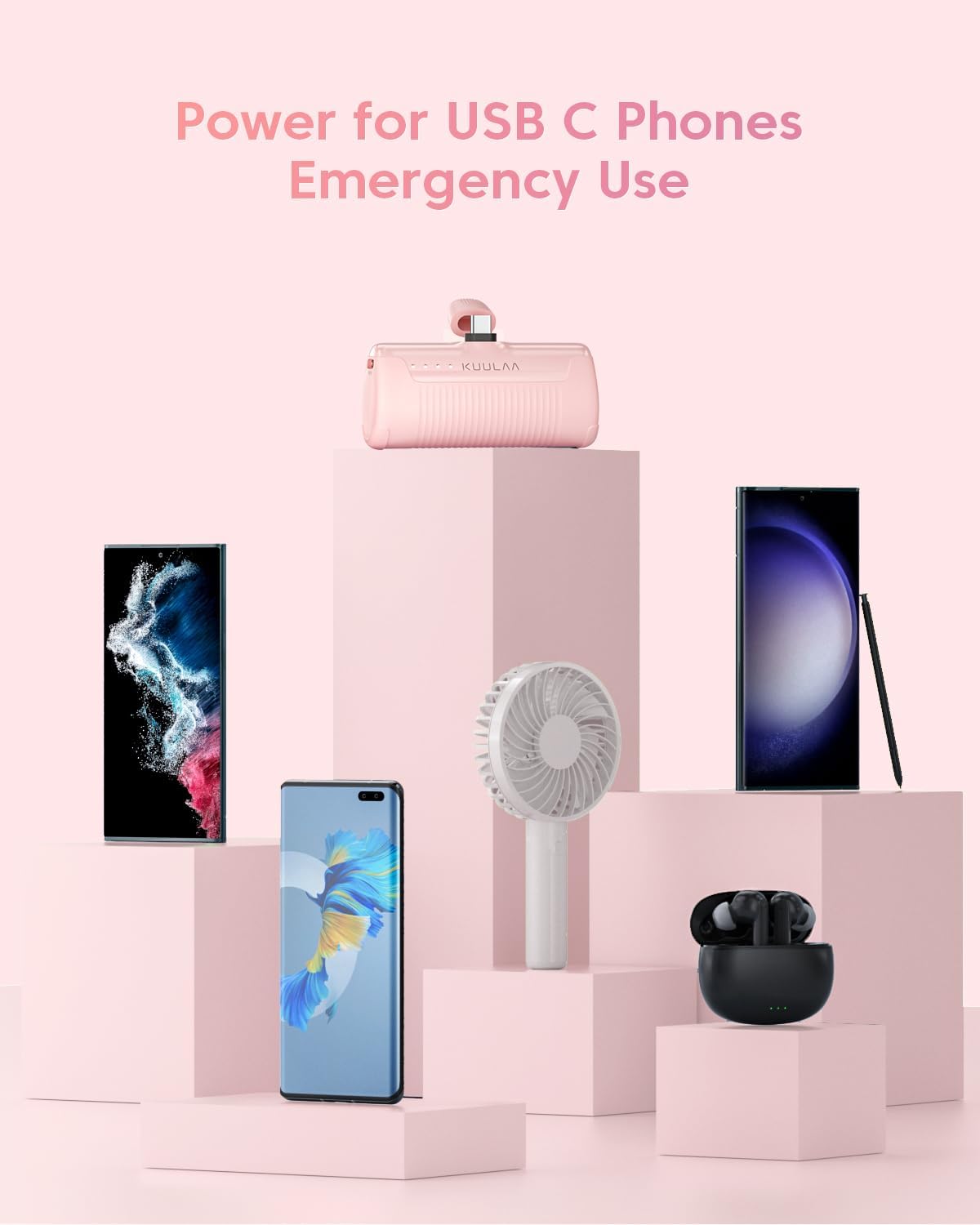
Figure 4: The power bank can provide emergency power for a variety of USB-C devices, including smartphones, portable fans, and wireless earbuds.
Pass-through Charging
The Kuulaa Portable Charger supports pass-through charging, allowing you to charge both your device and the power bank simultaneously.
- Connect your device to the power bank's USB-C output connector.
- Connect the power bank to a wall charger using the included USB charging cable.
- Both your device and the power bank will charge at the same time.
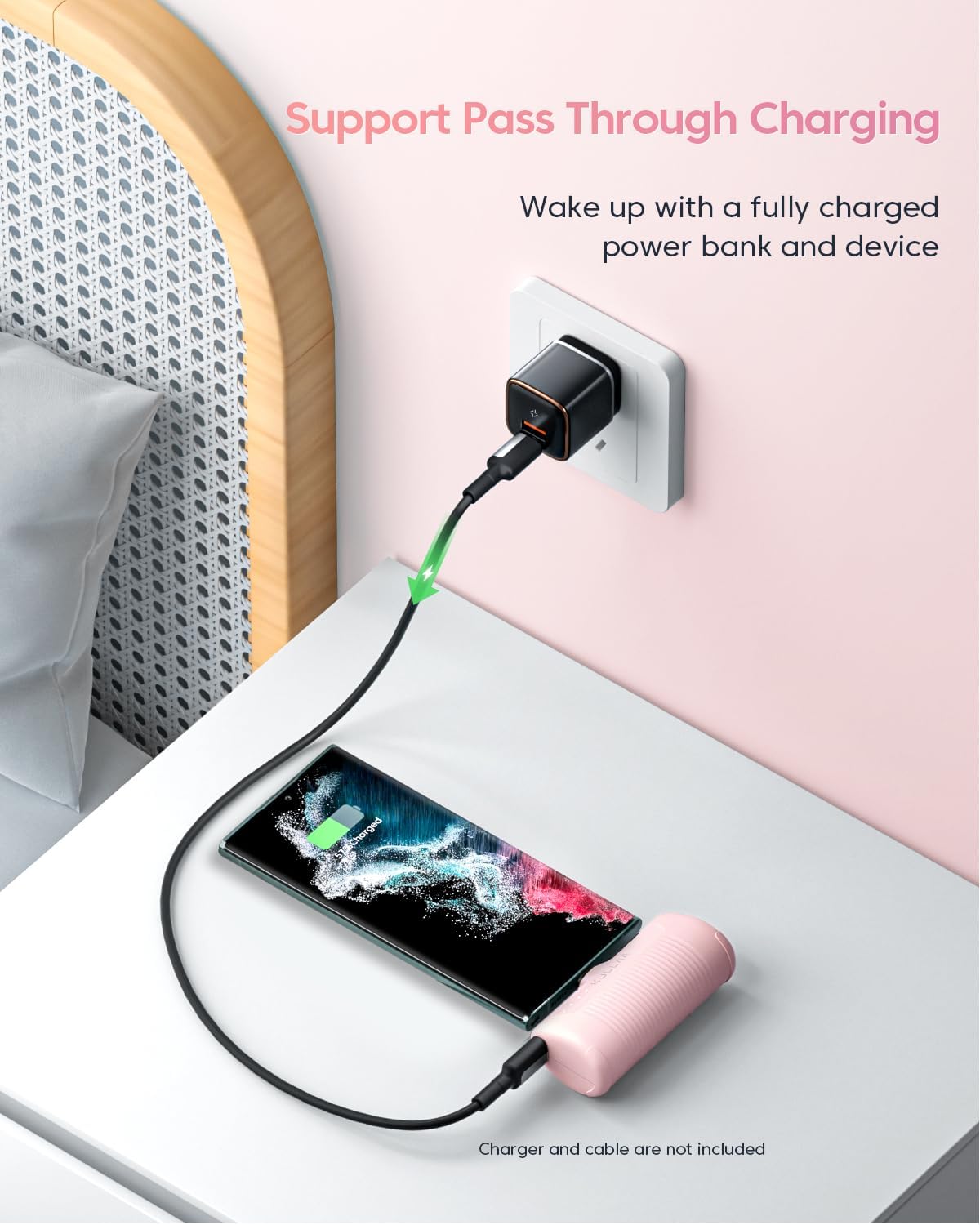
Figure 5: The power bank supports pass-through charging, allowing a connected device and the power bank itself to charge simultaneously when the power bank is plugged into a wall adapter.
Maintenance
Cleaning
To clean the power bank, gently wipe its surface with a soft, dry cloth. Do not use liquid cleaners, aerosols, or abrasive materials, as these may damage the device.
Storage
Store the power bank in a cool, dry place away from direct sunlight, extreme temperatures, and humidity. If storing for an extended period, it is recommended to charge the power bank to approximately 50% every three months to maintain battery health.
Battery Care
The power bank contains a lithium polymer battery. To prolong its lifespan:
- Avoid fully discharging the battery frequently.
- Avoid exposing the device to temperatures above 45°C (113°F) or below 0°C (32°F).
- Do not puncture, disassemble, or modify the power bank.
Troubleshooting
| Problem | Possible Cause | Solution |
|---|---|---|
| Power bank not charging device. | Power bank battery is depleted. Device is not USB-C compatible. Loose connection. | Recharge the power bank. Ensure your device has a USB-C charging port. Ensure the power bank's USB-C connector is fully inserted into your device. |
| Power bank not recharging. | Charging cable is faulty. USB power source is not active. Power bank is fully charged. | Try a different USB charging cable. Connect to a different USB port or wall adapter. Check LED indicators; if all four are solid, it is fully charged. |
| Slow charging. | Device requires higher input. Cable or adapter issue. | Ensure your device is compatible with the power bank's output. Use the original charging cable and a reliable USB power adapter for recharging the power bank. |
| LED indicators not working. | Power bank is completely discharged. Internal malfunction. | Attempt to charge the power bank for at least 30 minutes. If still unresponsive, contact customer support. |
Specifications
| Feature | Detail |
|---|---|
| Model Number | KL-YD47 |
| Battery Capacity | 4500mAh |
| Connector Type | USB Type C (Built-in output), USB Type C (Input) |
| Product Dimensions | 5.91 x 1.97 x 3.94 inches |
| Item Weight | 4.6 ounces (approx. 90g) |
| Special Features | Auto Shut-Off, LED Indicator Lights, Pocket Size, Pass-through Charging |
| Compatibility | USB-C enabled Android phones (Samsung, Pixel, LG, Moto, OnePlus), Nintendo Switch, VR Oculus Quest 1 & 2. Not compatible with iPhone Lightning port. |
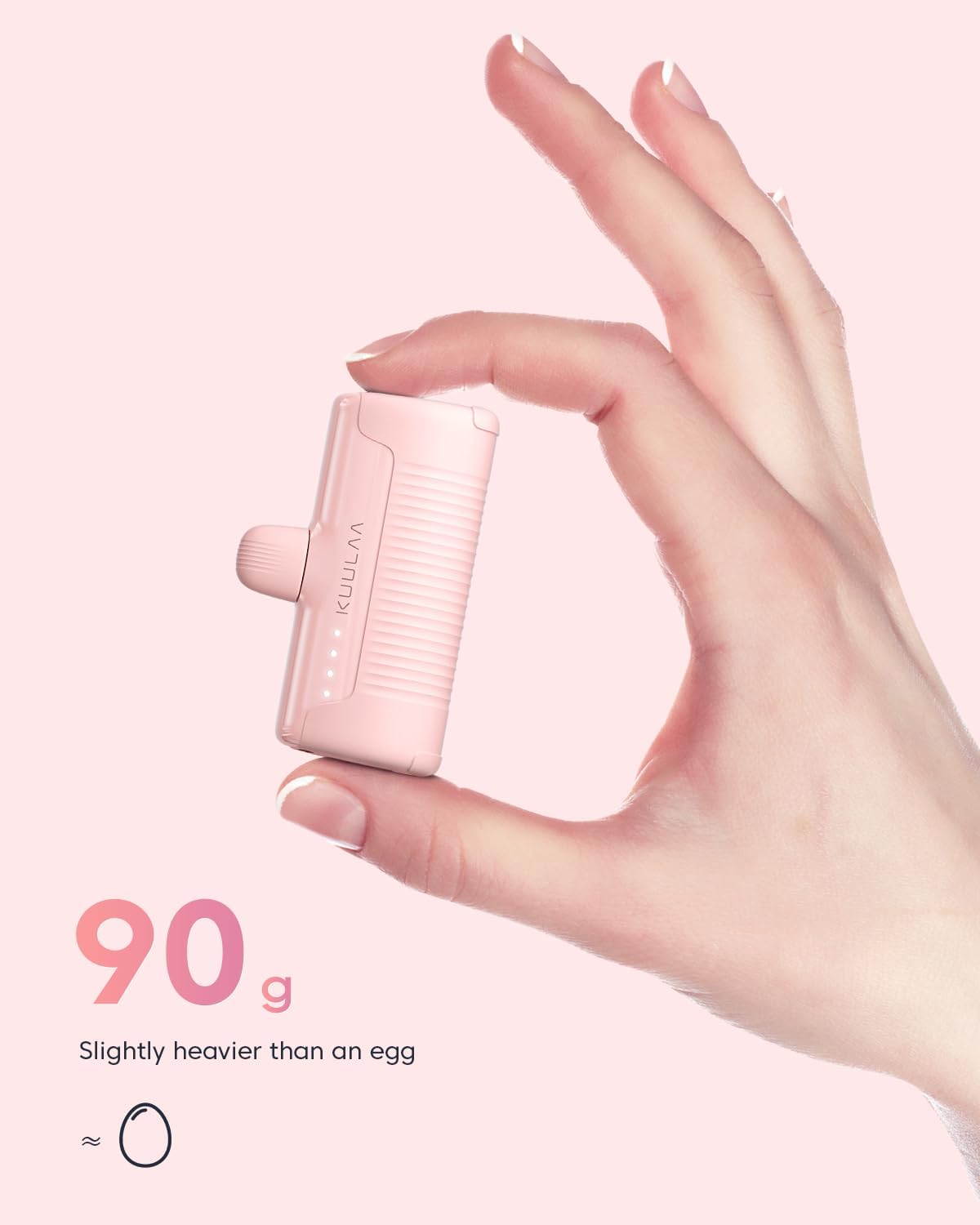
Figure 6: The power bank weighs approximately 90 grams, which is comparable to the weight of a large egg, emphasizing its lightweight and portable design.

Figure 7: The power bank is also compatible with VR headsets such as Oculus Quest 1 and Oculus Quest 2, providing additional power for extended use.
Warranty and Support
Kuulaa provides a 12-month warranty for this product from the date of purchase. This warranty covers manufacturing defects and issues arising from normal use.
Additionally, a 45-day money-back guarantee is offered. For technical support or warranty claims, please contact Kuulaa customer service. You can reach them via message through the platform where you purchased the product.
Please have your purchase details and product model number (KL-YD47) ready when contacting support.
Customer Support: Available 7 days a week, 24 hours a day.
Safety Information
To ensure safe operation and prevent damage to the product or injury to yourself, please observe the following safety precautions:
- Do not expose the power bank to water, moisture, or extreme temperatures.
- Do not drop, impact, or disassemble the device.
- Keep out of reach of children.
- Do not use if the power bank is visibly damaged, swollen, or leaking.
- Avoid placing heavy objects on the power bank.
- Dispose of the product responsibly according to local regulations for electronic waste.
The power bank is equipped with multiple safety mechanisms to prevent over-discharging, over-charging, and overloading, and will automatically stop charging in the event of a short-circuit or overheating.
