
Introduction
This manual provides instructions for the installation, operation, and maintenance of the Jebao Smart Marine LED Light ML-60. This advanced lighting system is designed for reef aquariums and fish tanks, offering customizable light spectrums and smart control via the Syna-G App.
Safety Information
Read all instructions:
Before operating the device, read and understand all safety and operating instructions.Water and Electricity:
This is an electrical device designed for use near water. Always exercise extreme caution. Do not immerse the light fixture or power adapter in water.Power Supply:
Use only the provided power adapter. Ensure the voltage matches your local power supply.Installation:
Ensure the light is securely mounted to prevent it from falling into the aquarium.Maintenance:
Disconnect power before performing any maintenance or cleaning.Children:
Keep this device out of reach of children.Damage:
Do not operate the device if any part is damaged. Contact customer support for assistance.
Setup
Package Contents
Verify that all components are present in the package before proceeding with installation.

Image: All components included in the Jebao ML-60 LED Light package. This includes the main light unit, power supply, adjustable mounting arm, and various screws for assembly.
The package should contain:
- Jebao ML-60 LED Light Fixture
- Power Adapter
- Adjustable Mounting Arm
- Mounting Hardware (screws, brackets)
- User Manual (this document)
Mounting the Light Fixture
The ML-60 comes with an adjustable mounting arm for secure attachment to your aquarium.
Assemble the Mounting Arm:
Attach the various sections of the mounting arm using the provided screws. Ensure all connections are tight and secure.Attach Light to Arm:
Secure the main ML-60 light fixture to the mounting arm using the designated screws.Position on Aquarium:
Place the mounting arm onto the rim of your aquarium. Adjust the arm's length and angle to position the light over your tank at the desired height and coverage.Secure the Mount:
Tighten any adjustment screws on the mounting arm to firmly secure the light in place. Ensure it is stable and cannot accidentally fall.Final Positioning:
Adjust the light head to direct illumination as needed.
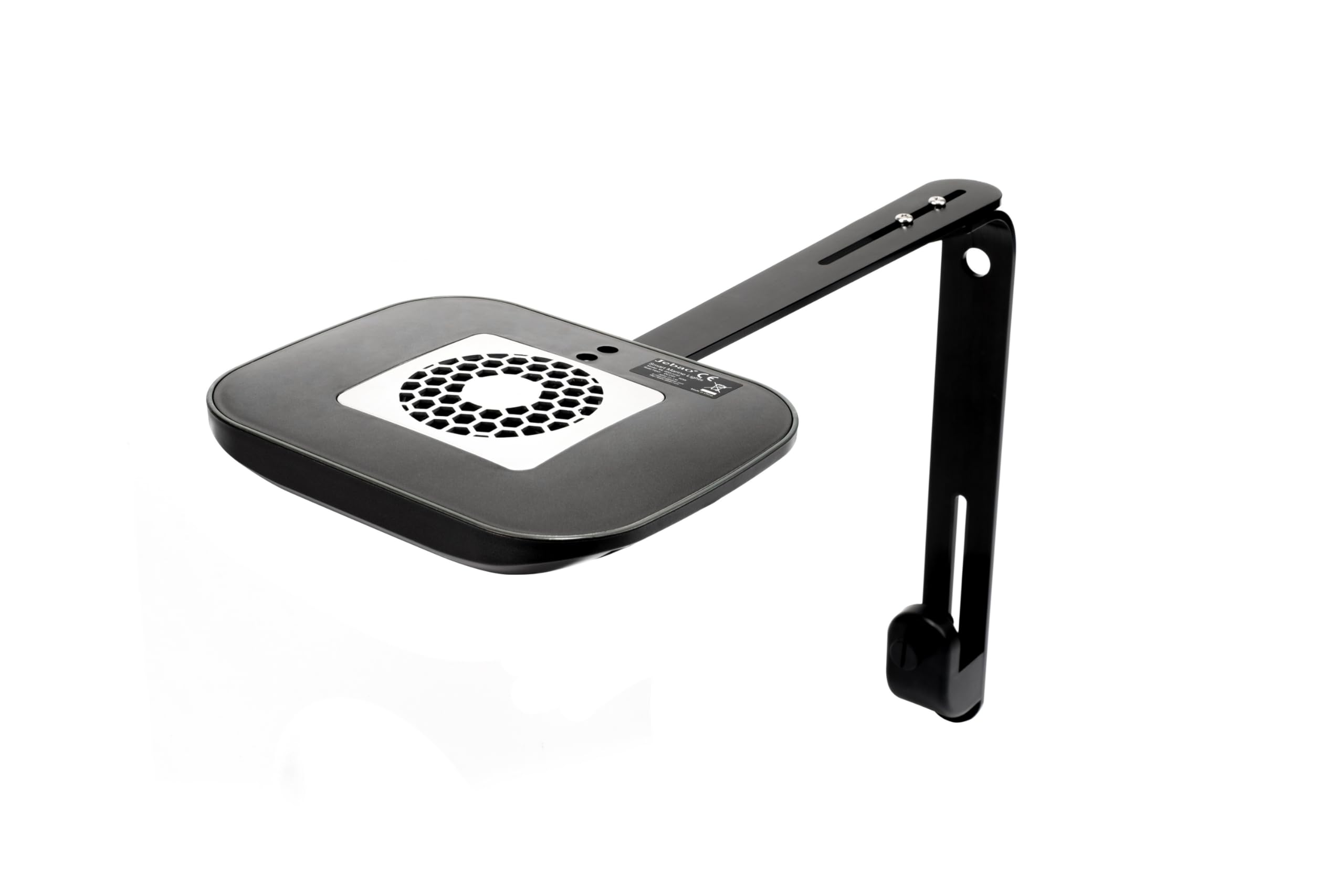
Image: Top-down perspective of the Jebao ML-60 LED light, showing the main unit and the fully assembled mounting arm extending from it.
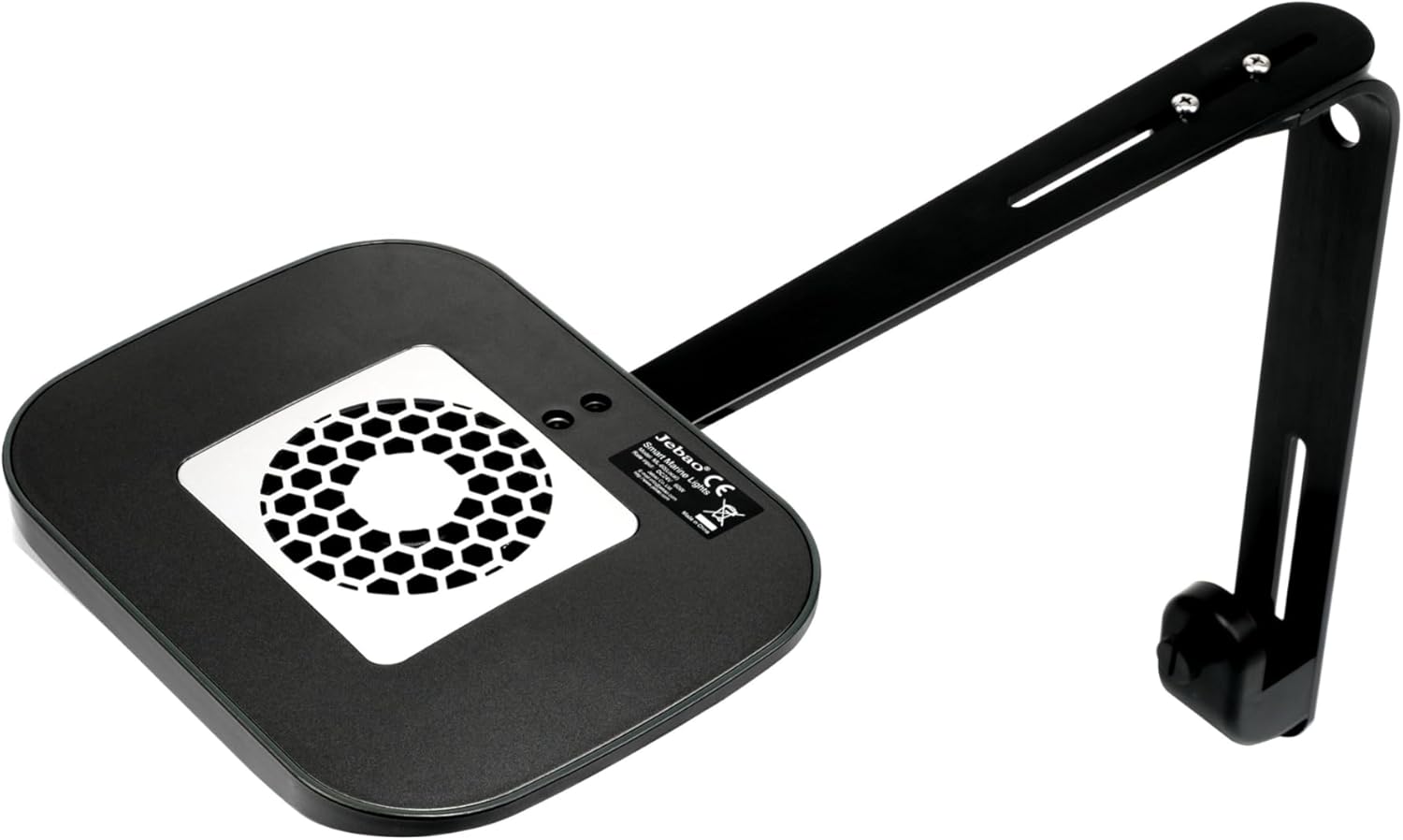
Image: An angled view of the Jebao ML-60 LED light, highlighting the top surface of the light fixture with its cooling fan, and the attached mounting arm.

Image: Side profile of the Jebao ML-60 LED light, demonstrating how the mounting arm positions the light fixture above an aquarium, providing illumination.

Image: A different angled view of the Jebao ML-60 LED light and its mounting arm, focusing on the secure attachment mechanisms that hold the light in its desired position.

Image: Front view of the Jebao ML-60 LED light, clearly displaying the array of individual LEDs and the overall sleek design of the fixture.
Power Connection
- Connect the power adapter cable to the light fixture's power input port.
- Plug the power adapter into a standard electrical outlet.
- The light should briefly illuminate or show an indicator light, confirming power connection.
Syna-G App Installation and Wi-Fi Pairing
The Jebao ML-60 is controlled via the Syna-G App, available for iOS and Android devices.
Download the App:
Search for "Syna-G" in the Apple App Store (for iOS) or Google Play Store (for Android) and install the application.Create an Account:
Open the Syna-G App and follow the on-screen prompts to create a new user account. Note: Some users have reported issues with account setup. Ensure you accept all terms and conditions.Add Device:
Within the app, select the option to add a new device. Follow the app's instructions to connect your ML-60 light to your home Wi-Fi network. This typically involves putting the light into pairing mode (refer to the light's indicator lights for status) and selecting your Wi-Fi network within the app.Confirmation:
Once successfully paired, the app will confirm the connection, and you will be able to control your ML-60 light.
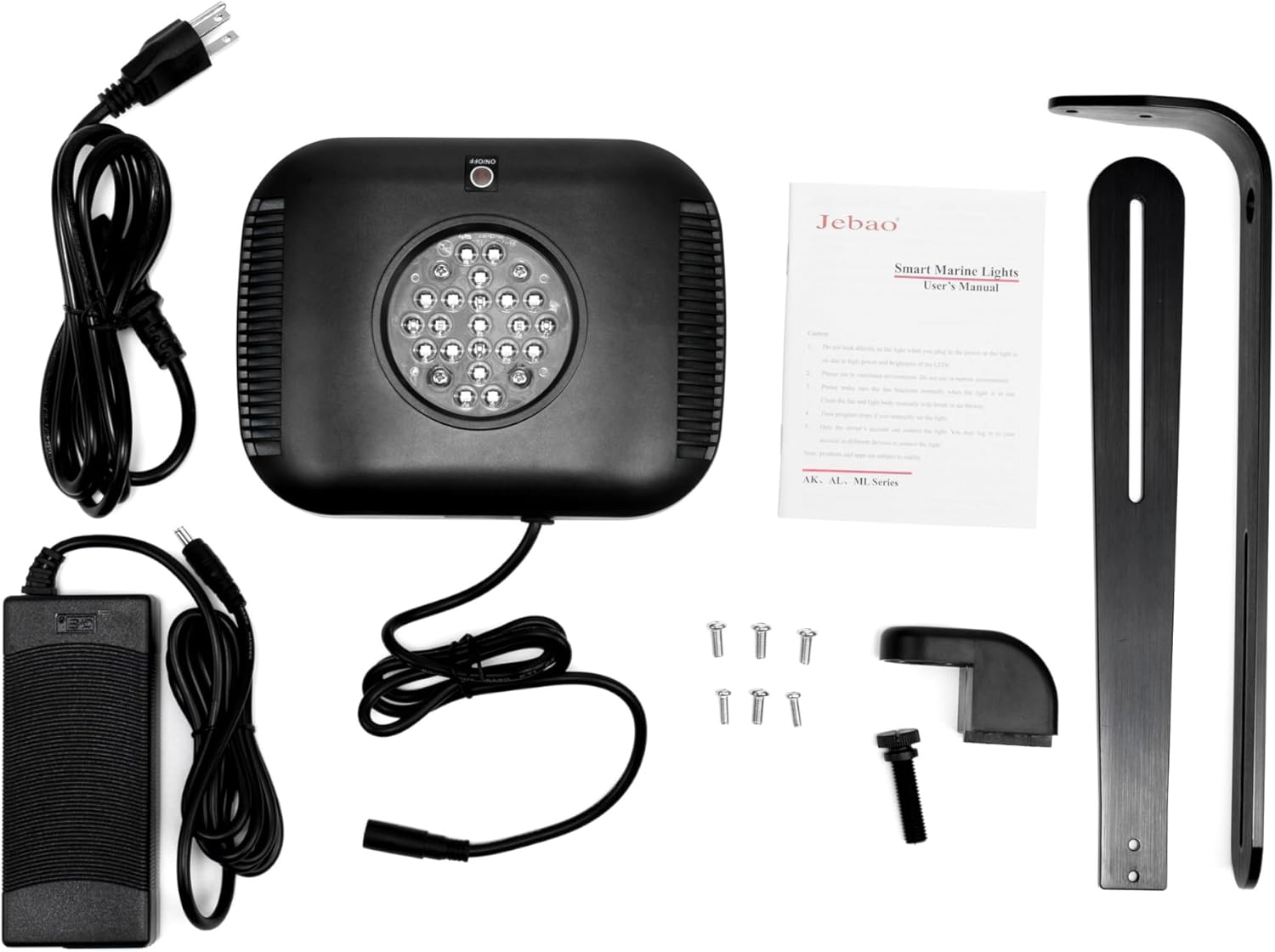
Image: The product packaging for Jebao Smart Marine Lights, featuring logos for downloading the Syna-G app from both the Apple App Store and Google Play Store.
Operating Instructions
Basic Operation
After successful setup and pairing with the Syna-G App, you can control your ML-60 light.
Manual On/Off:
Use the main power button within the Syna-G App to turn the light on or off instantly.Brightness Adjustment:
Adjust the overall intensity of the light using the brightness slider in the app.
Advanced App Features
The Syna-G App offers comprehensive control over your ML-60 light:
Color Profile and Intensity:
Customize the color spectrum by adjusting individual LED channels (Cool White, Royal Blue, Blue, Violet, UV, Green, Red) and their intensities. The ML-60 maintains high efficiency across all color profiles.Lighting Schedules:
Create daily or weekly lighting schedules to automate on/off times, intensity changes, and color shifts throughout the day.Automated Lunar Cycles:
Program lunar cycles to simulate natural moonlight conditions for your aquarium.Acclimation Schedule:
Utilize the acclimation schedule feature to gradually increase light intensity and duration, allowing corals and other inhabitants to adapt to new lighting conditions without stress.Group Control:
If you have multiple Jebao Smart Marine LED fixtures, you can group them within the app for synchronized control.Sharing Access:
Share control access and lighting settings with family members or other authorized users.
Maintenance
Regular maintenance ensures optimal performance and longevity of your Jebao ML-60 LED Light.
Cleaning the Fixture:
Periodically wipe the exterior of the light fixture with a soft, damp cloth to remove dust, salt creep, or water spots. Ensure the power is disconnected before cleaning. Do not use abrasive cleaners or solvents.LED Lens Cleaning:
Gently clean the LED lenses with a soft, lint-free cloth to maintain light output. Avoid scratching the lenses.Fan Maintenance:
The ML-60 features passing cooling for silent operation. Ensure the fan vents are clear of dust and debris to maintain proper airflow and prevent overheating. Use a soft brush or compressed air to gently clear any blockages.Power Cord Inspection:
Regularly inspect the power cord and adapter for any signs of damage, fraying, or wear. Replace immediately if damage is found.
Troubleshooting
If you encounter issues with your Jebao ML-60 LED Light, refer to the following common solutions:
| Problem | Possible Cause | Solution |
|---|---|---|
| Light does not turn on. | No power, loose connection, faulty adapter. | Check power outlet, ensure all cables are securely connected. Verify power adapter is functioning. |
| Cannot connect to Wi-Fi / App issues. | Incorrect Wi-Fi password, router issues, app account setup problems, light not in pairing mode. | Ensure correct Wi-Fi password. Restart your router and the light. Reinstall the Syna-G App. Ensure the light is in pairing mode as per app instructions. Verify all terms and conditions are accepted during account setup. |
| Light flickers or dims unexpectedly. | Unstable power supply, loose connection, overheating. | Check power connections. Ensure adequate ventilation around the light fixture and clear fan vents. Try plugging into a different outlet. |
| Light settings not saving. | App synchronization issue, network instability. | Ensure your device has a stable internet connection. Close and reopen the Syna-G App. Re-save settings. |
Specifications
| Model | ML-60 |
| Max Watts | 60 Watts |
| Channels | 6 |
| LED Composition | Cool White: 4, Royal Blue: 5, Blue: 4, Violet: 2, UV: 2, Green: 2, Red: 2 |
| Body Color | Black |
| Control Method | WI-FI + AP (Syna-G App) |
| Dimensions (Main Light) | 8 x 6 x 1.2 inches (20.32 x 15.24 x 3.05 cm) |
| Weight | 1.71 kg (approximately 3.77 lbs) |
| Manufacturer | Jebao |
Warranty and Support
For warranty information and technical support, please refer to the official Jebao website or contact your authorized dealer. Keep your purchase receipt as proof of purchase for warranty claims.
For further assistance, visit the Jebao official website or consult the Syna-G App for support resources.
