
1. Introduction
This manual provides detailed instructions for the installation, operation, and maintenance of your Jebao Smart Marine LED Light ML-120. This advanced LED fixture is designed for reef aquariums and fish tanks, offering customizable lighting spectrums and smart control via the Syna-G App.
2. Safety Instructions
- Read all instructions carefully before use.
- Ensure the power supply is disconnected before performing any maintenance or installation.
- This product is designed for indoor use only and is not waterproof. Avoid direct contact with water.
- Do not operate the light if any part is damaged.
- Keep out of reach of children.
- Ensure proper ventilation around the fixture to prevent overheating.
3. Package Contents
Verify that all items are present in the package:
- Jebao Smart Marine LED Light ML-120 fixture
- Mounting kits (adjustable stand)
- Power adapter and cord
- User Manual (this document)
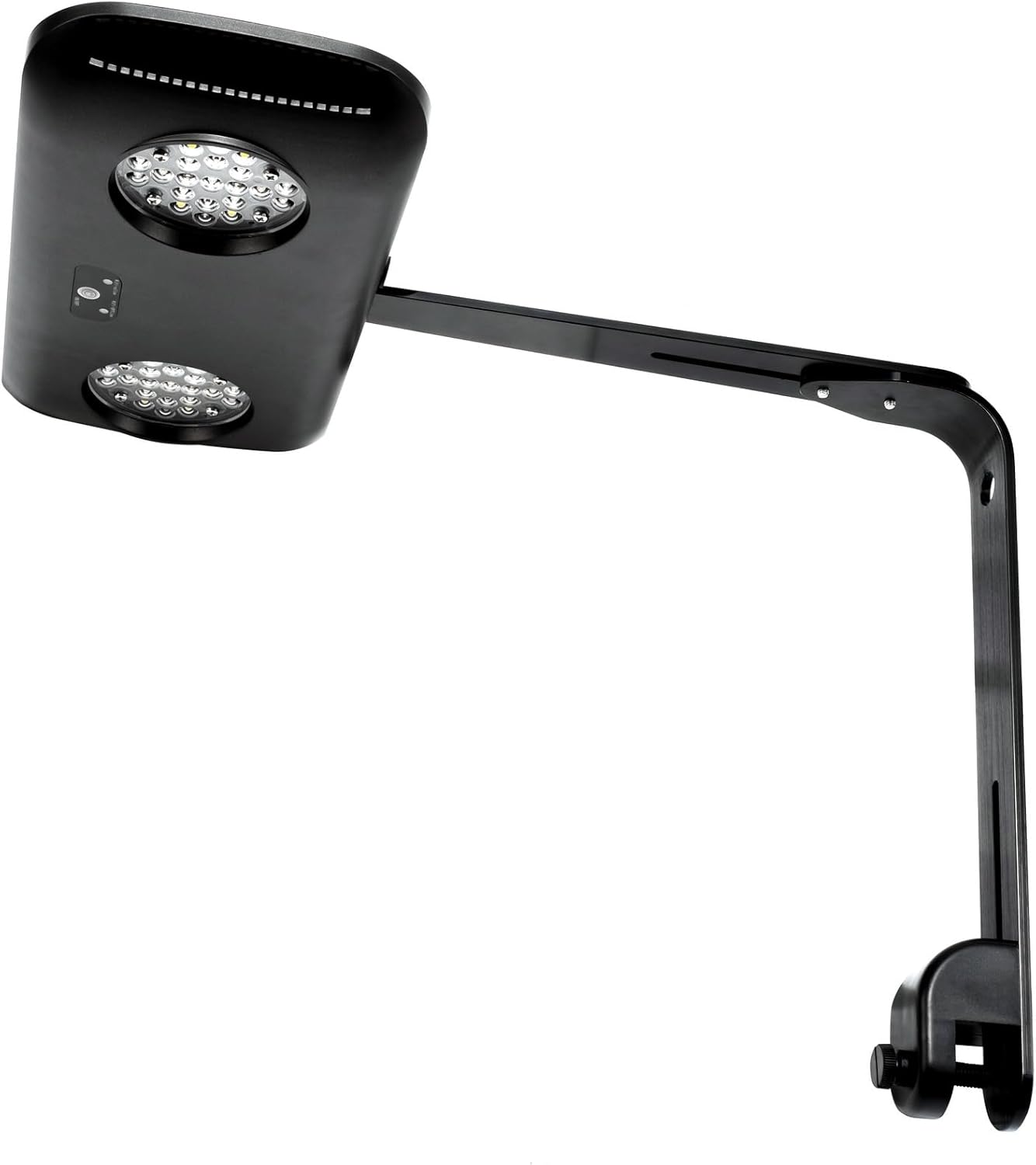
Image: The Jebao ML-120 LED light fixture with its adjustable mounting arm attached, viewed from the side.

Image: The Jebao ML-120 LED light fixture shown with its mounting bracket, ready for installation.

Image: The retail packaging for the Jebao Smart Marine Lights ML-120, displaying product features and specifications.
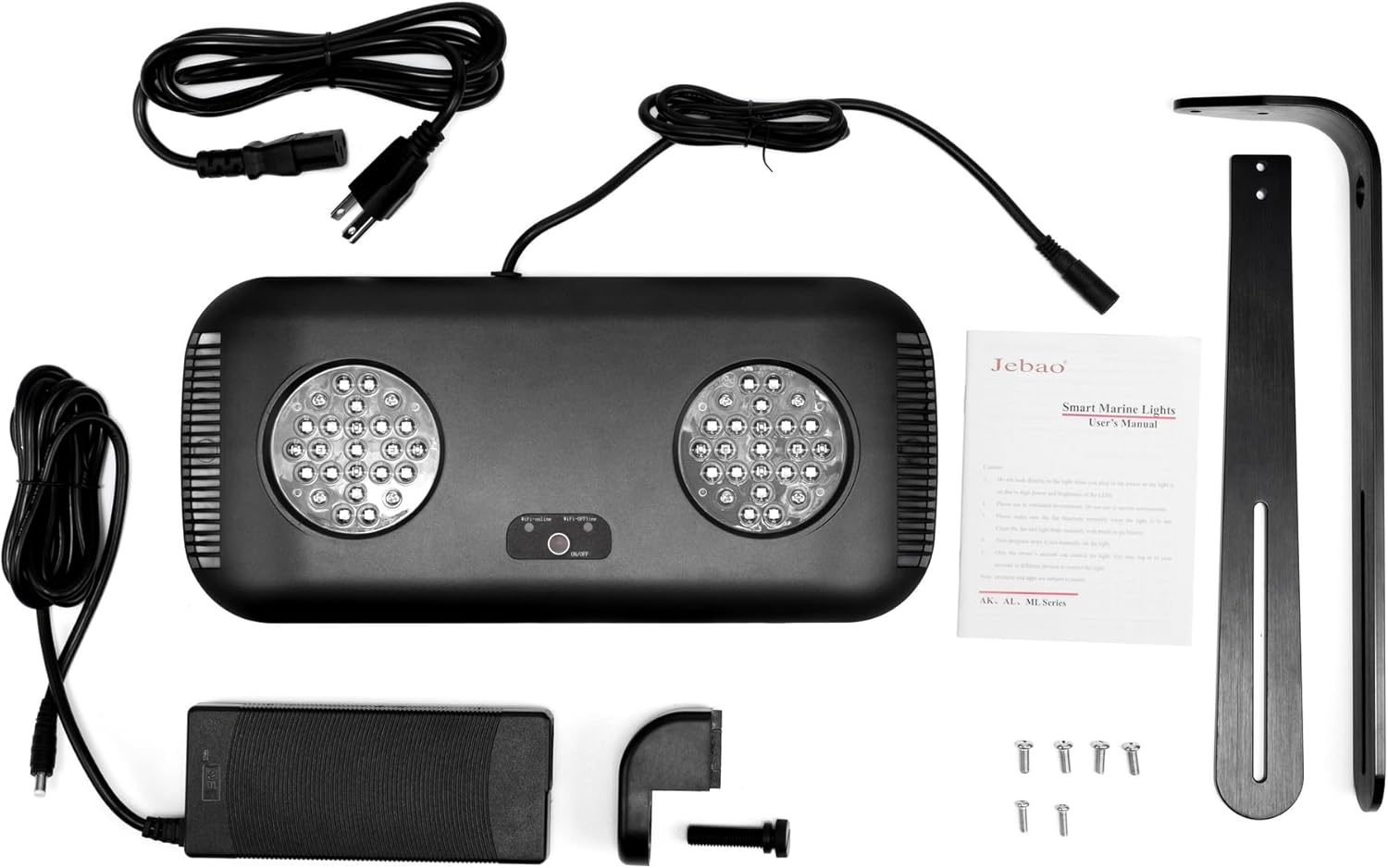
Image: All components included with the Jebao ML-120 LED light: the light fixture, power adapter, power cords, mounting arm, and screws.
4. Product Overview
The Jebao Smart Marine LED Light ML-120 is designed to provide optimal lighting for marine and reef aquariums. It features proprietary technology for efficient color spectrum configuration and smart control via the Syna-G Cloud App.
Key Features:
- Syna-G Cloud Smart Control App for mobile devices (iOS or Android).
- Maintains 95-100% efficiency across various color profiles.
- Acclimation schedule feature to allow corals to adapt to lighting changes.
- Adjustable stand included for flexible mounting.
- Passive cooling for silent operation.
- 6 independent channels for precise color and intensity control.
5. Setup and Installation
5.1 Physical Installation
- Assemble the Mounting Arm: Attach the adjustable mounting arm to the light fixture using the provided screws. Ensure all connections are secure.
- Mount to Aquarium: Secure the mounting arm to the edge of your aquarium. Adjust the height and angle of the light fixture to achieve desired coverage over your tank.
- Connect Power: Plug the power adapter into the light fixture, then plug the power cord into a suitable electrical outlet. Ensure the outlet is protected by a Ground Fault Circuit Interrupter (GFCI) for safety near water.

Image: Top-down view of the Jebao ML-120 LED light fixture with its mounting arm extended, showing the fan grill and attachment points.
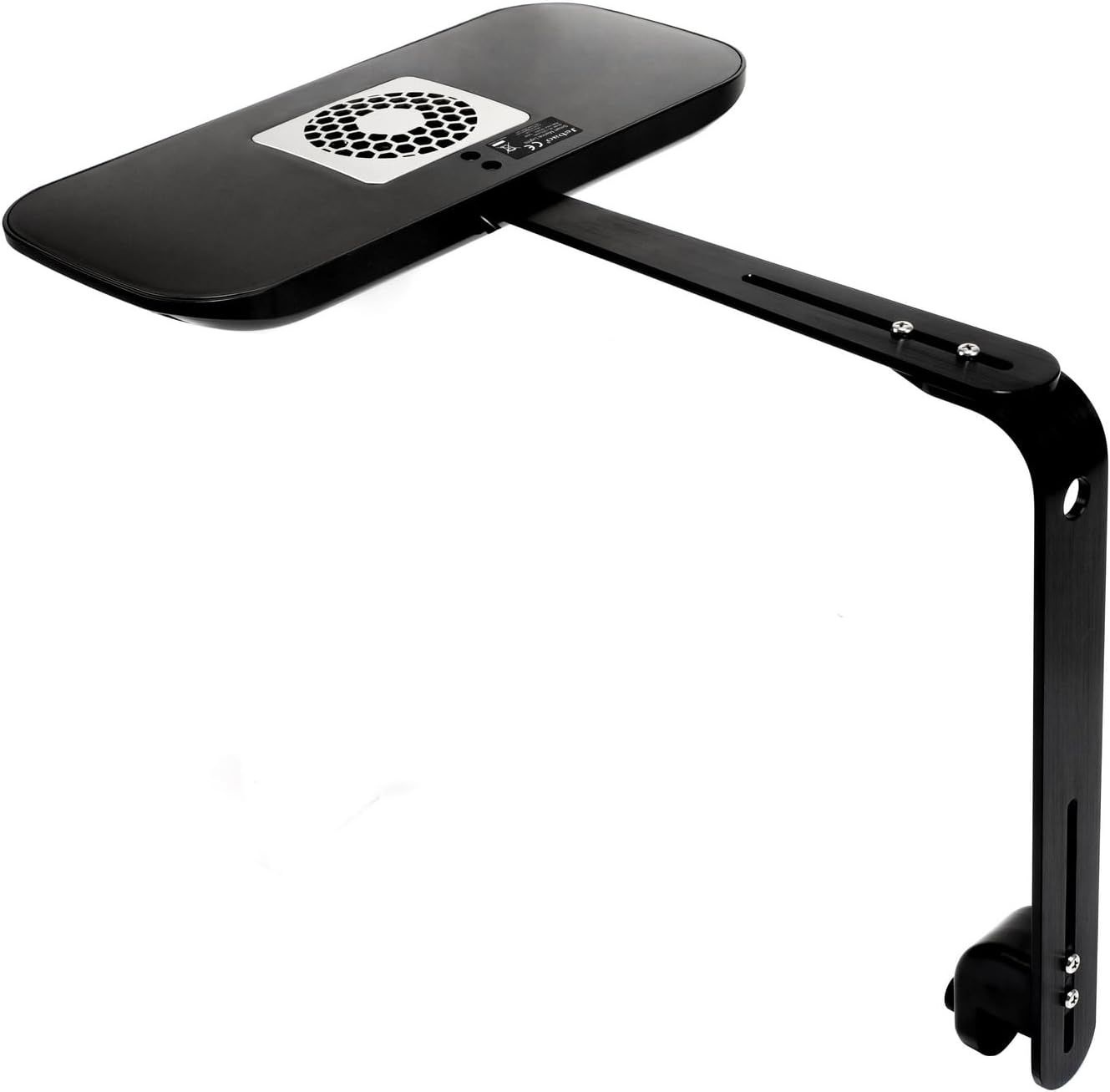
Image: Underside view of the Jebao ML-120 LED light fixture, showing the LED clusters and the attached mounting arm.
5.2 App Download and Wi-Fi Connection
- Download Syna-G App: Search for "Syna-G" in the Apple App Store (for iOS devices) or Google Play Store (for Android devices) and install the application.
- Create Account: Open the Syna-G App and follow the on-screen instructions to create a new user account.
- Connect to Wi-Fi:
- Ensure your mobile device is connected to a 2.4GHz Wi-Fi network. The light fixture does not support 5GHz networks.
- In the Syna-G App, select "Add Device" and choose your Jebao Smart Marine LED Light.
- Follow the app's prompts to connect the light fixture to your home Wi-Fi network. This typically involves putting the light into pairing mode (refer to the light's indicator lights for status) and entering your Wi-Fi password.
6. Operating Instructions
The Jebao Smart Marine LED Light ML-120 is primarily controlled through the Syna-G Cloud App. Once connected, you can access various functions:
- Color Profile and Intensity: Adjust the intensity of each of the 6 LED channels (Cool White, Royal Blue, Blue, Violet, UV, Green, Red) to create custom color spectrums.
- Lighting Schedules: Create daily or weekly lighting schedules to simulate natural day-night cycles, including sunrise and sunset effects.
- Automated Lunar Cycles: Program lunar cycles to mimic natural moonlight conditions for your aquarium.
- Acclimation Schedule: Utilize the acclimation feature to gradually introduce new lighting parameters, allowing corals and other inhabitants to adapt without stress.
- Group Control: If you have multiple Jebao Smart Marine LED fixtures, you can group them within the app for synchronized control.
- Sharing Access: Share control of your lighting system with family members or friends through the app.
7. Maintenance
- Cleaning: Regularly wipe the exterior of the light fixture with a soft, dry cloth to remove dust and salt creep. Ensure the light is unplugged before cleaning. Do not use abrasive cleaners or immerse the unit in water.
- Fan Maintenance: Periodically check the cooling fan for any obstructions. Gently clean the fan grill to ensure proper airflow and silent operation.
- LED Lens: Carefully clean the LED lenses if they become obscured, using a soft, damp cloth.
8. Troubleshooting
| Problem | Possible Cause | Solution |
|---|---|---|
| Light does not turn on. | No power, faulty connection, power adapter issue. | Check power cord and adapter connections. Ensure the outlet has power. Try a different outlet. |
| Cannot connect to Wi-Fi / App issues. | Incorrect Wi-Fi password, 5GHz network, app glitch, light not in pairing mode. |
|
| Light flickers or behaves erratically. | Unstable power supply, internal fault. | Ensure stable power. Disconnect and reconnect power. If the issue persists, contact customer support. |
9. Specifications
| Feature | Detail |
|---|---|
| Model | ML-120 |
| Max Watts | 120 Watts |
| Channels | 6 |
| LED Composition | Cool White (4x2), Royal Blue (5x2), Blue (4x2), Violet (2x2), UV (2x2), Green (2x2), Red (2x2) |
| Body Color | Black |
| Control | WI-FI + AP (Syna-G App) |
| Dimensions (inch) | 13.1 x 6.1 x 1.2 |
| Item Weight | 5.34 pounds |
| Power Source | Corded Electric |
| Voltage | 120 Volts |
| Efficiency | 95-100% (between color profiles) |
| Water Resistance Level | Not Water Resistant |
| Included Components | Light and mounting kits |
10. Warranty and Support
For warranty information, please refer to the documentation provided with your purchase or contact Jebao customer support directly. If you encounter any issues not covered in this manual, or require further assistance, please reach out to the manufacturer's support channels.
Manufacturer: Jebao
