
Jebao AL-90
Jebao Smart Marine LED Light User Manual
Model: AL-90
Introduction
The Jebao Smart Marine LED Light (Model AL-90) is an advanced lighting system designed for reef aquariums and fish tanks. It utilizes proprietary technology to offer a wide range of color spectrums without compromising efficiency. This light can be controlled remotely via the cloud-based Syna-G App, providing comprehensive control over color profiles, intensities, lighting schedules, and automated lunar cycles.
Key features include:
- Syna-G Cloud Smart Control App, AP, and Manual control options.
- High efficiency (95-100%) across all color profiles.
- Acclimation schedule feature to help corals adapt to lighting changes.
- Adjustable stand for flexible mounting.
- Passive cooling for quiet operation.
Safety Information
Please read all safety instructions carefully before operating the Jebao Smart Marine LED Light. Failure to follow these instructions may result in electric shock, fire, or serious injury.
- Indoor Use Only: This product is designed for indoor use in a dry environment. It is not waterproof.
- Power Source: Use only the provided power adapter. Ensure the voltage matches your local power supply.
- Water Contact: Do not immerse the light fixture or power adapter in water. If the light falls into water, unplug it immediately before attempting to retrieve it.
- Ventilation: Ensure adequate ventilation around the light fixture to prevent overheating. Do not block cooling vents.
- Children and Pets: Keep the device out of reach of children and pets.
- Maintenance: Disconnect power before performing any maintenance or cleaning.
What's in the Box
Carefully unpack all components and verify that all items are present and undamaged.
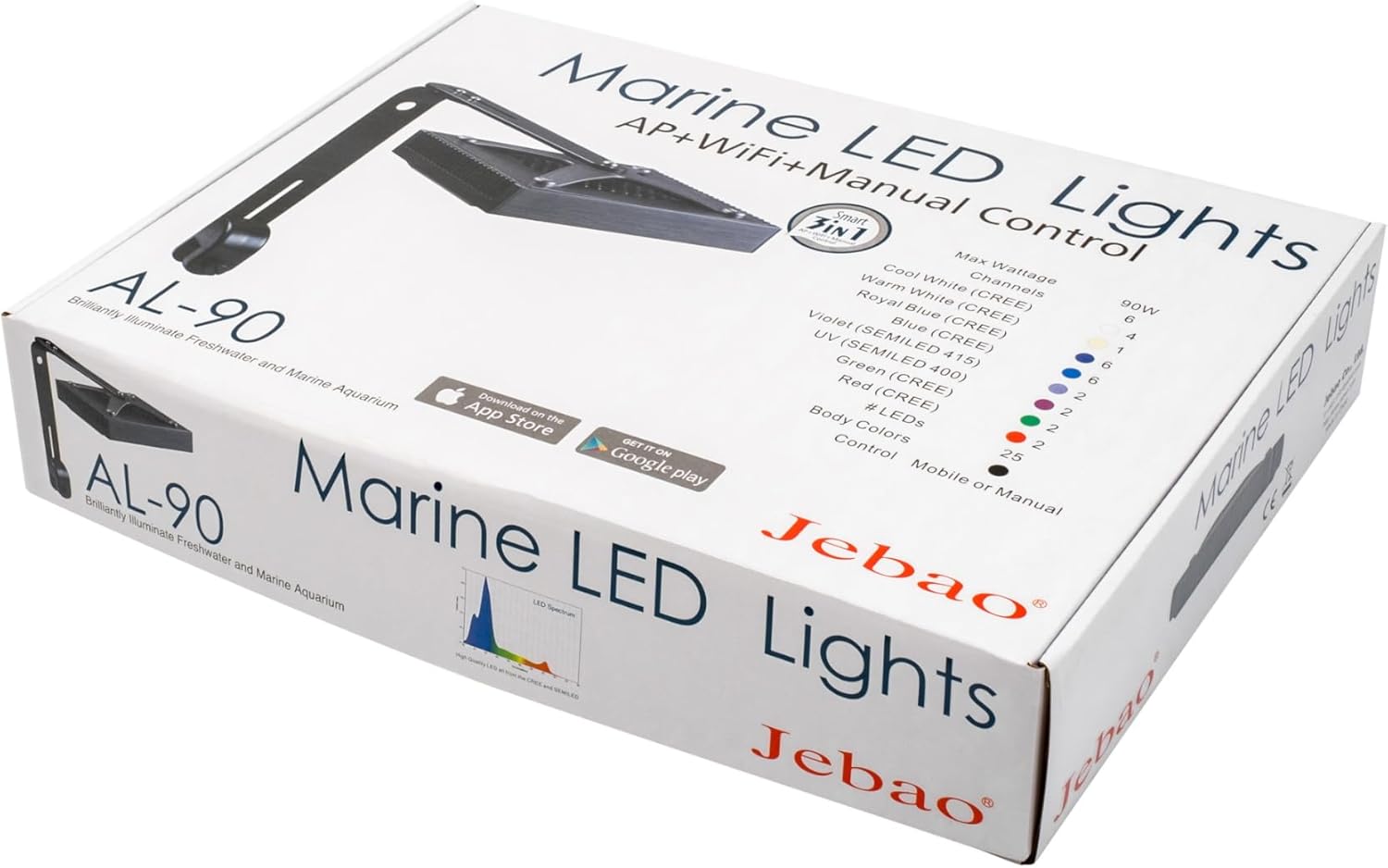
Image: All components included with the Jebao Smart Marine LED Light. This includes the main light unit, power supply, power cord, mounting bracket, and various screws for assembly.
- Jebao Smart Marine LED Light Fixture (AL-90)
- Power Adapter
- Mounting Arm and Bracket
- Mounting Screws and Hardware
- User Manual (this document)
Setup
1. Assembling the Mounting Arm
- Attach the main light fixture to the mounting arm using the provided screws. Ensure a secure fit.
- Connect the L-shaped bracket to the mounting arm. This bracket will secure the light to your aquarium.
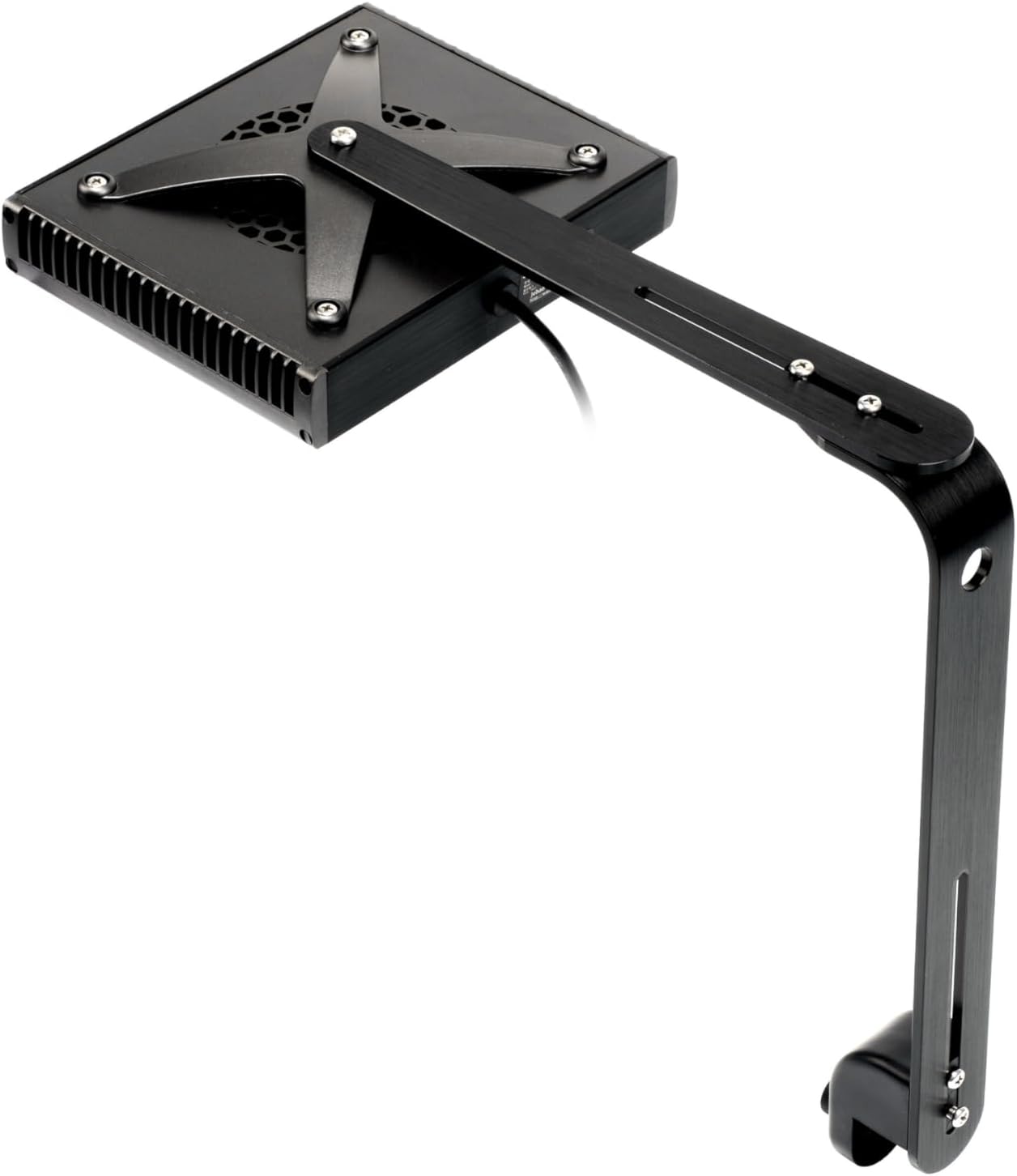
Image: Top-down view of the Jebao AL-90 light fixture with the mounting arm attached, showing the screw points.
2. Mounting the Light to Your Aquarium
- Position the L-shaped bracket on the rim of your aquarium.
- Tighten the adjustable clamp screw on the bracket to firmly secure the light to the tank. Ensure the light is stable and level.
- Adjust the height and angle of the light using the adjustment points on the mounting arm to achieve optimal light coverage for your aquarium.

Image: Side view of the Jebao AL-90 light, demonstrating how the adjustable mounting arm allows for positioning over an aquarium.
3. Power Connection
- Connect the power adapter to the light fixture's power input port.
- Plug the power adapter into a suitable electrical outlet.
- The light should power on, indicated by a small LED indicator on the unit.

Image: Close-up of the Jebao AL-90 light showing the power cable connection point on the side of the unit.
Operating the Light
1. Syna-G App Control (Recommended)
The Syna-G App provides the most comprehensive control over your Jebao Smart Marine LED Light. Download the app from the App Store (iOS) or Google Play Store (Android).

Image: Underside view of the Jebao AL-90 light, showcasing the various LED bulbs that produce different color spectrums.
- Initial Setup: Follow the in-app instructions to connect your light to your home Wi-Fi network. This typically involves putting the light into pairing mode and selecting its Wi-Fi signal from your device.
- Color Profile & Intensity: Use the app to adjust the intensity of each LED channel (Cool White, Warm White, Royal Blue, Blue, Violet, UV, Green, Red) to create your desired color spectrum.
- Scheduling: Create custom lighting schedules throughout the day, simulating sunrise, daylight, sunset, and moonlight phases.
- Lunar Cycles: The app can simulate automated lunar cycles, providing natural light patterns for your aquarium inhabitants.
- Acclimation Schedule: Utilize the acclimation feature to gradually increase light intensity over time, helping new corals adapt to the lighting environment.
- Group Control: If you have multiple Jebao Smart Marine LED Lights, the app allows you to group and control them simultaneously.
2. Manual Control
The light also supports basic manual control, typically through a button on the unit itself for simple on/off or preset mode cycling. Refer to the quick start guide included in the box for specific manual control functions.
Maintenance
Regular maintenance ensures optimal performance and longevity of your Jebao Smart Marine LED Light.
- Cleaning: Periodically wipe the light fixture and LED lenses with a soft, damp cloth to remove salt creep, dust, or water spots. Always unplug the light before cleaning. Do not use abrasive cleaners or solvents.
- Cooling System: The light uses passive cooling. Ensure that the heat sink fins on the fixture are free from obstructions to allow for efficient heat dissipation.
- Cable Inspection: Regularly inspect the power cord and adapter for any signs of damage. If damaged, discontinue use and contact customer support.
Troubleshooting
If you encounter issues with your Jebao Smart Marine LED Light, try the following troubleshooting steps:
| Problem | Possible Cause | Solution |
|---|---|---|
| Light does not turn on. | No power, faulty connection, or power adapter issue. |
|
| Cannot connect to Wi-Fi / App control issues. | Incorrect Wi-Fi password, out of range, app glitch, or network interference. |
|
| Light flickers or dims unexpectedly. | Unstable power supply, overheating, or internal component issue. |
|
Specifications
| Feature | Detail |
|---|---|
| Model | AL-90 |
| Max Watts | 90 Watts |
| Channels | 6 |
| LED Composition |
|
| Body Color | Black |
| Control | WI-FI + AP + Manual |
| Dimensions (Main Light) | 7.5 x 6.25 x 1.5 inches (19.05 x 15.88 x 3.81 cm) |
| Material | Plastic, Aluminum (Base) |
| Connectivity Technology | Wi-Fi |
| Mounting Type | Stand Mount |
| Efficiency | 90-100% (across color profiles) |
Warranty and Support
For warranty information and technical support, please refer to the warranty card included with your product or visit the official Jebao website. Keep your purchase receipt as proof of purchase.
Optional protection plans may be available for extended coverage. Please check with your retailer for details on 3-Year or 4-Year Protection Plans.
If you experience any issues not covered in this manual, please contact Jebao customer service for assistance.
Related documentsAL-90


Ask a question about this manual
Ask about setup, troubleshooting, compatibility, parts, safety, or missing instructions. Manuals+ will review the question and use this page’s manual context to help answer it.