
Jebao AL-120
Jebao Smart Marine LED Light User Manual
Model: AL-120
Brand: Jebao
1. Introduction
The Jebao Smart Marine LED Light (Model AL-120) is an advanced lighting system designed for reef aquariums and fish tanks. It utilizes proprietary technology to offer a wide range of color spectrums without significant efficiency loss. This light can be controlled remotely via the cloud-based Syna-G App, providing comprehensive control over lighting profiles, schedules, and lunar cycles.
Key Features:
- Syna-G Cloud Smart Control App + AP + Manual operation.
- Maintains 95-100% efficiency across all color profiles.
- Includes an acclimation schedule to help corals adapt to lighting changes.
- Comes with an adjustable stand for flexible mounting.
- Features passive cooling for quiet operation.
2. Safety Information
Please read all safety instructions carefully before operating the Jebao Smart Marine LED Light. Failure to follow these instructions may result in electric shock, fire, or serious injury.
- This product is designed for indoor use only. Do not expose to water or high humidity.
- Ensure the power supply is disconnected before performing any maintenance or installation.
- Do not operate the light if the power cord or plug is damaged.
- Keep out of reach of children.
- Do not disassemble or modify the light fixture. Refer all servicing to qualified personnel.
- Ensure proper ventilation around the light fixture to prevent overheating.
- This product is not waterproof. Avoid direct contact with water.
3. Package Contents
Verify that all items listed below are included in your package:
- Jebao Smart Marine LED Light Fixture (AL-120)
- Adjustable Mounting Kit (Arm and Clamp)
- Power Adapter
- User Manual (this document)
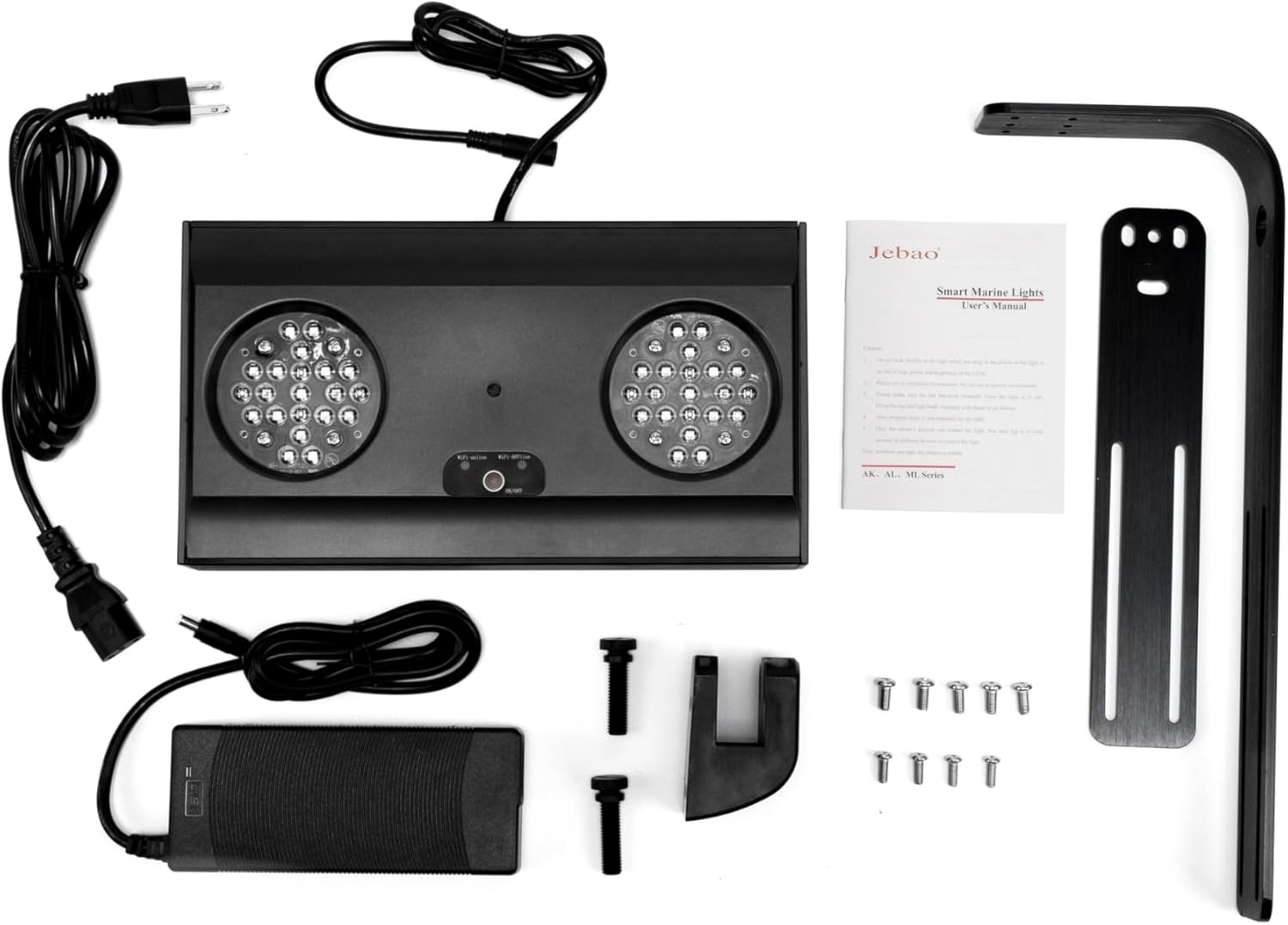
Image: All components included in the Jebao Smart Marine LED Light package, laid out on a white surface. This includes the light fixture, power adapter, mounting arm, and various screws.
4. Setup
4.1 Physical Installation
- Assemble the Mounting Arm: Attach the adjustable arm to the light fixture using the provided screws. Ensure all connections are secure.
- Attach to Aquarium: Securely fasten the clamp of the mounting arm to the rim of your aquarium. Adjust the arm's length and angle to position the light correctly over your tank. Ensure the light is level and stable.
- Power Connection: Connect the power adapter to the light fixture, then plug the adapter into a suitable power outlet.
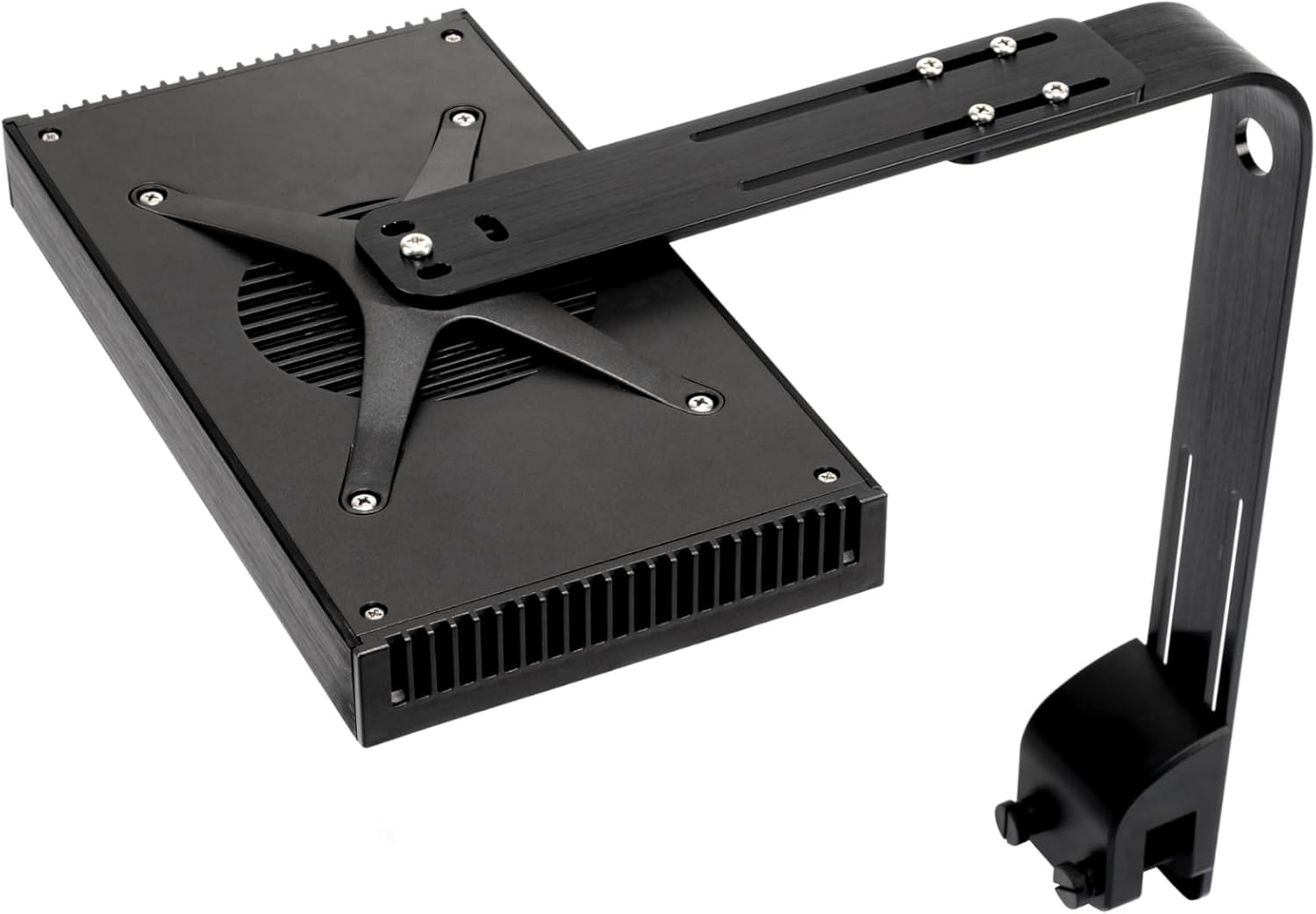
Image: The Jebao AL-120 LED light fixture shown with its adjustable mounting arm securely attached, ready for tank installation.

Image: A side view of the Jebao AL-120 LED light, demonstrating the flexibility of the adjustable mounting arm. The arm extends from the light fixture and curves downwards, ending in a clamp mechanism.
4.2 App Installation and Wi-Fi Connection (Syna-G App)
- Download the Syna-G App: Search for "Syna-G" in your mobile device's app store (iOS or Android) and download the application.
- Create an Account: Open the Syna-G App and follow the on-screen instructions to create a new user account.
- Add Device: Power on your Jebao AL-120 light. In the Syna-G App, select the option to add a new device.
- Connect to Wi-Fi: Follow the app's prompts to connect your light to your home Wi-Fi network. Ensure your mobile device is connected to the same 2.4GHz Wi-Fi network during the setup process.
- Device Pairing: Once connected, the app will guide you through pairing your light fixture. This may involve pressing a button on the light or confirming a connection within the app.
5. Operating Instructions
5.1 Manual Control
The AL-120 light features basic manual controls on the unit itself for quick adjustments:

Image: The underside of the Jebao AL-120 LED light, displaying the two main LED clusters and small control buttons for manual operation.
- Power Button: Press to turn the light On/Off.
- Mode Button: Cycle through preset lighting modes or color channels.
- Brightness Buttons (+/-): Adjust the intensity of the selected mode or channel.
5.2 Syna-G App Control
The Syna-G App provides comprehensive control over your Jebao AL-120 light:
- Color Profile Adjustment: Customize the intensity of each of the 6 LED channels (Cool White, Royal Blue, Blue, Violet, UV, Green, Red) to create your desired spectrum.
- Lighting Schedules: Create daily or weekly lighting schedules with multiple on/off times and varying intensities to simulate natural light cycles.
- Lunar Cycles: Program automated lunar cycles to mimic moonlight phases, beneficial for nocturnal aquatic life.
- Acclimation Schedule: Utilize the built-in acclimation feature to gradually increase light intensity over a set period, helping new corals or tank inhabitants adapt to the new lighting environment.
- Group Control: If you have multiple Jebao Smart Marine LED Lights, you can group them together for synchronized control.
- Sharing Settings: Share your customized lighting settings and access with other users.
6. Maintenance
- Cleaning: Regularly wipe the light fixture and LED lenses with a soft, dry cloth to remove dust and salt creep. Ensure the light is unplugged before cleaning. Do not use abrasive cleaners or solvents.
- Ventilation: Ensure the cooling fins and fan (if present) are free from obstructions to maintain optimal passive cooling and prevent overheating.
- Power Cord: Periodically inspect the power cord for any signs of damage. If damaged, discontinue use and contact customer support.
7. Troubleshooting
| Problem | Possible Cause | Solution |
|---|---|---|
| Light does not turn on. | No power; faulty connection; power adapter issue. | Check power outlet, ensure all cables are securely connected. Test power adapter if possible. |
| Cannot connect to Wi-Fi / App issues. | Incorrect Wi-Fi password; 5GHz network used; app bug; light not in pairing mode. | Ensure you are connecting to a 2.4GHz Wi-Fi network. Double-check password. Restart light and app. Refer to app's help section for specific pairing instructions. |
| Light flickers or dims unexpectedly. | Unstable power supply; overheating; internal fault. | Ensure stable power. Check for obstructions around cooling fins. If problem persists, contact customer support. |
| App settings not applying to light. | Poor Wi-Fi signal; light not properly paired. | Ensure strong Wi-Fi signal. Re-pair the device with the app if necessary. |
8. Specifications
| Model | AL-120 |
| Max Wattage | 120 Watts |
| Channels | 6 |
| Total LEDs | 42 |
| LED Composition | Cool White (CREE): 4x2, Royal Blue (CREE): 5x2, Blue (CREE): 4x2, Violet (SEMILED 415): 2x2, UV (SEMILED 400): 2x2, Green (CREE): 2x2, Red (CREE): 2x2 |
| Body Color | Black |
| Control Method | WI-FI + AP + Manual |
| Dimensions (Main Light) | 11.5 x 6.25 x 1.5 inches |
| Product Dimensions (Overall) | 15 x 12 x 3 inches |
| Item Weight | 5.92 pounds |
| Connectivity Technology | Wi-Fi |
| Material | Plastic, Aluminum (Base Material) |
| Water Resistance Level | Not Water Resistant |
9. Warranty and Support
For warranty information and technical support, please refer to the official Jebao website or contact their customer service directly. Keep your purchase receipt as proof of purchase for any warranty claims.
Jebao Official Website: www.jebao.com (Note: This is a placeholder URL, please refer to your product packaging or official documentation for the correct website.)
Related documentsAL-120

Ask a question about this manual
Ask about setup, troubleshooting, compatibility, parts, safety, or missing instructions. Manuals+ will review the question and use this page’s manual context to help answer it.