
Cygolite VLO-PR-1400
Cygolite Velocity Pro 1,400 Lumen Bicycle Light
User Manual
Introduction
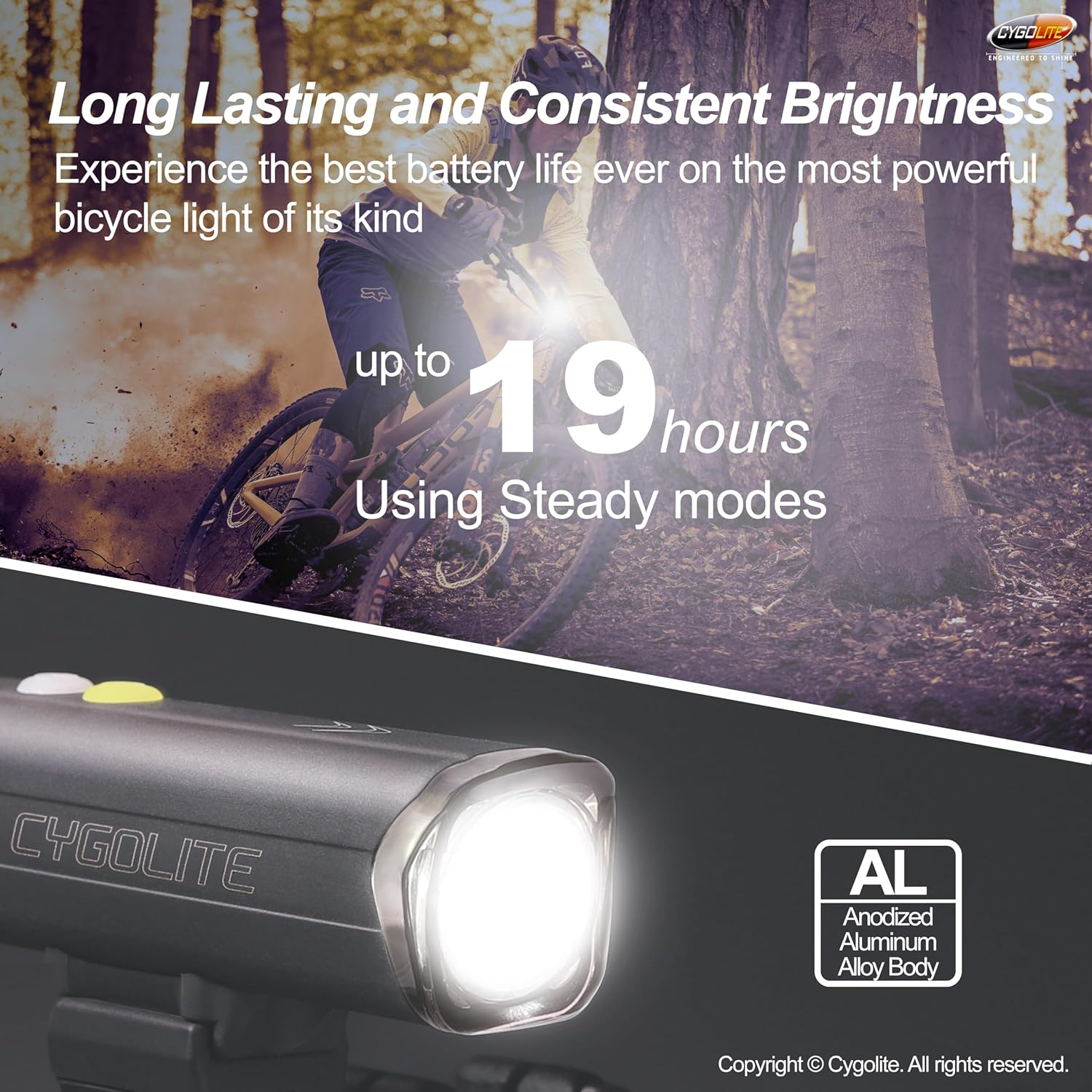
The Cygolite Velocity Pro 1,400 Lumen Bicycle Light is engineered to provide exceptional illumination for both road and mountain biking. This compact and robust headlight features a durable anodized aluminum alloy body, IP67 waterproof rating, and a versatile mounting system. With 9 distinct lighting modes and fine-tunable brightness, it offers customizable performance for various cycling conditions. The integrated 8-step battery fuel gauge and convenient USB-C charging ensure reliable operation and easy power management.
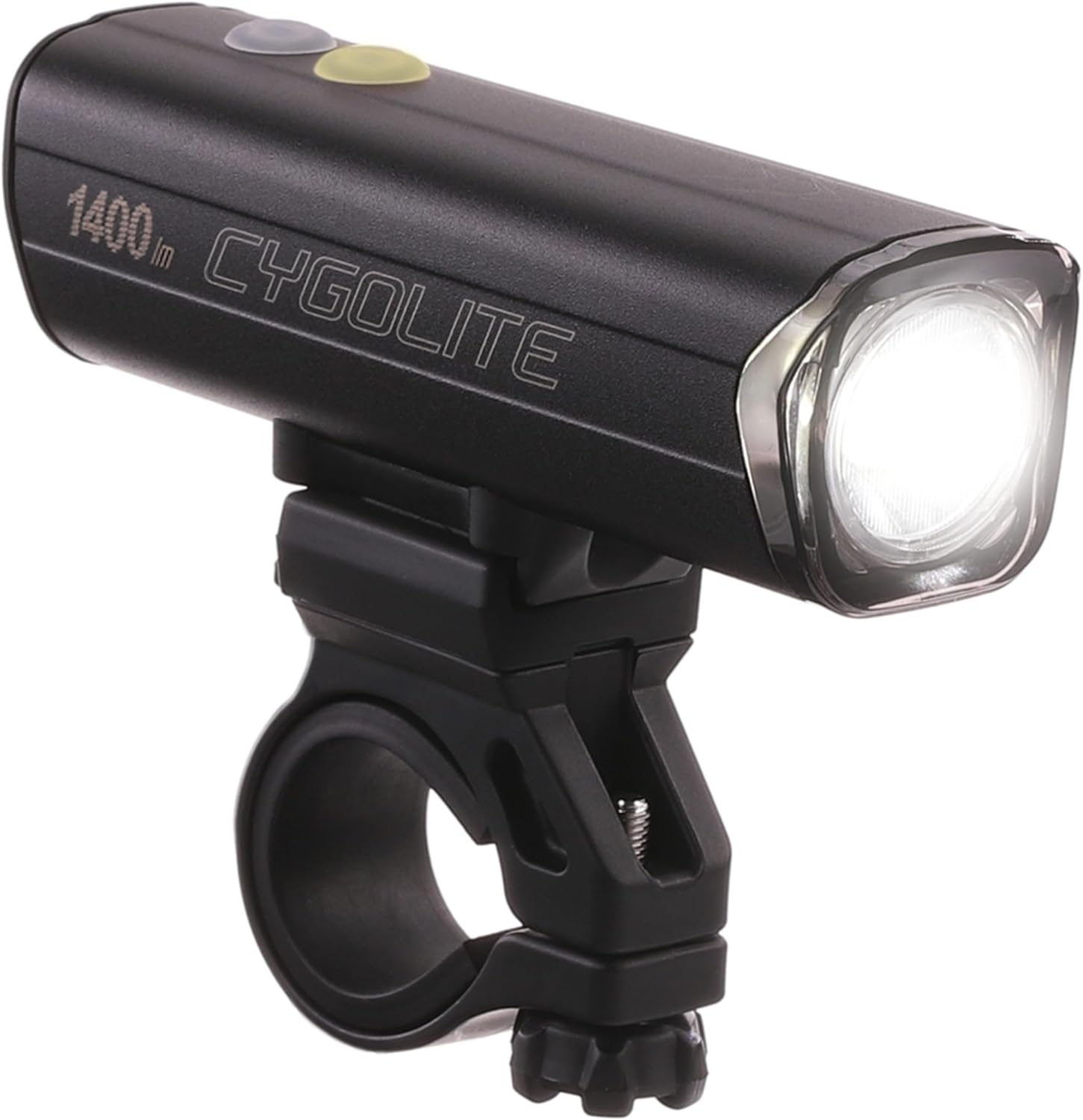
The Cygolite Velocity Pro 1,400 Lumen Bicycle Light, showcasing its compact design and handlebar mount.
What's Included
Verify that all components are present in your package:
- Velocity Pro 1400 Bicycle Headlight
- Hard clamp handlebar mount
- USB-C charging cable (2 feet length)

All items included in the Cygolite Velocity Pro 1400 package.
Setup
Mounting the Light
The Velocity Pro 1400 comes with a hard clamp handlebar mount designed for secure attachment on handlebars up to 35mm in diameter. This mount allows for both over and under handlebar positioning.
- Attach the Mount: Open the clamp of the handlebar mount and position it on your bicycle's handlebar. Ensure it is placed securely and tightened using the thumbscrew until firm. Rubber spacers are included to add extra grip and accommodate different handlebar sizes.
- Attach the Light: Slide the Velocity Pro 1400 light onto the mount until it clicks into place. The quick release tab allows for fast light removal when needed.
- Adjust Position: The mount features a side-to-side swivel for wide coverage. Adjust the light's angle to ensure optimal beam direction for your riding conditions.
Detailed view of the hard clamp handlebar mount and its features.

Examples of low profile over and under handlebar mounting options.
Operation
Power On/Off and Mode Selection
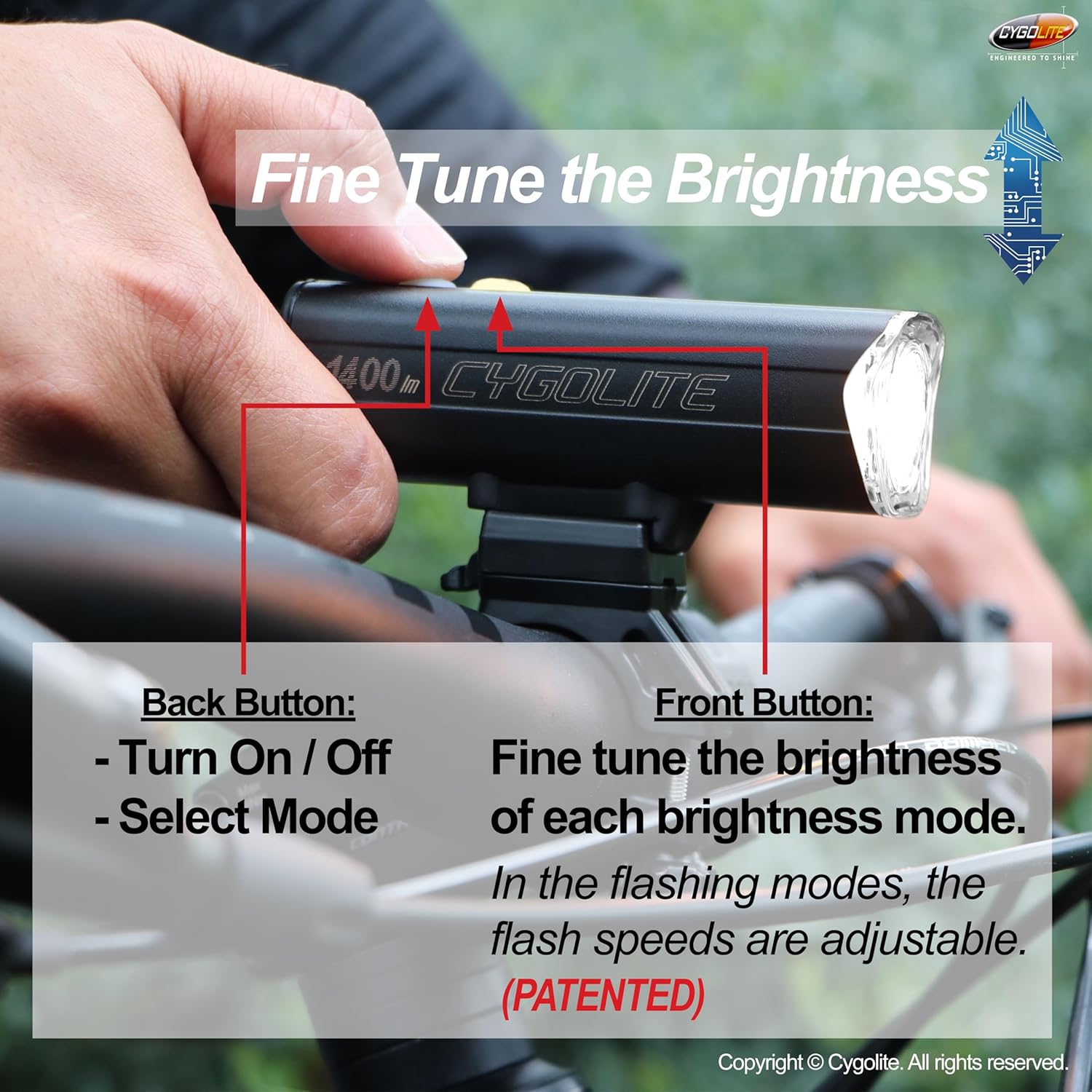
The Velocity Pro 1400 features a two-button design for intuitive control.
- Back Button (Rear): Used to turn the light On/Off and to scroll through the different lighting modes.
- Front Button (Forward): Used to fine-tune the brightness of steady modes and the flash speeds for flashing modes (Patented OSP® Technology).
To turn the light On, press the Back Button. To turn it Off, press and hold the Back Button until the light extinguishes. To cycle through modes, short press the Back Button.
Explanation of the two-button control system for brightness and mode adjustment.
Lighting Modes
The Velocity Pro 1400 offers 9 lighting modes for various conditions:
- Night Use Modes: Boost, High, Medium, Low, SteadyPulse®
- Daytime Visible Flashes: DayLightning® Flash, Triple Flash, Zoom
- Utility Mode: Walking Mode
SteadyPulse® mode alerts motorists with attention-grabbing pulses while maintaining a steady beam. DayLightning® Flash mode provides bursts of light for high visibility in broad daylight.
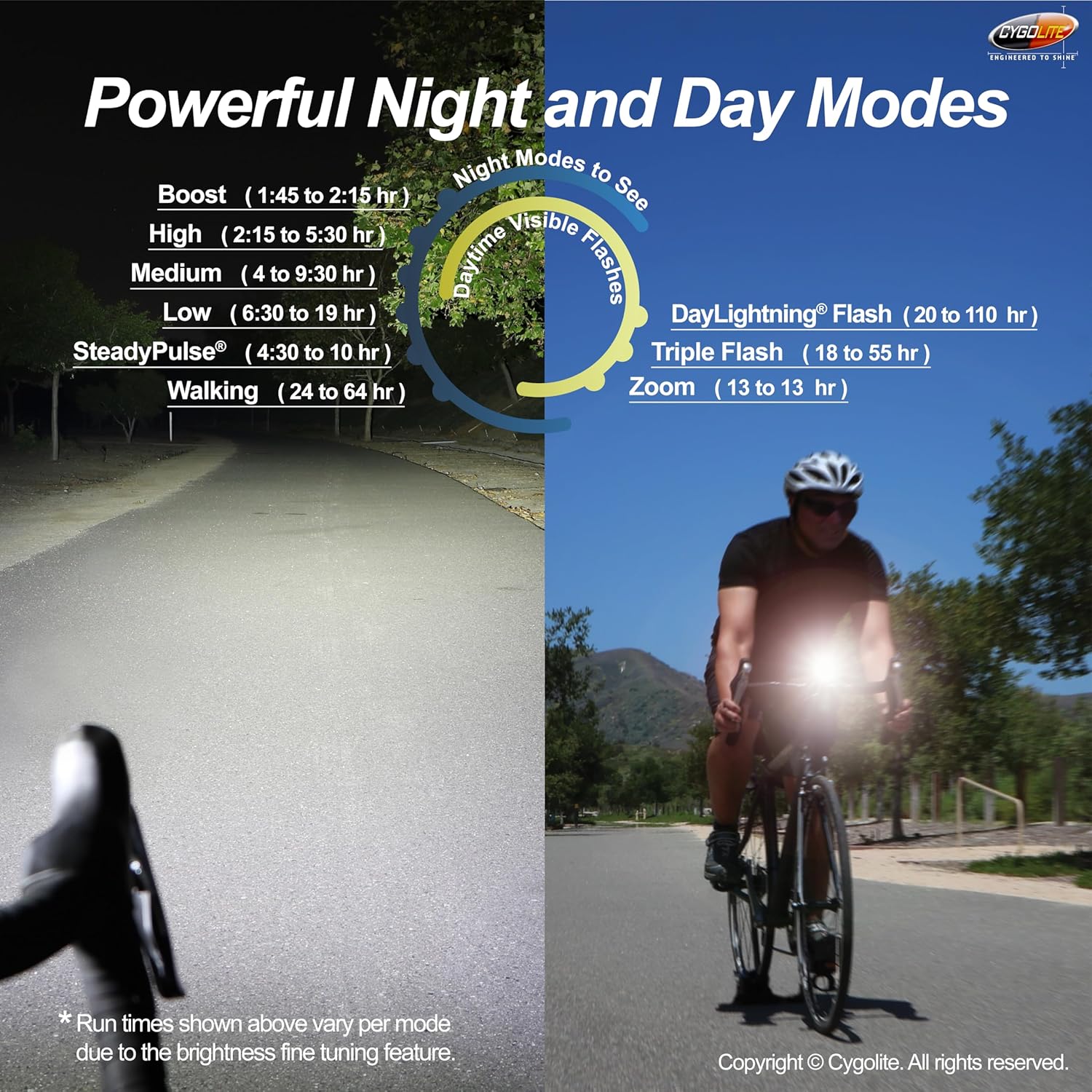
Overview of the powerful night and day modes with their respective run times.
Charging the Battery
The Velocity Pro 1400 is equipped with a USB-C rechargeable battery. An 8-step battery fuel gauge provides real-time battery level awareness.
- Locate the USB-C charging port on the light.
- Connect the provided USB-C charging cable to the light and plug the other end into a compatible USB power source (e.g., computer, wall adapter).
- The battery fuel gauge will indicate charging status. Charge until the indicator shows a full charge.

The USB-C charging port and charging process.
Light Lock Mode
The light features a Lock Mode to prevent accidental activation during transport or storage. When in Lock Mode, the light will flash rapidly when the power button is pressed.
To disable Lock Mode and use the light normally:
- Press and hold the power button (Back Button) for approximately 6 seconds.
- Release the button when the light stops flashing. The light is now ready for normal operation.
Maintenance
Cleaning
To maintain optimal performance and appearance, clean the light regularly:
- Wipe the light's body with a soft, damp cloth.
- For the lens, use a lens-specific cleaning cloth or a soft, lint-free cloth to avoid scratches.
- Do not use abrasive cleaners or solvents, as they may damage the finish or internal components.
Storage
When storing the light for extended periods:
- Ensure the battery is charged to approximately 50% to prolong its lifespan.
- Store the light in a cool, dry place away from direct sunlight and extreme temperatures.
- Activate the Light Lock Mode to prevent accidental discharge.
Troubleshooting
Common Issues and Solutions
| Problem | Possible Cause | Solution |
|---|---|---|
| Light flashes rapidly and does not turn on normally. | Light is in Lock Mode. | Press and hold the power button for 6 seconds until flashing stops to exit Lock Mode. |
| Light does not turn on. | Battery is depleted. | Charge the light using the USB-C cable. |
| Light output is dim. | Low battery or incorrect mode. | Charge the battery. Cycle through modes or fine-tune brightness using the Front Button. |
| Mount is not secure. | Mount not tightened sufficiently or incorrect spacers used. | Ensure thumbscrew is fully tightened. Use appropriate rubber spacers for your handlebar diameter. |
Specifications
| Feature | Detail |
|---|---|
| Model Name | Velocity Pro 1400 |
| Part Number | VLO-PR-1400 |
| Brightness | 1400 Lumens (Max) |
| Material | Anodized Aluminum Alloy |
| Water Resistance | IP67 Waterproof |
| Power Source | Battery Powered (USB-C Rechargeable) |
| Number of Modes | 9 (Boost, High, Medium, Low, SteadyPulse®, DayLightning® Flash, Triple Flash, Zoom, Walking Mode) |
| Run Time | 1:45 to 110 hours (depending on mode and brightness) |
| Item Weight | 0.55 Pounds (approx. 194 grams) |
| Mounting Type | Handlebar Mount (fits up to 35mm diameter) |
| Color | Black |
Warranty & Support
Warranty Information
The Cygolite Velocity Pro 1400 Bicycle Light comes with a 1-Year Limited Warranty from the date of purchase. This warranty covers defects in materials and workmanship under normal use. Please retain your proof of purchase for warranty claims.
Customer Support
For technical assistance, troubleshooting, or warranty inquiries, please visit the official Cygolite website or contact their customer support directly. Refer to the product packaging or the Cygolite website for the most current contact information.
Ask a question about this manual
Ask about setup, troubleshooting, compatibility, parts, safety, or missing instructions. Manuals+ will review the question and use this page’s manual context to help answer it.