
1. Introduction
This manual provides detailed instructions for the installation, operation, and maintenance of your EVGATSAUTO K2MRH3A Digital Programmable Thermostat. This device is designed for water heating systems, offering intelligent temperature control and energy-saving features. Please read this manual thoroughly before installation and use to ensure proper function and safety.
2. Package Contents
Upon unpacking, please verify that all items listed below are present and in good condition:
- 1 x Temperature Controller (Digital Thermostat)
- 1 x User Manual (This document)
- 2 x Mounting Screws

Figure 1: EVGATSAUTO K2MRH3A Digital Thermostat and included mounting screws.
3. Product Features
- Intelligent Temperature Control: Allows precise temperature management for water heating systems.
- Energy Saving: Features low consumption touch buttons and intelligent programming to optimize energy use.
- Multiple Control Modes: Supports intelligent timing, direct touch control, and programmable time control.
- Durable Construction: Made from flame-retardant PC material with an IP20 rating for safety and longevity.
- Clear LCD Display: Features a dark black LCD screen for easy readability of current and set temperatures, time, and operating modes.
- Wide Application: Suitable for various environments including homes, offices, hospitals, and commercial spaces.
4. Technical Specifications
| Parameter | Value |
|---|---|
| Item Type | Digital Thermostat |
| IP Rating | IP20 |
| Shell Material | Flame Retardant PC |
| Temperature Sensor | NTC |
| Temperature Accuracy | ±1℃ |
| Display Type | LCD |
| Working Environment | -5 ~ 50℃ |
| Power Consumption | <1W |
| Temperature Setting Range | 5 ~ 60℃ |
| Display Range | 0 to 50℃ |
| Input Voltage | AC 90-240V |
| Maximum Load | 3A |
| Maximum Power | 3500W |
| Control Mode | Intelligent timing; Touch control; Programming time control |
| Color | Black |
5. Safety Information
Please observe the following safety precautions to prevent damage to the device or personal injury:
- Installation should only be performed by a qualified electrician in accordance with local electrical codes.
- Ensure the power supply is disconnected before installation, maintenance, or removal of the thermostat.
- Do not expose the device to water or excessive moisture.
- Do not attempt to disassemble or repair the thermostat yourself. Contact qualified service personnel.
- Keep the device away from flammable materials and direct heat sources.
6. Setup and Installation
This section outlines the general steps for installing your digital thermostat. For detailed wiring diagrams and specific installation requirements, consult a professional electrician.
6.1 Mounting the Thermostat
- Choose Location: Select an indoor wall location, away from direct sunlight, drafts, or heat sources that could affect temperature readings.
- Disconnect Power: Turn off the main power supply to your heating system at the circuit breaker.
- Prepare Wiring: Follow the wiring diagram provided by your electrician or heating system manufacturer. Connect the AC 90-240V input and heating load wires to the appropriate terminals on the thermostat.
- Secure to Wall: Mount the thermostat base to the wall using the provided screws. Ensure it is level and securely fastened.
- Attach Display Unit: Carefully attach the display unit to the mounted base, ensuring all connections are secure.
- Restore Power: Once installation is complete and verified, restore power to the heating system.

Figure 2: Side view of the thermostat, illustrating its compact design for wall mounting.

Figure 3: Front view of the thermostat, showing the LCD display with current time and temperature settings.
7. Operating Instructions
The EVGATSAUTO K2MRH3A thermostat offers intuitive touch controls and programmable settings.
7.1 Display Overview
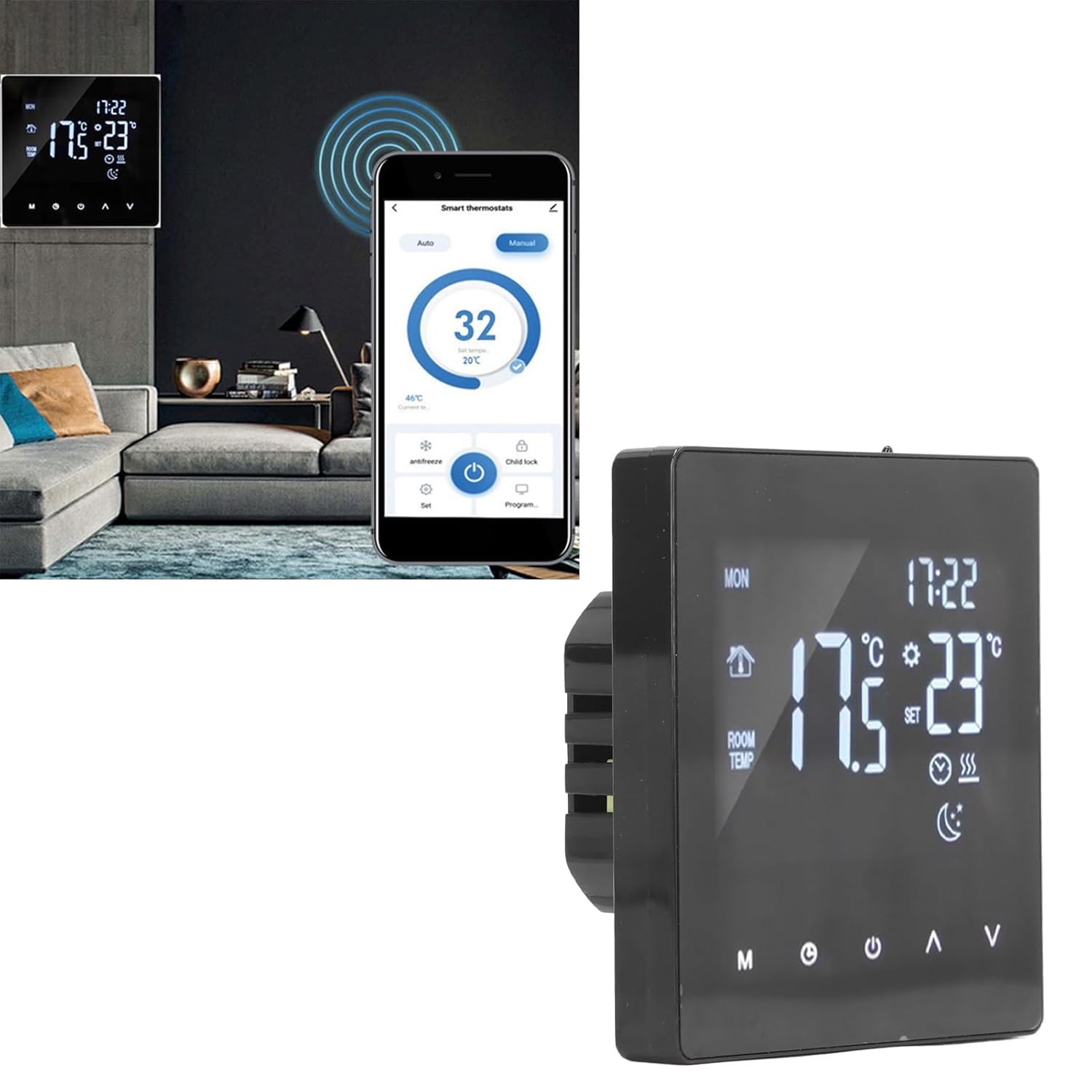
Figure 4: Close-up of the thermostat display, highlighting icons for mode, time, room temperature, set temperature, and heating status.
7.2 Basic Operation
- Power On/Off: Press the Power button (usually represented by a circle with a vertical line) to turn the thermostat on or off.
- Adjust Temperature: Use the Up (▲) and Down (▼) arrows to increase or decrease the desired set temperature.
- Mode Selection: Press the Mode (M) button to cycle through available operating modes (e.g., Manual, Auto, Program).
- Clock/Time Setting: Press the Clock button (often represented by a clock icon) to access time settings. Use the Up/Down arrows to adjust hours and minutes.
7.3 Programming Schedule
The thermostat allows you to set a weekly heating schedule to optimize comfort and energy efficiency. Refer to the specific programming instructions in the full user manual for detailed steps on setting daily schedules, temperature points, and periods.

Figure 5: Side profile of the thermostat, highlighting its slim design when mounted.
7.4 Advanced Features (If Applicable)
- Child Lock: Some models may feature a child lock function to prevent unauthorized changes to settings. Consult the full manual for activation.
- Antifreeze Mode: This mode maintains a minimum temperature to prevent pipes from freezing.
- Smart Home Integration: While this specific model is a standalone unit, some EVGATSAUTO thermostats may offer compatibility with smart home systems for remote control via an app.

Figure 6: The thermostat displayed alongside a smartphone showing a potential smart control application interface. Note: App control functionality may vary by model and region. Please refer to product specifications for confirmation.
8. Maintenance
The EVGATSAUTO K2MRH3A thermostat requires minimal maintenance to ensure optimal performance.
- Cleaning: Gently wipe the display and casing with a soft, dry cloth. Do not use abrasive cleaners, solvents, or spray directly onto the device.
- Avoid Obstructions: Ensure that the thermostat's vents (if any) are not blocked by furniture or curtains, as this can affect temperature readings.
- Regular Checks: Periodically check the wiring connections for any signs of wear or looseness. (Only perform if qualified and power is off).
9. Troubleshooting
If you encounter issues with your thermostat, refer to the following common problems and solutions:
| Problem | Possible Cause | Solution |
|---|---|---|
| Thermostat display is blank. | No power supply. | Check circuit breaker and wiring connections. Ensure power is restored. |
| Heating system not responding. | Incorrect settings; Wiring issue; System fault. | Verify thermostat mode (e.g., not in 'Off' mode). Check set temperature. Inspect wiring (if qualified). Consult heating system manual. |
| Inaccurate temperature reading. | Thermostat location affected by drafts/heat sources. | Ensure thermostat is not exposed to direct sunlight, drafts, or heat-emitting appliances. |
| Cannot change settings. | Child lock activated. | Refer to the full manual for instructions on deactivating the child lock feature. |
If the problem persists after attempting these solutions, please contact customer support or a qualified technician.
10. Warranty and Customer Support
EVGATSAUTO products are manufactured to high-quality standards. For specific warranty details, please refer to the warranty card included with your purchase or visit the official EVGATSAUTO website. For technical assistance, troubleshooting, or service inquiries, please contact EVGATSAUTO customer support through the contact information provided on our website or your purchase documentation.
Manufacturer: EVGATSAUTO
Date First Available: August 10, 2023