
Introduction
Thank you for choosing the Strex Universal AA/AAA Rechargeable Battery Charger. This device is designed to efficiently and safely charge your rechargeable batteries, ensuring they are always ready for use. This manual provides essential information for the proper setup, operation, and maintenance of your charger.
Safety Information
To ensure safe operation and prolong the life of your charger and batteries, please observe the following safety guidelines:
- Do not attempt to charge non-rechargeable batteries. This can lead to leakage, rupture, or explosion.
- Use only compatible battery types: NiMH, NiCD, and Lithium-Ion.
- Avoid exposing the charger to water or excessive humidity.
- Do not disassemble or modify the charger.
- Keep the charger away from direct sunlight and high temperatures.
- Ensure proper ventilation during charging.
- The charger features a smart chip that prevents overheating, overcharging, short circuits, and overvoltage. However, always monitor the charging process.

Image: The Strex charger highlights its comprehensive safety features, including protection against overcharging, overcurrent, flame, voltage fluctuations, and short circuits.
Product Features
The Strex SP282 charger offers a range of features designed for convenience and safety:
- Universal Compatibility: Charges AA and AAA size rechargeable batteries.
- Multi-Battery Charging: Capable of charging up to four batteries simultaneously.
- LCD Display: A practical LCD screen provides real-time charging status for each battery, indicating 'CHG' for charging and an error symbol if charging is not possible.
- Multiple Input Ports: Connects via Micro USB or USB Type-C (cable included).
- Smart Charging Process: Automatically detects battery type and optimizes charging for speed and safety, including trickle charging once full.
- Advanced Safety Protections: Built-in smart chip prevents overheating, overcharging, overcurrent, short circuits, and overvoltage.
- Supported Battery Types: Compatible with NiMH, NiCD, and Lithium-Ion rechargeable batteries.

Image: An overview of the Strex charger, highlighting its key features such as the LCD display, multiple charging slots, and dual USB input options.
Setup
Follow these steps to set up your Strex battery charger:
- Connect Power: Use the provided USB Type-C cable or a Micro USB cable to connect the charger to a 5V-2A USB power adapter (not included) or a compatible USB port.
- Insert Batteries: Open the battery slots and insert up to four AA or AAA rechargeable batteries. Ensure the positive (+) and negative (-) terminals of the batteries match the markings inside the charger slots. You can mix AA and AAA batteries.
- Verify Connection: Once batteries are inserted and power is connected, the LCD screen will activate.
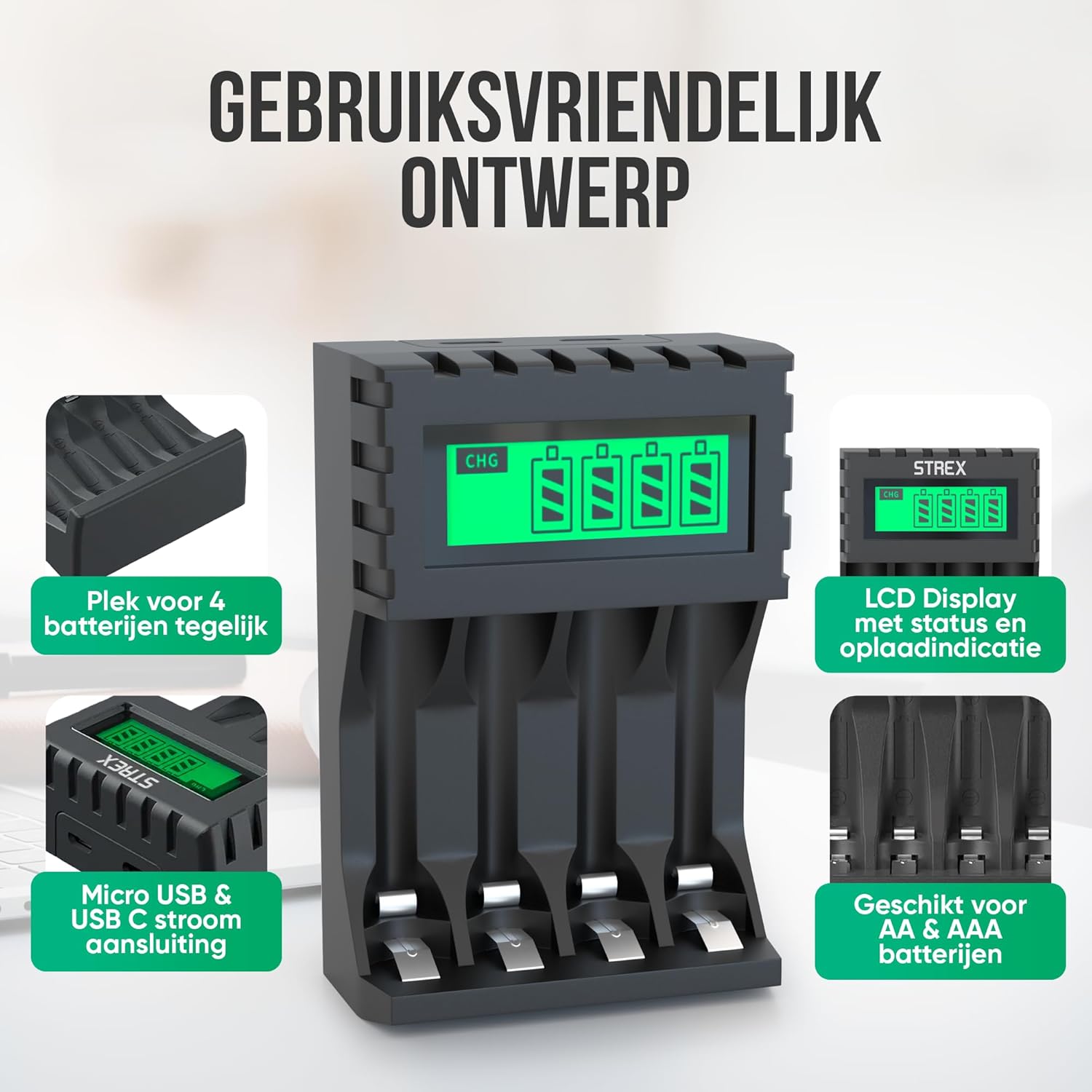
Image: The charger's user-friendly design, illustrating the four battery slots and the Micro USB and USB-C input ports for power connection.
Operating Instructions
The Strex battery charger is designed for simple and efficient operation:
- Automatic Detection: Upon inserting batteries and connecting power, the charger automatically detects the battery type and begins the charging process.
- Monitoring Charging Status: The LCD screen will display the charging status for each individual battery. A flashing 'CHG' symbol indicates that charging is in progress. The screen also shows the approximate charge level (e.g., 30%, 60%, 100%).
- Completion of Charging: When a battery is fully charged, the 'CHG' symbol will stop flashing or indicate 100%. The charger will then switch to a trickle charging mode to maintain optimal battery health.
- Charging Times:
- Approximately 4 hours for four AA batteries.
- Approximately 3 hours for four AAA batteries.
- Removing Batteries: Once charging is complete, disconnect the power and remove the batteries from the charger.

Image: The LCD display of the Strex charger, illustrating how it shows charging status ('CHG' flashing) and error indications (error symbol) for each battery.

Image: The smart charging process, showing how each charging port is independently managed and charged, with both Micro USB and USB-C input options visible.
Maintenance
Proper maintenance ensures the longevity and optimal performance of your charger:
- Cleaning: Disconnect the charger from power before cleaning. Use a soft, dry cloth to wipe the exterior. Do not use liquid cleaners or solvents.
- Storage: Store the charger in a cool, dry place away from direct sunlight and extreme temperatures when not in use.
- Battery Care: Always use high-quality rechargeable batteries. Avoid mixing old and new batteries or different types of batteries in the same charging cycle if possible, although the charger supports mixed types.
Troubleshooting
If you encounter issues with your charger, refer to the following common problems and solutions:
- Charger not turning on: Ensure the USB cable is securely connected to both the charger and a working power source. Verify the power source is active (e.g., wall adapter is plugged in).
- Batteries not charging / Error symbol on LCD:
- Check if the batteries are inserted correctly with the correct polarity (+/-).
- Ensure the batteries are rechargeable (NiMH, NiCD, or Li-ion). Non-rechargeable batteries will cause an error.
- The battery might be faulty or severely discharged. Try a different battery.
- Clean the battery contacts and charger terminals with a dry cloth.
- Slow charging: Ensure your USB power adapter provides sufficient output (recommended 5V-2A). Lower current adapters may result in slower charging.
Specifications
| Brand | Strex |
| Model Number | SP282 |
| Product Dimensions | 15.1 x 6.8 x 3 cm |
| Item Weight | 85 grams |
| Color | Black |
| Input Voltage | 5V |
| Input Current | 2A |
| Output Voltage | 1.2V DC |
| Max Output Current | 1800mAh |
| Supported Battery Sizes | AA, AAA |
| Supported Battery Types | NiMH, NiCD, Lithium-Ion |
| Charging Ports | 4 independent slots |
| Input Interface | Micro USB, USB Type-C |
| Materials | Heat-resistant ABS, Stainless Steel |
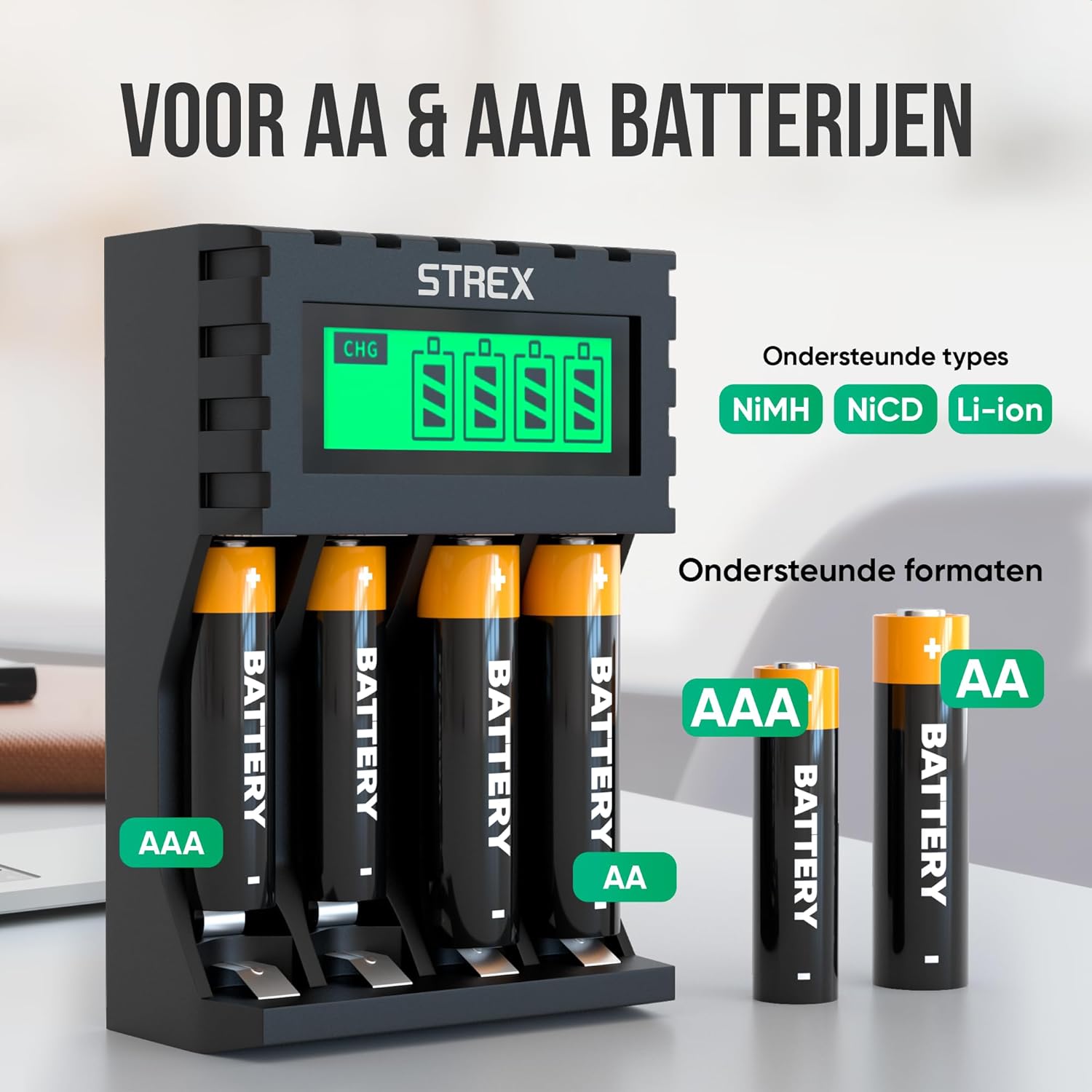
Image: The charger's compatibility with both AA and AAA battery sizes, and a list of supported battery types (NiMH, NiCD, Li-ion).
Warranty and Support
For warranty information or technical support, please refer to the contact details provided with your purchase or visit the official Strex website. Keep your proof of purchase for any warranty claims.
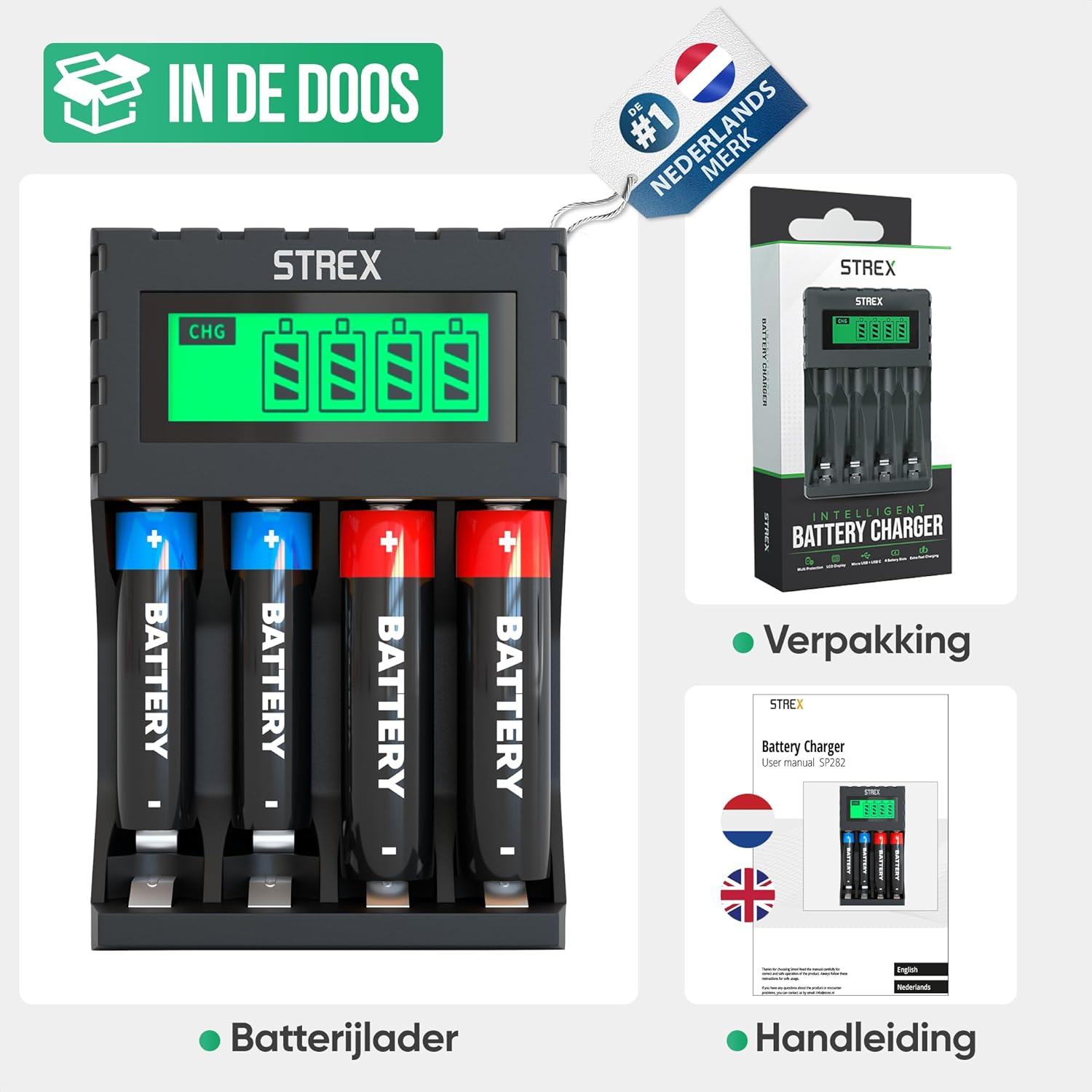
Image: What's included in the box: the battery charger, a user manual, and the product packaging.


