1. Introduction
Thank you for choosing the SICOTAS Nightstands with Charging Station. This set of two nightstands combines functional design with modern aesthetics, featuring a rattan-patterned drawer, an open storage shelf, and a convenient built-in charging station. This manual provides detailed instructions for assembly, operation, maintenance, and troubleshooting to ensure you get the most out of your new furniture.
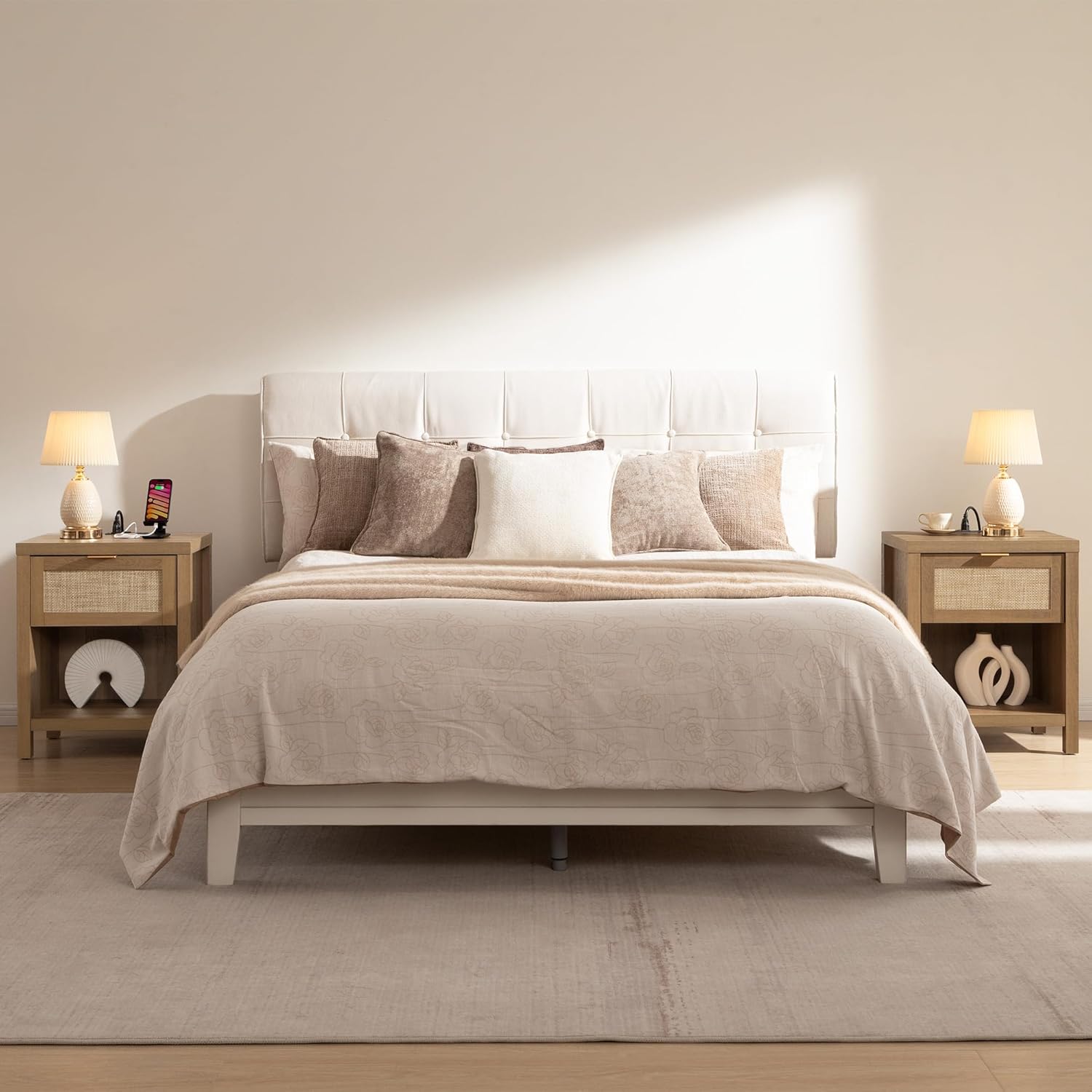
Image: Two SICOTAS nightstands in a bedroom setting.
2. Safety Information
Please read and understand all safety warnings before assembly and use. Failure to follow these instructions may result in electric shock, fire, or serious injury.
- Electrical Devices and Cords: Ensure all electrical connections are secure and cords are not pinched or damaged. Do not overload the charging station.
- Stability: Place the nightstand on a flat, stable surface. Do not climb or stand on the nightstand.
- Weight Limit: Do not exceed the maximum weight recommendation of 100 pounds for the tabletop.
- Children and Pets: Keep small items and electrical cords out of reach of children and pets.
3. Parts List
Before beginning assembly, verify that all parts and hardware are present. Refer to the included assembly manual for a complete visual list. A screwdriver is recommended for assembly, and all necessary tools are included.

Image: Excerpt from the assembly manual showing the parts and hardware list.
4. Setup and Assembly
Assembly is required for this product. It is recommended that two people assemble the nightstand to ensure stability and ease of construction. Follow the step-by-step instructions provided in the included assembly manual. A screwdriver is the only tool recommended, and it is included with the product.
Assembly Steps Overview:
- Attach the cam lock screws (B) to the top panel and the side panels.
- Connect the side panels to the bottom panel using dowels (C) and cam locks (A).
- Install the drawer slides (CL, CR) to the side panels using screws (G).
- Assemble the drawer box using screws (D) and attach the drawer front (9) with cam locks (A).
- Install the drawer handle (H) to the drawer front using screws (L).
- Insert the assembled drawer into the nightstand frame.
- Secure the back panels (15, 16) using corner brackets (E) and screws (F).
- Install the charging station (I) into the pre-cut opening on the top panel.
Video: Detailed installation guide for the SICOTAS Rattan Night Stand with Charging Station.

Image: Nightstand dimensions for planning placement.
5. Operating Instructions
Charging Station:
The integrated charging station provides convenient power access. It includes:
- 2 Standard Power Outlets
- 1 USB Port
- 1 Type-C Port
To use, simply plug the nightstand's power cord into a wall outlet. Then, connect your devices (e.g., lamps, cellphones, tablets) to the appropriate ports on the charging station. Ensure devices are compatible with the provided port types.

Image: Devices charging using the integrated power outlets and USB/Type-C ports.
Drawer and Open Shelf:
The nightstand features one smooth-gliding drawer and an open storage shelf. Use the drawer to store personal items, remote controls, or charging cables to maintain a tidy space. The open shelf is ideal for displaying books, decorative items, or a small plant.

Image: The spacious drawer of the nightstand, suitable for various items.
Video: Overview of the SICOTAS Rattan Night Stands with Charging Station, highlighting features and versatility.
6. Maintenance
To keep your SICOTAS Nightstands in optimal condition, follow these simple care instructions:
- Cleaning: Wipe the surfaces with a damped cloth. Avoid harsh chemicals or abrasive cleaners that could damage the finish.
- Spills: Promptly clean up any spills to prevent staining.
- Heat and Moisture: Avoid placing hot items directly on the surface. Use coasters for drinks to protect against moisture rings.
- Rattan Pattern: The rattan pattern is crafted from plastic for durability and easy cleaning. Wipe it gently with a damp cloth.
7. Troubleshooting
If you encounter any issues with your nightstand, please refer to the following common solutions:
- Charging Station Not Working:
- Ensure the nightstand's main power cord is securely plugged into a functional wall outlet.
- Check if the device you are trying to charge is properly connected to the charging station.
- Verify that your device's charging cable is not damaged.
- Avoid overloading the charging station with too many high-power devices simultaneously.
- Drawer Sticking or Not Closing Smoothly:
- Check for any obstructions within the drawer or along the drawer slides.
- Ensure the drawer slides are properly aligned and securely fastened.
- Confirm that the nightstand is placed on a level surface.
- Wobbling or Instability:
- Ensure all assembly screws and cam locks are tightened. Do not overtighten.
- Verify the nightstand is on a flat and even floor.
If these steps do not resolve the issue, please contact customer support.
8. Specifications
| Feature | Detail |
|---|---|
| Brand | SICOTAS |
| Model Number | NIEWA10002 |
| Product Dimensions (D x W x H) | 15" x 19.7" x 25.2" |
| Item Weight | 66 Pounds (for the set of 2) |
| Maximum Weight Recommendation | 100 Pounds |
| Frame Material | Engineered Wood (Oak Wood) |
| Top Material Type | Engineered Wood |
| Number of Drawers | 1 |
| Number of Shelves | 1 |
| Charging Station | 2 Power Outlets, 1 USB Port, 1 Type-C Port |
| Color | Reclaimed Caramel Oak |
| Style | Farmhouse / Boho |
| Indoor/Outdoor Usage | Indoor |

Image: Various views of the nightstand, detailing its structure.
9. Warranty Information
This SICOTAS product comes with a Limited Warranty. For specific details regarding the terms, conditions, and duration of your warranty, please refer to the warranty card included in your product packaging or contact SICOTAS customer support.
10. Support Information
For further assistance, questions, or to report any issues with your SICOTAS Nightstands, please contact the manufacturer directly:
- Manufacturer: SICOTAS
- Online Support: Visit the SICOTAS Store on Amazon for more information and contact options.
Please have your model number (NIEWA10002) and purchase information ready when contacting support.


