
1. Introduction
Thank you for choosing the KFD 26V Charger Adapter. This adapter is designed to provide reliable power for a range of compatible vacuum cleaners. Please read this manual thoroughly before use to ensure proper operation and to maximize the lifespan of your product.

Image 1.1: The KFD 26V Charger Adapter, featuring a compact black design with a durable power cord.
2. Safety Information
Your KFD charger adapter is manufactured with safety as a priority. It incorporates multiple protection features and meets international safety standards.
2.1. Certifications
This product is CE, FCC, and RoHS certified, ensuring compliance with health, safety, and environmental protection standards.
2.2. Built-in Protections
The adapter includes advanced safety features to protect both the charger and your device:
- OVP (Over Voltage Output Protection): Prevents damage from excessive voltage output.
- OCP (Over Current Output Protection): Safeguards against overcurrent conditions.
- SCP (Short Circuit Output Protection): Protects against short circuits.
- Surge Protection: Defends against power surges.
- Temperature Control: Manages internal temperature to prevent overheating.
- Fire Retardant Materials: Constructed with materials that resist fire.
- Heat Dissipation: Designed for efficient heat management using pure copper and aluminum sheet components.
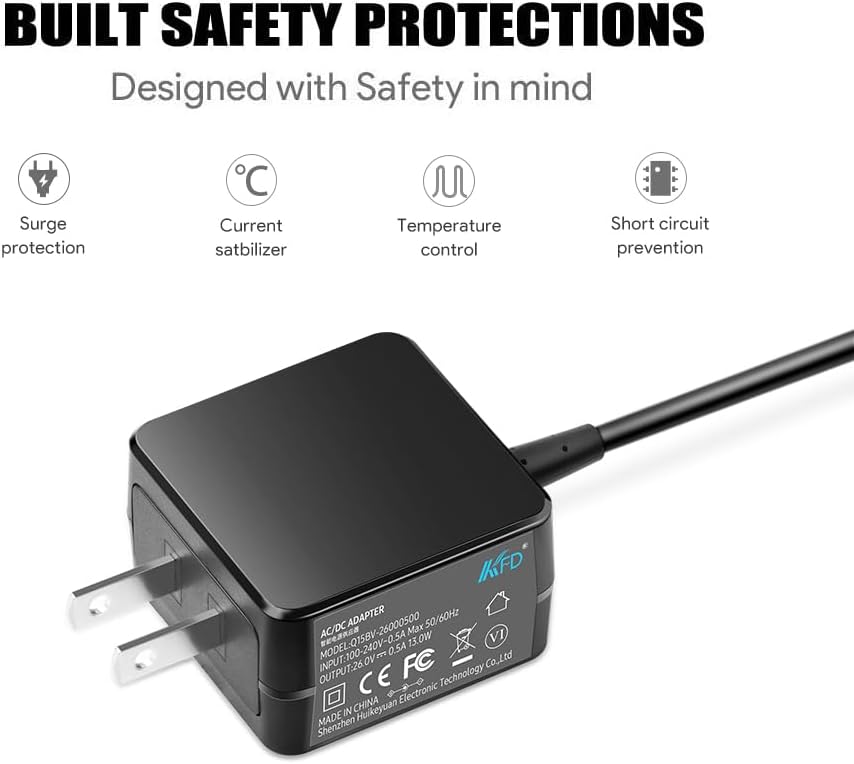
Image 2.1: Visual representation of the built-in safety protections, including surge protection, current stabilization, temperature control, and short circuit prevention.

Image 2.2: Depiction of the adapter's safety and stability features, including current surge protection, short circuit protection, over heat protection, over voltage protection, and cable durability.
2.3. General Safety Guidelines
- Do not expose the adapter to liquids, moisture, or extreme temperatures.
- Avoid dropping or subjecting the adapter to strong impacts.
- Do not attempt to disassemble or modify the adapter.
- Ensure the adapter is used with compatible devices only.
- Unplug the adapter from the power outlet when not in use or during electrical storms.
3. Setup
Follow these steps to set up your KFD 26V Charger Adapter:
- Unpack the Adapter: Carefully remove the charger adapter from its packaging. Inspect it for any visible damage.
- Connect to Power Outlet: Plug the AC input prongs of the adapter into a standard 100-240V wall outlet.
- Connect to Device: Insert the DC output connector of the adapter into the charging port of your compatible vacuum cleaner. Ensure a secure connection.

Image 3.1: A cordless vacuum cleaner connected to the KFD charger adapter, which is plugged into a wall outlet, illustrating the setup process.
4. Operating Instructions
Once connected, the adapter will begin charging your device. The charging process is automatic.
4.1. Charging Process
- Ensure both the adapter and your vacuum cleaner are securely connected.
- The adapter will automatically detect the charging needs of your device and deliver the appropriate power.
- Refer to your vacuum cleaner's manual for specific charging indicators (e.g., LED lights) that show charging status.
- Once charging is complete, disconnect the adapter from the vacuum cleaner and then from the wall outlet.
4.2. Compatible Devices
This KFD 26V Charger Adapter is compatible with a wide range of vacuum cleaners, including but not limited to:
- Kenmore: DS4015, DS4020, DS4030, DS4065, DS4090, DS4095, CSV Go XL Max Elite Cordless Stick Vacuum (P/N: 561051105 YLS0241A-T256080 YLS0241AT256080)
- Orfeld: A16
- Homeika: H016, HA016, H320 Cordless Vacuum Cleaner
- NEQUARE: S12 Series (S12 Pro, S12Pro), A18
- Roanow: MarsVac S1 Cordless Stick Vacuum
- Hompany: H18 Cordless Stick Vacuum Cleaner
- Vactidy: V9, V8
- OKP: X100
- GeeMo: E3
- EICOBOT: A10 Cordless Vacuum Cleaner
- Onson: C17, D18, D18E
- Jashen: V12 Pro Vacuum
- Roborock: H6, H7 Wireless Vacuum Cleaner
- VacLife: VL702RE, VL-702RE, H20-180, VL722, H20180
- Levoit: LVAC-200, LSV-V201-WUS, LSVV201-WCA, LVAC-120, LVAC120

Image 4.1: The KFD 26V Charger Adapter shown alongside several compatible Kenmore vacuum cleaner models, highlighting its broad compatibility.
5. Maintenance
Proper maintenance ensures the longevity and optimal performance of your charger adapter.
- Cleaning: Use a soft, dry cloth to wipe the adapter. Do not use liquid cleaners or abrasive materials.
- Storage: Store the adapter in a cool, dry place away from direct sunlight and extreme temperatures.
- Cable Care: Avoid bending the cable sharply or placing heavy objects on it. Do not pull the cable to disconnect; always grasp the plug. The cable is designed with a tough PVC jacket and long bend lifespan for durability.

Image 5.1: Close-up view of the charger cable, illustrating its tough PVC jacket and flexible design for extended lifespan.
6. Troubleshooting
If you encounter issues with your charger adapter, refer to the following common problems and solutions:
- Device Not Charging:
- Ensure the adapter is securely plugged into both the wall outlet and the device.
- Verify that the wall outlet is functional by testing it with another device.
- Check the charging port of your device for any obstructions or damage.
- Confirm that your device is listed as compatible with this adapter (refer to Section 4.2).
- Slow Charging:
- Ensure the adapter is fully seated in both the wall outlet and the device.
- Avoid using extension cords or power strips if possible, as they can sometimes reduce power delivery.
- Ensure the device is not being used heavily while charging, which can slow down the process.
- Adapter Overheating:
- Unplug the adapter immediately.
- Ensure the adapter is in a well-ventilated area and not covered by anything.
- If overheating persists, discontinue use and contact customer support.
If the problem persists after trying these steps, please contact customer support for further assistance.
7. Specifications
Detailed technical specifications for the KFD 26V Charger Adapter (Model A-T2566):
| Feature | Specification |
|---|---|
| Model Number | A-T2566 |
| Input Voltage | 100-240V AC, 50-60Hz |
| Output Voltage | 25.6V - 26V DC |
| Output Current | 0.5 Amps |
| Wattage | 13 Watts |
| Connector Type | Proprietary |
| Color | Black |
| Item Weight | 7 ounces (approximately 198 grams) |
| Package Dimensions | 1.18 x 0.79 x 0.39 inches |
| Certifications | CE, FCC, RoHS, UL Listed |
| Manufacturer | Shenzhen Huikeyuan Electronic Technology Co.,Ltd |

Image 7.1: Display of various product certifications, including UL Listed, TUV SUD, GS, CE, and UKCA, indicating adherence to high safety standards.
8. Warranty and Support
8.1. Warranty Information
KFD products come with a comprehensive warranty:
- Free Exchange: 30 Days
- Warranty Period: 36 Months
This warranty covers manufacturing defects and ensures your product performs as expected under normal use.

Image 8.1: A graphic indicating a 3-year warranty and an illustration of customer support, emphasizing product reliability and assistance.
8.2. Customer Support
For any questions, concerns, or warranty claims, please contact KFD customer support through the retailer's platform or the official KFD website. Please have your product model number (A-T2566) and purchase details ready when contacting support.


