
Harman Kardon HKGOPLAY3BLKAM
Harman Kardon Go + Play 3 - Portable Bluetooth Speaker User Manual
Model: HKGOPLAY3BLKAM | Brand: Harman Kardon
Introduction
The Harman Kardon Go + Play 3 is a portable Bluetooth speaker designed to deliver superior sound performance with its three-way speaker system. Featuring a refined silhouette, a high-quality aluminum handle, and a tempered glass touch panel, this speaker combines elegant design with powerful audio. It automatically tunes itself to its surroundings for optimal sound and offers up to 8 hours of playtime with a built-in rechargeable battery. The convenient USB charging port allows you to power your mobile devices while streaming music.
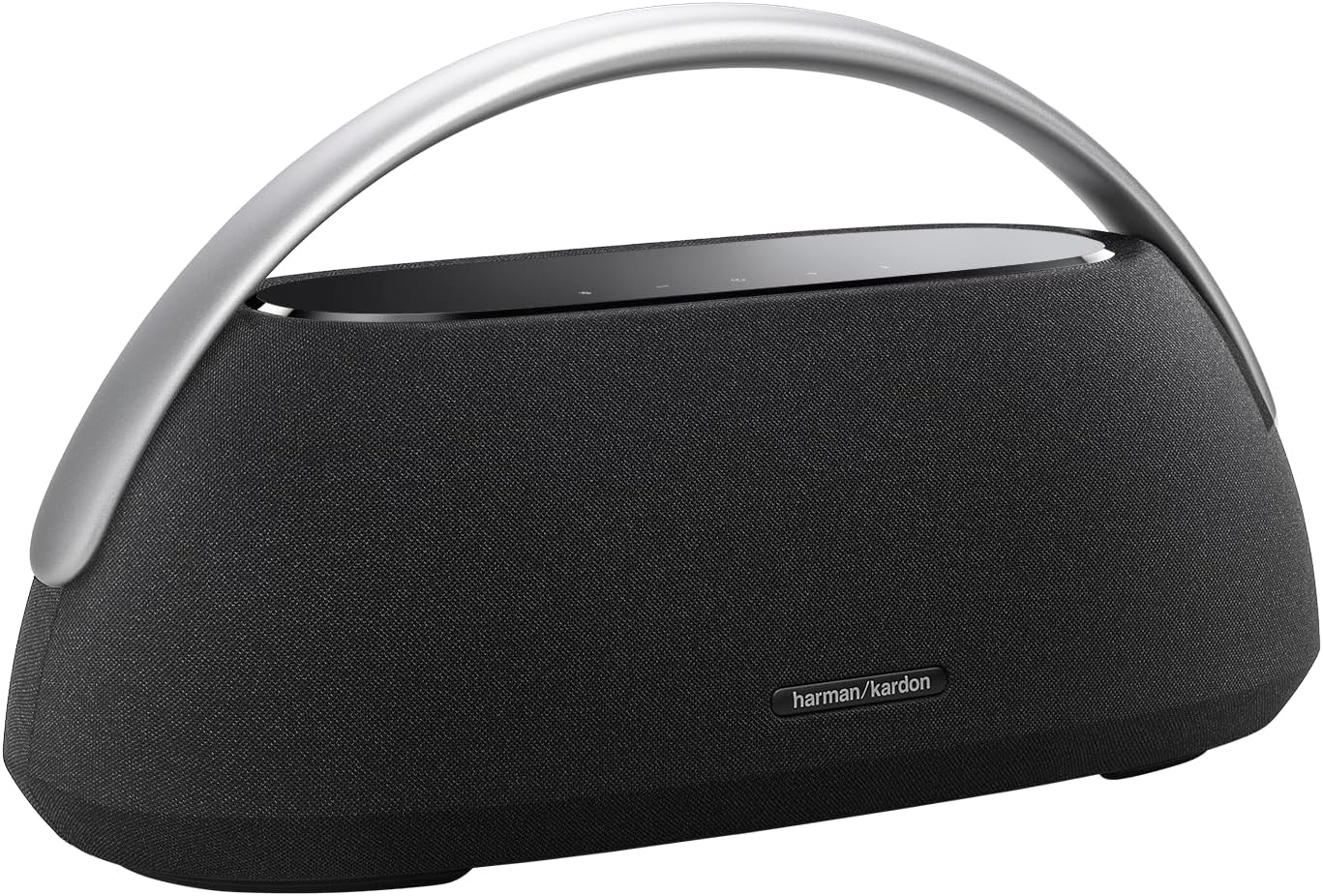
This image displays the Harman Kardon Go + Play 3 speaker in its sleek black finish, highlighting its elegant design and integrated aluminum handle for portability.
What's in the Box
Ensure all items are present upon unboxing:
- Harman Kardon Go + Play 3 Speaker
- Power Cable
- Quick Start Guide
- Safety Sheet
- Warranty Card
Setup Guide
1. Initial Power On and Charging
Before first use, fully charge your Harman Kardon Go + Play 3 speaker. Connect the provided power cable to the speaker's power input and then to a wall outlet. The battery indicator lights on the top panel will show charging progress.
2. Bluetooth Pairing
- Press the Power button on the top panel to turn on the speaker.
- Press the Bluetooth button (usually indicated by a Bluetooth symbol) on the top panel. The Bluetooth indicator light will start blinking, indicating it's in pairing mode.
- On your mobile device (smartphone, tablet, or laptop), enable Bluetooth and search for available devices.
- Select "Harman Kardon Go + Play 3" from the list of devices.
- Once connected, the Bluetooth indicator light on the speaker will become solid, and you will hear an audible confirmation.
The speaker can pair with up to two mobile devices simultaneously, allowing you to take turns sharing playlists.

This image provides a close-up of the speaker's tempered glass touch panel, displaying the power, Bluetooth, volume, and call control buttons.
Product Overview Video
This video provides a comprehensive overview of the Harman Kardon Go + Play 3 speaker, demonstrating its features and design. It is an official product video from Harman Kardon.
Operating Instructions
Basic Controls
- Power On/Off: Press the power button (⏻) on the top panel.
- Volume Control: Use the + and - buttons to adjust the volume.
- Play/Pause: Press the play/pause button (if available, or the Bluetooth button for some functions).
- Call Management: Use the phone icon button to answer or end calls. The built-in dual microphones ensure clear communication.
Advanced Audio Settings (EQ Modes)
The Harman Kardon Go + Play 3 includes hidden equalizer (EQ) modes for treble and bass adjustment, which are not explicitly detailed in the quick start guide. These adjustments can be made as follows:
- Treble Adjustment: Simultaneously press the Volume + and Phone icon buttons.
- One yellow flash of the LED light: Treble reduction.
- Two yellow flashes: Default or normal treble.
- Three yellow flashes: Treble boost.
- Bass Adjustment: Simultaneously press the Volume - and Bluetooth icon buttons.
- One yellow flash of the LED light: Bass reduction.
- Two yellow flashes: Default or normal bass.
- Three yellow flashes: Bass boost.
Stereo Pairing (True Wireless Stereo - TWS)
For an enhanced audio experience, you can wirelessly pair two Harman Kardon Go + Play 3 speakers to create a stereo sound system. Refer to the quick start guide for detailed instructions on initiating TWS pairing.
USB Charging Port
The integrated USB charging port allows you to charge your mobile devices directly from the speaker while it is powered on. This is convenient for keeping your phone charged during extended listening sessions.

This image illustrates the Harman Kardon Go + Play 3 speaker positioned on a wooden table, demonstrating its aesthetic integration into a modern living space.
Maintenance and Care
- Cleaning: Use a soft, dry cloth to clean the speaker's surfaces. Avoid using abrasive cleaners or solvents.
- Storage: When not in use for extended periods, store the speaker in a cool, dry place away from direct sunlight and extreme temperatures.
- Battery Care: To prolong battery life, avoid fully discharging the battery frequently. Charge it regularly, even if not in constant use.
- Water Resistance: This speaker is not waterproof. Avoid exposure to water or excessive moisture.
Troubleshooting
No Power / Not Turning On
- Ensure the power cable is securely connected to both the speaker and a working power outlet.
- Check if the power outlet is functional by plugging in another device.
- Allow the battery to charge for at least 30 minutes before attempting to power on if it has been fully depleted.
Bluetooth Pairing Issues
- Make sure the speaker is in Bluetooth pairing mode (blinking Bluetooth indicator).
- Ensure Bluetooth is enabled on your source device and it is within range (up to 50 meters).
- Try forgetting the speaker from your device's Bluetooth settings and re-pairing.
- Restart both the speaker and your source device.
Poor Sound Quality
- Check the volume levels on both the speaker and your source device.
- Ensure there are no obstructions between the speaker and the source device that could interfere with the Bluetooth signal.
- Experiment with the EQ modes (Treble and Bass adjustments) as described in the "Operating Instructions" section to optimize sound for your environment and preference.
- If using a streaming service, check your internet connection speed.
USB Charging Not Working
- Ensure the speaker itself is powered on.
- Verify the USB cable connecting your device to the speaker is functional and properly connected.
- Some devices may draw more power than the speaker can provide, or may not be compatible with the speaker's USB charging output.
Specifications
| Feature | Detail |
|---|---|
| Model Name | Harman Kardon Go + Play 3 |
| Speaker Type | Multi Room |
| Special Feature | Portable, Built In Microphone, Stereo Pairing, Built-In Powerbank, USB Port |
| Recommended Uses | For Music Players |
| Compatible Devices | Smartphone, Tablet, MP3 Player, Laptop |
| Subwoofer Diameter | 5 Inches |
| Unit Count | 2.0 Count |
| Controller Type | Battery Powered |
| Color | Black |
| Battery Life | 8 Hours |
| Product Dimensions | 7.6"D x 17.3"W x 9.5"H |
| Item Weight | 10.4 Pounds |
| Is Waterproof | False (Not Water Resistant) |
| Warranty Type | Limited |
| Control Method | Touch |
| Wireless Communication Technology | Bluetooth |
| Speaker Size | 5 Inches |
| Power Source | Battery Powered |
| Signal-to-Noise Ratio | 80 dB |
| Tweeter Diameter | 1.57 Inches |
| Number of Batteries | 1 A batteries required. |
| Audio Driver Type | Dynamic Driver |
| Bluetooth Range | 50 Meters |
| Number of Microphones | 2 |
| Subwoofer Connectivity Technology | Wireless |
| Connectivity Protocol | Bluetooth |
| UPC | 028292290343 |
| Manufacturer | Harman Kardon |
| Speaker Maximum Output Power | 160 Watts |
| Connectivity Technology | USB |
| Audio Output Mode | Stereo |
| Mounting Type | Tabletop Mount |
Warranty and Support
The Harman Kardon Go + Play 3 comes with a limited warranty. Please refer to the included Warranty Card for specific terms and conditions, including coverage duration and what is covered.
For technical support, service, or further inquiries, please visit the official Harman Kardon website or contact their customer service department. Contact information can typically be found on the Warranty Card or the manufacturer's website.
Note: Always refer to the official Harman Kardon website or your product's specific documentation for the most accurate and up-to-date warranty and support information.
Related documentsHKGOPLAY3BLKAM


Ask a question about this manual
Ask about setup, troubleshooting, compatibility, parts, safety, or missing instructions. Manuals+ will review the question and use this page’s manual context to help answer it.