
1. Introduction
Thank you for purchasing the AXEN AX55FIL243 55-inch Frameless Ultra HD WebOS Smart Satellite LED TV. This manual provides essential information for the safe and efficient use of your television. Please read this manual thoroughly before operating the device and retain it for future reference.
Safety Information
- Do not expose the TV to rain or moisture to prevent fire or electric shock.
- Ensure proper ventilation around the TV. Do not block ventilation openings.
- Place the TV on a stable, level surface to prevent it from falling.
- Unplug the power cord during lightning storms or when unused for long periods.
- Do not open the TV casing. Refer all servicing to qualified personnel.
2. Package Contents
Carefully unpack your new television and ensure all items listed below are present and undamaged. If any items are missing or damaged, contact your retailer immediately.
- AXEN AX55FIL243 55-inch LED TV
- TV Stand (2 pieces)
- Remote Control
- Batteries (2x AAA for remote control)
- User Manual

Image 2.1: Front view of the AXEN AX55FIL243 TV. This image shows the television with its frameless design and the AXEN logo at the bottom center.
3. Setup
3.1 Attaching the TV Stand
- Place the TV face down on a soft, clean surface to prevent screen damage.
- Align each stand piece with the corresponding slots on the bottom of the TV.
- Secure the stands using the provided screws. Ensure they are firmly attached.
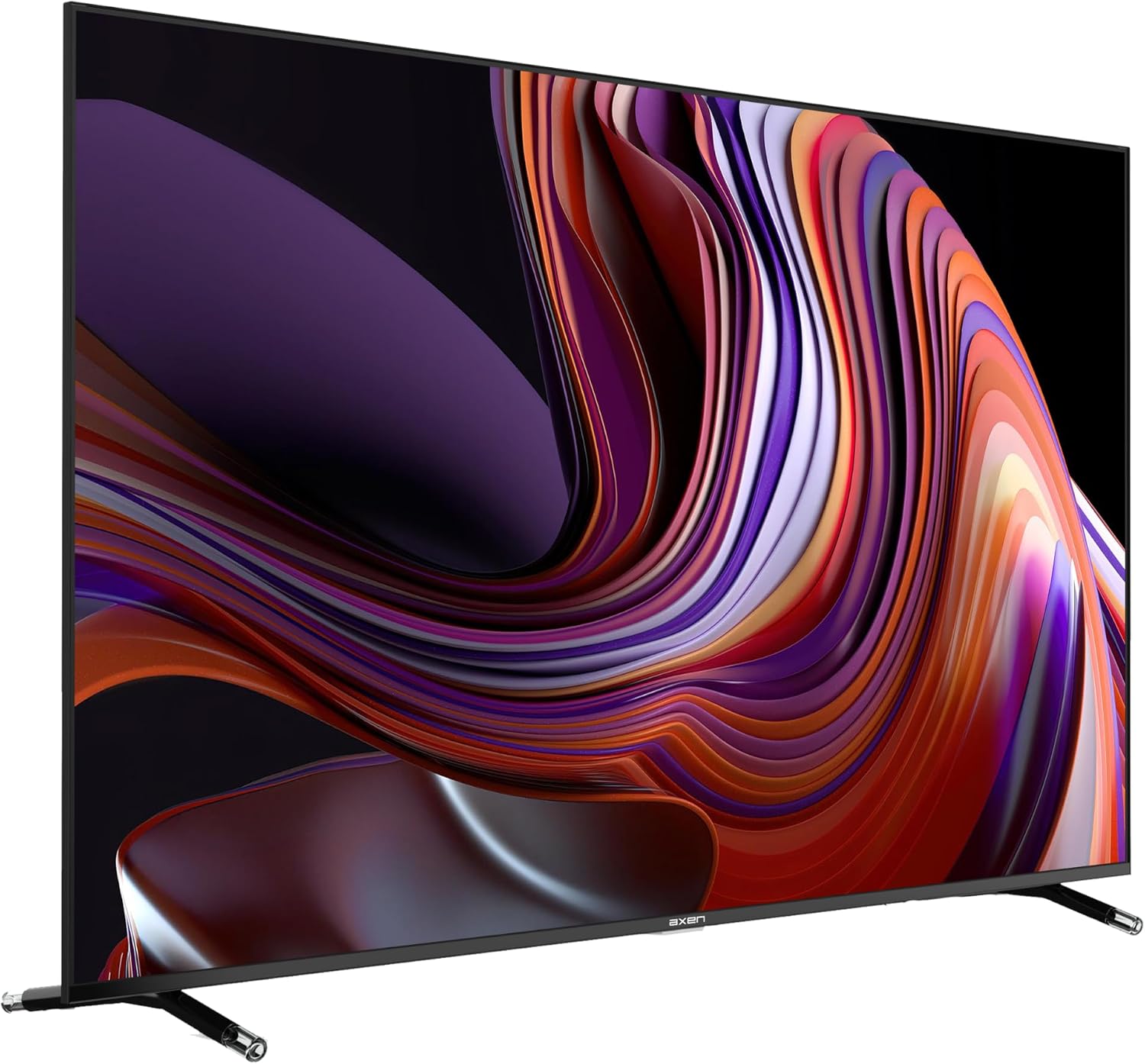
Image 3.1: Side view of the AXEN AX55FIL243 TV with the stand attached. This image illustrates how the stand supports the television.
3.2 Connecting Peripherals
Your TV offers various connection ports for external devices. Refer to the back panel image for port locations.
- HDMI Ports: Connect Blu-ray players, game consoles, or set-top boxes using HDMI cables.
- USB Ports: Insert USB drives for media playback or software updates.
- Antenna/Satellite Input: Connect your terrestrial antenna or satellite dish cable for broadcast TV.
- Ethernet Port: For a wired internet connection.

Image 3.2: Back view of the AXEN AX55FIL243 TV. This image highlights the arrangement of HDMI, USB, and other input/output ports on the rear panel.
4. Operating the TV
4.1 Power On/Off
- To Power On: Connect the power cord to an electrical outlet. Press the Power button on the remote control or on the TV.
- To Power Off: Press the Power button on the remote control. The TV will enter standby mode. To fully power off, unplug the power cord.
4.2 Using the Remote Control
The AX55FIL243 comes with a magic remote control, offering intuitive navigation and a 360 VR feature that allows you to use it like a mouse.
- Pointing and Clicking: Move the remote to control an on-screen pointer. Click the 'OK' button to select items.
- Scroll Wheel: Use the scroll wheel for quick navigation through menus and web pages.
- Voice Control: Press the voice button and speak commands to search for content or control TV functions.
4.3 WebOS Smart Features
Your TV is powered by WebOS 5.0, providing a user-friendly interface for accessing smart features and applications.
- Home Dashboard: Access all your apps, inputs, and settings from the customizable Home Dashboard.
- Streaming Apps: Enjoy pre-installed applications like Netflix, YouTube, Prime Video, and Disney+.
- Wireless Connectivity: Connect to your home network via Wi-Fi and use Bluetooth 5.0 for wireless audio devices.
- Wireless Display Transfer: Share content from your compatible mobile devices directly to the TV screen.

Image 4.1: Front view of the AXEN AX55FIL243 TV showcasing the WebOS Hub interface. This image displays various streaming service logos such as Netflix, YouTube, Prime Video, and Disney+, indicating the TV's smart capabilities.
5. Maintenance
5.1 Cleaning the TV
- Always unplug the TV before cleaning.
- Use a soft, dry, lint-free cloth to gently wipe the screen and cabinet.
- For stubborn marks, lightly dampen the cloth with water or a mild, non-abrasive screen cleaner. Do not spray cleaner directly onto the screen.
- Avoid using harsh chemicals, abrasive pads, or solvents as they can damage the TV's surface.
5.2 General Care
- Do not place heavy objects on top of the TV.
- Keep the TV away from direct sunlight, heat sources, and excessive dust.
- Ensure adequate space around the TV for proper ventilation.
6. Troubleshooting
If you encounter issues with your TV, refer to the following common problems and solutions before contacting customer support.
| Problem | Possible Solution |
|---|---|
| No power | Check if the power cord is securely plugged into the TV and the wall outlet. Try a different outlet. |
| No picture, but sound is present | Ensure the correct input source is selected. Check all video cable connections. |
| No sound, but picture is present | Check the volume level and mute settings. Ensure audio cables are correctly connected. |
| Remote control not working | Replace the batteries. Ensure there are no obstructions between the remote and the TV. |
| Cannot connect to Wi-Fi | Check your router and modem. Ensure the Wi-Fi password is correct. Try restarting the TV and your network equipment. |
7. Specifications
| Feature | Detail |
|---|---|
| Model Name | AX55FIL243 |
| Screen Size | 55 inches (139 cm) |
| Display Technology | LED |
| Resolution | 4K Ultra HD (3840 x 2160) |
| Refresh Rate | 60 Hz |
| Operating System | webOS 5.0 |
| Processor | 4-Core Fast Processor |
| RAM | 1.5 GB |
| ROM (Internal Storage) | 8 GB |
| HDR Technology | 10 Bit Color |
| Audio Output Mode | Surround Sound, Dolby Audio |
| Connectivity | Wi-Fi, Bluetooth 5.0, HDMI (multiple), USB (2 ports) |
| Special Features | 360 VR Feature (Magic Remote), Wireless Display Transfer, Built-in Satellite Receiver |
| Mounting Type | Table Mount |
| Product Dimensions (W x H x D) | 124 x 78 x 8.5 cm (without stand) |
| Product Weight | 16.5 Kilograms |
8. Warranty and Support
8.1 Warranty Information
Your AXEN AX55FIL243 TV is covered by a manufacturer's warranty. Please refer to the warranty card included in your package for specific terms, conditions, and duration. Keep your purchase receipt as proof of purchase for warranty claims.
8.2 Customer Support
For technical assistance, service requests, or any questions not covered in this manual, please contact AXEN customer support. Contact details can typically be found on the manufacturer's official website or on your warranty documentation.