
1. Introduction
The Beyerdynamic MC 930 True Condenser Microphone Matched Stereo Pair offers exceptional versatility and high-quality audio capture. These small-diaphragm condenser microphones are designed for a wide range of applications, from studio recording to live sound environments. With a broad frequency response and switchable features, they provide precise and clear sound reproduction.
Key Features:
- Matched Stereo Pair of Small-diaphragm Condenser Mics with Cardioid Polar Patterns
- 40Hz - 20kHz Frequency Responses
- Low-Cut Filters
- -15dB Pads
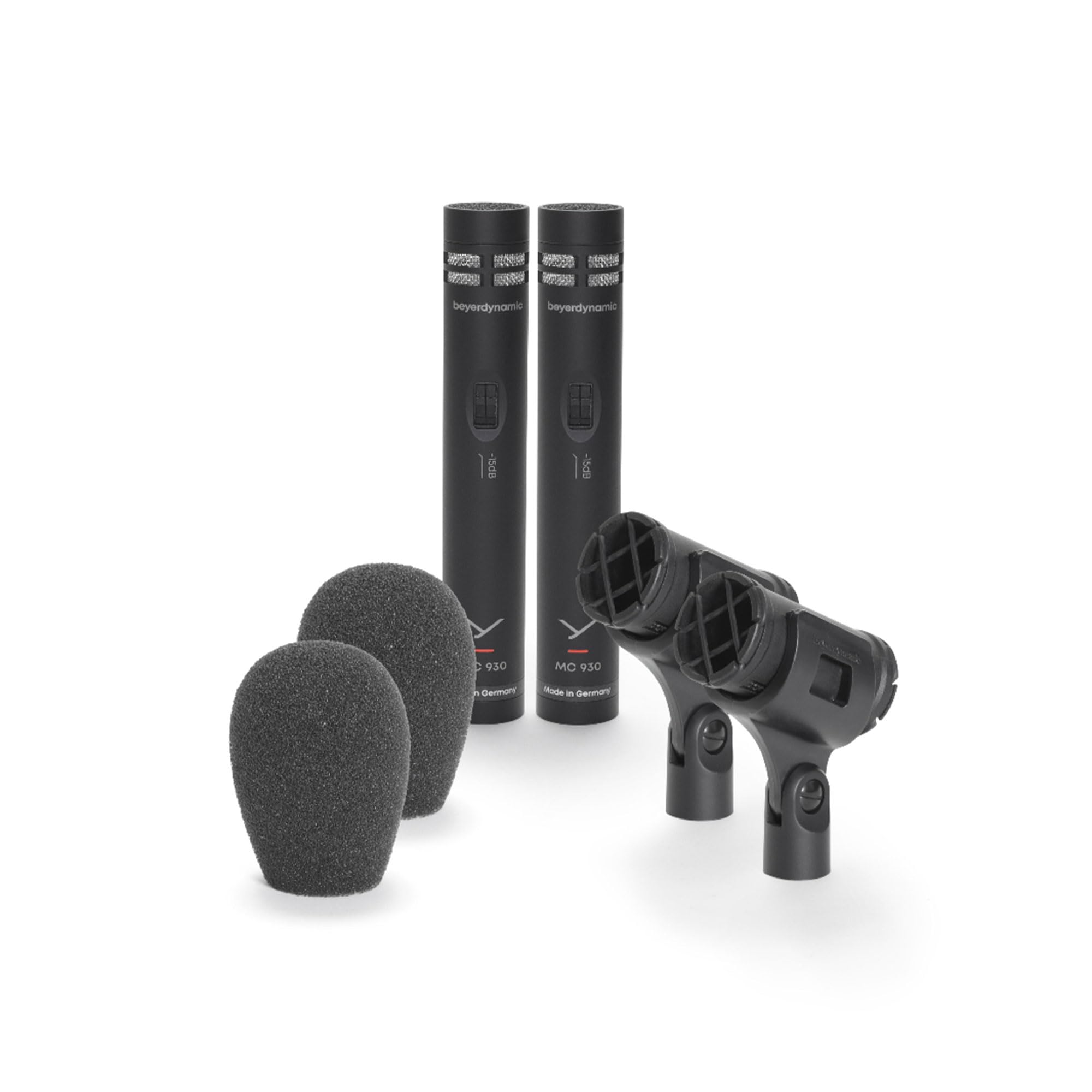
This image displays the Beyerdynamic MC 930 True Condenser Microphone, highlighting its compact design and professional build quality. The microphone is shown with its cardioid polar pattern, suitable for various recording applications.
2. Setup
Proper setup is crucial for optimal performance of your Beyerdynamic MC 930 microphones. Follow these steps to get started:
- Mounting: Securely attach each MC 930 microphone to a microphone stand using the provided microphone clips. For stereo recording, ensure the stands are positioned appropriately for your chosen stereo technique (e.g., X-Y, A-B, ORTF).
- Connection: Connect the microphones to your audio interface or mixer using standard XLR cables. The MC 930 requires 11-52V phantom power, which must be enabled on your audio device for the microphones to function.
- Gain Staging: Adjust the input gain on your audio interface or mixer. Start with a low gain setting and gradually increase it while monitoring your audio levels to avoid clipping or distortion.
- Polar Pattern: The MC 930 features a cardioid polar pattern, which is effective at picking up sound from the front while rejecting sound from the sides and rear. Position the microphones to capture your desired sound source directly.
3. Operating
The Beyerdynamic MC 930 microphones are equipped with features to enhance your recording flexibility and sound quality:
- Low-Cut Filter: The integrated low-cut filter helps to reduce unwanted low-frequency noise, such as rumble from air conditioning, traffic, or stage vibrations. Engage this filter when recording in environments prone to such interference.
- -15dB Pad: For very loud sound sources, activate the -15dB pad. This attenuates the input signal by 15 decibels, preventing overloading of the microphone's capsule and your audio interface's preamplifiers, ensuring a clean signal.
- Stereo Recording: As a matched stereo pair, these microphones are ideal for capturing a wide and natural stereo image. Experiment with different stereo miking techniques (e.g., X-Y for phase coherence, A-B for wider stereo spread, ORTF for a balanced soundstage) to achieve the desired spatial effect for acoustic instruments, choirs, or ambient sounds.
- Applications: The MC 930 is suitable for a variety of sources including acoustic guitars, pianos, drum overheads, strings, woodwinds, and vocals, both in studio and live performance settings.
4. Maintenance
To ensure the longevity and optimal performance of your Beyerdynamic MC 930 microphones, follow these maintenance guidelines:
- Cleaning: Regularly wipe the microphone body with a soft, dry cloth to remove dust and fingerprints. Avoid using abrasive cleaners or solvents, as these can damage the finish or internal components.
- Storage: When not in use, store the microphones in their original protective case or a padded microphone bag. This protects them from physical damage, dust, and moisture.
- Humidity and Temperature: Avoid exposing the microphones to extreme temperatures or high humidity, which can affect their performance and lifespan.
- Handling: Handle the microphones with care. Avoid dropping them or subjecting them to strong impacts, as this can damage the sensitive condenser capsule.
5. Troubleshooting
If you encounter issues with your Beyerdynamic MC 930 microphones, consider the following troubleshooting steps:
- No Sound:
- Ensure phantom power (11-52V) is enabled on your audio interface or mixer.
- Check all XLR cable connections for proper seating and integrity. Try a different cable if necessary.
- Verify that the input gain on your audio device is set appropriately and not at minimum.
- Distorted Sound:
- If the sound source is very loud, activate the -15dB pad on the microphone.
- Reduce the input gain on your audio interface or mixer.
- Ensure the microphone is not positioned too close to the sound source (proximity effect can cause excessive bass and distortion).
- Excessive Low-End Noise/Rumble:
- Engage the low-cut filter on the microphone to reduce unwanted low-frequency interference.
- Check for vibrations being transmitted through the microphone stand; use a shock mount if available.
- Inconsistent Stereo Image:
- Ensure both microphones are positioned symmetrically and at the correct angles for your chosen stereo technique.
- Verify that both microphones are functioning correctly and have similar gain settings.
6. Specifications
| Feature | Specification |
|---|---|
| Microphone Form Factor | Small Diaphragm |
| Polar Pattern | Unidirectional (Cardioid) |
| Frequency Response | 40Hz - 20kHz |
| Signal-to-Noise Ratio | 76 dB |
| Audio Sensitivity | 15 Decibels |
| Power Source | Corded Electric (Phantom Power 11-52V) |
| Connectivity Technology | XLR |
| Connector Type | XLR |
| Item Weight | 1.86 pounds |
| Product Dimensions | 11.55 x 8.95 x 3.45 inches |
| Color | Black |
| Included Components | Microphone |
7. Warranty and Support
The Beyerdynamic MC 930 True Condenser Microphone (Matched Stereo Pair) is backed by a manufacturer's warranty. For specific warranty details, registration, or technical support, please refer to the documentation included with your product or visit the official Beyerdynamic website. You may also contact Beyerdynamic USA directly for assistance.
For additional support and resources, you can visit the beyerdynamic Store on Amazon.


