
1. Introduction
This manual provides essential information for the safe and effective operation of your Pilipane BEM C700 18A 3P+N CT Temperature Controller. This intelligent thermostatic control instrument is designed for precise temperature regulation in various industrial applications, including infrared ovens, tin furnaces, and water tanks. Please read this manual thoroughly before installation and operation, and retain it for future reference.

Figure 1: Pilipane BEM C700 Temperature Controller Box in an industrial setting.
2. Safety Information
WARNING: Electrical shock hazard. Installation and maintenance should only be performed by qualified personnel. Failure to follow these instructions may result in serious injury or death.
- Always disconnect power before performing any installation, wiring, or maintenance.
- Ensure proper grounding of the device.
- Verify that the supply voltage matches the rated voltage of the controller (380V AC).
- Do not operate the device in wet or damp conditions.
- Keep the enclosure closed during operation to prevent accidental contact with live parts.
3. Product Overview
The Pilipane BEM C700 Temperature Controller is an integrated unit designed for robust and accurate temperature management. It features a durable stainless steel and ABS enclosure, housing essential components for intelligent thermostatic control.
Key Components:
- REX C700 Digital PID Controller: For precise temperature monitoring and control.
- Circuit Breaker: Provides overcurrent protection.
- Contactor: Switches the heating element power.
- Thermocouple Input: Connects to the M6 Inch Thread K Type 2M thermocouple for temperature sensing.
- Input/Output Terminals: For power supply and load connections.
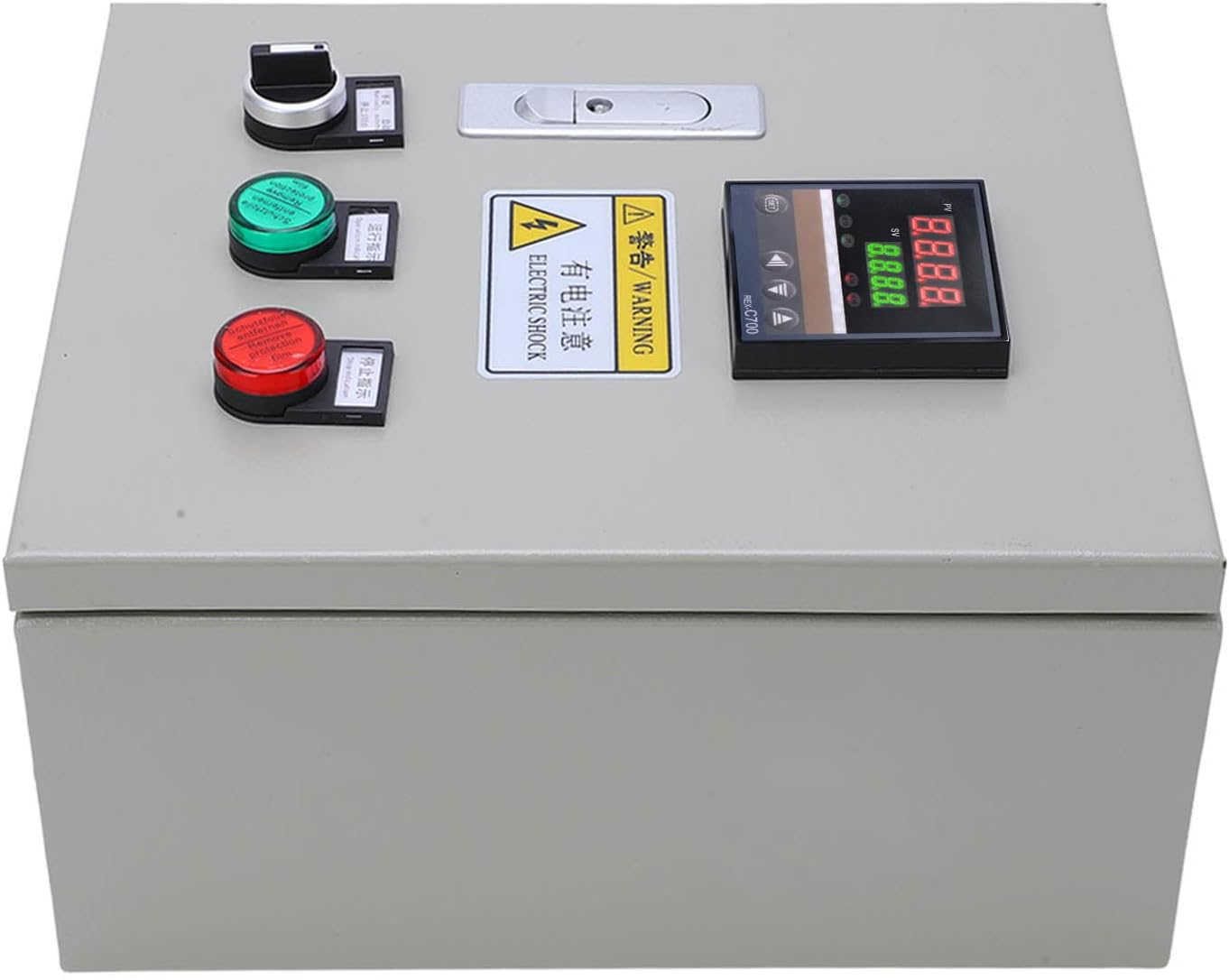
Figure 2: Front view of the Pilipane Temperature Controller Box, showing the digital display and control buttons.

Figure 3: Internal wiring and components of the temperature controller box, showing input and output terminals.
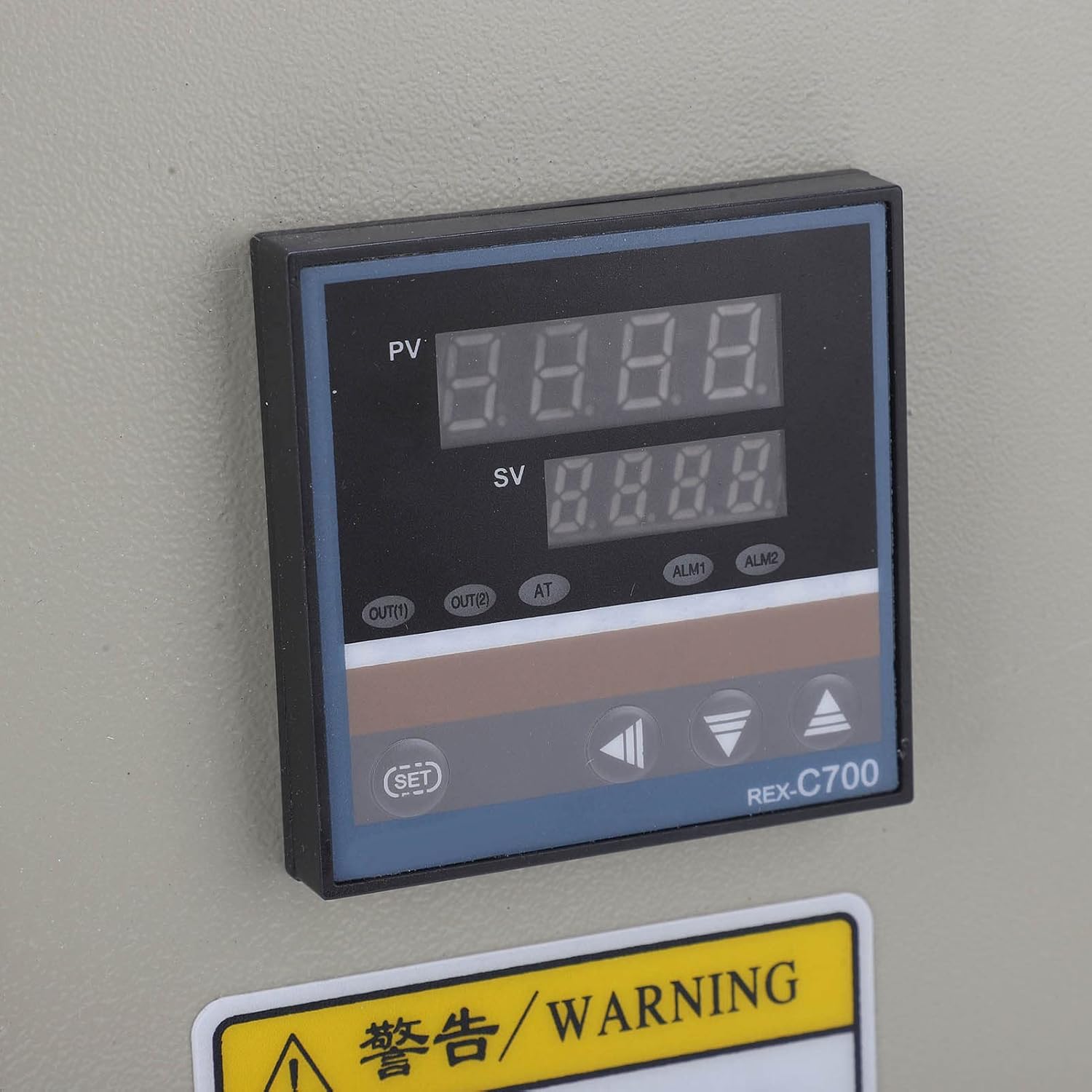
Figure 4: Close-up of the REX C700 digital PID temperature controller display.
4. Specifications
| Feature | Specification |
|---|---|
| Item Type | Temperature Controller |
| Material | Stainless steel, ABS, red copper |
| Model | BEM C700 18A 3P+N CT |
| Rated Voltage | 380V AC |
| Rated Total Power | 7.5KW |
| Rated Current | 18A |
| Temperature Range | 0-400°C |
| Thermocouple Specifications | M6 Inch Thread K Type 2M |
| Digital PID Controller | REX C700 |
| Item Weight | 11.24 pounds |
| Manufacturer | Pilipane |
| Batteries Required | No |
5. Setup and Installation
The Pilipane BEM C700 Temperature Controller is designed for integrated installation and comes pre-wired with a circuit breaker, contactor, thermocouple, thermostat, switch, and indicator light. This allows for direct use after proper electrical connection.
Installation Steps:
- Mounting: Securely mount the controller box in a suitable location, ensuring it is protected from excessive heat, moisture, and vibration.
- Power Connection: Connect the 380V AC power supply to the designated input terminals (Line input end). Ensure correct phase and neutral connections for 3P+N systems.
- Load Connection: Connect your heating element or controlled device to the load output terminals. Verify that the load's power requirements do not exceed the controller's rated total power (7.5KW) and current (18A).
- Thermocouple Connection: The K-type thermocouple (M6 Inch Thread, 2M length) is pre-connected. Ensure its sensing tip is correctly positioned within the environment where temperature is to be measured.
- Grounding: Ensure the controller box is properly grounded according to local electrical codes.
- Final Check: Before applying power, double-check all wiring connections for tightness and correctness.
Note: For detailed wiring diagrams and specific electrical requirements, consult a qualified electrician.
6. Operating Instructions
The REX C700 digital PID controller provides intuitive temperature management. Refer to the specific REX C700 manual for advanced PID tuning and parameter settings. Below are basic operating steps:
Basic Operation:
- Power On: After ensuring all connections are secure, switch on the main power supply to the controller box. The digital display (PV and SV) on the REX C700 will illuminate.
- Display Reading:
- PV (Process Value): Displays the current measured temperature from the thermocouple.
- SV (Set Value): Displays the desired target temperature.
- Setting Temperature (SV):
- Press the SET button once. The SV display will begin to flash.
- Use the Up (▲) and Down (▼) arrow buttons to adjust the desired temperature.
- Press SET again to confirm the new set value. The display will stop flashing.
- Monitoring: The controller will automatically work to maintain the PV at the SV by controlling the heating element. The output indicator (OUT) on the REX C700 will show when the heating element is active.
7. Maintenance
Regular maintenance ensures the longevity and reliable performance of your temperature controller.
- Cleaning: Periodically clean the exterior of the controller box with a soft, dry cloth. Do not use abrasive cleaners or solvents. Ensure the digital display is clear of dust for optimal readability.
- Inspection: Regularly inspect all wiring connections for tightness and signs of wear or damage. Check the thermocouple for physical damage or corrosion.
- Ventilation: Ensure that the controller box's ventilation openings (if any) are not obstructed to prevent overheating.
- Component Check: If accessible and safe, periodically check the condition of internal components like the contactor and circuit breaker for any signs of arcing or degradation. This should only be done by qualified personnel with power disconnected.
8. Troubleshooting
If you encounter issues with your temperature controller, refer to the following common problems and solutions:
| Problem | Possible Cause | Solution |
|---|---|---|
| Controller does not power on. | No power supply; tripped circuit breaker; loose wiring. | Check main power supply. Reset circuit breaker. Inspect and tighten all power connections. |
| Temperature reading (PV) is incorrect or erratic. | Faulty thermocouple; incorrect thermocouple wiring; thermocouple not properly inserted. | Check thermocouple connections. Ensure thermocouple is correctly positioned. Replace thermocouple if damaged. |
| Heating element not turning on/off. | Incorrect SV setting; faulty contactor; wiring issue to load; PID parameters incorrect. | Verify SV is set correctly. Check load wiring. Consult REX C700 manual for PID parameter adjustment. Inspect contactor. |
| Display shows error code (e.g., 'HHHH', 'LLLL'). | Thermocouple open circuit (HHHH) or short circuit (LLLL); out of range temperature. | Check thermocouple for damage or disconnection. Ensure temperature is within 0-400°C range. |
If the problem persists after attempting these solutions, contact customer support or a qualified technician.
9. Warranty and Support
This Pilipane product is covered by a standard manufacturer's warranty against defects in materials and workmanship. Please refer to your purchase documentation for specific warranty terms and duration.
Customer Support:
For technical assistance, troubleshooting, or warranty claims, please contact Pilipane customer support through the retailer where the product was purchased or visit the official Pilipane website for contact information.