
1. Introduction
This manual provides detailed instructions for the SUNGOOYUE USB 3 Key Keypad with Knob. This compact mechanical keyboard is designed for various applications including office tasks, gaming, music production, and industrial control, offering programmable keys and a versatile knob for enhanced functionality.
Key features include:
- Fully programmable keys for custom shortcuts and functions.
- Multifunctional knob with press and rotate actions.
- Vibrant RGB backlight for visual feedback.
- Compact and portable design.
- Detachable USB cable for convenience.
2. Setup
To set up your SUNGOOYUE USB 3 Key Keypad, follow these simple steps:
- Unpack the keypad and the included USB cable.
- Connect the smaller end of the USB cable (Type-C) into the port on the side of the keypad.
- Connect the larger end of the USB cable (Type-A) into an available USB port on your computer.
- The keypad will be automatically recognized by your operating system. No additional drivers are typically required for basic functionality.
- The RGB backlight will illuminate upon successful connection.
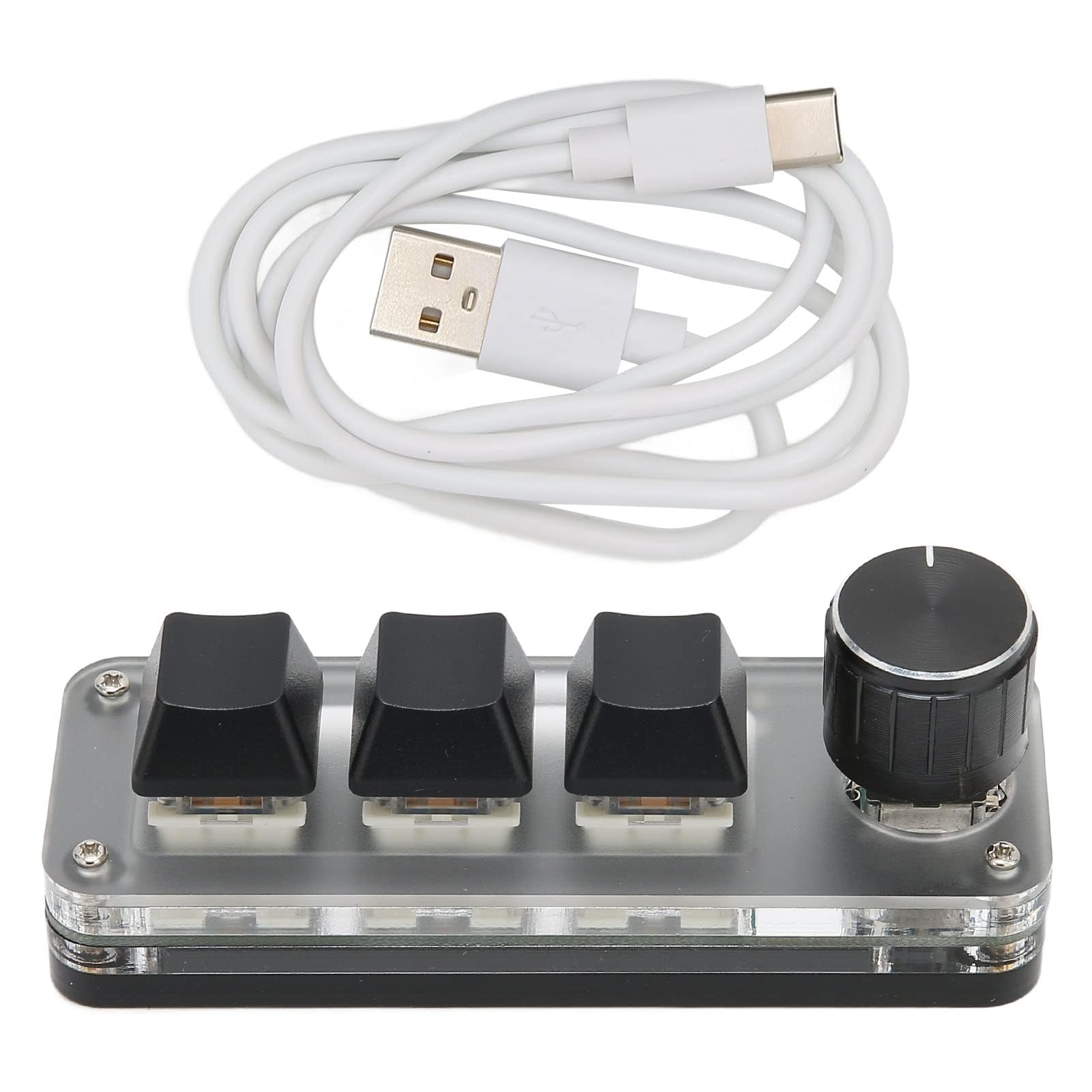
Image: The SUNGOOYUE USB 3 Key Keypad with its USB cable connected, showing the illuminated RGB backlight.

Image: A close-up view of the USB-C port located on the side of the keypad, ready for cable connection.
3. Operating Instructions
The SUNGOOYUE USB 3 Key Keypad offers extensive customization for its keys and knob.
3.1 Key Programming
All three mechanical keys on the keypad are fully programmable. You can assign any standard keyboard key function or complex combination of shortcut keys to each key. This allows for personalized workflows and quick access to frequently used commands.

Image: The keypad highlighting its multi-function programmable keys, suitable for various applications.
3.2 Knob Functionality
The integrated knob is multifunctional. It can be rotated and pressed, providing additional control options. Common functions that can be assigned to the knob include:
- Rotation: Zoom in/out, scroll up/down, adjust volume (increase/decrease), track navigation (cut song).
- Press: Play/pause media, mute audio, confirm selection.
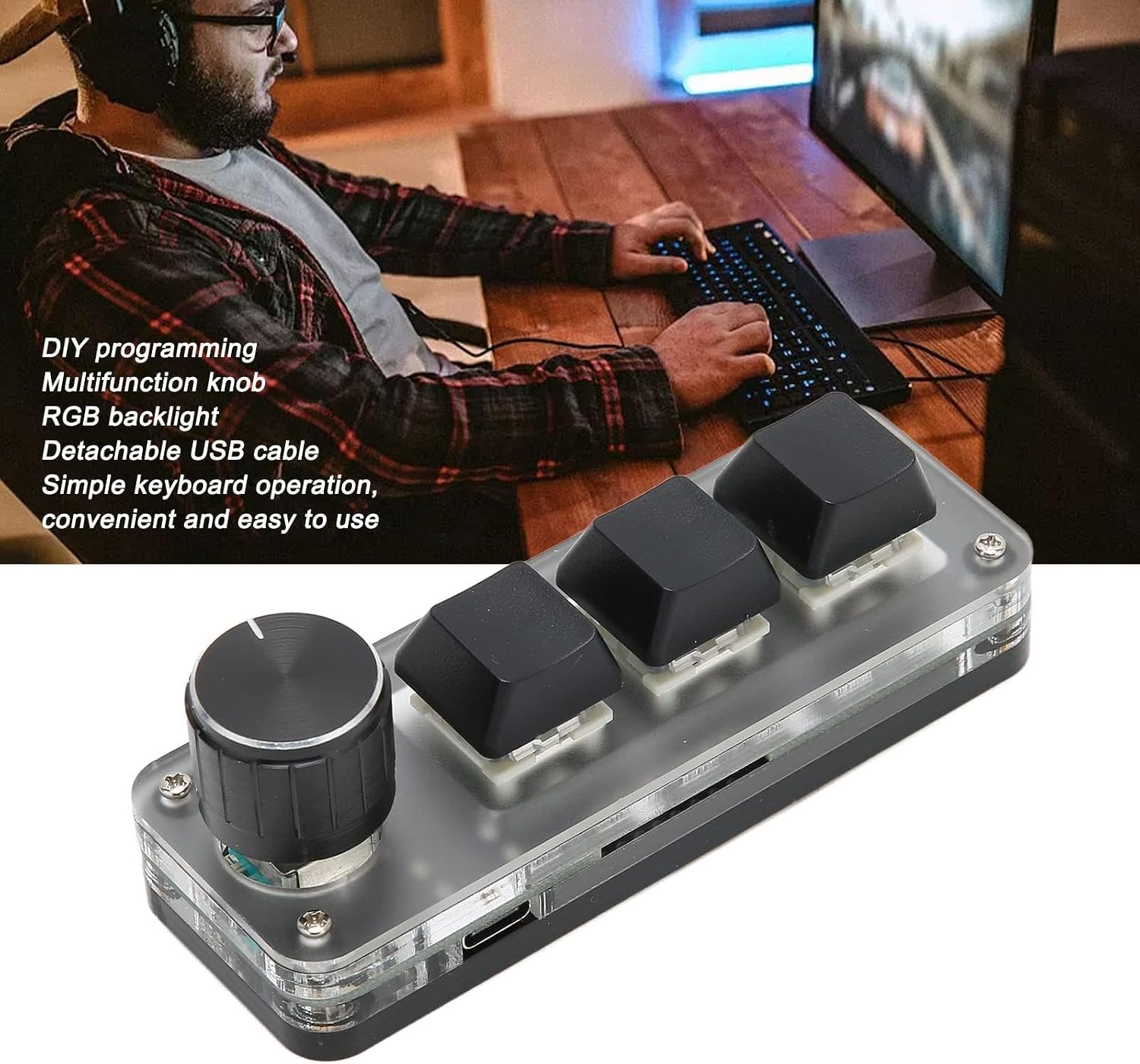
Image: The keypad showcasing its DIY programming capabilities, multifunctional knob, and RGB backlight.
3.3 RGB Backlight
The keypad features an RGB backlight, enhancing its aesthetic appeal and providing visual feedback. The backlight settings can typically be configured through the programming software (if provided by the manufacturer) to customize colors and effects.

Image: A series of images showing the SUNGOOYUE USB 3 Key Keypad illuminated with different RGB backlight colors.
4. Maintenance
To ensure the longevity and optimal performance of your keypad, follow these maintenance guidelines:
- Cleaning: Use a soft, dry cloth to wipe the surface of the keypad. For stubborn dirt, slightly dampen the cloth with water or a mild, non-abrasive cleaner. Avoid excessive moisture.
- Dust Removal: Use compressed air to remove dust and debris from between the keys and around the knob.
- Storage: When not in use, store the keypad in a clean, dry environment away from direct sunlight and extreme temperatures.
- Cable Care: Handle the USB cable gently. Avoid bending or twisting it sharply, which can damage the internal wires.
5. Troubleshooting
If you encounter issues with your SUNGOOYUE USB 3 Key Keypad, refer to the following troubleshooting tips:
- Keypad Not Responding:
- Ensure the USB cable is securely connected to both the keypad and the computer.
- Try connecting the keypad to a different USB port on your computer.
- Test the keypad on another computer to rule out a computer-specific issue.
- Restart your computer.
- Keys Not Performing Assigned Functions:
- Verify that the programming software (if applicable) is correctly configured and the settings have been saved to the keypad.
- Ensure no other software is interfering with the keypad's input.
- RGB Backlight Not Working:
- Check the connection as described above.
- If using programming software, ensure the backlight is enabled and configured correctly.
6. Specifications
| Feature | Detail |
|---|---|
| Item Type | 3 Key Small Keypad |
| Material | Acrylic |
| Lighting Effect | RGB Backlight |
| Key Type | 3 Mechanical Keys, 1 Knob (pressable) |
| Applicable Equipment | Universal for Computer |
| Model Number | SUNGOOYUEn7hy1bkwp6 |
| Package Dimensions | 4.69 x 3.46 x 1.73 inches |
| Item Weight | 4.6 ounces |
| Manufacturer | SUNGOOYUE |
What's in the Box:
- 1 x 3 Key Small Keypad
- 1 x Data Line (USB Cable)
7. Warranty and Support
For warranty information or technical support, please refer to the official SUNGOOYUE website or contact your retailer. Keep your purchase receipt for any warranty claims.