1. Introduction
The SwanScout 704S is a 3-in-1 wireless charging station designed to simultaneously charge two Samsung Galaxy Watches and one pair of compatible wireless earbuds. This manual provides essential information for the safe and efficient use of your charging station.
2. Package Contents
- 1 x SwanScout 704S Dual Watch Charging Station
- 1 x USB-C Charging Cable
- 1 x User Manual
Note: A QC3.0 or PD charging adapter is recommended for fast charging and is not included in the package.
3. Product Overview
Key Features
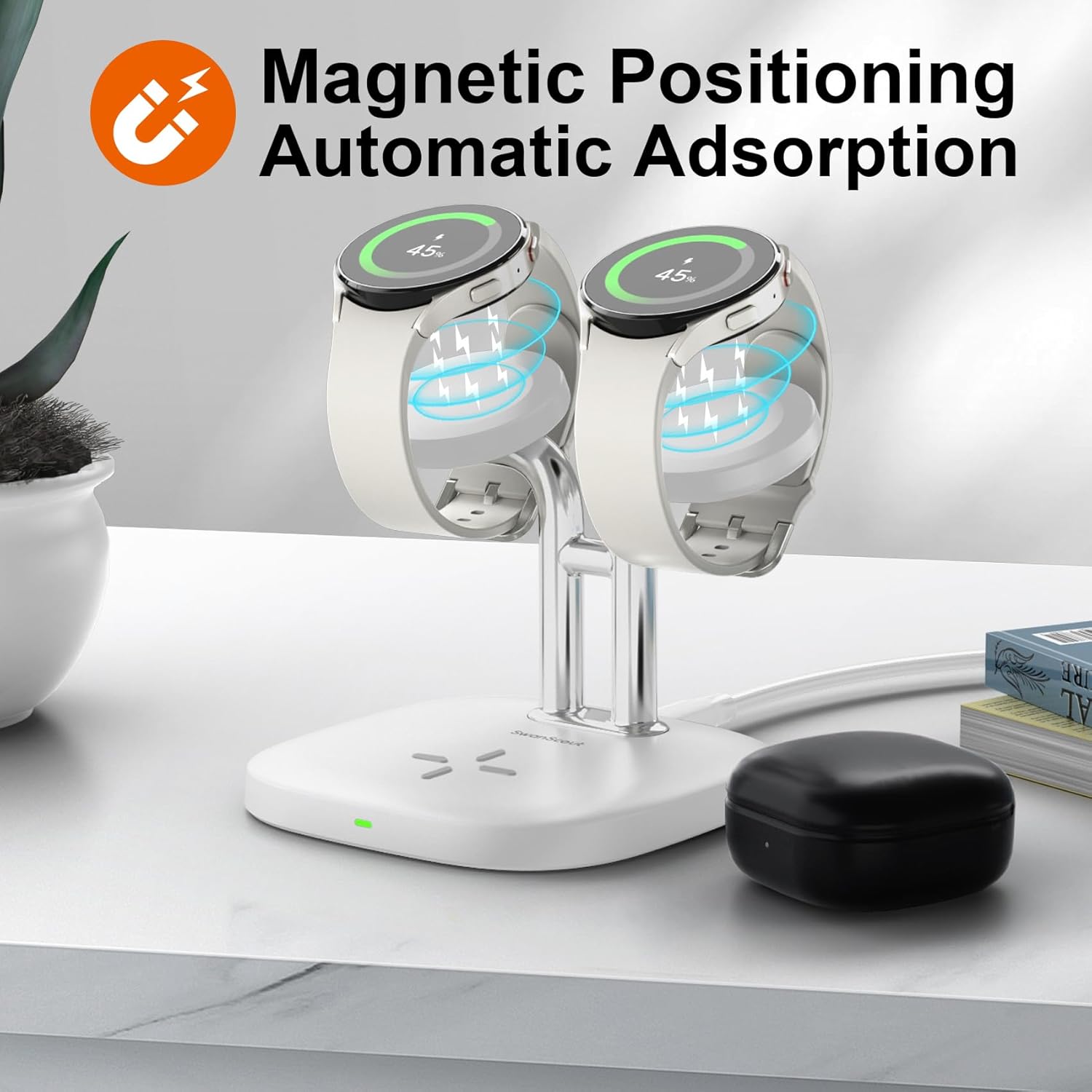
- Dual Watch Charging: Charges two Samsung Galaxy Watches simultaneously.
- Earbud Charging: Supports wireless charging for compatible earbuds.
- Magnetic Positioning: Ensures secure and accurate placement for watch charging.
- Nightstand Mode Support: Designed for convenient bedside use.
- Multiple Protection: Includes heat dissipation, temperature protection, overcharge protection, and foreign object detection.
Components

4. Compatibility
Compatible Devices
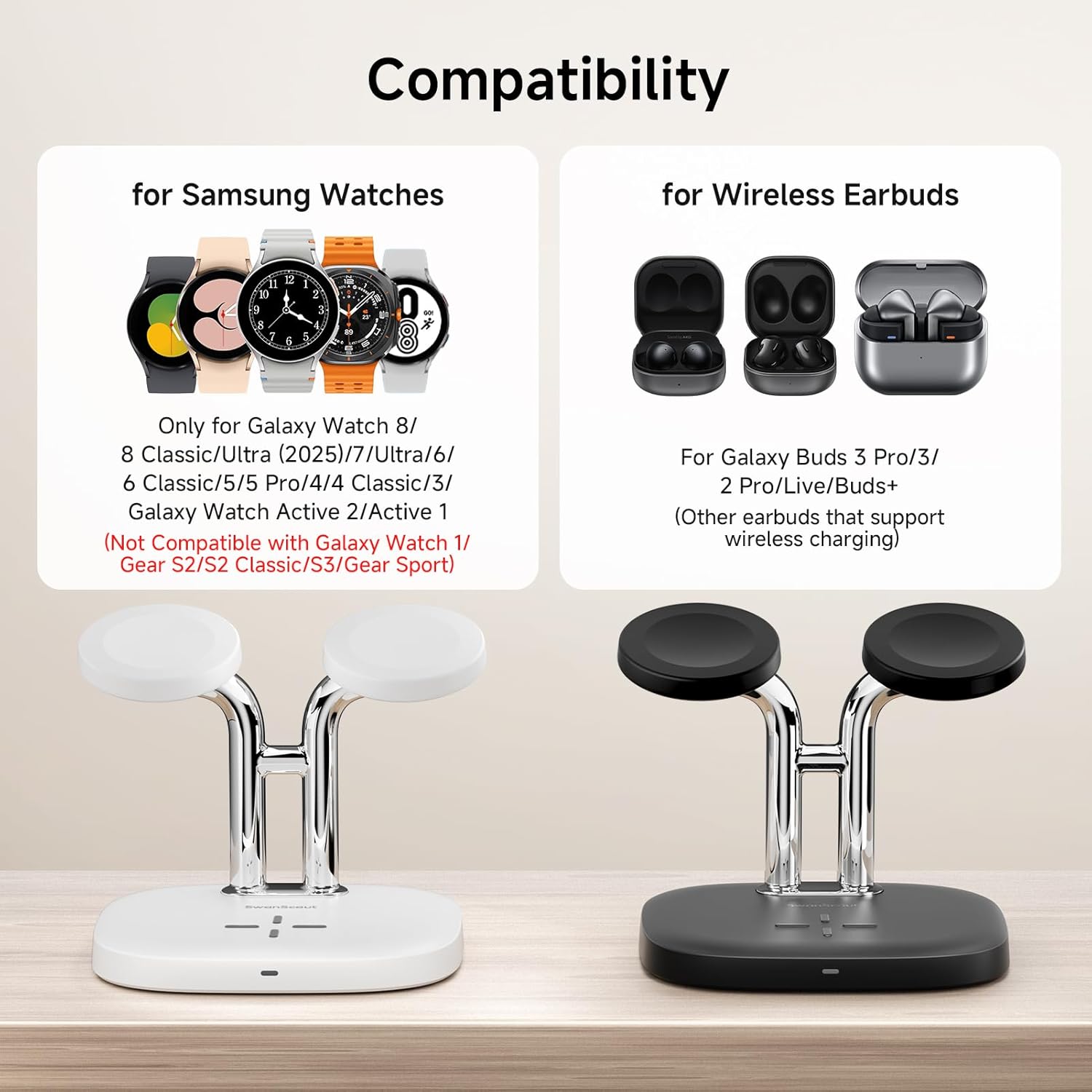
- Samsung Galaxy Watches: Galaxy Watch 8 Classic, Galaxy Watch 8, Galaxy Watch Ultra, Galaxy Watch 7, Galaxy Watch 6, Galaxy Watch 6 Classic, Galaxy Watch 5 Pro, Galaxy Watch 5, Galaxy Watch 4, Galaxy Watch 4 Classic, Galaxy Watch 3, Galaxy Watch Active 2, Galaxy Watch Active 1.
- Wireless Earbuds: Galaxy Buds 3 Pro, Galaxy Buds 3, Galaxy Buds 2 Pro, Galaxy Buds Live, Galaxy Buds+, AirPods Pro 2, AirPods 3rd generation, AirPods 2, AirPods 1, and AirPods Pro with wireless charging case.
Incompatible Devices
- Samsung Galaxy Watch 42mm
- Samsung Galaxy Watch 46mm
- Gear S2 / Gear S2 Classic
- Gear S3 / Gear S3 Classic / Gear S3 Frontier
- Gear Sport
5. Setup Instructions
- Connect Power: Insert the provided USB-C charging cable into the charging port on the back of the SwanScout 704S charging station. Connect the other end of the cable to a compatible USB power adapter (QC3.0 or PD adapter recommended, not included).
- Power On: Once connected to a power source, the indicator light on the front of the charging station will illuminate, indicating it is ready for use.

6. Operating Instructions
- Charge Galaxy Watches: Place your Samsung Galaxy Watch onto one of the two magnetic charging pads. The watch will automatically align and begin charging. The watch screen will typically display a charging indicator.
- Charge Wireless Earbuds: Place your compatible wireless earbud case onto the flat charging pad at the base of the station. Ensure the earbud case is centered on the pad for optimal charging. The indicator light on the charging station may change or the earbud case itself will show its charging status.
- Nightstand Mode: The design of the charging station supports Nightstand Mode for your Galaxy Watch, allowing you to view time and notifications while charging.

7. Maintenance
- Keep the charging station clean and free from dust. Use a soft, dry cloth for cleaning.
- Avoid exposing the device to extreme temperatures, humidity, or direct sunlight.
- Do not disassemble or attempt to repair the charging station yourself. This may void the warranty and cause damage.
8. Troubleshooting
- Device not charging:
- Ensure the charging cable is securely connected to both the charging station and the power adapter.
- Verify that the power adapter is functioning correctly and provides sufficient power (QC3.0 or PD recommended).
- Check if your device is compatible with the charging station (refer to Section 4).
- Remove any thick cases from your earbuds or watch that might interfere with wireless charging.
- Ensure the device is correctly positioned on the charging pad.
- Slow charging:
- Use a QC3.0 or PD compatible power adapter for faster charging speeds.
- Ensure no foreign objects are between the device and the charging pad.
- Indicator light not on:
- Check the power connection to the charging station and the wall outlet.
- Try a different USB-C cable or power adapter.
9. Specifications
| Specification | Value |
|---|---|
| Product Dimensions | 4.41 x 3.94 x 3.5 inches |
| Item Weight | 5.5 ounces |
| Model Number | S10014 |
| Connector Type | USB Type C |
| Input Voltage | 120 Volts |
| Wattage | 18 watts |
| Special Features | Charging Indicator, Fast Charging, Multi Device Charging, Short Circuit Protection, Wireless Charging |
10. Warranty and Support
For warranty information or technical support, please refer to the contact details provided on the product packaging or visit the official SwanScout website. Keep your purchase receipt as proof of purchase for warranty claims.


