
Introduction
This manual provides essential information for the safe and efficient assembly, operation, and maintenance of your WLIVE Nightstand with Charging Station. Please read all instructions carefully before use and retain this manual for future reference.
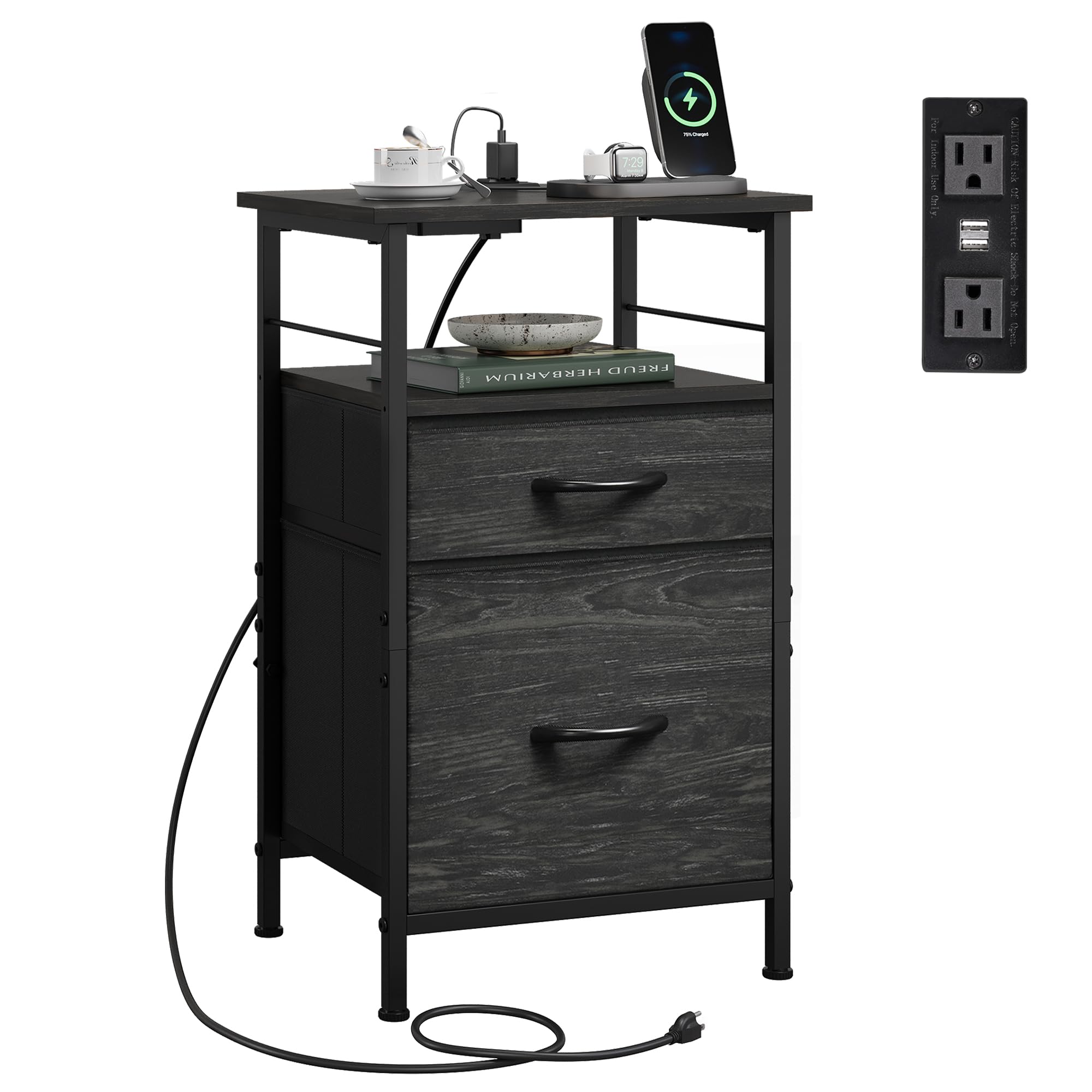
Image: The WLIVE Nightstand with Charging Station, featuring a charcoal black finish and integrated power outlets.
Product Overview
The WLIVE Nightstand with Charging Station is designed to offer convenient storage and power access for your bedroom or living room. It features a sturdy metal frame, two fabric drawers for concealed storage, and an integrated charging station with USB ports and AC outlets.
Video: An overview of the WLIVE Nightstand with Charging Station, highlighting its features and design.
Setup & Assembly
All components are numbered, and a detailed manual is included to guide you through the assembly process. Most customers can complete assembly within 30 minutes. Ensure all fittings are correctly placed and tightened securely.
Assembly Steps:
- Unpack all components and verify against the parts list in the included manual.
- Assemble the metal frame according to the step-by-step diagrams.
- Attach the wooden shelves to the frame.
- Install the charging station into its designated slot.
- Assemble the fabric drawers and insert them into the frame.
- Ensure all screws and connections are tightened for stability.

Image: An exploded view showing all individual components of the nightstand, including the metal frame, wooden panels, and fabric drawers, prior to assembly.
Video: A demonstration of the assembly process for the WLIVE End Table ABZ030, showing how to put together the frame and attach components.
Operating Instructions
The integrated charging station provides convenient power access. It includes 2 standard plug outlets and 2 USB ports, allowing you to charge up to 4 devices simultaneously. The layout is designed to prevent charger interference.
Using the Charging Station:
- Plug the nightstand's power cord into a wall outlet.
- Connect your electronic devices to the available USB ports or AC outlets on the top surface.
- Ensure devices are properly connected for optimal charging.

Image: A visual comparison demonstrating the efficient spacing of the nightstand's charging ports, allowing multiple devices to be charged without obstruction.
Maintenance
To maintain the appearance and longevity of your nightstand, follow these simple care instructions:
- Cleaning: Wipe the surfaces with a dry cloth. Avoid using harsh chemicals or abrasive cleaners, as these may damage the finish.
- Spills: Immediately wipe up any spills to prevent water damage, especially on the wooden top.
- Drawer Care: The fabric drawers can be spot cleaned with a damp cloth and mild soap if necessary. Allow to air dry completely.

Image: A close-up view illustrating the water-resistant properties of the nightstand's surface, showing water droplets beading on the material.
Troubleshooting
If you encounter any issues with your nightstand, please refer to the following general advice:
- Stability Issues: Ensure all screws are securely tightened. The nightstand comes with 4 adjustable feet to adapt to uneven ground. Adjust these feet as needed to stabilize the unit.
- Charging Station Not Working: Verify that the nightstand's power cord is firmly plugged into a functional wall outlet. Check if the devices are correctly connected to the USB ports or AC outlets.
- Damaged Parts: If any parts are damaged or missing upon arrival, do not proceed with assembly. Contact customer support immediately.
Specifications
| Feature | Detail |
|---|---|
| Brand | WLIVE |
| Model Name | End Table 030DK2 |
| Model Number | ABZ030DK2 |
| Product Dimensions (D x W x H) | 11.73"D x 15.67"W x 25.19"H |
| Item Weight | 11 Pounds |
| Maximum Weight Recommendation (Table Top) | 55 Pounds |
| Frame Material | Metal |
| Top Material Type | Engineered Wood |
| Drawer Material | Non-woven fabric |
| Number of Drawers | 2 |
| Charging Station | 2 Standard AC Outlets, 2 USB Ports |
| Power Cord Length | 4.9 feet |

Image: A diagram illustrating the precise dimensions of the nightstand, including the overall height, width, depth, and the internal dimensions of the drawers.
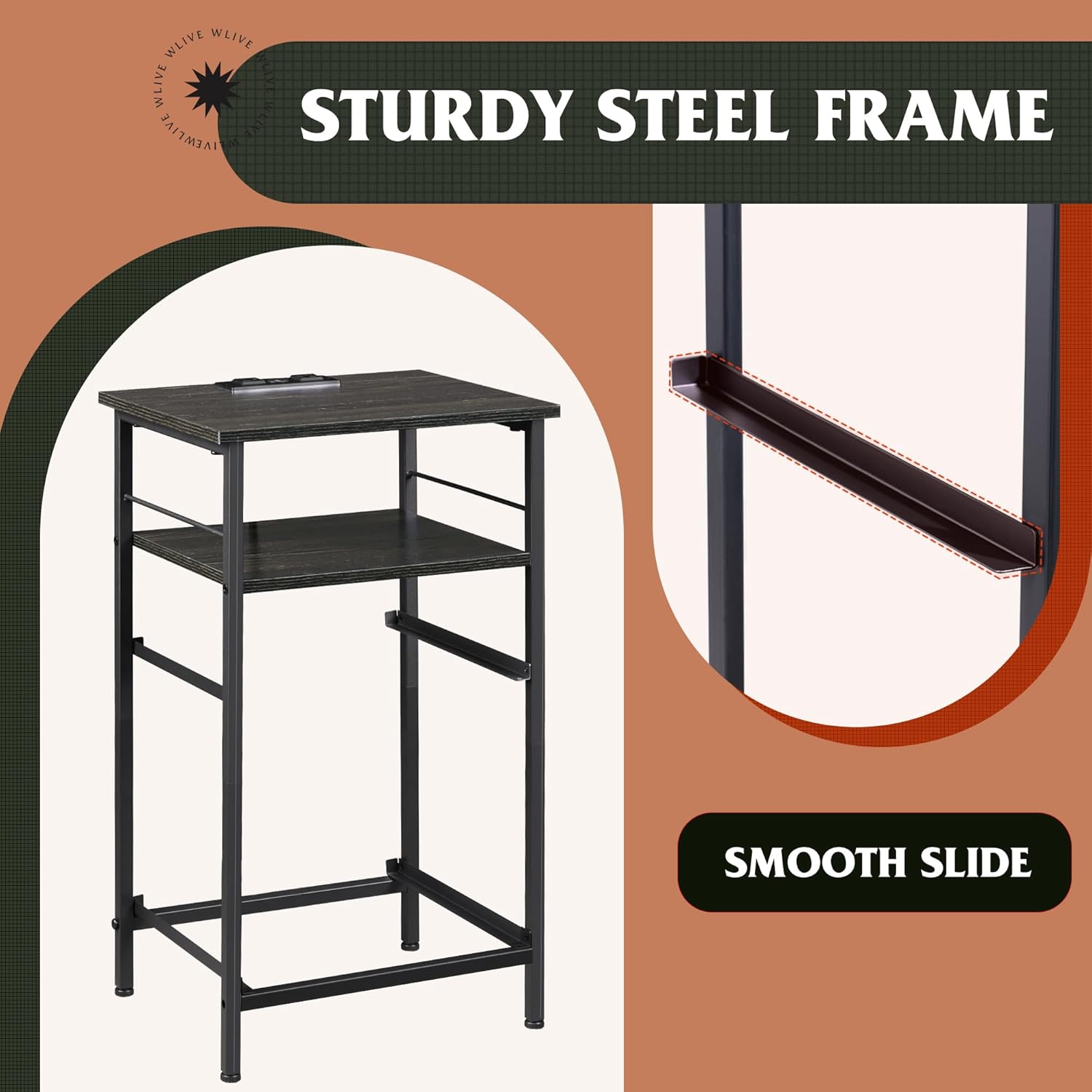
Image: A close-up view of the nightstand's sturdy steel frame, highlighting its robust construction and smooth sliding mechanism for drawers.

Image: A diagram illustrating the layered construction of the drawers, showing Oxford fabric, MDF board, and non-woven fabric, emphasizing durability and resistance to deformation.
Warranty & Support
For any questions regarding assembly, operation, or if you require professional before or after-sale service, please feel free to contact WLIVE customer support. Refer to your purchase documentation for specific warranty details.


