
1. Introduction
The Eseesmart Smart Cabinet Lock F3BC provides a secure and convenient solution for locking cabinets, drawers, and other furniture. This hidden electronic lock offers multiple access options including a mobile application, RFID cards, NFC, and iWatch unlock, eliminating the need for traditional keys. Designed for discreet installation, it helps maintain the aesthetic integrity of your furniture while providing robust security features for child safety, protecting valuables, or securing hazardous items.
2. What's Included
- 1 x User Manual
- 2 x RFID Cards
- Lock Body
- Buckle
- Double-Sided Tapes (for lock body and buckle)
- Screws (for optional installation)
- Double Doors Accessory (if applicable)
- Signal Booster

3. Setup and Installation
3.1. Battery Installation
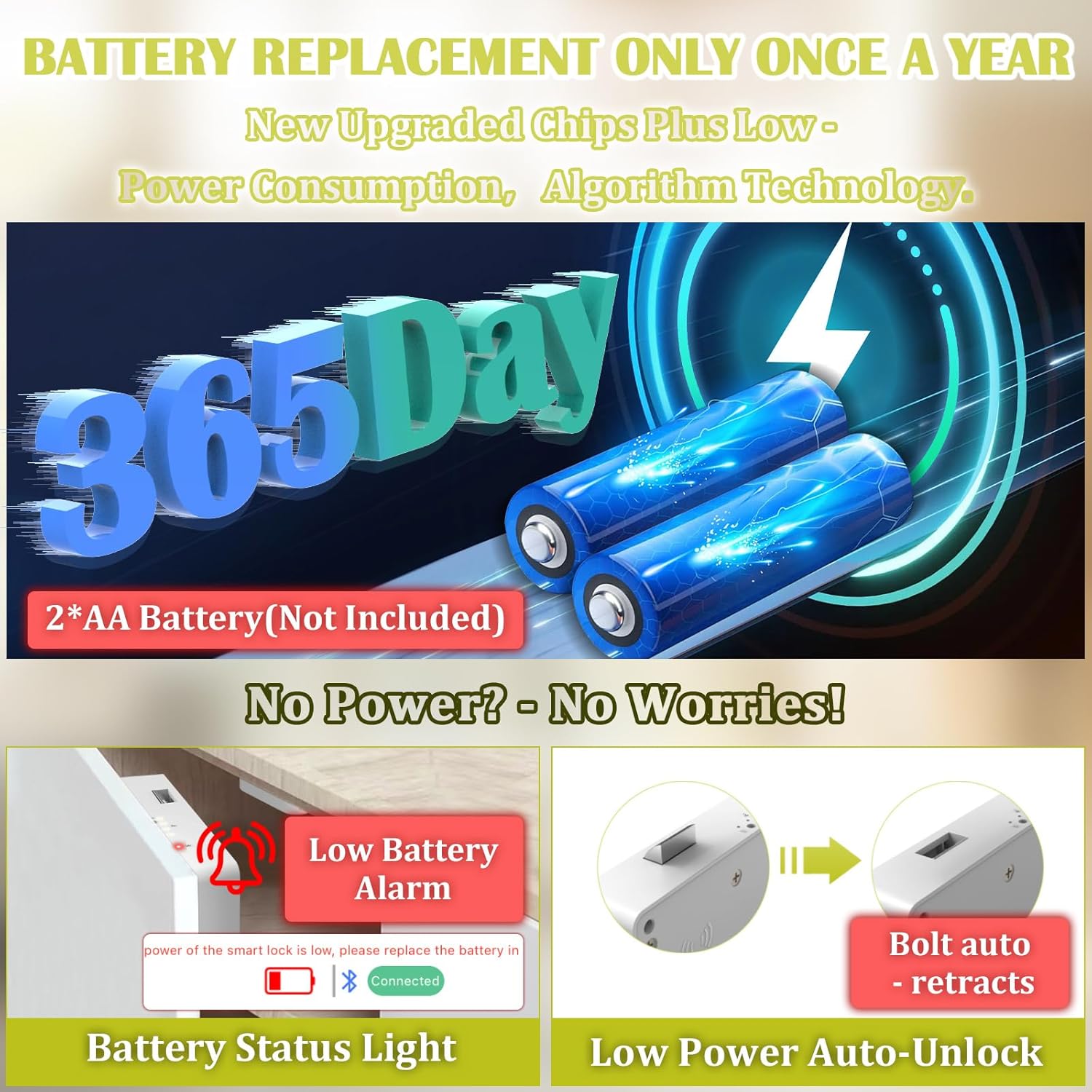
The lock requires 2 AA batteries (not included). Open the battery compartment on the lock body and insert the batteries, ensuring correct polarity. Close the compartment securely.
3.2. Choosing Installation Method
You can choose between stick-on installation using the provided high-viscosity double-sided tape or screw installation for a more permanent fit. The lock is designed for discreet, hidden installation, preserving the original appearance of your furniture.

3.3. Positioning the Lock
Use the provided positioning template to accurately mark the installation spots for the lock body and the buckle. Ensure your cabinet thickness is less than 1.8 inches (30mm) and depth is greater than 2.2 inches (55mm) for optimal performance.

3.4. Attaching the Lock Components
Peel the backing from the double-sided tape and firmly press the lock body onto the marked position inside the cabinet door. Repeat for the buckle, ensuring it aligns perfectly with the lock mechanism when the door is closed. For screw installation, use the provided screws to secure both components.
4. Operating Instructions
4.1. Unlocking Methods
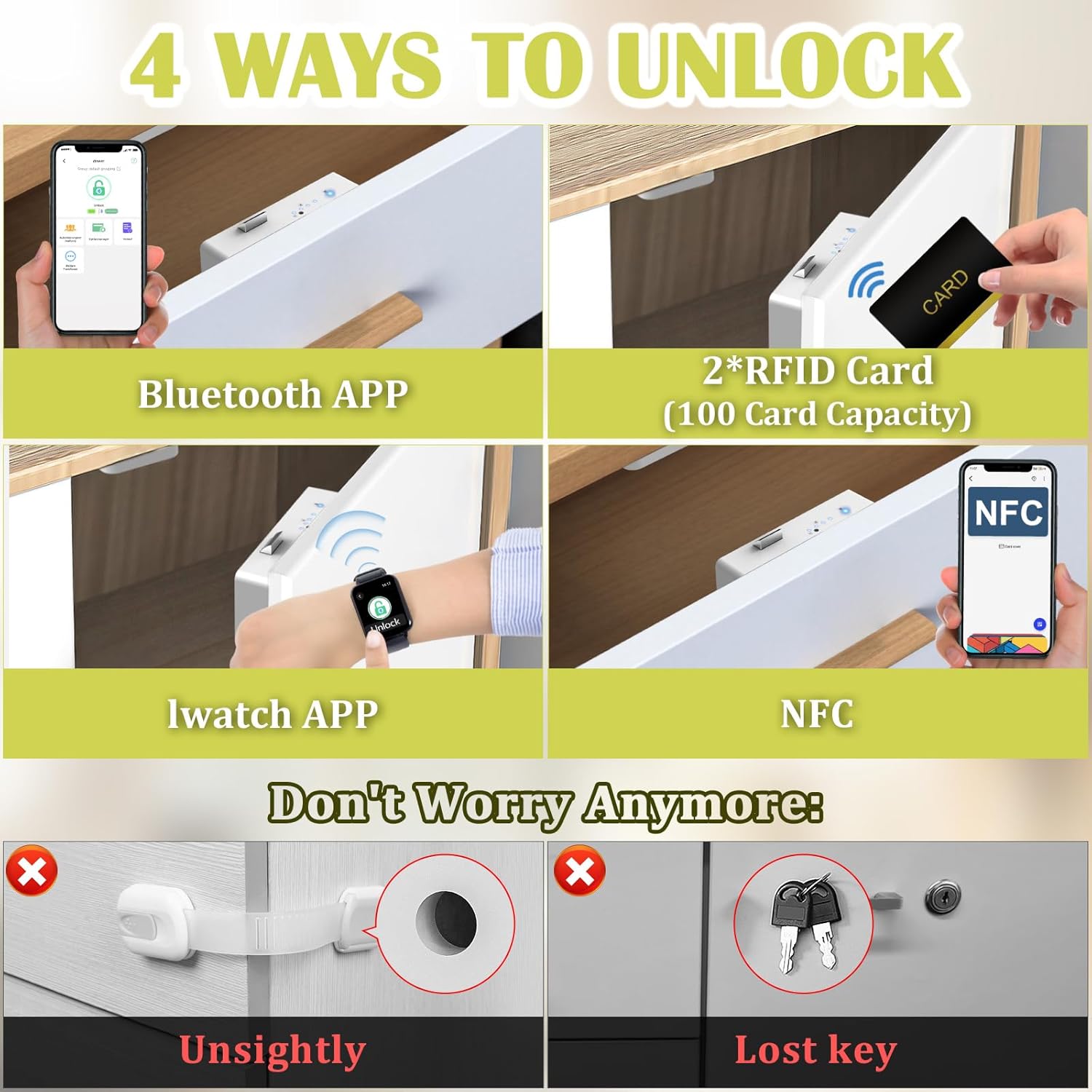
The Eseesmart Smart Cabinet Lock offers multiple convenient ways to unlock:
- Mobile App: Download the eSmartLock app (available on App Store and Google Play). Connect the lock via Bluetooth. You can then unlock the cabinet directly from your smartphone.
- RFID Card: Place a registered RFID card near the designated sensor area on the outside of the cabinet. The lock will beep and unlock.
- NFC: For NFC-enabled devices, place your device near the sensor area to unlock.
- iWatch App: Utilize the iWatch application for convenient unlocking directly from your smartwatch.

4.2. Automatic Locking
After unlocking, the lock will automatically re-engage after a short period or when the cabinet door is closed, ensuring continuous security.
5. Features
- Multi-Access Options: App, RFID card, NFC, and iWatch unlock.
- Flexible Installation: Choose between stick-on or screw installation.
- Discreet Design: Invisible installation preserves furniture aesthetics.
- Robust Security: Crafted from high-quality materials with anti-prying and anti-vandalism features.
- Long Induction Distance: Features an enlarged coil for a 50mm induction distance, allowing for faster unlocking.
- Wide Compatibility: Suitable for 99% of cabinets, drawers, wardrobes, and other furniture types.
- Battery Indicator: Real-time battery status available via the app and LED indicators on the lock.
- Low Battery Auto-Unlock: The lock automatically unlocks when batteries are critically low to prevent permanent lockout.


6. Specifications
| Feature | Specification |
|---|---|
| Brand | Eseesmart |
| Model Number | F3BC |
| Special Feature | Hidden, NFC Unlock, No Drilling, RFID Unlock, iWatch Unlock |
| Lock Type | Keypad (via app) |
| Item Dimensions (L x W x H) | 2.2 x 1 x 4.7 inches |
| Material | Metal |
| Recommended Uses | Cabinet, Drawer, Child Safety, Baby Proof, Home, Office, Locker |
| Included Components | 1 * User Manual, 2 RFID Cards |
| Item Weight | 4 ounces |
| Controller Type | Android, iOS |
| Control Method | App |
| Connectivity Protocol | Bluetooth |
| Color | White |
7. Maintenance
7.1. Battery Replacement
The Eseesmart Smart Cabinet Lock is designed for long-lasting performance, typically requiring battery replacement only once a year under normal usage. It uses 2 AA batteries. Replace them when the low battery reminder is activated.
7.2. Low Battery Reminder
The lock features a low battery alarm that will beep continuously 5 times when the battery level is below 25%, reminding you to replace the batteries. Additionally, the lock will automatically unlock when the batteries become too low to operate, preventing you from being locked out.

8. Troubleshooting
- Lock not responding: Check battery levels and replace if necessary. Ensure the RFID card or device is correctly positioned over the sensor.
- Difficulty with app connection: Ensure Bluetooth is enabled on your device and the lock is within range. Restart the app or the lock if issues persist.
- Accidental lockout: The lock is designed to auto-unlock when batteries are critically low. If this occurs, replace batteries immediately.
9. Warranty & Support
Eseesmart offers a 6-month warranty for this product, along with lifetime technical support. For any inquiries or assistance, please contact customer service. A free replacement is available if the lock received does not work.