
Introduction
The zelotes T30 Wired Vertical Mouse is designed to enhance comfort and reduce wrist strain during prolonged computer use. Its ergonomic vertical design promotes a natural hand and wrist posture. This manual provides essential information for setting up, operating, maintaining, and troubleshooting your new mouse.

Figure 1: Front-left view of the zelotes T30 Wired Vertical Mouse.

Figure 2: Various side views illustrating the vertical design of the mouse.
Setup
The zelotes T30 Vertical Mouse is designed for simple plug-and-play operation, requiring no driver installation.
Connecting the Mouse
- Locate an available USB port on your computer (Laptop, PC, Mac).
- Insert the USB connector of the zelotes T30 mouse into the USB port.
- The mouse will be automatically recognized by your operating system (Win11, Win10, Win8, Win7, Mac OS, Linux) and ready for use.
Attaching the Detachable Palm Rest
The mouse comes with a detachable palm rest for enhanced comfort. To attach it:
- Align the palm rest with the designated slots on the bottom of the mouse.
- Gently slide the palm rest into place until it clicks securely.
- Ensure the palm rest is firmly attached before use.

Figure 3: Illustration of the detachable palm rest and its attachment points.
Operating Instructions
Ergonomic Design and Grip
The vertical design of the T30 mouse positions your hand in a natural handshake posture, reducing pronation of the forearm and wrist. This design aims to alleviate discomfort associated with traditional mouse use.

Figure 4: Proper hand placement on the ergonomic vertical mouse.

Figure 5: Detailed view of the humanized grip design, ensuring comfortable finger placement.
Adjusting DPI Sensitivity
The mouse features 4 adjustable DPI settings: 1200, 1600, 2400, and 3200 DPI. To change the sensitivity:
- Locate the DPI button on the mouse. This button is typically positioned near the scroll wheel or thumb area.
- Press the DPI button to cycle through the available sensitivity settings. Each press will switch to the next DPI level.
- The LED illumination on the mouse may change color or pattern to indicate the current DPI setting.
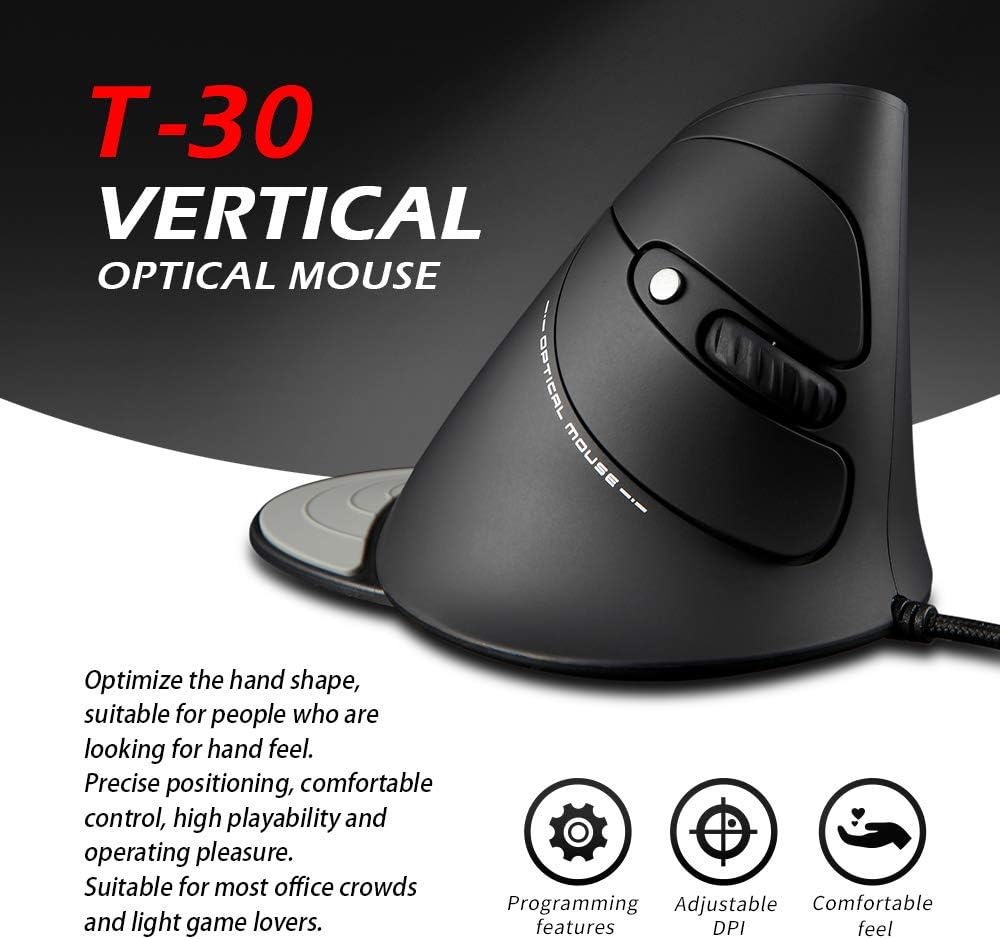
Figure 6: The T30 mouse with an emphasis on its adjustable DPI feature.
Button Functions
The zelotes T30 mouse is equipped with 6 buttons for various functions:
- Left Click Button: Standard primary click function.
- Right Click Button: Standard secondary click function.
- Scroll Wheel: For vertical scrolling. Can also be pressed for middle-click functionality.
- DPI Button: Adjusts mouse sensitivity (DPI).
- Forward Button: Navigates forward in web browsers or file explorers.
- Back Button: Navigates backward in web browsers or file explorers.
Video 1: Demonstration of the zelotes T30 Ergonomic Vertical Mouse features and usage.
Maintenance
To ensure the longevity and optimal performance of your zelotes T30 mouse, follow these maintenance guidelines:
- Cleaning: Use a soft, dry cloth to wipe the surface of the mouse. For stubborn dirt, a slightly damp cloth can be used, but ensure no liquid enters the mouse. Avoid harsh chemicals or abrasive cleaners.
- Storage: When not in use, store the mouse in a clean, dry environment away from extreme temperatures and direct sunlight.
- Cable Care: Avoid bending or twisting the USB cable excessively, as this can damage the internal wires.
Troubleshooting
If you encounter issues with your zelotes T30 mouse, refer to the following common problems and solutions:
| Problem | Possible Cause | Solution |
|---|---|---|
| Mouse not responding | Loose USB connection, faulty USB port, operating system issue. |
|
| Cursor movement is erratic or jumpy | Dirty optical sensor, unsuitable mouse pad surface. |
|
| DPI adjustment not working | Button malfunction, temporary software glitch. |
|
Specifications
| Feature | Detail |
|---|---|
| Brand | zelotes |
| Model Number | T-30 |
| Product Dimensions | 4.33 x 3.15 x 3.27 inches |
| Item Weight | 4.2 ounces |
| Connectivity Technology | USB Wired |
| Movement Detection Technology | Optical |
| DPI Settings | 1200/1600/2400/3200 DPI |
| Number of Buttons | 6 |
| Special Feature | Ergonomic Design, Detachable Wrist Rest, LED Illumination |
| Compatibility | Win11, Win10, Win8, Win7, Mac OS, Linux |

Figure 7: Detailed dimensions of the zelotes T30 Vertical Mouse.
Warranty and Support
For warranty information and technical support, please refer to the official zelotes website or contact their customer service directly. Keep your purchase receipt for warranty claims.
Manufacturer: zelotes
