
1. Introduction
This manual provides detailed instructions for the installation, operation, and maintenance of your Sonew G203 GSM Gate Opener. This device allows for remote control of gates, garage doors, and other access systems using GSM, 3G, or 4G cellular networks. Please read this manual thoroughly before use to ensure proper functionality and safety.

Image 1.1: The Sonew G203 GSM Gate Opener device.
2. Product Overview
The Sonew G203 GSM Gate Opener is a versatile access control solution designed for various applications, including gates, garage doors, elevators, parking systems, and industrial control rooms. It supports remote operation via calls, SMS, and a dedicated mobile application, offering multi-level authorization and enhanced security.
Key Features:
- Remote Control: Operate your gate or door from anywhere using a phone call, SMS, or mobile application.
- No Call Charges: The device rejects calls from authorized numbers and then performs the open/close action, eliminating call costs.
- Multi-User Support: Supports up to 1001 authorized users for flexible access management.
- Wide Voltage Input: Compatible with DC9V-36V 1A power sources.
- Global Frequency Support: Operates on global GSM 3G 4G frequencies.
- Relay Output: Features a 1-way relay output for connecting to various door or machine switches.
- Adjustable Relay Delay: Relay closure time is adjustable from 0 to 9999 seconds.
- True Authorization: Ignores calls from unauthorized or unknown numbers.

Image 2.1: The G203 device highlighting GSM 3G 4G communication and remote capabilities.
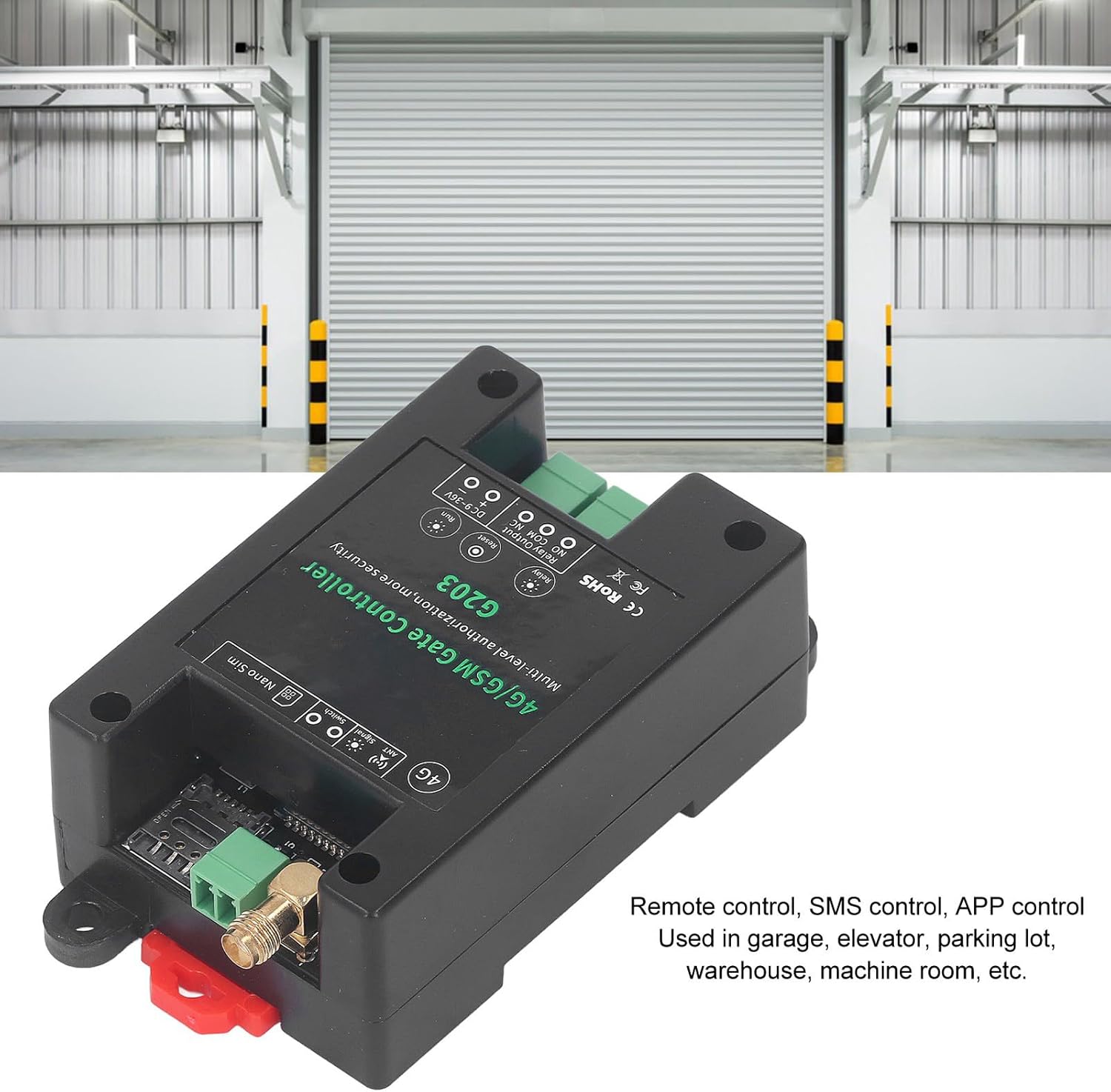
Image 2.2: The G203 device shown in a typical application environment, emphasizing its use in garages, elevators, and warehouses.
3. Specifications
| Parameter | Value |
|---|---|
| Item Type | GSM Gate Opener |
| Material | ABS |
| Rated Voltage | DC9V-36V 1A |
| Working Temperature | -10℃ ~ +60℃ |
| Storage Temperature | -20℃ ~ +60℃ |
| Relative Humidity | 10-90%, no condensation |
| Working Frequency | Global GSM 3G 4G Frequency |
| Output Relay Voltage | 5A 250VAC, 7A 125VAC, 20A 14V |
| Relay Ports | 5A 250VAC, 7A 125VAC, 20A 14V, 20A 5V |
| Switch Support | Yes |
4. Package Contents
Please verify that all items are present in the package:
- 1 x Sonew G203 GSM Gate Opener
- 3 x Wire Terminals
- 1 x Antenna
- 1 x User Manual (this document)
5. Setup
5.1 SIM Card Installation
- Ensure the device is powered off before inserting the SIM card.
- Locate the Nano SIM slot on the device.
- Insert a Nano SIM card (not included) into the slot. Ensure the SIM card is active and has sufficient credit/data for SMS and calls.
5.2 Wiring the Device
The G203 has terminals for power input and relay output. Refer to the diagrams below for typical wiring configurations.

Image 5.1: Close-up view of the wiring terminals on the G203 device.
Power Connection (DC 9-36V):
- Connect the positive (+) terminal of your DC power supply to the '+' terminal on the device.
- Connect the negative (-) terminal of your DC power supply to the '-' terminal on the device.
Relay Output Connection:
The relay output has three terminals: NO (Normally Open), COM (Common), and NC (Normally Closed). Connect these to your gate opener, door lock, or other controlled device according to its requirements.

Image 5.2: Example wiring diagram for controlling an AC powered light using the G203 relay output.

Image 5.3: Example wiring diagram for controlling a DC powered keypad or access device using the G203 relay output.
5.3 Initial Power-Up and Authorization
- After installing the SIM card and completing all wiring, connect the power supply to the device.
- The device will power on and attempt to connect to the cellular network. Observe the signal indicator light.
- To authorize the first user (Super User), send an SMS command or use the mobile application (if available) to add your phone number. Refer to the specific SMS commands in the detailed user guide provided with the product. Typically, this involves sending a command like #ADD1#YOURPHONENUMBER# to the device's SIM card number.
- Once authorized, you can begin controlling the gate opener.
6. Operating Instructions
6.1 Remote Control via Call
To operate the gate opener, simply call the phone number of the SIM card inserted in the G203 device from an authorized phone number. The device will reject the call and activate the relay, opening or closing the gate. No call charges will be incurred.
6.2 Remote Control via SMS
Specific SMS commands can be sent to the device's SIM card number for various functions, such as:
- Adding/Deleting authorized users.
- Querying user lists.
- Setting relay delay time (0-9999 seconds).
- Checking device status or signal strength.
- Performing a remote restart or reset.
Refer to the comprehensive SMS command list in the full user manual for detailed instructions.
6.3 Mobile Application Control
A dedicated mobile application may be available for easier management and control of the G203 device. This app typically allows for:
- Graphical interface for opening/closing.
- Managing authorized users.
- Viewing device status.
- Configuring settings like relay delay.
Search for the official Sonew G203 app on your mobile device's app store. Follow the in-app instructions for pairing and usage.

Image 6.1: Example of the mobile application interface for controlling the G203.
7. Maintenance
The Sonew G203 GSM Gate Opener is designed for low maintenance. Follow these guidelines to ensure optimal performance:
- Keep Clean: Periodically wipe the device with a dry, soft cloth. Avoid using harsh chemicals or abrasive cleaners.
- Environmental Conditions: Ensure the device is installed in an environment within the specified working temperature and humidity ranges. Protect it from direct sunlight, extreme temperatures, and excessive moisture.
- Antenna Placement: Ensure the antenna is securely connected and positioned for optimal signal reception. Avoid placing the device in metal enclosures that could block the cellular signal.
- Power Supply: Use a stable DC 9-36V power supply as specified. Unstable power can affect device performance and longevity.
- SIM Card: Periodically check the SIM card's status to ensure it is active and has sufficient credit/data.
8. Troubleshooting
If you encounter issues with your Sonew G203 GSM Gate Opener, refer to the following common problems and solutions:
- Device does not respond to calls/SMS:
- Ensure the SIM card is correctly inserted and active.
- Check if the SIM card has sufficient credit or data.
- Verify cellular network coverage in the device's location.
- Confirm that your phone number is authorized in the device.
- Check the power supply connection.
- Gate/door does not open/close after a call:
- Ensure the relay output is correctly wired to your gate opener.
- Verify that the gate opener itself is functioning correctly.
- Check the relay delay settings; it might be set to a very short or long duration.
- Cannot add new users:
- Ensure you are sending the correct SMS command format.
- Confirm that the device has not reached its maximum user capacity (1001 users).
- Verify that the SIM card can send and receive SMS messages.
- Device frequently loses signal:
- Relocate the device or antenna to an area with better cellular reception.
- Ensure the antenna is securely connected and not obstructed.
- Device requires frequent manual resets to function:
- This could indicate a software or hardware issue. Ensure the power supply is stable and within the specified voltage range.
- If the problem persists, contact customer support.
For issues not covered here, please consult the full user manual or contact customer support.
9. Warranty Information
The Sonew G203 GSM Gate Opener comes with a standard manufacturer's warranty. Please refer to the warranty card included in your product packaging or contact your point of purchase for specific warranty terms and conditions. Keep your purchase receipt as proof of purchase for any warranty claims.
10. Support
If you require further assistance or have questions regarding the Sonew G203 GSM Gate Opener, please:
- Consult the comprehensive user manual provided with the product.
- Contact the seller or retailer from whom you purchased the device.
- Visit the official Sonew website for support resources or contact information.