
SoulBay UC22E
SoulBay 48W Universal AC to DC Power Adapter
Model: UC22E
Introduction
Thank you for choosing the SoulBay 48W Universal AC to DC Power Adapter. This versatile power supply is designed to provide stable and reliable power to a wide range of electronic devices, featuring adjustable voltage output and multiple interchangeable DC tips. Please read this manual carefully before use to ensure proper operation and safety.
What's in the Box
- 1 x SoulBay 48W Universal Power Adapter
- 11 x Interchangeable DC Plugs
- 1 x Switch Key (for voltage adjustment)
- 1 x User Manual

Image: The SoulBay 48W Universal AC to DC Power Adapter, showcasing the main unit, power cable, and the assortment of 11 interchangeable DC connector tips.
Safety Information
To prevent electric shock, fire, or damage to the product, please observe the following safety precautions:
- Do not expose the adapter to rain or moisture.
- Do not disassemble or modify the adapter.
- Ensure the selected voltage matches your device's requirements.
- Always check the polarity of your device and ensure it matches the adapter's output. The adapter has a positive center polarity (+).
- Keep out of reach of children.
- Unplug the adapter from the power outlet when not in use for extended periods.
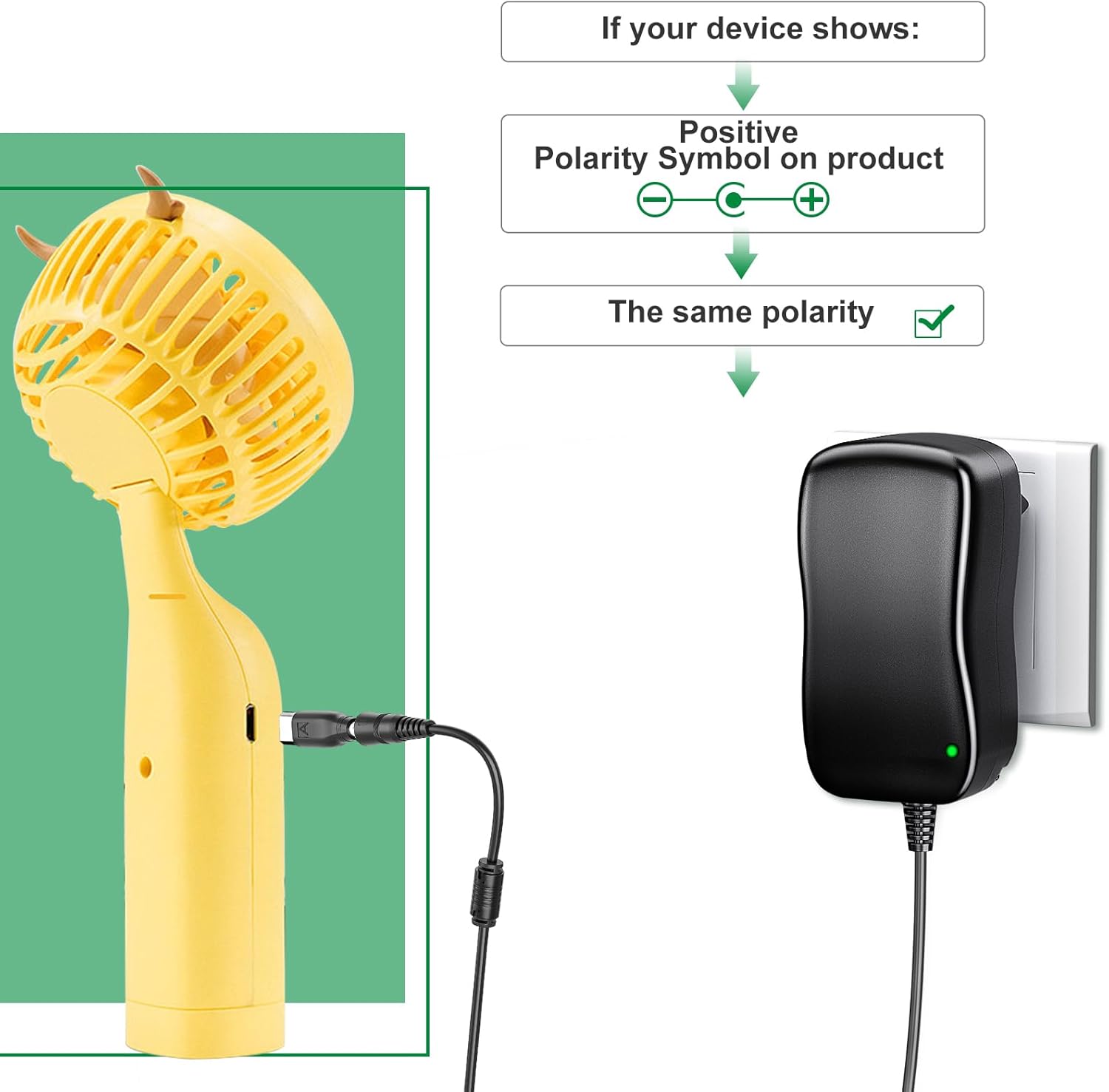
Image: A visual guide illustrating how to match the positive polarity symbol on your device with the adapter's output to ensure correct and safe connection.
Setup
Identify Device Voltage and Current: Before connecting, determine the required voltage (V) and current (A) for your electronic device. This information is usually found on the device itself, its original power adapter, or in its user manual.
Select the Correct Voltage: Use the included switch key to rotate the voltage selector dial on the adapter to the desired voltage (5V, 6V, 7.5V, 9V, 12V, 15V, 19V, 20V). Ensure the voltage is set correctly before plugging into a device.

Image: A close-up of the power adapter's voltage selection dial, showing the various output voltage options (5V, 6V, 7.5V, 9V, 12V, 15V, 19V, 20V) and the red indicator for the current selection.
Choose the Appropriate DC Tip: Select one of the 11 interchangeable DC tips that fits your device's power input port. The tips include common sizes such as 4.8x1.7mm, 5.5x2.5mm, 3.5x1.35mm, 3.0x1.1mm, 5.5x2.1mm, 2.5x0.7mm, 6.3x3.0mm, 4.0x1.7mm, USB-C, Micro USB, and an LED terminal connector.

Image: A detailed illustration of the 11 interchangeable DC connector tips, each labeled with its specific dimensions (e.g., 4.8x1.7mm, 5.5x2.5mm) and type (e.g., USB-C, Micro USB, LED Terminal Connector).
Attach the DC Tip: Firmly attach the selected DC tip to the output cable of the power adapter.
Connect to Device: Plug the attached DC tip into your device's power input port.
Plug into Power Outlet: Finally, plug the AC power adapter into a standard wall outlet (AC 100-240V, 50/60Hz).
Operating
Once connected, the adapter will supply power to your device. The adapter is designed for wide compatibility with various electronics, including LED strips, CCTV cameras, USB hubs, routers, baby monitors, speakers, mobile phones, scales, cameras, 3D printers, and more, requiring 5V to 20V power.
- Current Limits:
- 4A max for 5V/6V/7.5V/9V/12V output.
- 2.5A max for 15V/19V/20V output.
- The USB port provides 5V 1A.
- Ensure your device's current requirement does not exceed the adapter's maximum output for the selected voltage. The adapter is backward compatible with lower current requirements (e.g., 2A, 1.8A, 1.5A, 1A, 0.8A, 0.5A).
- This universal power supply is NOT a battery charger.

Image: An illustration demonstrating the wide compatibility of the SoulBay power adapter with various electronic devices, including LED lamps, mobile hard disks, light strips, mini fans, routers, CCTV cameras, speakers, and humidifiers.

Image: The SoulBay power adapter plugged into a wall outlet, providing power to a CCTV camera, demonstrating a typical application scenario.
Maintenance
- Cleaning: Disconnect the adapter from the power outlet and your device before cleaning. Use a soft, dry cloth to wipe the surface. Do not use liquid cleaners or aerosols.
- Storage: Store the adapter in a cool, dry place away from direct sunlight and extreme temperatures. Keep the DC tips organized to prevent loss.
- Inspection: Periodically inspect the power cord and adapter for any signs of damage, such as frayed wires or cracks. If damage is found, discontinue use immediately.
Troubleshooting
| Problem | Possible Cause | Solution |
|---|---|---|
| Device not powering on. | Incorrect voltage selected. | Verify and adjust the voltage setting on the adapter to match your device's requirement. |
| Incorrect DC tip used. | Ensure the correct DC tip is firmly attached and fits your device's port. | |
| Polarity mismatch. | The adapter has positive center polarity. Ensure your device also requires positive center polarity. This adapter does not support reverse polarity. | |
| Device requires more current than adapter provides. | Check your device's current requirement. If it exceeds the adapter's maximum output for the selected voltage, the adapter may not be suitable. | |
| Adapter feels hot. | Overload or poor ventilation. | Ensure the device's power requirement is within the adapter's limits. Provide adequate ventilation around the adapter. Disconnect if excessively hot. |
The adapter features built-in intelligent chip protection against overvoltage, overcurrent, short circuit, over-temperature, and overload, ensuring safe operation.
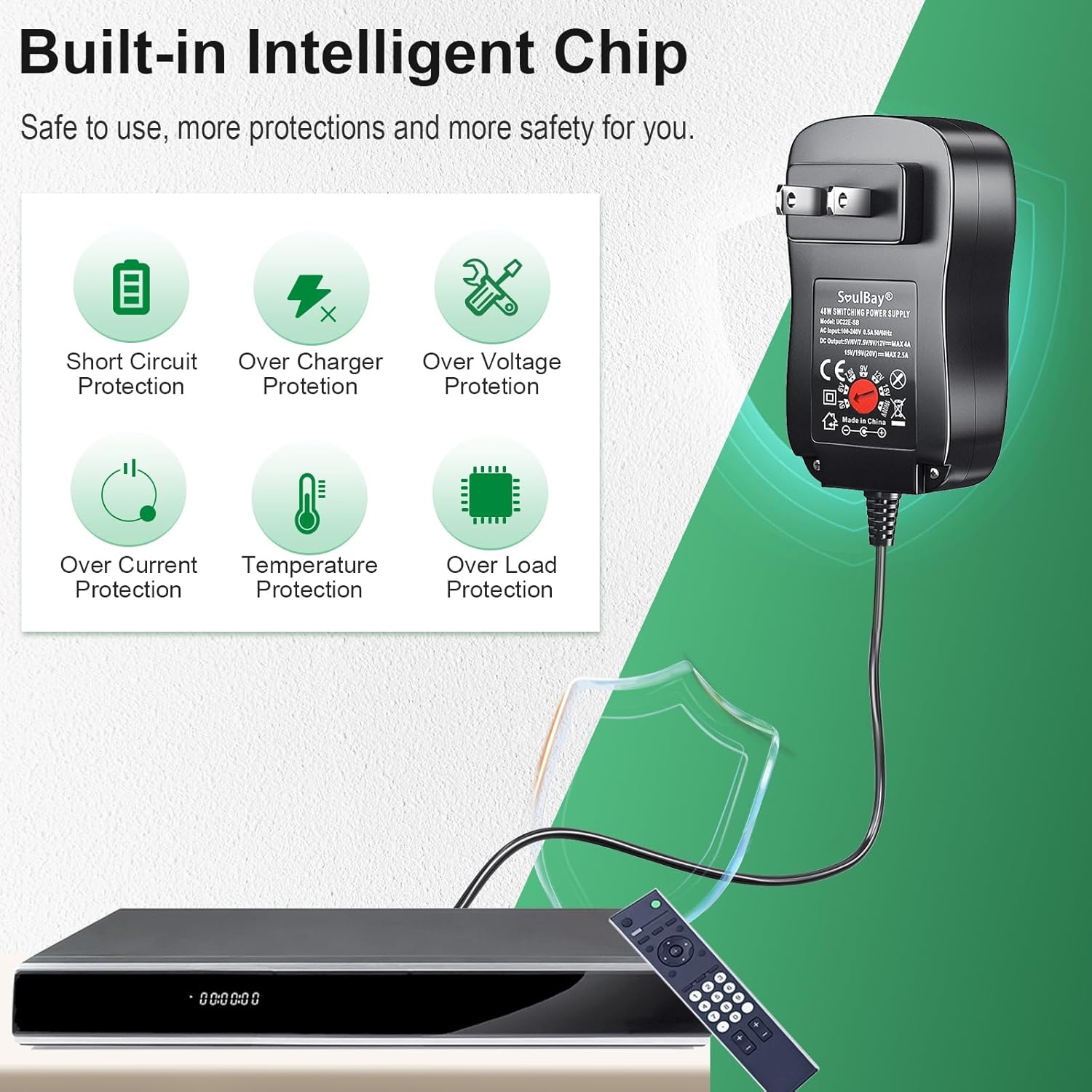
Image: A visual representation of the SoulBay power adapter's integrated safety features, including short circuit protection, overcharge protection, overvoltage protection, overcurrent protection, temperature protection, and overload protection.
Specifications
| Feature | Detail |
|---|---|
| Model | UC22E |
| Input | AC 100-240V, 0.5A, 50/60Hz |
| Output (DC) | 5V / 6V / 7.5V / 9V / 12V (4A max); 15V / 19V / 20V (2.5A max) |
| Output (USB) | DC 5V 1A |
| Max Output Power | 48W |
| DC Connector Size | 5.5 x 2.1 mm (main connector) |
| Interchangeable DC Tips | 11 tips: 4.8x1.7mm, 5.5x2.5mm, 3.5x1.35mm, 3.0x1.1mm, 5.5x2.1mm, 2.5x0.7mm, 6.3x3.0mm, 4.0x1.7mm, USB-C, Micro USB, LED Terminal Connector |
| Polarity | Internal Positive (+), External Negative (-) |
| Cable Length | 1.5 meters (approx. 59 inches) |
| Dimensions | 12.3 x 8.5 x 5.7 cm (approx. 4.84 x 3.35 x 2.24 inches) |
| Weight | 290 grams (approx. 0.64 lbs) |
| Protection Features | Overvoltage, Overcurrent, Short Circuit, Overtemperature, Overload Protection |

Image: A graphic detailing the physical dimensions of the adapter and its electrical specifications, including input, output voltages, and maximum current.
Warranty
Specific warranty details are not provided in this manual. Please refer to the product packaging or contact SoulBay customer support for information regarding warranty coverage and terms.
Support
For further assistance or inquiries, please visit the official SoulBay store or contact their customer service through the platform where you purchased the product. Always provide your product model number (UC22E) and a detailed description of your issue for efficient support.
You can visit the SoulBay store at: SoulBay Official Store
Related documentsUC22E

Ask a question about this manual
Ask about setup, troubleshooting, compatibility, parts, safety, or missing instructions. Manuals+ will review the question and use this page’s manual context to help answer it.