Introduction
This manual provides detailed instructions for the safe and effective use of your Csasan J90 Pro Bluetooth 5.3 Wireless Earbuds. Please read this manual thoroughly before using the product and retain it for future reference.

Image: Csasan J90 Pro Wireless Earbuds in their purple charging case, displaying an LED power indicator.
Package Contents
Ensure all items listed below are present in your package:
- 2 x Bluetooth Earbuds (Left and Right)
- 1 x Fast Charging Case
- 1 x USB-C Charging Cable
- 3 x Pairs of Earplugs (S, M, L)
- 1 x Instruction Manual

Image: The Csasan J90 Pro earbuds, charging case, USB-C cable, and various ear tip sizes laid out, alongside the user guide.
Product Overview
The Csasan J90 Pro earbuds feature a compact and ergonomic design for comfortable wear. The charging case includes an LED display to show battery levels.

Image: A visual representation of the compact and lightweight design of the earbuds and charging case, with measurements and a US quarter for size comparison.
Setup
1. Charging the Earbuds and Case
Before first use, fully charge the earbuds and the charging case. Connect the provided USB-C cable to the charging port on the case and a power source. The LED display on the case will indicate the charging status.
- Charging Time: Approximately 1.5 hours for a full charge.
- Battery Life: Up to 6-8 hours on a single charge, with the charging case providing an additional 4 charges for a total of 40 hours playtime.

Image: The charging case with its LED display showing battery levels, highlighting the long-lasting battery capacity of the earbuds.
2. Pairing with Your Device
The earbuds utilize Bluetooth 5.3 technology for a stable and efficient connection.
- Ensure your device's Bluetooth is enabled.
- Open the charging case. The earbuds will automatically power on and enter pairing mode.
- On your device, search for "J90 Pro" in the Bluetooth settings and select it to connect.
- Once connected, the earbuds will automatically pair with your device in subsequent uses when the case is opened.

Image: A visual guide demonstrating the one-step pairing process of the J90 Pro earbuds with a smartphone, showing the device name "J90 Pro" in the Bluetooth list.

Image: An illustration showing the flexibility of using the J90 Pro earbuds in either single ear mode or binaural (both ears) mode, connecting to a smartphone.
3. Wearing the Earbuds
Select the ear tips (S, M, L) that provide the most comfortable and secure fit for optimal sound quality and noise isolation. Insert the earbuds into your ears and gently twist them until they are snug.
Operating Instructions
The J90 Pro earbuds feature sensitive touch controls on both earbuds for easy management of audio and calls.

Image: A detailed graphic illustrating the smart touch control functions for the Csasan J90 Pro earbuds, including playback, call management, volume adjustment, and track navigation.

Image: A comprehensive guide to the touch controls for both the left and right earbuds, detailing actions like single tap, double tap, and press-and-hold for various functions.
Music Playback
- Play/Pause: Tap either earbud twice.
- Next Track: Press and hold the right earbud for 2 seconds.
- Previous Track: Press and hold the left earbud for 2 seconds.
- Volume Up: Tap the right earbud once.
- Volume Down: Tap the left earbud once.
Call Management
- Answer Call: Tap either earbud once.
- End Call: Press and hold either earbud for 2 seconds.
- Reject Call: Press and hold either earbud for 2 seconds during an incoming call.
Voice Assistant
- Activate Voice Assistant: Tap either earbud three times.
Maintenance
Cleaning
Regular cleaning helps maintain optimal performance and hygiene.
- Use a soft, dry, lint-free cloth to wipe the earbuds and charging case.
- Remove ear tips and clean them with mild soap and water, then dry thoroughly before reattaching.
- Do not use abrasive cleaners or sharp objects.
Storage
When not in use, store the earbuds in their charging case to protect them from dust and damage.
Water Resistance (IP7)
The earbuds feature IP7 nano-coating technology, making them resistant to sweat and rain. This allows for use during workouts or in various weather conditions. However, they are not designed for submersion in water.

Image: A woman at a gym, wearing the Csasan J90 Pro earbuds, demonstrating their IP7 waterproof capability for active use.
Troubleshooting
If you encounter any issues, please refer to the following common solutions:
- Earbuds not pairing:
- Ensure both earbuds are charged.
- Turn off and on your device's Bluetooth.
- Place earbuds back in the case, close it, then open it again to re-enter pairing mode.
- Forget "J90 Pro" from your device's Bluetooth list and try pairing again.
- One earbud not working:
- Ensure both earbuds are charged.
- Place both earbuds back in the charging case, close the lid, wait a few seconds, then open it again.
- Try resetting the earbuds (refer to manufacturer's specific reset instructions if available, otherwise, a full charge and re-pairing often resolves this).
- Poor sound quality:
- Ensure earbuds are properly seated in your ears with the correct size ear tips.
- Clean the ear tips and earbud grilles.
- Ensure your device is within the Bluetooth range (up to 10 meters).
- Charging case not charging:
- Check the USB-C cable and power adapter for damage.
- Ensure the cable is securely connected to both the case and the power source.
Specifications
| Model Name | J90 Pro |
| Bluetooth Version | 5.3 |
| Connectivity Technology | Wireless (Bluetooth) |
| Wireless Communication Technology | Bluetooth |
| Battery Life (Earbuds) | 6-8 Hours |
| Total Playtime with Charging Case | 40 Hours |
| Charging Time | 1.5 Hours |
| Water Resistance Level | IP7 Waterproof |
| Control Method | Touch |
| Audio Driver Type | Dynamic Driver (13mm) |
| Bluetooth Range | 10 Meters |
| Frequency Range | 20 Hz - 20,000 Hz |
| Item Weight | 0.1 Kilograms (3.52 ounces) |
| Compatible Devices | Most iOS and Android devices with Bluetooth |
Warranty and Support
Csasan is committed to providing quality products and customer satisfaction.
- Warranty: Your Csasan J90 Pro earbuds come with a 2-year warranty. Please retain your proof of purchase.
- Customer Service: For any inquiries or support needs, please contact our customer service. We aim to respond within 24 hours.
For further assistance, please visit the official Csasan store or contact customer support through your purchase platform.
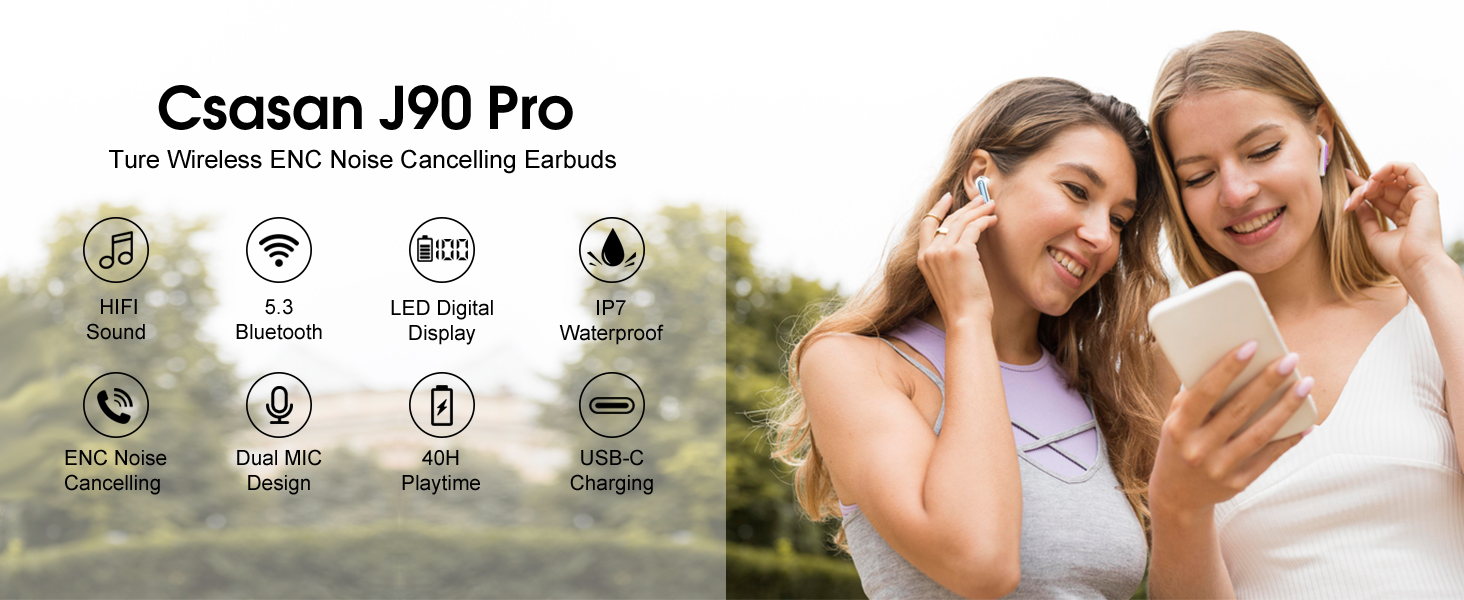
Image: An overview of key features of the Csasan J90 Pro earbuds, including sound quality, connectivity, battery life, and water resistance.


