
1. Introduction
Thank you for choosing the TRIUMPHKEY Gaming Desk. This manual provides essential information for the safe assembly, operation, and maintenance of your new gaming desk. Please read it thoroughly before use and retain it for future reference.
Safety Warning:
- Always adhere to the maximum recommended weight limit of 80 kg (176 lbs).
- Ensure the desk is assembled on a flat, stable surface to prevent tipping.
- Keep small parts away from children during assembly.
- Regularly check all fasteners to ensure they remain tight.
2. Product Features
The TRIUMPHKEY Gaming Desk is designed for an optimal gaming and work experience, featuring:
- Carbon Fiber Surface: Durable, scratch-resistant, and easy to clean tabletop with a sleek texture.
- Sturdy Z-Shaped Legs: Professional structural design for enhanced stability, preventing wobbling during intense use.
- Adjustable Feet: Four anti-slip foot pads ensure stability on uneven surfaces.
- Headphone Hook: Conveniently located hook for storing your gaming headset.
- Cable Management: Integrated grommets for organized cable routing.
- Ergonomic Design: Contoured tabletop for comfortable long-duration use.
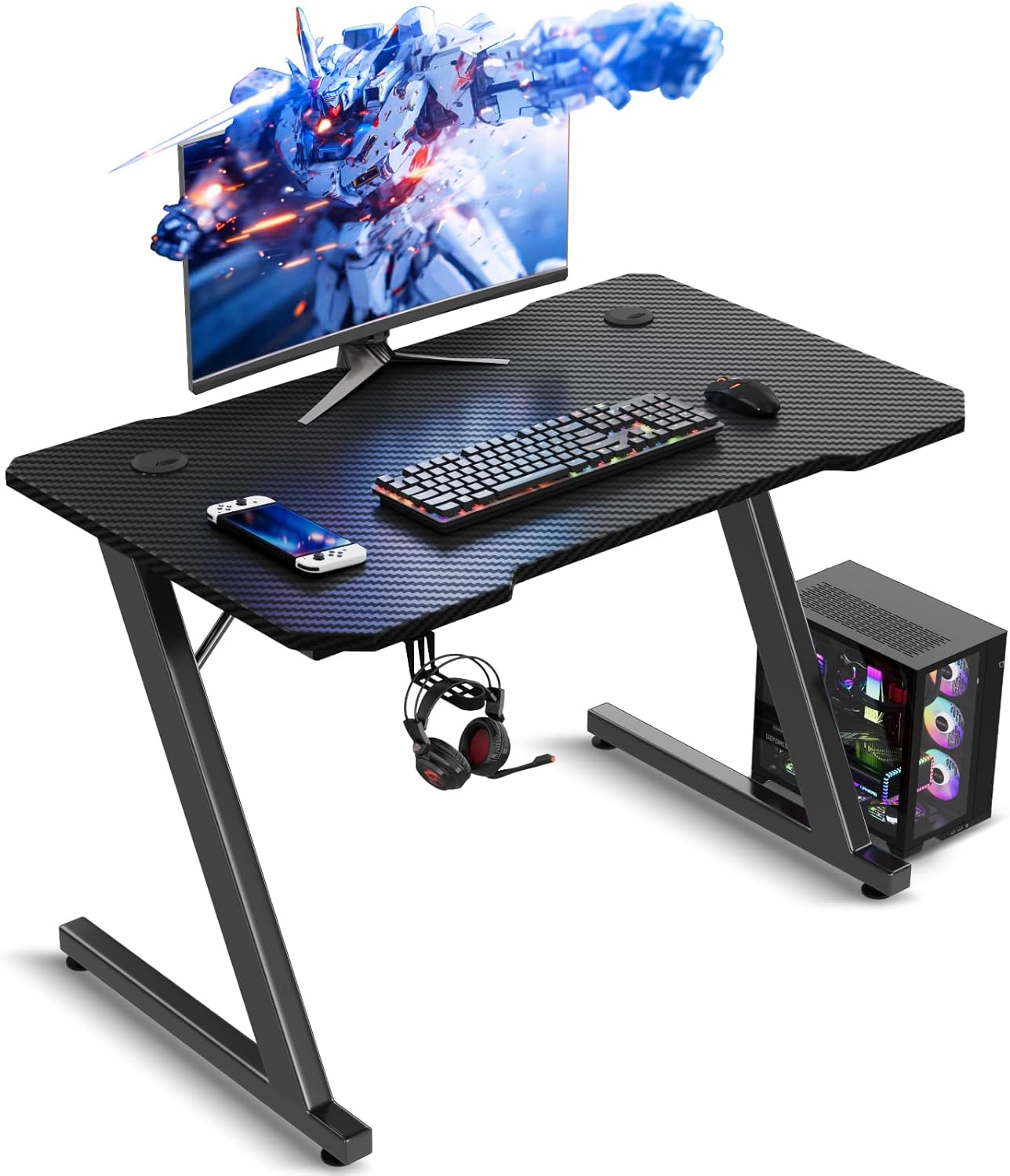
Image 2.1: Overview of the TRIUMPHKEY Gaming Desk, showcasing its design and accessories.
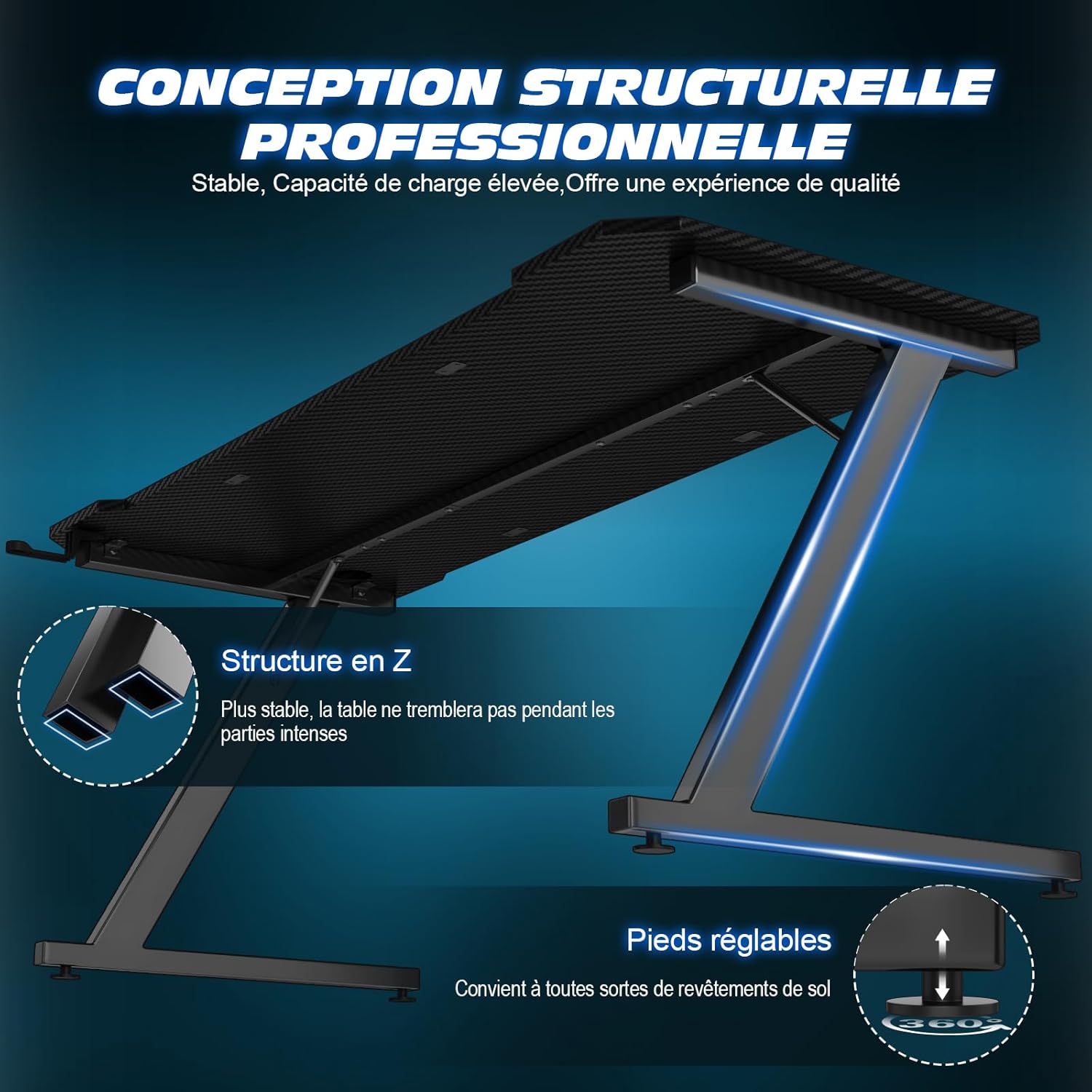
Image 2.2: Detail of the stable Z-structure and adjustable feet for enhanced stability.

Image 2.3: The carbon fiber tabletop, highlighting its texture and durability.
3. Setup Instructions
Follow these steps for proper assembly of your TRIUMPHKEY Gaming Desk. It is recommended to have two people for assembly.
3.1. Unpacking and Inventory
- Carefully open the packaging and remove all components.
- Verify all parts against the included parts list (usually found in the assembly guide).
- Ensure all hardware (screws, bolts, tools) is present.
3.2. Assembly Steps
- Attach Legs to Frame: Secure the Z-shaped leg frames to the main support beams using the provided bolts and Allen wrench. Do not overtighten initially.
- Attach Tabletop: Carefully place the carbon fiber tabletop onto the assembled frame. Align the pre-drilled holes on the tabletop with the frame.
- Secure Tabletop: Use the shorter screws to attach the tabletop to the frame. Tighten all screws evenly.
- Install Accessories: Attach the headphone hook and any cable management grommets or clips as per the specific instructions in your package.
- Adjust Leveling Feet: Place the desk in its desired location. Adjust the leveling feet at the bottom of the legs to ensure the desk is stable and does not wobble.
- Final Check: Double-check all connections to ensure they are secure.

Image 3.1: Desk dimensions for planning your setup space.
4. Operating Instructions (Usage)
Your TRIUMPHKEY Gaming Desk is designed for versatile use in gaming, office work, or creative tasks.
4.1. General Use
- Place your monitor(s), keyboard, mouse, and other peripherals on the tabletop.
- Utilize the headphone hook for convenient storage of your headset when not in use.
- Route cables through the integrated cable management grommets to maintain a tidy workspace.
4.2. Weight Distribution
Distribute weight evenly across the tabletop. Avoid placing heavy items solely on one side or corner to maintain stability and prevent damage. The maximum weight capacity is 80 kg.

Image 4.1: Ergonomic layout for comfortable gaming and work sessions.
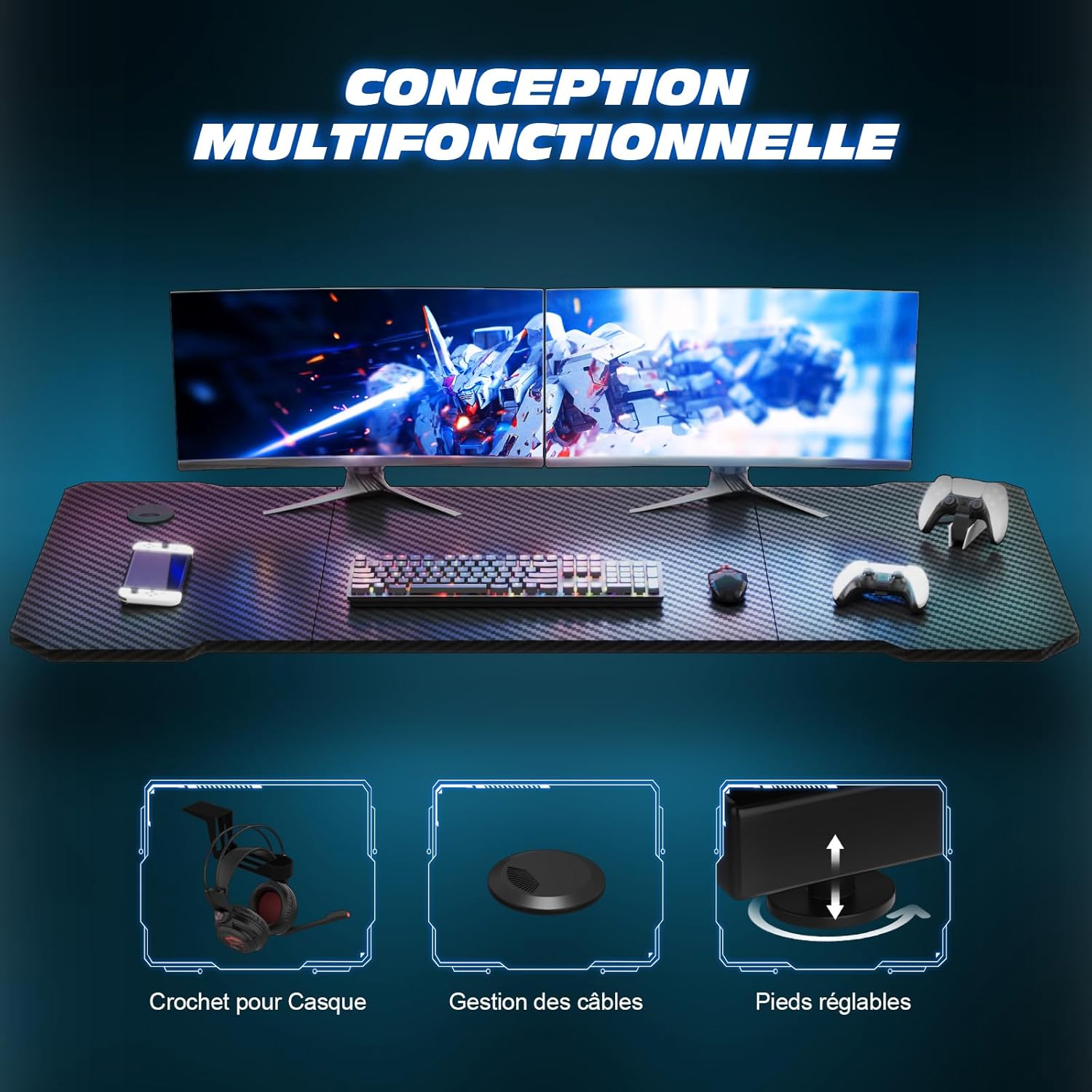
Image 4.2: Overview of the desk's multifunctional design, including the headphone hook and cable management.
5. Maintenance
Proper maintenance will extend the lifespan and preserve the appearance of your gaming desk.
5.1. Cleaning
- Wipe the carbon fiber surface with a soft, damp cloth.
- For stubborn marks, use a mild, non-abrasive cleaner. Avoid harsh chemicals that may damage the finish.
- Dry the surface immediately with a clean, dry cloth to prevent water spots.
5.2. Structural Care
- Periodically check all bolts and screws to ensure they are tight. Retighten if necessary.
- Avoid dragging the desk across the floor; lift it when moving to prevent damage to the legs and floor.
- Do not place excessively hot items directly on the surface without protection.
6. Troubleshooting
This section addresses common issues you might encounter with your gaming desk.
| Problem | Possible Cause | Solution |
|---|---|---|
| Desk wobbles | Uneven floor; loose fasteners | Adjust the leveling feet; tighten all assembly bolts. |
| Scratches on surface | Sharp objects; abrasive cleaning | Use mouse pads and coasters; clean with soft cloths and mild cleaners. |
| Difficulty assembling | Incorrect part orientation; missing hardware | Refer to the assembly guide diagrams; contact customer support for missing parts. |
7. Specifications
| Attribute | Detail |
|---|---|
| Brand | TRIUMPHKEY |
| Model Number | Z0BK |
| Color | Black |
| Product Dimensions (L x W x H) | 80 x 52 x 75 cm (31.5 x 20.5 x 29.5 inches) |
| Item Weight | 10 Kilograms (22 lbs) |
| Material | Carbon Fiber (tabletop), Metal (frame) |
| Special Features | Carbon fiber surface, Headphone hook, Adjustable feet |
| Maximum Weight Capacity | 80 kg (176 lbs) |
8. Warranty and Support
TRIUMPHKEY provides high-quality after-sales service. For specific warranty details, please refer to the documentation included with your product or contact TRIUMPHKEY customer support directly.
If you have any questions, require assistance with assembly, or need to report a missing part, please contact the seller or manufacturer. Contact information is typically provided in the product packaging or on the official TRIUMPHKEY website.


