Introduction
Thank you for choosing the VASAGLE Electric Standing Desk LSD174N01. This desk is designed to enhance your workspace with its versatile height adjustment, memory functions, and integrated storage solutions. Please read this manual carefully before assembly and use to ensure safe operation and optimal performance.
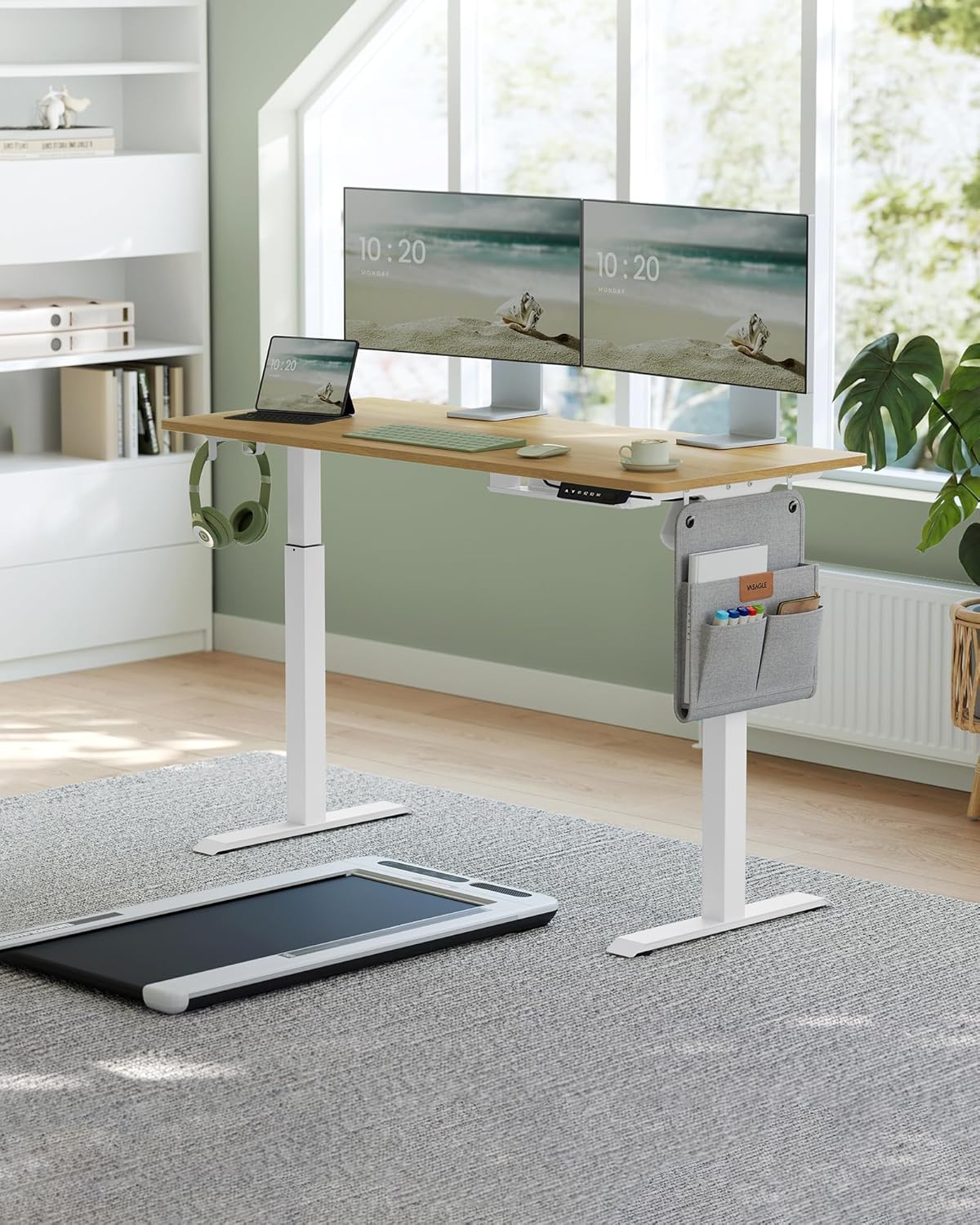
The VASAGLE Electric Standing Desk LSD174N01 provides a flexible and ergonomic workspace.
Setup and Assembly
Before beginning assembly, ensure all parts listed in the packaging contents are present. Follow the clear instructions and use the labeled parts provided in the assembly tool bag. It is recommended to assemble the desk on a soft, clean surface to prevent scratches.
Package Contents:
- 1 x Electric Standing Desk
- 1 x Adapter
- 1 x Control Panel
- 1 x Fabric Storage Pocket
- 1 x Double Hook
- 1 x Assembly Tool Bag
- 1 x Instruction Manual
Assembly Steps:
- Unpack all components and verify against the parts list.
- Assemble the desk frame according to the provided diagrams. Ensure all screws are tightened securely.
- Attach the desktop to the assembled frame.
- Install the control panel, adapter, and connect all necessary cables.
- Attach the fabric storage pocket and double hook to your preferred side (left or right).
- Choose between installing the adjustable feet or the universal wheels for mobility.

Detailed dimensions of the desk for proper placement and assembly.

Choose between universal wheels for easy movement or adjustable feet for enhanced stability.
Operating Instructions
Height Adjustment:
The desk's height can be adjusted steplessly from 72 cm to 120 cm using the up and down buttons on the control panel. Press and hold the up or down arrow to move the desk to your desired height.
Memory Function:
The control panel allows you to save up to four preferred height settings. To save a height:
- Adjust the desk to your desired height.
- Press the 'M' button, then press one of the memory buttons (M1, M2, M3, or M4) within 3 seconds. The height is now saved.
- To recall a saved height, simply press the corresponding memory button (M1-M4).
USB Charging Port:
A convenient USB port is integrated into the control panel for charging mobile phones and other compatible devices.

The multifunctional control panel offers height adjustment, memory presets, and a USB charging port.
Storage Pocket and Hooks:
The desk includes a reversible fabric storage pocket for books and stationery, and a double hook for headphones or bags. These can be attached to either the left or right side of the desk frame to suit your preference.

Utilize the fabric organizer and hooks to keep your workspace tidy and organized.
Maintenance
- Cleaning: Wipe the desk surface with a soft, damp cloth. Avoid using harsh chemicals or abrasive cleaners that may damage the finish.
- Electronic Components: Ensure all electronic parts remain dry and do not come into contact with liquids.
- Motor Protection: After 2 minutes of continuous stepless adjustment, allow the motor to rest for at least 18 minutes to prevent damage.
- Regular Checks: Periodically check all screws and connections to ensure they remain tight and secure.
Troubleshooting
If you encounter any issues with your VASAGLE Electric Standing Desk, please refer to the following common solutions:
- Desk Not Moving: Check all cable connections, especially the power adapter and control panel cables. Ensure the power outlet is functional.
- Uneven Movement: Ensure the desk is not overloaded and that all items on the desk are evenly distributed. Check if the adjustable feet are properly leveled.
- Error Codes: If the LED display shows an error code, consult the specific troubleshooting section in the full manual (if available) or contact customer support.
- Collision Protection Triggered: If the desk stops and retracts slightly, it means the anti-collision sensor detected an obstacle. Remove the obstacle and try adjusting the height again.
For persistent issues or technical support, please contact VASAGLE customer service.
Product Specifications
| Feature | Detail |
|---|---|
| Model Number | LSD174N01 |
| Color | Natural Oak |
| Materials | Particleboard, Steel, Oxford Fabric |
| Dimensions (L x W x H) | 140 x 60 x (72-120) cm |
| Height Adjustment Range | 72 cm - 120 cm |
| Static Load Capacity | 80 kg |
| Noise Level | < 50 dB |
| Adjustment Speed | 35 mm/s |
| Features | 4 Memory Presets, USB Charging Port, Anti-Collision System, Storage Pocket, Hooks |

The desk features a robust construction with a static load capacity of up to 80 kg.
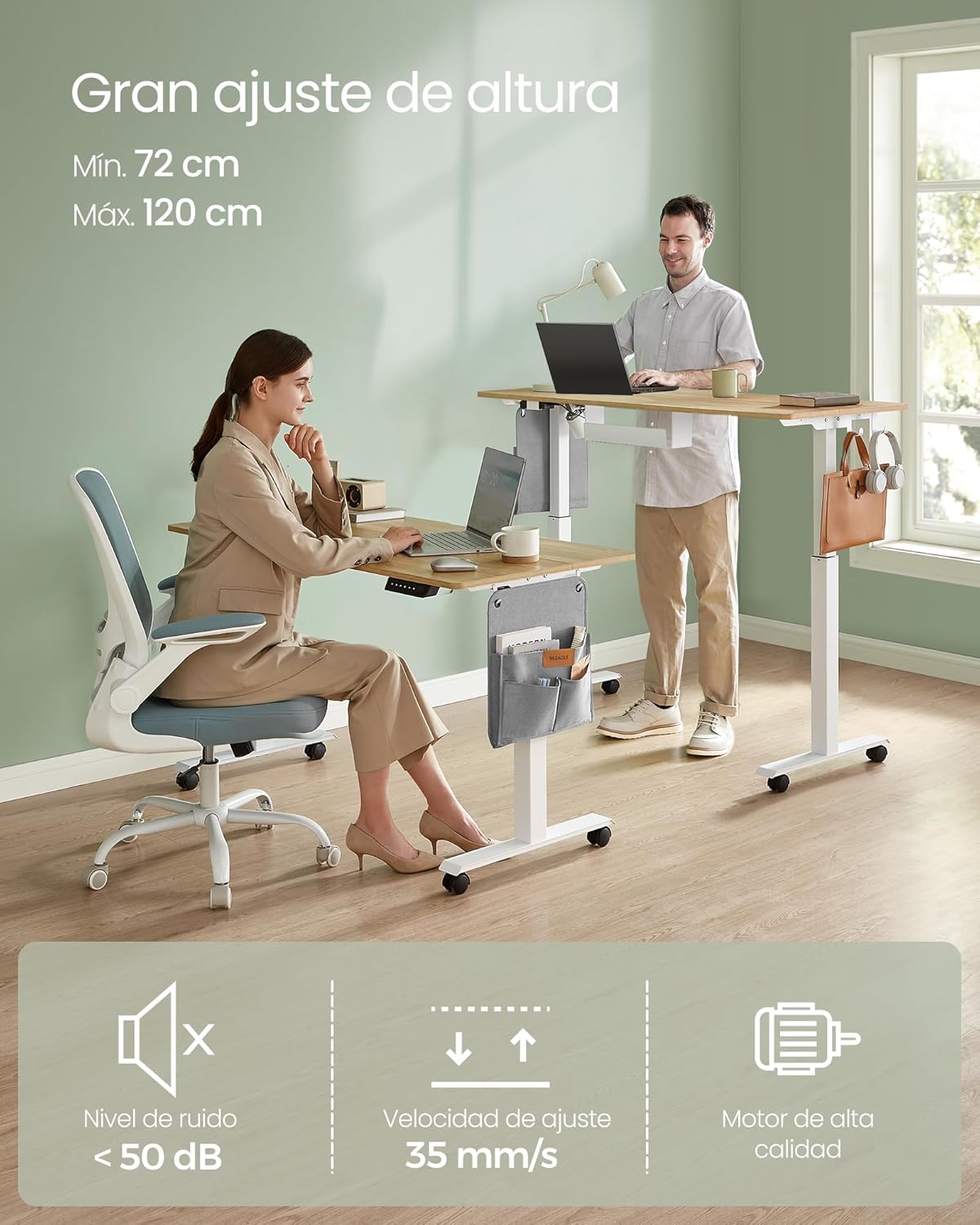
Experience quiet and smooth height adjustments with the high-quality motor.
Safety Information
- Do not place the desk directly against a wall during lifting or lowering to prevent scratches.
- This product is designed for indoor use only. Keep all electronic parts away from liquids.
- Do not disassemble this product without professional advice.
- Do not place heavy objects exceeding the 80 kg load capacity on the desk.
- Avoid using a power outlet or adapter with excessively high voltage.
- Anti-Collision System: For safety, the height adjustment mechanism will stop and slightly retract if it encounters a hard obstacle during movement. To protect the desktop from impacts and scratches, set the internal sensor to a higher sensitivity level during height adjustment.

The anti-collision mechanism ensures safety by stopping movement upon detecting obstacles.
Warranty and Support
For warranty information, technical support, or any questions regarding your VASAGLE Electric Standing Desk LSD174N01, please refer to the warranty card included with your purchase or visit the official VASAGLE website for customer service contact details.
Please retain your proof of purchase for any warranty claims.


