
Introduction
Thank you for choosing the FOVKSUC Wireless Doorbell. This waterproof doorbell system offers 60 selectable melodies, 5 adjustable volume levels, and 2 mute modes, ensuring you never miss a visitor while providing flexibility for various environments. Designed for ease of installation and reliable performance, this manual will guide you through the setup, operation, and maintenance of your new doorbell.
What's in the Box
- 1 × Transmitter (doorbell button, battery included)
- 1 × Plug-in Receiver (American plug only)
- 1 × Adhesive Tape
- 1 × Screwdriver
- 2 × Screws
- 2 × Anchors
- 1 × User Manual
Product Overview
The FOVKSUC Wireless Doorbell system consists of two main components: the transmitter (doorbell button) and the plug-in receiver. The transmitter is designed for outdoor use, while the receiver plugs into a standard indoor electrical outlet.
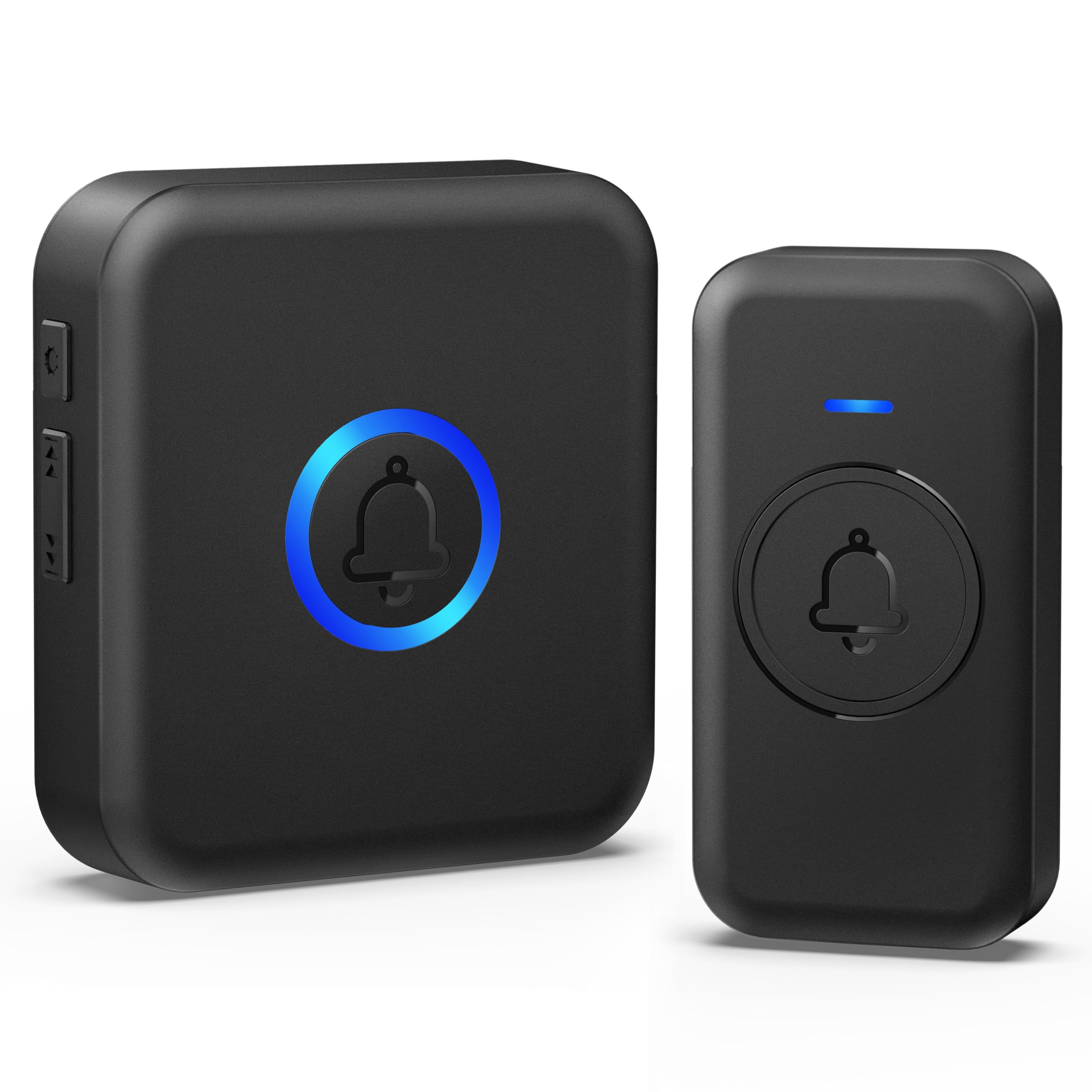
Image: The FOVKSUC Wireless Doorbell system, showing the plug-in receiver and the remote doorbell button.
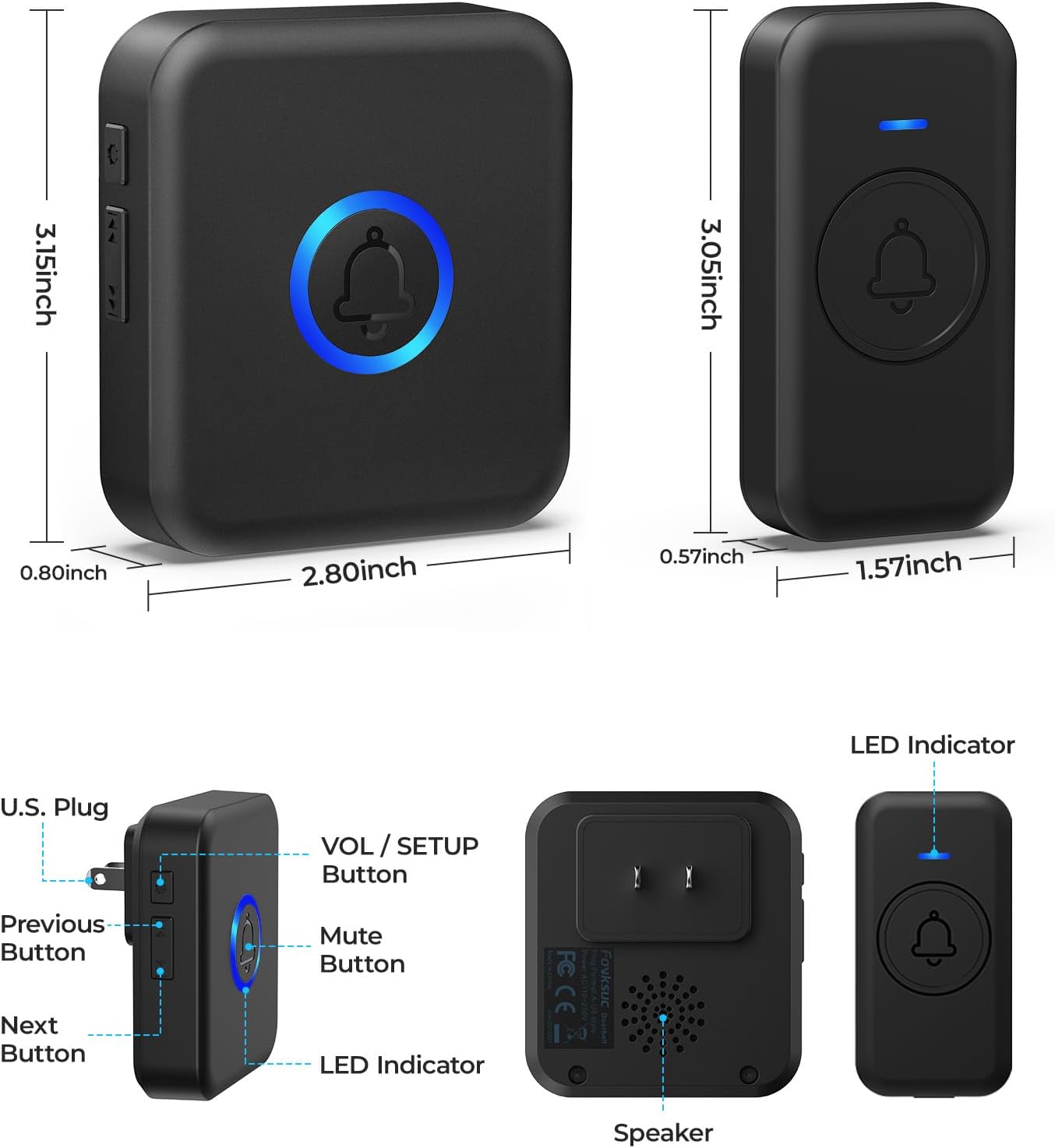
Image: Detailed view of the FOVKSUC Wireless Doorbell receiver and transmitter, highlighting dimensions and button functions for volume, setup, mute, and LED indicator.
Setup and Installation
The FOVKSUC Wireless Doorbell is designed for quick and easy installation without the need for complex wiring. Please note that the receiver is designed for U.S. plugs only.
1. Install the Receiver
- Plug the receiver into any standard U.S. electrical outlet indoors. Ensure it is within the 1000-foot operating range of the transmitter.
2. Install the Transmitter (Doorbell Button)
The transmitter can be installed using either adhesive tape or screws.
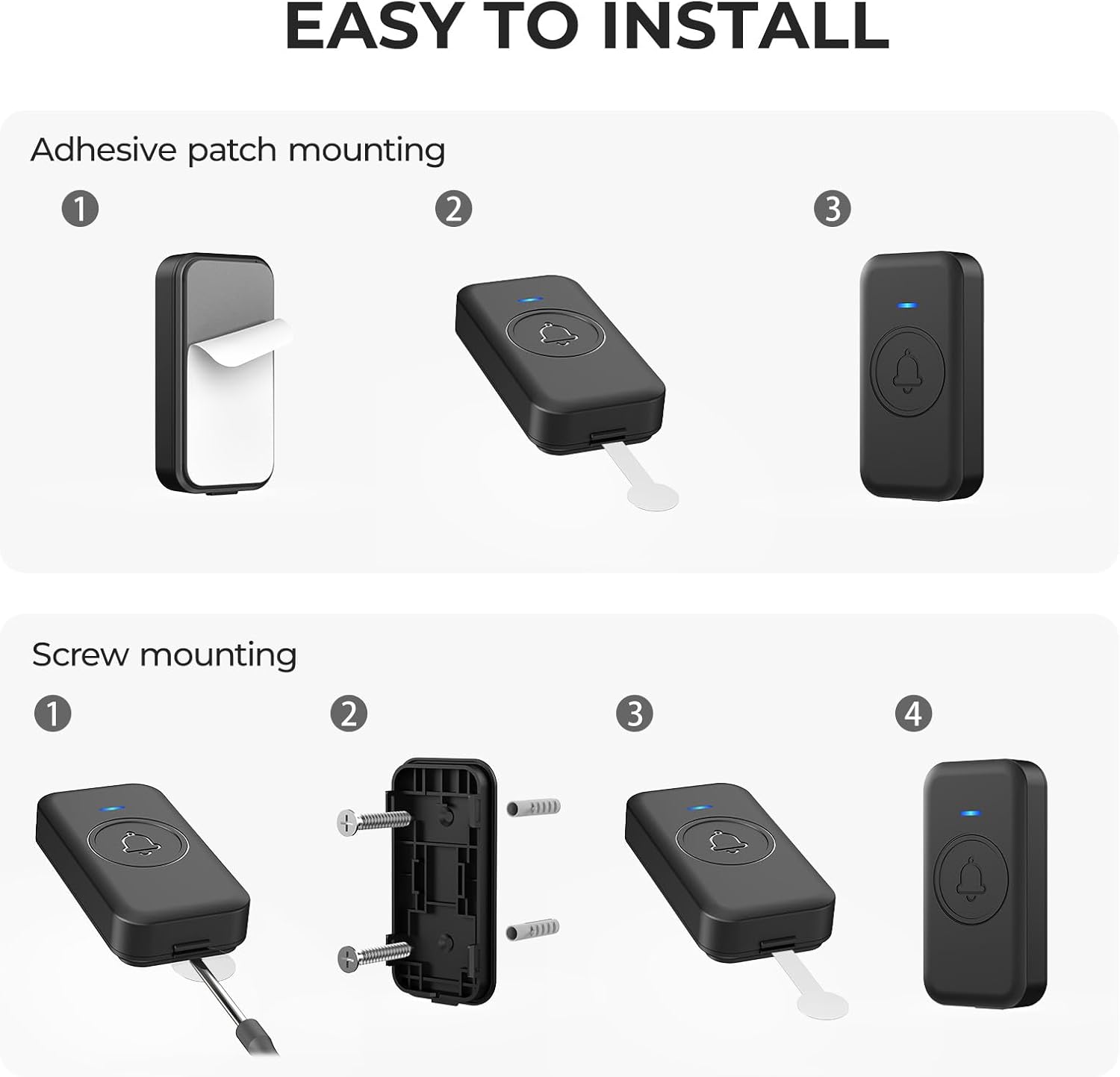
Image: Visual guide demonstrating two installation methods for the doorbell transmitter: adhesive patch mounting and screw mounting.
Adhesive Mounting:
- Clean the desired mounting surface thoroughly to ensure it is dry and free of dust or debris.
- Peel off one side of the adhesive tape and attach it to the back of the transmitter.
- Peel off the other side of the adhesive tape and firmly press the transmitter onto the cleaned surface. Hold for 30 seconds.
Screw Mounting:
- Use the provided screwdriver to open the back cover of the transmitter.
- Mark the desired mounting location on the wall. Drill two holes at the marked spots.
- Insert the anchors into the drilled holes, then secure the back cover of the transmitter with the provided screws.
- Attach the transmitter body to its secured back cover.
Operating Instructions
Melody Selection
Your doorbell offers 60 different melodies. Use the 'Previous' and 'Next' buttons on the side of the receiver to cycle through the available tunes. To preview a melody, long-press the button to listen to the prelude for 2 seconds.

Image: The doorbell receiver showing the side buttons for changing melodies and the long-press function for quick audition of ringtones.
Volume Adjustment
There are 5 volume levels (0-110 dB) to suit your needs. Press the 'VOL / SETUP' button on the side of the receiver to adjust the volume. The LED indicator will flash to show the current volume level.
Image: The doorbell receiver illustrating the volume control button and the range of 0-110 dB across 5 levels.
Mute Modes
The doorbell features two mute modes for convenience:
- Volume Button Mute: Press the volume button until the sound is off (0 dB). The doorbell will only flash without ringing.
- Center Button Mute: Press the center bell button on the receiver to instantly pause the current ringtone.

Image: Illustration of the two mute methods: using the volume button for silent flashing and pressing the center button to pause the ringtone.
Power Off Memory Function
The doorbell automatically retains your set volume and preferred ringtone even after an accidental power failure or active shutdown. No re-pairing is required when power is restored.
Image: The doorbell receiver demonstrating the power off memory function, showing that volume and ringtone settings are saved.
Key Features
Extended Transmission Range
Experience a reliable 1000-foot reception distance, ensuring the doorbell signal reaches you clearly throughout your home, office, or classroom. Actual coverage may vary based on environmental factors.

Image: An illustration showing the doorbell transmitter outside a house and the receiver inside, indicating a 1000ft wide range transmission.
Durable and Weatherproof Design
The transmitter boasts an IP55 waterproof rating, protecting it from heavy rain, snow, and sunshine. It operates reliably in temperatures ranging from -4 °F to 140 °F. The replaceable CR2032 coin cell battery offers a long life of up to 3 years (based on 5 measurements per day).

Image: Visual representation of the doorbell's durability, including IP55 waterproof rating, high-low temperature operation (-4°F to 140°F), and long battery life (3-5 years).
Versatile Applications
This wireless doorbell is suitable for various scenarios, including homes, classrooms, and offices, providing timely alerts for visitors or attention-grabbing signals.

Image: The doorbell transmitter being held, with three inset images showing its use in a home, a classroom, and an office setting.
Maintenance
Cleaning
Wipe the doorbell units with a soft, dry cloth. Avoid using harsh chemicals or abrasive cleaners.
Battery Replacement (Transmitter)
The transmitter uses a replaceable CR2032 coin cell battery. When the battery is low, the LED indicator on the transmitter may dim or fail to light up. To replace:
- Carefully open the transmitter casing using the provided screwdriver or a similar tool.
- Remove the old CR2032 battery.
- Insert a new CR2032 battery with the positive (+) side facing up.
- Close the casing securely.
Troubleshooting
| Problem | Possible Cause | Solution |
|---|---|---|
| Doorbell does not ring or light up. | Low or dead battery in transmitter. | Replace the CR2032 battery in the transmitter. |
| Receiver not plugged in or no power. | Ensure the receiver is securely plugged into a working U.S. electrical outlet. | |
| Transmitter and receiver are not paired. | Refer to the full user manual for re-pairing instructions if needed. The power-off memory function should prevent this in most cases. | |
| Short operating range. | Obstacles (thick walls, metal structures) or interference. | Relocate the receiver or transmitter to minimize obstructions. Avoid placing near large metal objects or other wireless devices. |
| Unwanted ringing or no response. | Interference from other devices. | Try changing the melody to see if it resolves the issue. |
Specifications
| Feature | Detail |
|---|---|
| Model Number | U2-B-1T+1R |
| Brand | FOVKSUC |
| Color | Black |
| Power Source | AC & Battery-Powered |
| Voltage | 120 Volts |
| Plug Format | A - US style |
| Transmitter Battery | 1 CR2032 battery (included) |
| Average Battery Life | 3 years |
| Wireless Range | Up to 1000 feet (in open environment) |
| Melodies | 60 Chimes |
| Volume Levels | 5 (0-110 dB) |
| Mute Modes | 2 |
| Waterproof Rating | IP55 (Transmitter) |
| Temperature Range | -4 °F to 140 °F |
| Installation Method | Self-Adhesive & Screw-In |
| Product Dimensions | 3.15 x 2.8 x 0.8 inches (Receiver), 3.05 x 1.57 x 0.57 inches (Transmitter) |
| Item Weight | 3.52 ounces |
Warranty and Support
FOVKSUC provides a professional after-sales guarantee for this product. If you encounter any issues during use, please contact us directly through Amazon for assistance. We offer:
- 24-Hour Service
- 30-Day Money-back Guarantee
- 18-Month Warranty
- Lifetime Support


