
1. Product Overview
The Allesin Motorized Zebra Blinds offer a smart and convenient solution for window treatments. These remote-controlled, Alexa-compatible dual-layer shades provide light filtering and privacy. Engineered with durable polyester fabric and a quiet motor, they ensure precise light management and long-lasting performance.
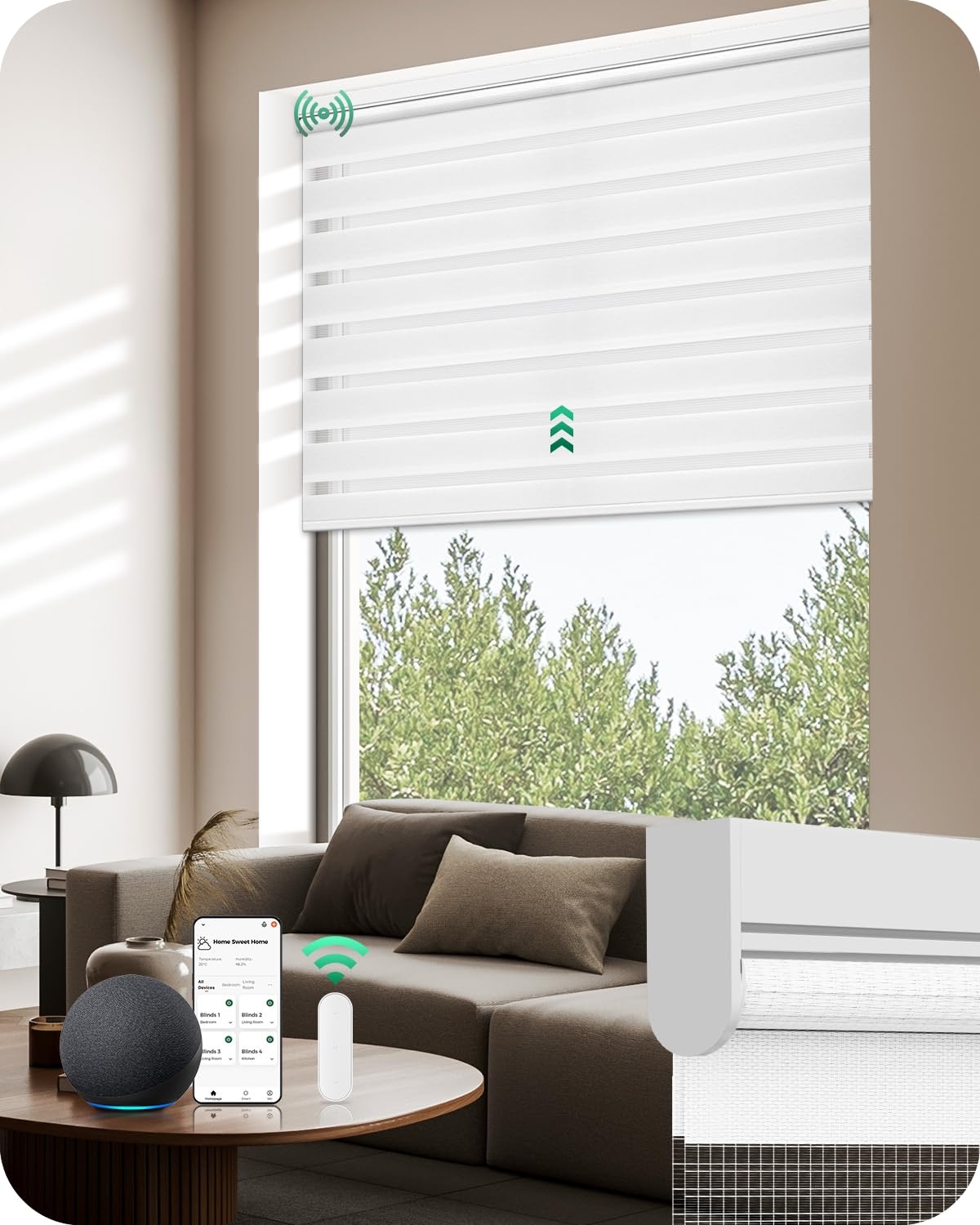
Image: Allesin Motorized Zebra Blinds installed in a window, showcasing their dual-layer design.
Key Features
- Durable Material: Advanced polyester fabric for light diffusion, blackout, easy maintenance, and UV protection.
- Smart Quiet Motor: Operates under 56dB, ensuring stable and smooth performance.
- Remote Control: Adjust shades to any height with a simple press.
- Smart Accessories: Compatible with 15-channel remote (optional), USB converter for app/Alexa control, and Smart Bridge for whole-home integration with Alexa or Google Assistant.
2. Installation Guide
Measuring Your Window
Accurate measurements are crucial for a proper fit. Refer to the diagrams below for guidance on both inside and outside mount installations.

Image: Detailed diagram illustrating how to measure window width and height for both inside and outside mount installations, including depth requirements.

Image: Table providing recommended order widths based on window width ranges for inside mount blinds.
3-Step Secure Installation
Follow these simple steps to install your Allesin Motorized Zebra Blinds.

Image: Visual guide for the 3-step installation process: 1) Secure brackets with screws, 2) Align and snap the blind into place, 3) Pull down the shade to complete installation.
Installation Video
Watch this video for a visual demonstration of the installation process.
Video: A quick guide demonstrating how to install the Allesin Motorized Blinds in under five minutes.
3. Operating Your Blinds
Remote Control
The blinds come with a remote control for easy adjustment. Use the up, down, and stop buttons to control the shade position.

Image: Diagram illustrating the dry battery smart motor, showing included 1-channel remote and optional 15-channel remote for controlling the blinds.
Smart Control (App & Voice)
For enhanced control, integrate your blinds with smart home systems using optional accessories.

Image: A woman using voice commands with an Alexa device to open the Allesin blinds, demonstrating voice control functionality.

Image: A woman controlling the blinds via a smartphone app, highlighting custom open/close schedules and precise opening control.
Setting Schedules
Utilize the app to set custom schedules for your blinds, automating their opening and closing times.

Image: A smartphone screen displaying the app interface for setting timers, showing blinds opening at 9:00 AM and closing at 8:00 PM.
4. Care and Maintenance
To ensure the longevity and appearance of your Allesin Motorized Zebra Blinds, follow these care instructions:
- Spot Clean Only: For minor marks or dirt, gently spot clean the fabric with a damp cloth and mild detergent. Avoid harsh chemicals or abrasive cleaners.
- Dust Regularly: Use a soft brush or vacuum cleaner with a brush attachment to remove dust from the blinds.
- Battery Replacement: The dry battery motor typically lasts 3-6 months. Replace batteries as needed to maintain optimal performance.
5. Product Specifications
| Specification | Detail |
|---|---|
| Brand | Allesin |
| Model Number | L130 |
| Material | Polyester |
| Product Dimensions | 72"L x 31"W |
| Color | White |
| Opacity | Blackout Inches (Light Filtering) |
| Operation Mode | Automatic |
| Control Type | Motorized |
| Mounting Type | Inside Mount |
| Item Weight | 1.32 Kilograms |
| Included Components | Batteries included, Shade included |
6. Troubleshooting
If you encounter any issues with your Allesin Motorized Zebra Blinds, consider the following common solutions:
- Blinds Not Responding: Check if the remote control batteries need replacement. Ensure the blinds' motor batteries are charged or replaced. Verify that the remote is paired correctly with the blinds.
- Inconsistent Movement: Recalibrate the upper and lower limits of the blinds using the remote control or app. Refer to the specific pairing instructions for your remote model.
- Smart Control Issues: Ensure your Smart Hub (if used) is properly connected to your Wi-Fi network and the blinds are paired with the hub. Check app settings and Alexa/Google Assistant integration.
- Noise During Operation: While the motor is designed to be quiet, excessive noise might indicate an obstruction or a need for professional inspection.
For further assistance, please contact Allesin customer support.
7. Warranty and Support
Allesin products are designed for quality and durability. For specific warranty information regarding your Motorized Zebra Blinds, please refer to the documentation included with your purchase or visit the official Allesin website. For technical support, troubleshooting, or any product-related inquiries, please contact Allesin customer service directly.
Contact Information: Please check the Allesin official website or your purchase receipt for the most up-to-date customer support contact details.