
Introduction
Thank you for purchasing the VIAGDO Nightstands with Charging Station and LED Lights. This manual provides essential information for the safe assembly, operation, and maintenance of your new nightstands. Please read these instructions carefully before use and retain them for future reference.
Safety Information
Important Safety Warnings:
- Do not exceed the weight limit of 44 lbs (20 kg) on the tabletop and 11 lbs (5 kg) in each drawer.
- Always follow the assembly instructions carefully to avoid injury.
- Be cautious when handling electrical components and keep them away from water.
- Always unplug the charging station and LED lights when not in use or during cleaning.
- Ensure all connections are secure before use.
Package Contents
Please verify that all components are present before beginning assembly. If any parts are missing or damaged, please contact customer support.
- Nightstand Frame Components (P2 particleboard, rigid metal frame)
- Tempered Glass Tabletop
- 2 Storage Drawers with Metal Handles
- Pull-out Tray
- Charging Station Unit (2 AC outlets, 2 USB ports, 1 on-off switch)
- LED Light Strip with Controller
- 4.9 ft Power Cable
- Assembly Hardware (screws, dowels, etc.)
- Assembly Tools (screwdriver)
- Step-by-step Assembly Instructions
Setup and Assembly
Assembly is required for this product. Detailed, step-by-step instructions and all necessary tools are included in the package. It is recommended to assemble the nightstand on a soft, clean surface to prevent scratches.
- Unpack Components: Carefully remove all parts from the packaging and lay them out. Check against the parts list to ensure everything is present.
- Assemble Frame: Follow the diagrams in the included instruction booklet to connect the main frame components using the provided hardware. Ensure all screws are tightened securely.
- Install Drawers: Attach the drawer slides to the frame and assemble the drawers. Insert the drawers into the frame, ensuring they glide smoothly.
- Integrate Charging Station: Install the charging station unit into its designated slot. Connect the power cable.
- Attach LED Lights: Adhere the LED light strip to the designated areas as shown in the instructions. Connect the LED light strip to the USB port on the charging station.
- Place Tempered Glass Top: Carefully place the tempered glass tabletop onto the assembled frame.
- Final Checks: Ensure all connections are stable and the nightstand is level.
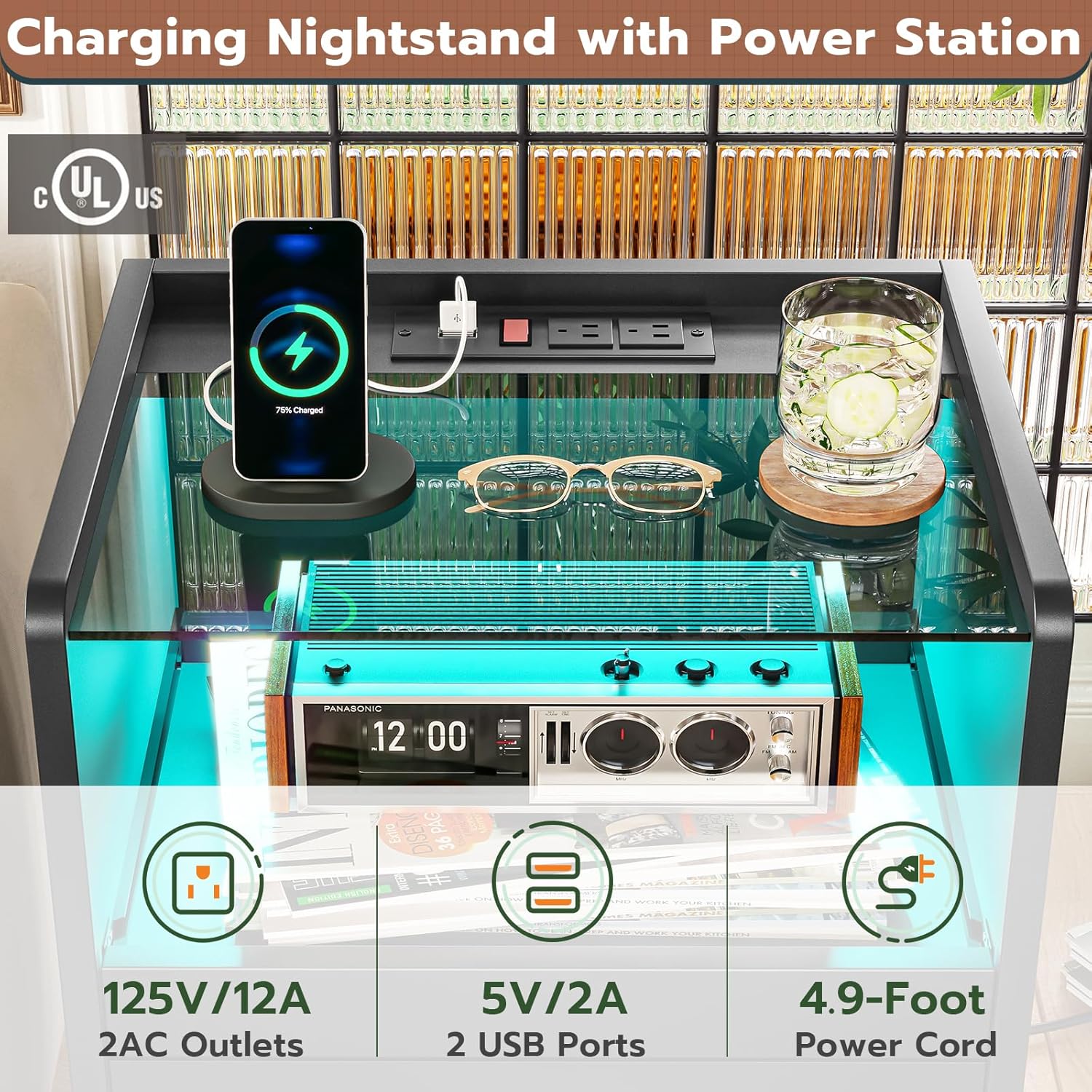
Image: Exploded view of nightstand components for assembly.

Image: Step-by-step assembly guide for the nightstand.
Operating Instructions
LED Lights Operation
Your nightstand features multi-variable RGB LED lights that can be controlled via an on-off switch or a dedicated phone application.
- Power On/Off: Use the integrated on-off switch located on the charging station to turn the LED lights on or off.
- App Control: Download the compatible phone application (refer to the assembly instructions for app details). Connect your device to the nightstand's LED system via Bluetooth. The app allows access to over 60,000 RGB light colors, 29 dynamic modes, a built-in microphone function (lights beat with music), and a timing function.

Image: Overview of LED light features and control options.
Charging Station Usage
The integrated charging station provides convenient power access for your devices.
- AC Outlets: Two standard 125V/12A AC plug outlets are available for larger electronics.
- USB Ports: Two 5V/2A USB ports are provided for charging smaller devices like smartphones and tablets. One USB port is specifically used to power the LED light strip.
- Power Switch: A dedicated on-off switch controls the power to the AC outlets and USB ports. Ensure this switch is in the 'On' position for charging.
- Power Cable: The charging station is equipped with a 4.9 ft long power cable for connection to a wall outlet.

Image: Detail of the integrated charging station.
Storage Features
- Pull-out Tray: A convenient pull-out tray is located beneath the glass tabletop, providing additional surface area for items like phones, tablets, or small accessories. It glides in and out with ease.
- Storage Drawers: Two built-in drawers with easy-pull metal handles offer enclosed storage space. They operate smoothly on rails, providing a neat and organized area for personal belongings.

Image: Pull-out tray and storage drawers in use.
Maintenance
To ensure the longevity and appearance of your VIAGDO Nightstands, follow these maintenance guidelines:
- Cleaning: The nightstand features a high-quality waterproof surface treatment. Wipe surfaces with a soft, damp cloth. Avoid abrasive cleaners or harsh chemicals that could damage the finish or glass.
- Glass Top: Clean the tempered glass tabletop with a glass cleaner and a soft, lint-free cloth.
- Electrical Components: Ensure the charging station and LED lights are unplugged before cleaning. Do not expose electrical components to water.
- Drawer Rails: Periodically check drawer rails for smooth operation. If needed, a small amount of silicone lubricant can be applied to the rails.
- Tighten Hardware: Occasionally check and tighten any loose screws or fittings to maintain structural integrity.
Troubleshooting
If you encounter any issues with your nightstand, please refer to the following common solutions:
- LED Lights Not Working:
- Ensure the nightstand is plugged into a working wall outlet.
- Check that the charging station's power switch is on.
- Verify the LED light strip is correctly connected to the USB port.
- If using the app, ensure Bluetooth is enabled on your device and the app is properly connected.
- Charging Station Not Providing Power:
- Confirm the nightstand's power cable is securely plugged into both the nightstand and a functional wall outlet.
- Check the power switch on the charging station is in the 'On' position.
- Test with a different device or cable to rule out device-specific issues.
- Drawers Not Sliding Smoothly:
- Ensure the drawer rails are properly aligned and free of obstructions.
- Check that the drawer assembly is correct and all screws are tightened.
- Apply a small amount of silicone lubricant to the drawer slides if necessary.
- Stability Issues:
- Verify all assembly hardware is securely tightened.
- Ensure the nightstand is placed on a flat, level surface.
If these steps do not resolve the issue, please contact VIAGDO customer support for further assistance.
Specifications
| Feature | Detail |
|---|---|
| Brand | VIAGDO |
| Model Number | B0CDXBKXRZ |
| Product Dimensions | 13.6"D x 17.7"W x 23.6"H |
| Maximum Weight Recommendation (Tabletop) | 44 lbs (20 kg) |
| Maximum Weight Recommendation (Drawer) | 11 lbs (5 kg) |
| Frame Material | Metal |
| Top Material Type | Tempered Glass |
| Material Type | Engineering Wood, Metal, Tempered Glass |
| Color | Black |
| Number of Drawers | 2 |
| Charging Station | 2 AC Outlets (125V/12A), 2 USB Ports (5V/2A) |
| Power Cable Length | 4.9 ft |
| LED Lights | RGB, App/Switch Control, 29 Dynamic Modes, Music Sync, Timing Function |
| Assembly Required | Yes |
| Indoor/Outdoor Usage | Indoor |

Image: Product dimensions.
Warranty and Support
VIAGDO is committed to providing high-quality products and customer satisfaction. While specific warranty details are not provided in this manual, please retain your proof of purchase for any warranty claims.
For any questions, concerns, or assistance with your VIAGDO Nightstands, please do not hesitate to contact our customer support team. We are available to help you before or after your purchase.
Contact Information: Please refer to the contact details provided on the product packaging or the official VIAGDO website.