
1. Introduction
Thank you for choosing the LIMETA EB50 Mag-Safe Wireless Power Bank. This device is a versatile 15000 mAh portable charger designed to provide convenient and efficient power to your mobile devices, including iPhones, Apple Watches, and other USB-C compatible smartphones and tablets. It features dual wireless charging capabilities, multiple USB-C ports for wired charging, and smart app connectivity for enhanced control and monitoring.
This manual provides essential information on how to set up, operate, and maintain your LIMETA EB50 Power Bank. Please read it thoroughly before use to ensure optimal performance and safety.

Image 1.1: The LIMETA EB50 Power Bank wirelessly charging an iPhone, demonstrating its magnetic attachment and charging indicator.
2. Safety Information
- Do not disassemble, modify, or repair the device yourself. This may cause damage, electric shock, or fire.
- Avoid exposing the power bank to extreme temperatures (above 40°C or below 0°C), direct sunlight, or high humidity.
- Keep the device away from water and other liquids. If it gets wet, discontinue use immediately.
- Do not drop, puncture, or apply excessive force to the power bank.
- Use only certified charging cables and adapters with the device.
- Keep out of reach of children.
- Dispose of the power bank responsibly according to local regulations. Do not dispose of it in household waste.
- The device features 'SmartProtect' technology for safety. However, always monitor charging and disconnect devices once fully charged.

Image 2.1: The LIMETA EB50 Power Bank highlighting its 'SmartProtect' features, indicating built-in safety mechanisms.
3. Package Contents
Please check the package for the following items:
- LIMETA EB50 Mag-Safe Wireless Power Bank
- USB-C to USB-C Charging Cable
- User Manual (this document)
4. Product Overview
The LIMETA EB50 Power Bank is designed with user convenience and functionality in mind. Familiarize yourself with its components:

Image 4.1: A detailed diagram of the LIMETA EB50 Power Bank, illustrating its various functional components including LED indicators, control button, and USB-C ports.
- 1. LED Indicators: Display the remaining battery level and charging status.
- 2. Control Button: Used to power on/off the device and activate certain functions.
- 3. Type-C Ports (Input/Output): Two symmetrical USB-C ports for charging the power bank itself or charging other devices with up to 36W PD fast charging.
- 4. Magnetic Wireless Charging Pad (Watch): Dedicated 5W wireless charging area for Apple Watch.
- 5. Magnetic Wireless Charging Pad (Phone): Dedicated 10W wireless charging area for Mag-Safe compatible iPhones.
5. Setup
5.1 Initial Charging of the Power Bank
Before first use, it is recommended to fully charge your LIMETA EB50 Power Bank. This ensures optimal battery performance and longevity.
- Connect the provided USB-C cable to one of the Type-C ports on the power bank.
- Connect the other end of the USB-C cable to a compatible USB power adapter (not included) and plug it into a wall outlet.
- The LED indicators will illuminate to show the charging progress. All LEDs will be solid when fully charged.
A full charge typically takes approximately 2 hours with a suitable fast charger.

Image 5.1: The LIMETA EB50 Power Bank connected to a wall adapter via its USB-C ports for charging, indicating a full charge takes approximately 2 hours.
6. Operating Instructions
6.1 Wireless Charging
The EB50 features two magnetic wireless charging pads for convenient, cable-free charging.
- For iPhone (Mag-Safe Compatible): Align your iPhone 12-16 (or iPhone 8-16 Pro with a magnetic case) with the larger magnetic charging pad (10W). The phone will magnetically snap into place, and charging will begin automatically.
- For Apple Watch: Place your Apple Watch on the smaller magnetic charging pad (5W). Ensure it is properly aligned for charging to initiate.
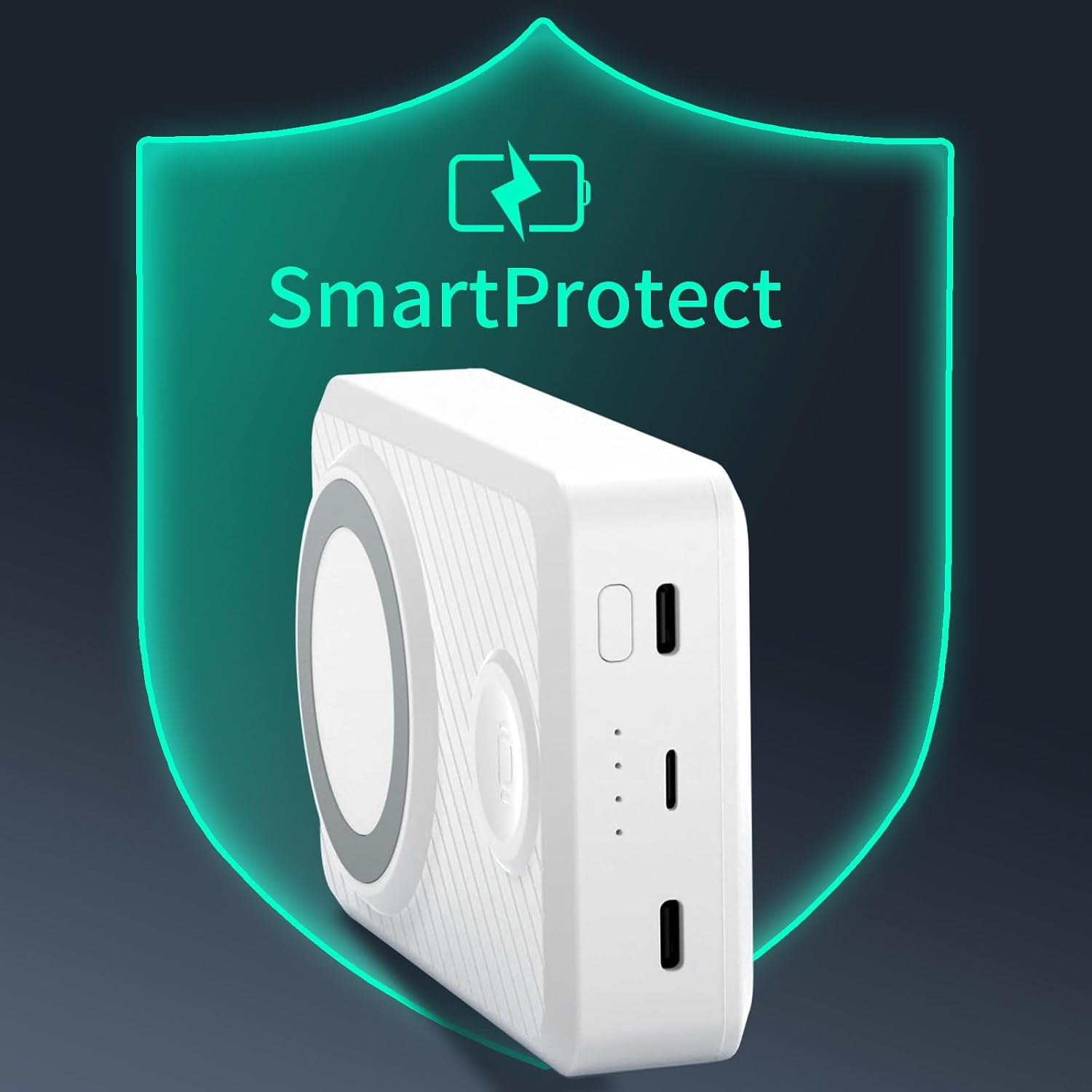
Image 6.1: The LIMETA EB50 Power Bank simultaneously charging an iPhone and an Apple Watch wirelessly, demonstrating its dual magnetic charging capability.
6.2 Wired Charging
Use the two USB-C ports to charge a wide range of devices, including smartphones, tablets, and other USB-C powered gadgets.
- Connect your device to one of the USB-C ports on the power bank using a compatible USB-C cable.
- The power bank will automatically detect the connected device and begin charging. The USB-C ports support Power Delivery (PD) fast charging up to 36W, depending on the connected device's capabilities.

Image 6.2: The LIMETA EB50 Power Bank connected to and charging multiple devices, including a smartphone, Apple Watch, and tablet, via its USB-C ports, showcasing its 4-port output capability.
6.3 App Connection and Control
Enhance your experience by connecting the EB50 to its dedicated mobile application via Bluetooth. The app provides real-time information and allows for customized settings.
- Download the official LIMETA app from your device's app store.
- Enable Bluetooth on your smartphone.
- Open the LIMETA app and follow the on-screen instructions to pair with your EB50 Power Bank.
- Through the app, you can monitor the remaining power, view charging status for each port, and adjust settings such as maximum charging capacity to optimize battery lifespan.

Image 6.3: A smartphone displaying the LIMETA application interface, which provides real-time information on battery status and allows for various settings adjustments for the power bank.
6.4 Audible Feedback (Buzzer)
The EB50 includes a tactile switch and an audible buzzer feature, enhancing accessibility for all users, including those with visual impairments.
- A gentle touch on the control button will activate a clear beep, providing instant feedback on the power bank's status.
- This feature ensures that users can easily manage their power bank and confirm operations without visual cues.
7. Maintenance
- Cleaning: Use a soft, dry cloth to clean the surface of the power bank. Do not use harsh chemicals or abrasive materials.
- Storage: Store the power bank in a cool, dry place away from direct sunlight and extreme temperatures.
- Battery Care: To prolong battery life, avoid completely discharging the power bank frequently. It is recommended to keep the battery level between 20% and 80% when not in use for extended periods. Recharge the power bank at least once every three months if unused.
8. Troubleshooting
- Device not charging:
- Ensure the power bank itself is charged. Check LED indicators.
- For wired charging, verify that the USB-C cable is securely connected to both the power bank and your device. Try a different cable.
- For wireless charging, ensure your device is correctly aligned with the magnetic charging pad. Remove any thick cases that might interfere with wireless charging.
- Press the control button to ensure the power bank is active.
- Slow charging:
- Ensure your device and cable support fast charging protocols (e.g., Power Delivery for USB-C).
- Charging multiple devices simultaneously may reduce the charging speed for individual devices.
- Buzzer not working:
- Check the settings within the LIMETA mobile application to ensure the buzzer function is enabled.
- Power bank not turning on:
- Attempt to charge the power bank. If it has been stored for a long time, it might be deeply discharged.
9. Specifications
| Feature | Specification |
|---|---|
| Model | EB50 |
| Battery Type | Lithium-ion |
| Battery Capacity (Typical/Minimum) | 15000 mAh / 14700 mAh |
| Rated Capacity (5V/1A) | 9750 mAh |
| Input Parameters (USB-C) | 5V/3A, 9V/3A, 12V/3A |
| Output Parameters (USB-C) | 5V/3A, 9V/3A, 12V/3A, 15V/2A, 20V/1.2A |
| Wireless Output (Phone) | 10W (Magnetic) |
| Wireless Output (Watch) | 5W (Magnetic) |
| Dimensions | 107.5 x 73 x 29.4 mm |
| Weight | Approx. 315 g (± 10%) |
| Charging Time (Power Bank) | Approx. 2 hours |
| Conversion Efficiency | 82% |
| Operating Temperatures | 0 to 40 °C |
| Connector Type | USB Type C |
| Special Features | Fast Charging, Wireless Charging, Over-discharge Protection, App Connection, Buzzer |
| Recommended Uses | Watch, Smartphone, Phone |
10. Warranty Information
This product comes with a standard manufacturer's warranty. Please refer to the product packaging or the official LIMETA website for specific terms, conditions, and duration of the warranty.
11. Customer Support
For technical assistance, troubleshooting, or any other customer service inquiries, please contact LIMETA support through their official website or the retailer from whom you purchased the product. Please have your product model (EB50) and purchase details ready when contacting support.