
Vikye Vikyeyzghibxteq-11
Vikye TWS B28 Language Translator Earbuds User Manual
Model: Vikyeyzghibxteq-11
1. Introduction
Thank you for choosing the Vikye TWS B28 Language Translator Earbuds. These earbuds are designed to facilitate seamless communication across language barriers, supporting 74 languages and 70 accents. Featuring Bluetooth 5.0, noise reduction, and a digital display, they offer a convenient and efficient translation experience. This manual provides essential information for proper setup, operation, and maintenance of your device.
2. Package Contents
Please verify that all items listed below are present in your package:
- Vikye TWS B28 Language Translator Earbuds (Left and Right)
- Charging Case
- USB Charging Cable (Type-C)
- User Manual

Image: The Vikye TWS B28 earbuds are shown inside their open charging case, with a black USB-C charging cable lying next to the case.
3. Product Overview
The Vikye TWS B28 earbuds are ergonomically designed for comfortable, long-term wear. Each earbud features a microphone for voice input and a speaker for audio output, functioning both as a translator and a standard Bluetooth headset.
Earbud Components:
- Microphone: For capturing your voice during translation and calls.
- Speaker: For audio playback and translated speech.
- Touch Sensor: For controlling playback, calls, and translation modes.
- LED Indicator: Displays pairing status and battery level.

Image: A front view of both black Vikye TWS B28 earbuds, showcasing their sleek design and speaker grilles.
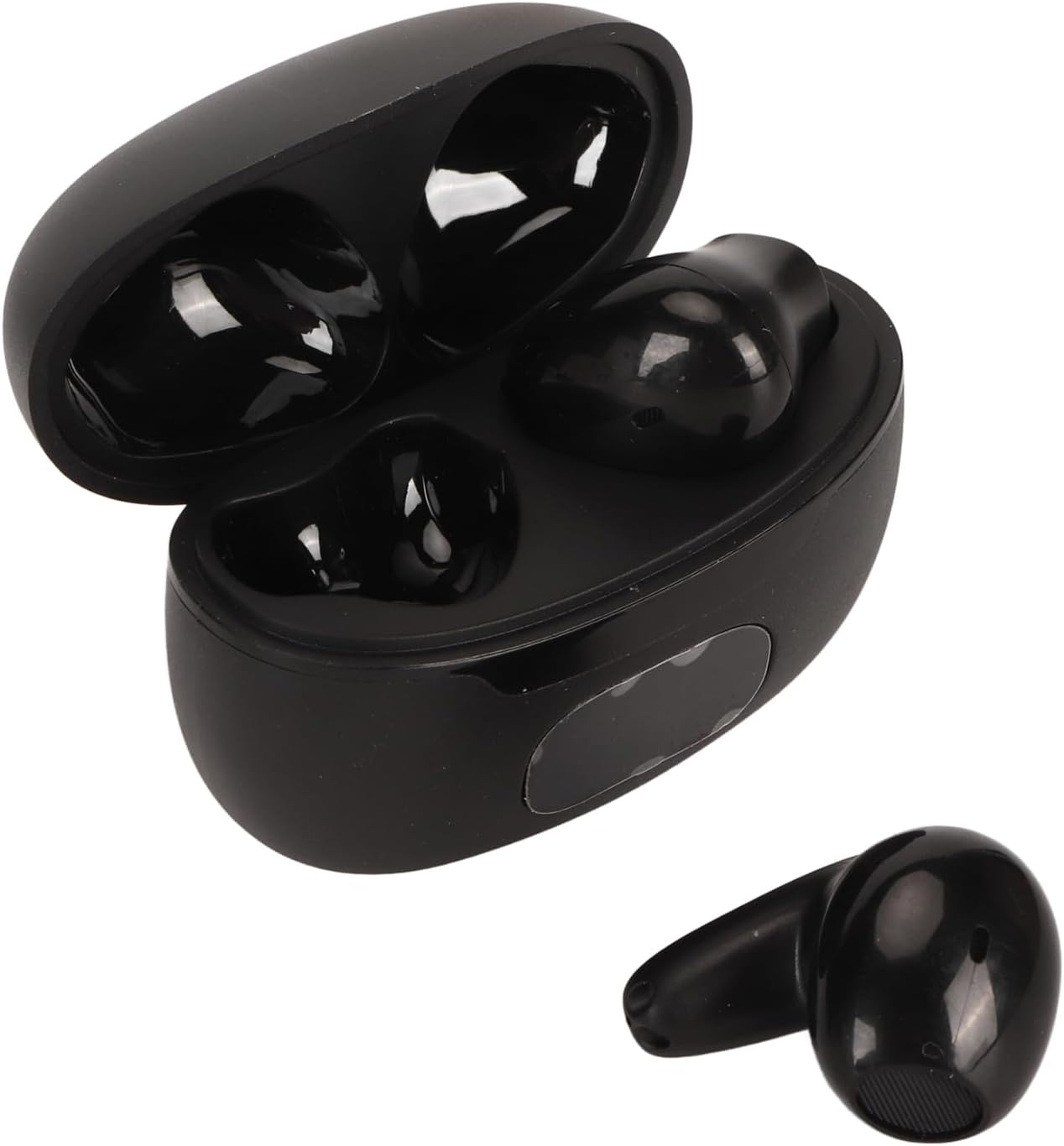
Image: The black charging case is open, with one earbud placed inside and the other earbud shown separately next to it, highlighting the compact design.
4. Setup and Pairing
4.1 Initial Charging
Before first use, fully charge the earbuds and the charging case. Connect the USB charging cable to the charging case and a power source. The digital display on the case will indicate the charging status.
4.2 Pairing with Your Device
- Ensure the earbuds are charged.
- Open the charging case. The earbuds will automatically enter pairing mode, and the LED indicator on one earbud may flash.
- On your smartphone or tablet, enable Bluetooth and search for available devices.
- Select "TWS B28" (or similar name) from the list of devices to connect.
- Once connected, the LED indicator on the earbuds will stop flashing.

Image: Two black earbuds are shown, with a small blue LED indicator light visible on one of them, indicating power or pairing status.
4.3 App Installation (Required for Translation)
To utilize the translation features, you must download and install the dedicated translation application on your smartphone. Refer to the QR code or link provided in the quick start guide for the correct application. Follow the in-app instructions to set up your preferred languages and translation modes.
5. Operating Modes
The Vikye TWS B28 earbuds support four distinct translation modes:
- Touch Mode: Ideal for one-on-one conversations. Each person wears an earbud and touches it when speaking.
- External Mode: One person wears an earbud, and the other person speaks into the smartphone's microphone.
- Speak Mode: One person speaks into the earbud, and the translated text/audio is played through the smartphone's speaker.
- Offline Mode: For translation without an internet connection (requires pre-downloaded language packs via the app).

Image: A man wearing a black earbud is engaged in conversation with a woman who is holding a tablet. The tablet screen displays a chat interface with text in both Chinese and English, illustrating the translation function.
6. Basic Operation
6.1 Using for Translation
Once connected to the app and a translation mode is selected:
- To Speak: Depending on the mode, either tap the earbud or speak into your phone's microphone.
- To Hear Translation: The translated audio will play through the earbuds or your phone's speaker, and text will appear on the app.
6.2 Music Playback and Calls
The earbuds can also function as a standard Bluetooth headset:
- Play/Pause: Single tap on either earbud.
- Next Track: Double tap on the right earbud.
- Previous Track: Double tap on the left earbud.
- Answer/End Call: Single tap on either earbud.
- Reject Call: Press and hold either earbud for 2 seconds.
7. Battery Performance and Charging
The earbuds are equipped with a high-capacity battery and an efficient power management algorithm, providing up to 4 hours of continuous operation on a full charge and 120 hours of standby time.
7.1 Charging the Earbuds
Place the earbuds into the charging case. They will automatically begin charging. The LED indicators on the earbuds or the digital display on the case will show the charging status.
7.2 Charging the Case
Connect the provided USB-C cable to the charging port on the case and a standard USB power adapter (not included). The digital display on the case will show the battery percentage during charging.

Image: Two black earbuds are displayed alongside text highlighting their superior battery performance, including 4 hours of continuous operation and 120 hours of standby time.
8. Maintenance and Care
- Cleaning: Use a soft, dry, lint-free cloth to clean the earbuds and charging case. Do not use liquids or abrasive cleaners.
- Storage: Store the earbuds in their charging case when not in use to protect them and keep them charged.
- Avoid Water: The earbuds are not waterproof. Avoid exposure to water, moisture, or extreme temperatures.
- Handle with Care: Do not drop, disassemble, or attempt to repair the device yourself.
9. Troubleshooting
9.1 Earbuds Not Pairing
- Ensure both earbuds are charged.
- Turn off and on your device's Bluetooth.
- Place earbuds back in the case, close, then reopen to reset pairing mode.
- Forget the device in your phone's Bluetooth settings and try pairing again.
9.2 Translation Not Working
- Verify the earbuds are connected to your phone and the translation app.
- Check your internet connection (unless using offline mode).
- Ensure the correct source and target languages are selected in the app.
- Speak clearly and at a moderate pace into the microphone.
- Update the translation app to the latest version.
9.3 No Sound
- Check the volume level on your connected device.
- Ensure the earbuds are properly seated in your ears.
- Reconnect the earbuds to your device.
10. Specifications
| Feature | Detail |
|---|---|
| Model Number | Vikyeyzghibxteq-11 (TWS B28) |
| Brand | Vikye |
| Connectivity | Bluetooth 5.0 |
| Supported Languages | 74 Languages, 70 Accents |
| Translation Accuracy | Up to 97% |
| Translation Latency | 0.5 seconds (online) |
| Continuous Operation Time | Up to 4 hours |
| Standby Time | Up to 120 hours |
| Item Weight | 2.89 ounces |
| Package Dimensions | 4.61 x 3.46 x 1.5 inches |
11. Safety Information
- Do not expose the earbuds or charging case to extreme temperatures, direct sunlight, or fire.
- Avoid listening at high volume levels for extended periods to prevent hearing damage.
- Keep out of reach of children and pets.
- Dispose of the device and its battery responsibly according to local regulations.
12. Warranty and Support
For warranty information or technical support, please refer to the contact details provided on the product packaging or the official Vikye website. Please have your model number (Vikyeyzghibxteq-11) and purchase date available when contacting support.
Ask a question about this manual
Ask about setup, troubleshooting, compatibility, parts, safety, or missing instructions. Manuals+ will review the question and use this page’s manual context to help answer it.