
1. Introduction
Thank you for choosing the Walfront JGY 370 DC Gear Motor. This motor is designed for various applications requiring reliable, reversible, and self-locking rotational power. Featuring a durable zinc alloy shell and a 12mm single shaft, it is suitable for label printers, remote-controlled curtains, automatic stabilizers, BBQ grills, ovens, and washing machines. Please read this manual thoroughly before installation and operation to ensure proper use and longevity of the product.
2. Safety Information
- Ensure the power supply matches the motor's rated voltage (DC 24V) to prevent damage.
- Disconnect power before performing any installation, wiring, or maintenance.
- Avoid exposing the motor to excessive moisture, dust, or extreme temperatures.
- Do not attempt to disassemble or modify the motor, as this may void the warranty and cause malfunction.
- Keep hands and loose clothing away from moving parts during operation.
- Properly secure the motor to prevent accidental movement or detachment during use.
3. Product Overview
The Walfront JGY 370 DC Gear Motor is a robust and versatile component. Key features include:
- 12mm Single Shaft: This DC gear motor features a single 12mm shaft, vertically arranged, suitable for various applications.
- CW CCW Reversible: The motor is equipped with micro-switches, allowing the rotation direction to be changed by altering the wiring connection.
- Self-Locking Function: The output shaft can be fixed when the power is disconnected, ensuring safety and preventing unintended movement.
- Zinc Alloy Casing: The sturdy and long-lasting zinc alloy casing ensures durability and protection for the gear motor.
- Versatile Applications: Perfectly suited for label printers, remote-controlled curtains, automatic stabilizers, BBQ grills, ovens, washing machines, and similar equipment.

Figure 3.1: Front view of the Walfront JGY 370 DC Gear Motor, showing the output shaft and mounting points.

Figure 3.2: Side view of the Walfront JGY 370 DC Gear Motor, illustrating its compact design.
4. Package Contents
Please check the package for the following items:
- 1 x Gear Motor (JGY 370)
- 1 x Fixing Base
- 4 x Screw
5. Specifications
| Specification | Value |
|---|---|
| Item Type | Gear Motor |
| Material | Zinc Alloy Shell |
| Model | JGY 370 |
| Rated Voltage | DC 24V |
| Bearing | Shaft length approx. 12mm / 0.47in |
| Output Torsion | 4-25kg.cm |
| Size (10RPM variant) | 5.12 x 1.97 x 1.18 inches (Package Dimensions) |
6. Setup
The Walfront JGY 370 DC Gear Motor is designed for straightforward integration into various systems. Follow these steps for proper setup:
- Mounting: Use the provided fixing base and screws to securely attach the gear motor to your corresponding equipment. Ensure the mounting surface is stable and can support the motor's weight and operational forces.
- Shaft Connection: Connect the 12mm output shaft to the driven component of your equipment. Ensure a firm and aligned connection to prevent undue stress on the shaft or motor.
- Wiring: Connect the motor to a DC 24V power supply. Observe correct polarity for initial operation. The motor's rotation direction can be reversed by changing the wiring connection (swapping positive and negative terminals).
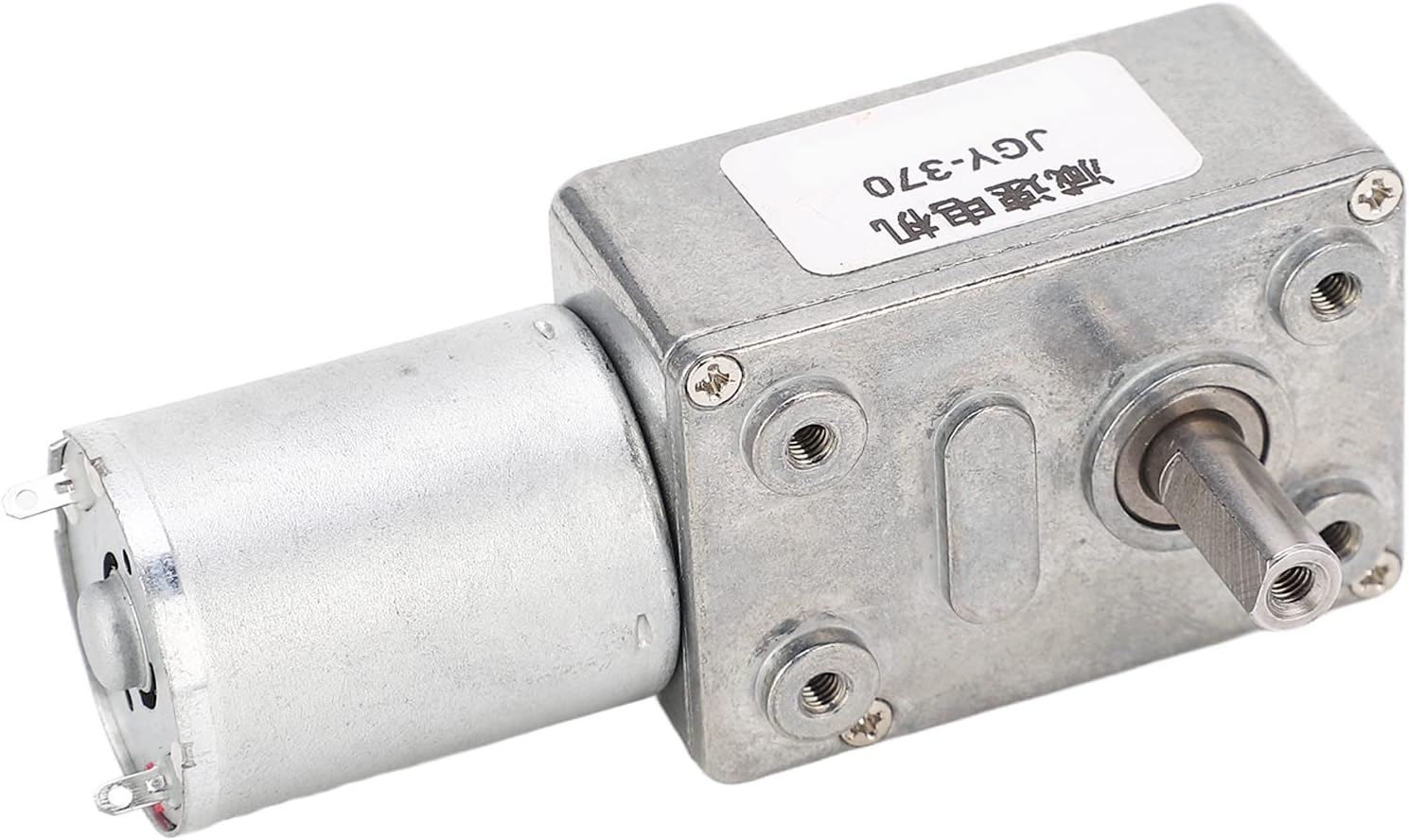
Figure 6.1: Rear view of the Walfront JGY 370 DC Gear Motor, showing the electrical terminals for power connection.
7. Operating Instructions
Once the motor is securely installed and wired, it is ready for operation.
- Power On: Apply DC 24V power to the motor. The motor will begin to rotate at its rated speed (10RPM).
- Direction Reversal: To change the direction of rotation (Clockwise/Counter-Clockwise), reverse the polarity of the power supply connections to the motor terminals.
- Self-Locking Feature: When power is disconnected, the motor's output shaft will automatically lock, preventing free rotation. This feature enhances safety and maintains position in applications where holding torque is required without continuous power.
- Continuous Operation: The motor is designed for continuous operation within its specified load and temperature limits. Monitor for any unusual noise or excessive heat during prolonged use.
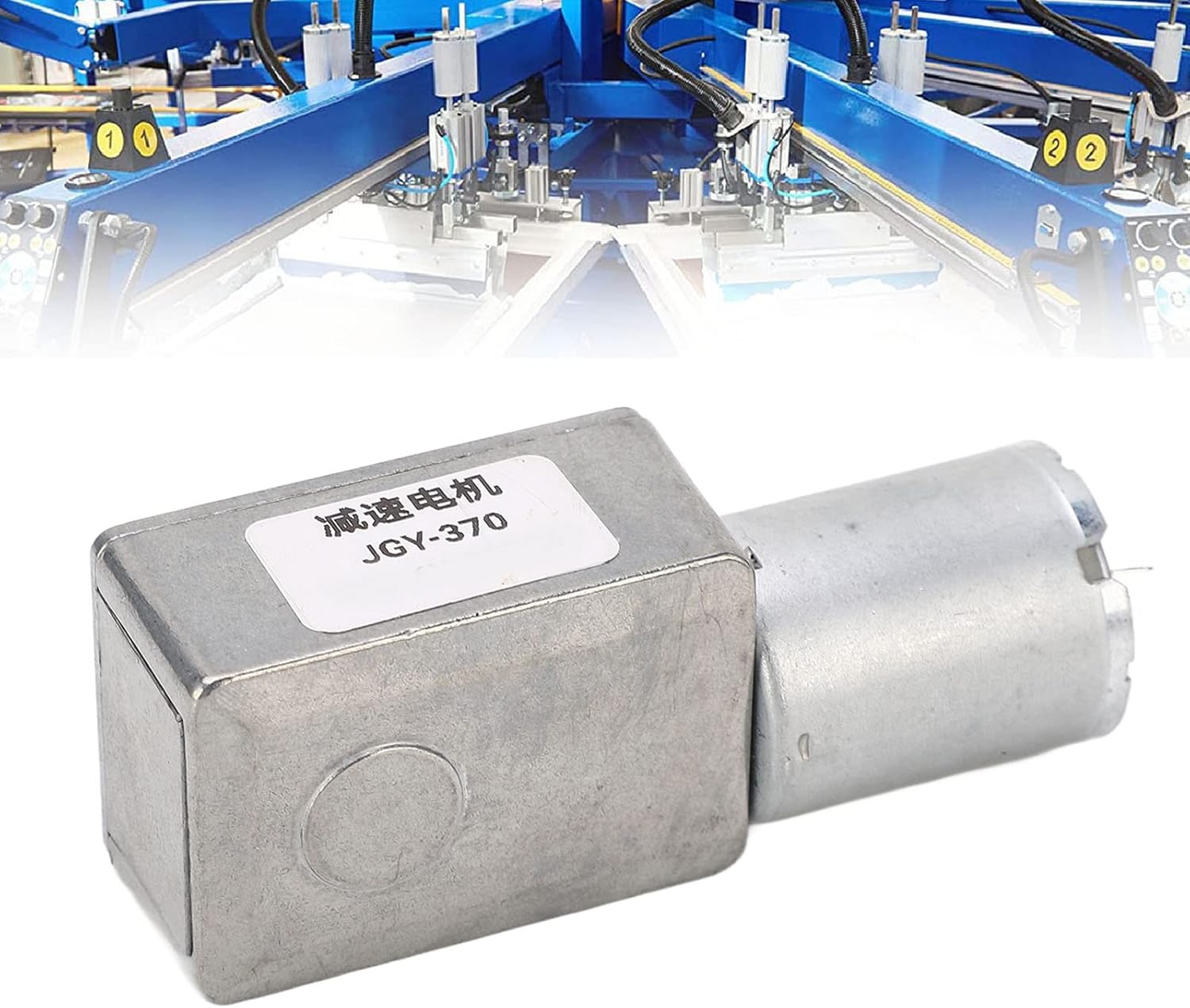
Figure 7.1: Example of the Walfront JGY 370 DC Gear Motor integrated into an industrial application.
8. Maintenance
Regular maintenance helps ensure the longevity and optimal performance of your Walfront JGY 370 DC Gear Motor.
- Cleaning: Periodically clean the exterior of the motor to remove dust and debris. Use a soft, dry cloth. Do not use harsh chemicals or immerse the motor in liquids.
- Inspection: Regularly inspect the motor for any signs of wear, damage, or loose connections. Check the mounting screws for tightness.
- Ventilation: Ensure that the motor has adequate ventilation to prevent overheating, especially during continuous operation.
- Lubrication: The gearbox is factory-lubricated and generally does not require additional lubrication under normal operating conditions. If the motor is used in extreme environments, consult a professional for maintenance.
9. Troubleshooting
If you encounter issues with your Walfront JGY 370 DC Gear Motor, refer to the following common troubleshooting steps:
- Motor Not Starting:
- Check if the power supply is connected correctly and providing the rated DC 24V.
- Verify that the wiring connections are secure and free from damage.
- Ensure there is no obstruction preventing the shaft from rotating.
- Motor Running Slowly or Weakly:
- Confirm the power supply voltage is stable and sufficient (DC 24V).
- Reduce the load on the motor to check if it operates normally. The output torsion is 4-25kg.cm; exceeding this may cause performance issues.
- Inspect for any mechanical binding or friction in the connected equipment.
- Unusual Noise or Vibration:
- Check for loose mounting screws or components.
- Ensure the motor shaft is properly aligned with the driven component.
- If the noise persists, discontinue use and contact support.
- Motor Overheating:
- Ensure the motor is not overloaded.
- Verify adequate ventilation around the motor.
- Check ambient temperature; operating in excessively hot environments can lead to overheating.
If these steps do not resolve the issue, please contact Walfront customer support for further assistance.
10. Warranty and Support
Walfront products are manufactured to high-quality standards. For warranty information or technical support, please refer to the retailer's return policy or contact Walfront customer service through the official channels. Keep your purchase receipt as proof of purchase.