
ECOWELL EAP360
ECOWELL EAP360 Air Purifier User Manual
Model: EAP360
Introduction
Thank you for choosing the ECOWELL EAP360 Air Purifier. This device is designed to significantly improve the air quality in your home, covering large rooms up to 1640 sq ft. Equipped with a HEPA filter and 360° air intake, it effectively removes 99.97% of common airborne particles such as mold, pet dander, dust, odor, and smoke. This manual provides comprehensive instructions for setup, operation, maintenance, and troubleshooting to ensure optimal performance and a healthier living environment.

The ECOWELL EAP360 Air Purifier, a sleek white unit designed for effective air purification.
Key Features
- High Performance 3-Stage Filtration: Features pre-filtration, H13 True HEPA filtration, and activated carbon filtration to capture 99.97% of 0.3 micron air particles, including dust, dander, smoke, pollen, and odors.
- Large Coverage Area & 360° Air Intake: With a Clean Air Delivery Rate (CADR) of 212CFM, it refreshes air 5x per hour in rooms up to 276 sq ft, and can clean up to 1640 sq ft once per hour.
- Auto Sensor & User-Friendly Design: Built-in dust sensor automatically adjusts fan speed based on real-time air quality, indicated by LED light colors (Blue: Excellent, Green: Normal, Orange: Bad, Red: Extremely Bad) and a digital PM2.5 display.
- Undisturbed Sleep Mode & Timing Function: Operates below 29dBA with an option to turn off indicator lights for quiet sleep. Includes a timer function from 1 to 12 hours.
- Ozone Free & Certified: Designed without negative ions to prevent harmful ozone production. Complies with CARB, FCC, EPA, and ETL certifications.
- Filter Replacement Reminder: An indicator light reminds you when it's time to replace the filter, typically every 3-6 months depending on air quality.

Diagram illustrating the 3-stage filtration process: Pre-Filter, H13 True HEPA Filter, and High-Efficiency Active Carbon Filter.

Visual representation of the air purifier's coverage, showing air changes per hour in various room sizes.
What's in the Box
Upon unboxing your ECOWELL EAP360 Air Purifier, please ensure all components are present and in good condition:
- ECOWELL Air Purifier Unit (x1)
- User Manual (x1)
- Power Adapter (x1)
- Warranty Card (x1)
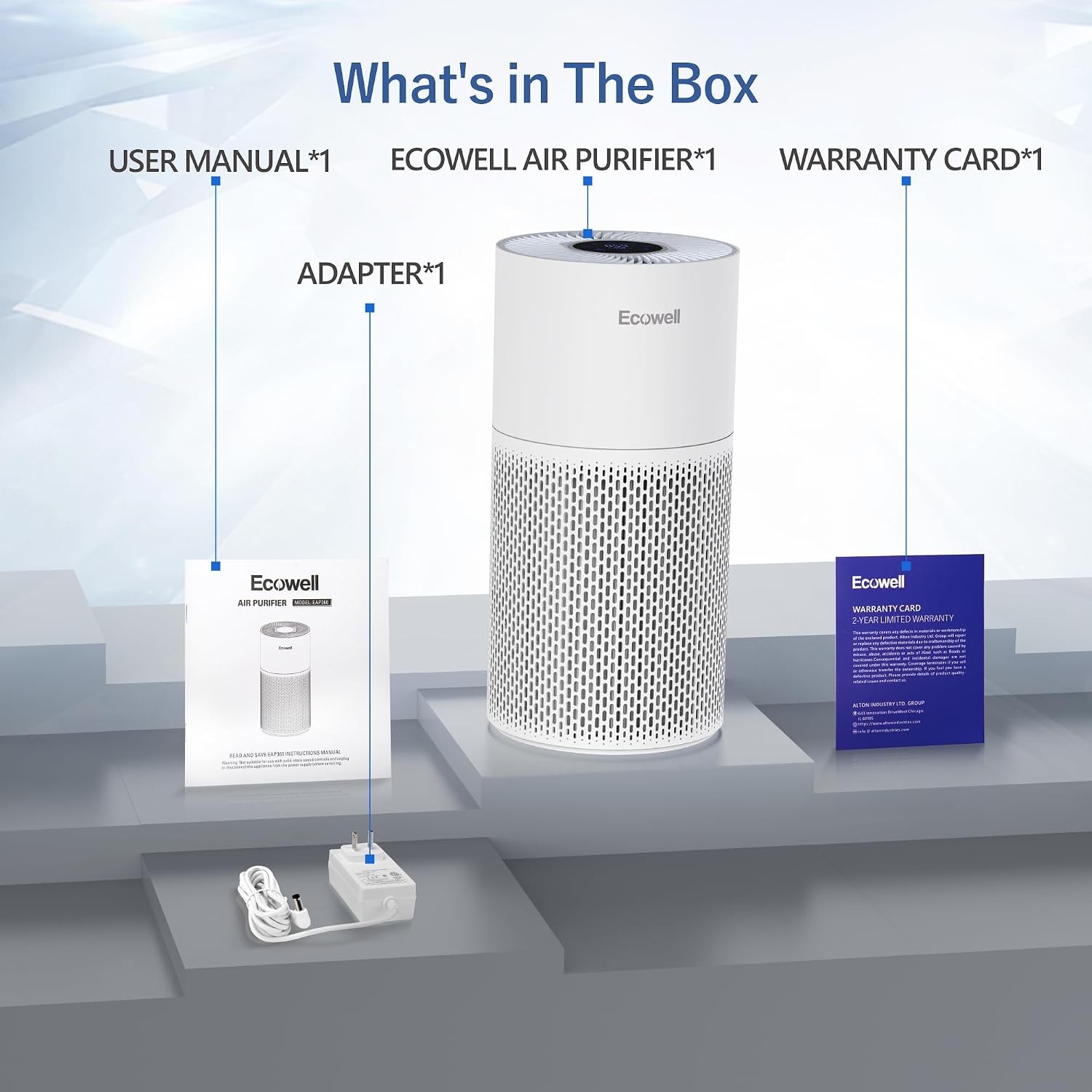
An illustration showing the air purifier unit, user manual, power adapter, and warranty card included in the packaging.
Setup
- Unpack the Unit: Carefully remove the air purifier and all its components from the packaging.
- Remove Filter Packaging: Before first use, twist the base of the air purifier counter-clockwise to unlock and remove the bottom cover. Take out the filter and remove any plastic packaging.
- Install the Filter: Place the unwrapped filter back into the unit, ensuring it is seated correctly. Replace the bottom cover and twist clockwise to lock it securely.
- Position the Purifier: Place the air purifier on a flat, stable surface, ensuring there is at least 12 inches (30 cm) of clear space around all sides for optimal air circulation.
- Connect to Power: Plug the power adapter into the air purifier's power port, then plug the adapter into a standard electrical outlet (100-240V).
Operating Instructions
The ECOWELL EAP360 features an intuitive touch control panel on its top surface. Refer to the control panel image for button locations.

Detailed view of the ECOWELL EAP360's control panel with various function icons and digital display.
Control Panel Functions:
- Power Button (U): Touch to turn the unit ON or OFF.
- Light Switch (💡): Touch to turn the control panel lights ON or OFF, ideal for undisturbed sleep.
- Child Lock (🔒): Press and hold the Child Lock icon for 3 seconds to activate or deactivate. When active, other buttons will not respond to touch.
- Auto Mode (A): Activates the smart sensor. The purifier will automatically adjust fan speed based on detected air quality (PM2.5 value).
- Fan Speed (💨): In manual mode, touch to cycle through 5 fan speed settings (1-5).
- Sleep Mode (🌙): Activates the quietest fan speed and turns off all indicator lights for a peaceful sleeping environment.
- Timer Function (⏱️): Touch to set the operating time for 1 to 12 hours. The unit will automatically turn off after the set time.
- Digital Display: Shows the real-time PM2.5 value, indicating the concentration of fine particulate matter in the air.
- LED Air Quality Indicator: The ring light around the display changes color to reflect air quality:
- Blue: Excellent air quality
- Green: Normal air quality
- Orange: Bad air quality
- Red: Extremely bad air quality
Official ECOWELL video demonstrating the features and operation of the EAP360 Air Purifier.
Maintenance
Regular maintenance ensures your ECOWELL EAP360 Air Purifier operates efficiently and prolongs its lifespan.
Filter Replacement:
The filter indicator on the control panel will blink to remind you when the filter needs replacement. It is recommended to replace the air filter every 3-6 months, depending on your local air quality and usage frequency.
- Turn off and unplug the air purifier.
- Gently turn the unit upside down.
- Twist the base cover counter-clockwise to unlock and remove it.
- Carefully pull out the old filter.
- Dispose of the old filter responsibly.
- Unpack the new ECOWELL EAP360 replacement filter (ASIN: B0CY4PFJDF).
- Insert the new filter into the unit, ensuring it fits snugly.
- Replace the base cover and twist clockwise to lock it securely.
- Plug in and turn on the air purifier. Reset the filter life indicator by pressing and holding the filter icon on the control panel for 3 seconds.
Cleaning:
- Wipe the exterior of the air purifier with a soft, dry cloth regularly.
- Do not use abrasive cleaners or solvents.
- The pre-filter layer can be gently vacuumed to remove larger dust particles between replacements, but the HEPA and activated carbon layers are not washable.
Troubleshooting
If you encounter any issues with your ECOWELL EAP360 Air Purifier, please refer to the following common problems and solutions:
| Problem | Possible Cause | Solution |
|---|---|---|
| Unit does not turn on | Not plugged in; Power outage; Child lock activated; Filter not installed correctly. | Ensure power adapter is securely plugged into unit and outlet; Check power supply; Deactivate child lock by pressing and holding the icon; Reinstall filter and ensure base cover is locked. |
| Airflow is weak | Filter is dirty or clogged; Unit is in Sleep Mode; Obstruction around air intake/outlet. | Replace filter; Adjust fan speed to a higher setting; Ensure no objects are blocking the air intake (bottom) or outlet (top). |
| Unusual noise | Filter not installed correctly; Foreign object inside unit. | Reinstall filter, ensuring it is seated properly; Turn off and unplug the unit, then carefully check for any foreign objects. |
| Air quality indicator always red/orange | High levels of pollutants; Sensor is dirty. | Allow unit to run longer in Auto Mode; Gently clean the air quality sensor opening (usually a small vent on the side/back) with a dry cotton swab. |
| Cannot find replacement filters | Incorrect search terms or vendor. | Search for ECOWELL EAP360 filter or ASIN: B0CY4PFJDF on Amazon. Contact customer support if issues persist. |
Specifications
| Specification | Detail |
|---|---|
| Model Number | EAP360 |
| Product Dimensions | 10.8"D x 10.8"W x 22.6"H |
| Weight | 7.98 Pounds |
| Voltage | 100-240V (Input), 24V 1.5A (Output) |
| Wattage | 30 watts |
| CADR (Clean Air Delivery Rate) | 212 CFM |
| Coverage Area | Up to 1640 Sq Ft (1x/hour), 276 Sq Ft (5x/hour) |
| Noise Level | Below 29dBA (Sleep Mode) |
| Filter Type | 3-Stage H13 True HEPA Filter |
| Certifications | CARB, FCC, EPA, ETL Listed |
| Manufacturer | Alton Industries |
| Country of Origin | China |
Warranty & Support
ECOWELL offers a 2-year limited warranty for the EAP360 Air Purifier. For any warranty claims, technical assistance, or customer service inquiries, please contact the local US company after-service provided by Chicago Tool Company.
Please retain your proof of purchase for warranty validation.
For further assistance, you may also visit the ECOWELL Store on Amazon or refer to the contact information provided on your warranty card.
Ask a question about this manual
Ask about setup, troubleshooting, compatibility, parts, safety, or missing instructions. Manuals+ will review the question and use this page’s manual context to help answer it.