
Cuifati Cuifatig8c3hmvd9n
FS01 Digital Camera User Manual
Brand: Cuifati | Model: Cuifatig8c3hmvd9n
Introduction
Thank you for purchasing the Cuifati FS01 Digital Camera. This camera is designed for photography enthusiasts, offering 4K video resolution and 64MP image resolution. It features dual LCD screens (2.8-inch rear and 2-inch front), 16x digital zoom, and anti-shake capabilities, making it suitable for various photography needs. This manual provides detailed instructions on how to set up, operate, and maintain your camera to ensure optimal performance and longevity.

Important Warning: Please read the product instructions carefully before use to ensure correct and safe operation.
Package Contents
Please check the package contents to ensure all items are present:
- 1 x Cuifati FS01 Digital Camera
- 1 x USB Cable
- 1 x BL-5B Lithium Ion Battery (1200mAh, built-in)
- 1 x User Manual
- 1 x Portable Rope
Product Overview
Familiarize yourself with the camera's components and controls.

Image: Front and rear view of the Cuifati FS01 Digital Camera, showcasing the dual screens and main controls.

Image: Front view of the camera, highlighting the lens, flash, and front display.

Image: Rear view of the camera, showing the main LCD screen and control buttons (T/W for zoom, WiFi, Flash, Mode, Delete, Menu, Display).
Key Components:
- Lens: Captures images and videos.
- Front LCD Screen (2-inch): For convenient self-portraits and vlogging.
- Rear LCD Screen (2.8-inch): Main display for framing shots, reviewing media, and navigating menus.
- Power Button: Turns the camera on/off.
- Shutter Button: Takes photos or starts/stops video recording.
- Zoom Buttons (T/W): Adjusts the 16x digital zoom.
- Menu Button: Accesses camera settings and options.
- DISP Button: Toggles display information on the screen.
- Mode Button (M): Switches between different shooting modes.
- Flash Button: Controls flash settings.
- Delete Button: Deletes selected photos or videos.
- WiFi Button: Activates Wi-Fi for connectivity.
- Microphone: Built-in for audio recording with videos.
- USB Port: For charging and data transfer.
- Micro SD Card Slot: For external memory storage.
- Battery Compartment: Houses the BL-5B battery.
Setup
1. Charging the Battery
The camera comes with a built-in 1200mAh BL-5B Lithium Ion Battery. Before first use, ensure the battery is fully charged.
- Connect the camera to a power source (e.g., computer USB port or USB wall adapter) using the provided USB cable.
- The charging indicator light will illuminate. It will turn off or change color once charging is complete.
2. Inserting a Micro Memory Card
A micro memory card (not included) is required to store photos and videos. The camera supports up to 256GB Class 10 micro memory cards.
- Locate the micro SD card slot on the camera.
- Insert the micro SD card with the gold contacts facing down until it clicks into place.
- To remove, gently push the card in until it springs out.
3. Powering On/Off
Press and hold the Power button (usually located on the top of the camera) for a few seconds to turn the camera on or off.
Operating Instructions
1. Basic Photo and Video Capture
- Taking Photos: Turn on the camera. Frame your shot using the LCD screen. Press the Shutter button fully down to take a photo.
- Recording Videos: Switch to video mode using the Mode button (M). Press the Shutter button to start recording. Press it again to stop recording.
- Zoom: Use the T (Telephoto) button to zoom in and the W (Wide) button to zoom out. The camera supports 16x digital zoom.
2. Using Dual Screens for Selfies and Vlogging
The camera features a 2.8-inch rear screen and a 2-inch front screen, ideal for self-portraits and vlogging.
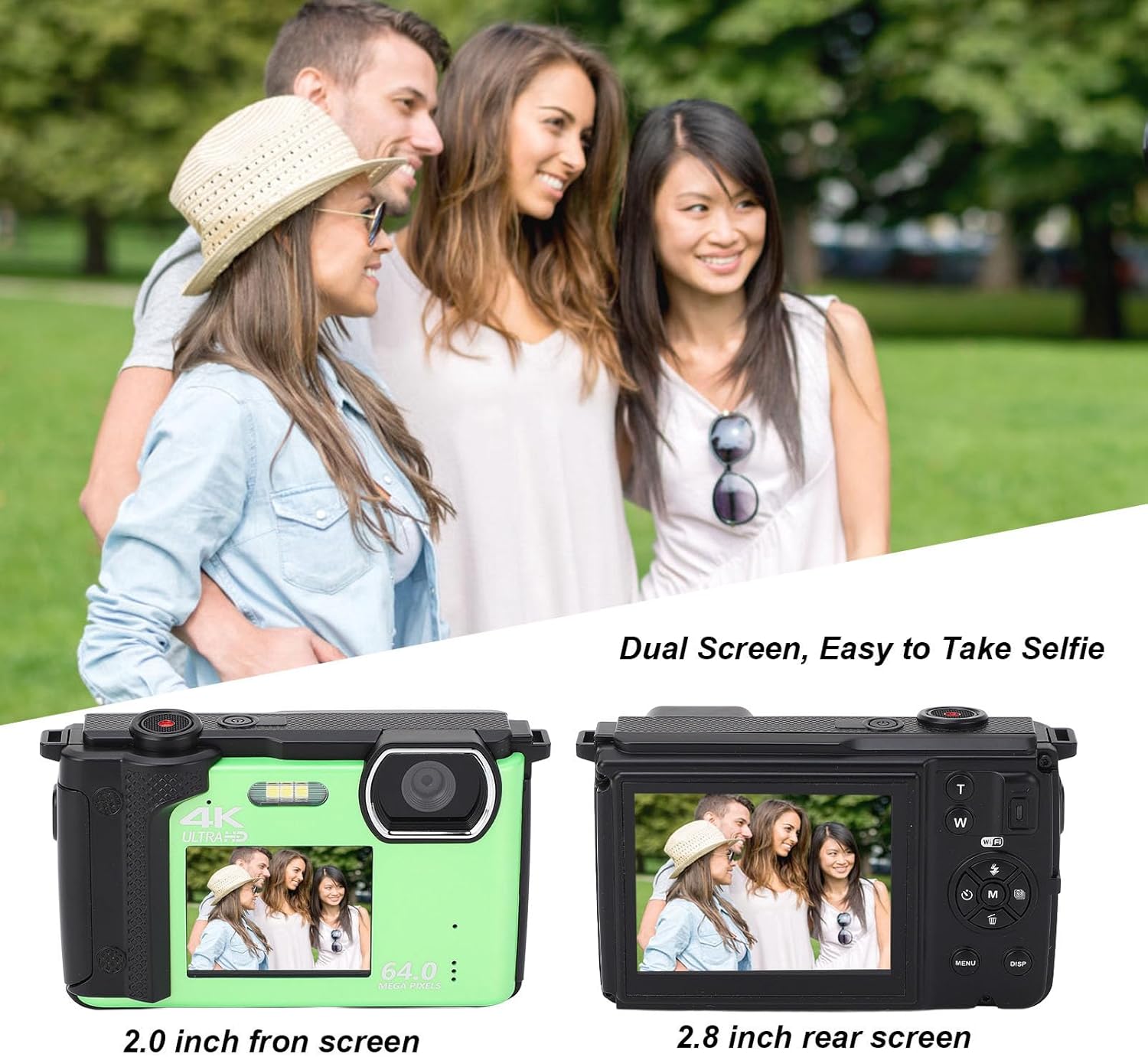
Image: Illustration of the dual screen functionality, showing how the front screen aids in taking selfies or group photos.
- To switch to the front screen, typically there is a dedicated button or a setting in the menu.
- Utilize the built-in 2s, 5s, and 10s selfie timer functions for timed shots.
- Continuous shooting mode allows you to capture a series of photos rapidly.
3. Wi-Fi Connectivity and App Usage
The camera can connect to smart devices for remote control and sharing.

Image: Demonstrates the camera's Wi-Fi wireless sharing capability, allowing connection to a smartphone for photo and video transfer.
- Download the Application: Search for 'IDC' on Google Play (for Android) or the iOS App Store (for iOS) to download the companion application.
- Activate Camera Wi-Fi:
- Turn on the camera.
- Press the MENU button to enter the menu.
- Use the left/right navigation keys to switch to System Settings.
- Use the up/down navigation keys to find the Hotspot submenu.
- Press the M key to open Wi-Fi. The Wi-Fi ID and password will be displayed on the camera screen.
- Connect from Smartphone:
- Open your smartphone's settings and navigate to WLAN or Wi-Fi.
- Select the network named 4K_xxxx (matching the camera's displayed ID).
- Enter the password displayed on the camera screen.
- Once connected, you can use your smartphone to control the camera for taking photos and recording videos.
4. Using as a Web Camera
The Cuifati FS01 can function as a web camera when connected to a computer.
- Connect the camera to your computer using the provided USB cable.
- Select the "PC Camera" or "Webcam" option on the camera's screen (if prompted).
- Your computer should recognize the camera as a webcam, allowing you to use it for video calls or live streaming.
Specifications
| Feature | Description |
|---|---|
| Product Material | Plastic |
| Weight | Approx. 380g / 13.4oz |
| Image Resolution | 64M, 56M, 48M, 30M, 24M, 20M, 12M, 8M, 5M |
| Video Resolution | 4K 60fps/30fps, 2.7K 30fps, 1080P 60fps/30fps, 720P 120fps/60fps/30fps |
| Dual Screen | 2.8 Inch Rear Screen, 2 Inch Front Screen |
| Microphone | Built-In |
| File Format | MP4, JPEG |
| Storage | Supports Up To 256G Class10 Micro Memory Cards (Not Included) |
| Camera Battery Capacity | 1200mAh Lithium Ion Battery x 1, BL-5B (Built-In) |
| Digital Zoom | 16x |
| Continuous Shooting Speed | 30 fps |
| Recording Capacity | 136 minutes (approx.) |
| Image Stabilization | No |
| Autofocus | No |
Troubleshooting
If you encounter issues with your camera, refer to the following common troubleshooting steps:
- Camera not turning on:
- Ensure the battery is fully charged.
- Check if the battery is properly inserted.
- Try connecting the camera to a power source via USB to see if it powers on.
- "Memory Card Error" or unable to save photos:
- Ensure a compatible micro SD card (Class 10, up to 256GB) is inserted correctly.
- Format the memory card through the camera's menu (this will erase all data on the card).
- Try a different memory card.
- Poor image/video quality:
- Ensure the lens is clean and free of smudges.
- Check lighting conditions; use flash in low light if necessary.
- Verify that the selected image/video resolution settings are appropriate.
- Wi-Fi connection issues:
- Ensure Wi-Fi is enabled on the camera and your smartphone.
- Double-check the Wi-Fi ID and password.
- Restart both the camera and your smartphone.
- Ensure the 'IDC' app is installed and up to date on your smartphone.
- Camera freezes or becomes unresponsive:
- If possible, remove and reinsert the battery (if accessible, otherwise hold power button for 10 seconds).
- Perform a factory reset via the camera's menu (note: this will reset all settings).
Maintenance
Proper care and maintenance will extend the life of your camera.
- Cleaning the Camera:
- Use a soft, lint-free cloth to clean the camera body.
- For the lens and screens, use a specialized lens cleaning cloth and solution. Avoid abrasive materials.
- Do not use strong detergents or solvents.
- Storage:
- Store the camera in a cool, dry place away from direct sunlight, dust, and moisture.
- If storing for an extended period, remove the battery to prevent leakage.
- Battery Care:
- Avoid exposing the battery to extreme temperatures.
- Do not disassemble or puncture the battery.
- Charge the battery regularly, even if not in use, to maintain its health.
Warranty and Support
For warranty information and technical support, please refer to the warranty card included with your product or visit the official Cuifati website. You can also visit the Cuifati store on Amazon for additional product information and support resources.
Cuifati Store Link: https://www.amazon.com/stores/Cuifati/page/092BE1D7-D029-428E-9855-7943182E7680
Related documentsCuifatig8c3hmvd9n

Ask a question about this manual
Ask about setup, troubleshooting, compatibility, parts, safety, or missing instructions. Manuals+ will review the question and use this page’s manual context to help answer it.