1. Introduction and Overview
Thank you for choosing the DEWENWILS Wireless Remote Control Outlet. This product is designed to provide convenient control over your electrical appliances, offering flexibility with its removable wall switch and extended range. It is pre-paired for immediate use and can be expanded with additional DEWENWILS devices.

Image: The DEWENWILS wireless remote control outlet and wall switch, highlighting its compact design, pre-programmed functionality, 30-meter range, and 16A/3680W capacity.
2. Safety Information
- Ensure the product is used within its specified electrical ratings (Max. 16A/3680W, 230 Volts). Overloading can cause damage or fire.
- Do not immerse the device in water or expose it to excessive moisture.
- Operate the device within the temperature range of -25°C to 40°C.
- The product is constructed from high-quality, high-temperature resistant, and fire-retardant materials to ensure safety.
- Keep out of reach of children. The outlet features a child-safe design with an internal red cover to prevent accidental contact.

Image: Illustration of the DEWENWILS outlet emphasizing its construction from high-quality, fire-retardant materials for enhanced safety.

Image: A child interacting with the outlet, demonstrating the child-safe design with an internal protective cover.
3. Package Contents
The package includes the following items:
- 1 x DEWENWILS Wireless Remote Control Outlet
- 1 x DEWENWILS Removable Wall Switch (with integrated magnet)
- 1 x CR2032 Battery (pre-installed in the wall switch)

Image: The main components of the DEWENWILS remote control outlet kit, including the plug and the wall switch.
4. Product Features
- Removable Wall Switch: Easy installation without complex rewiring. The base plate can be fixed directly to the wall, and the switch unit can be detached for handheld remote control thanks to its integrated magnet.
- Maximum Load Capacity: Supports up to 16A/3680W, making it suitable for high-power appliances such as heaters, air conditioners, and water heaters.
- 30-meter RF Range: The strong radio frequency signal penetrates walls and doors, providing a reliable control range of up to 30 meters in open areas.
- Pre-paired and Extensible: The transmitter (wall switch) and receiver (outlet) are pre-paired from the factory for immediate plug-and-play operation. The system can be expanded by adding up to five additional DEWENWILS outlets or remote controls.
- Modern and Compact Design: The white, minimalist design blends seamlessly with most interior decorations. Its compact size ensures it does not obstruct adjacent outlets.
- Durable Construction: The outlet is designed for longevity, tested to withstand up to 220,000 plug-in and unplug cycles.
- Energy Saving: Helps to eliminate standby power consumption of connected appliances, contributing to reduced electricity costs.

Image: Demonstrates the two usage modes: the switch fixed to the wall and used as a traditional switch, and detached for handheld remote control.

Image: Illustrates the 16A/3680W maximum load capacity, showing the outlet used with various high-power household appliances like ovens, washing machines, and microwaves.
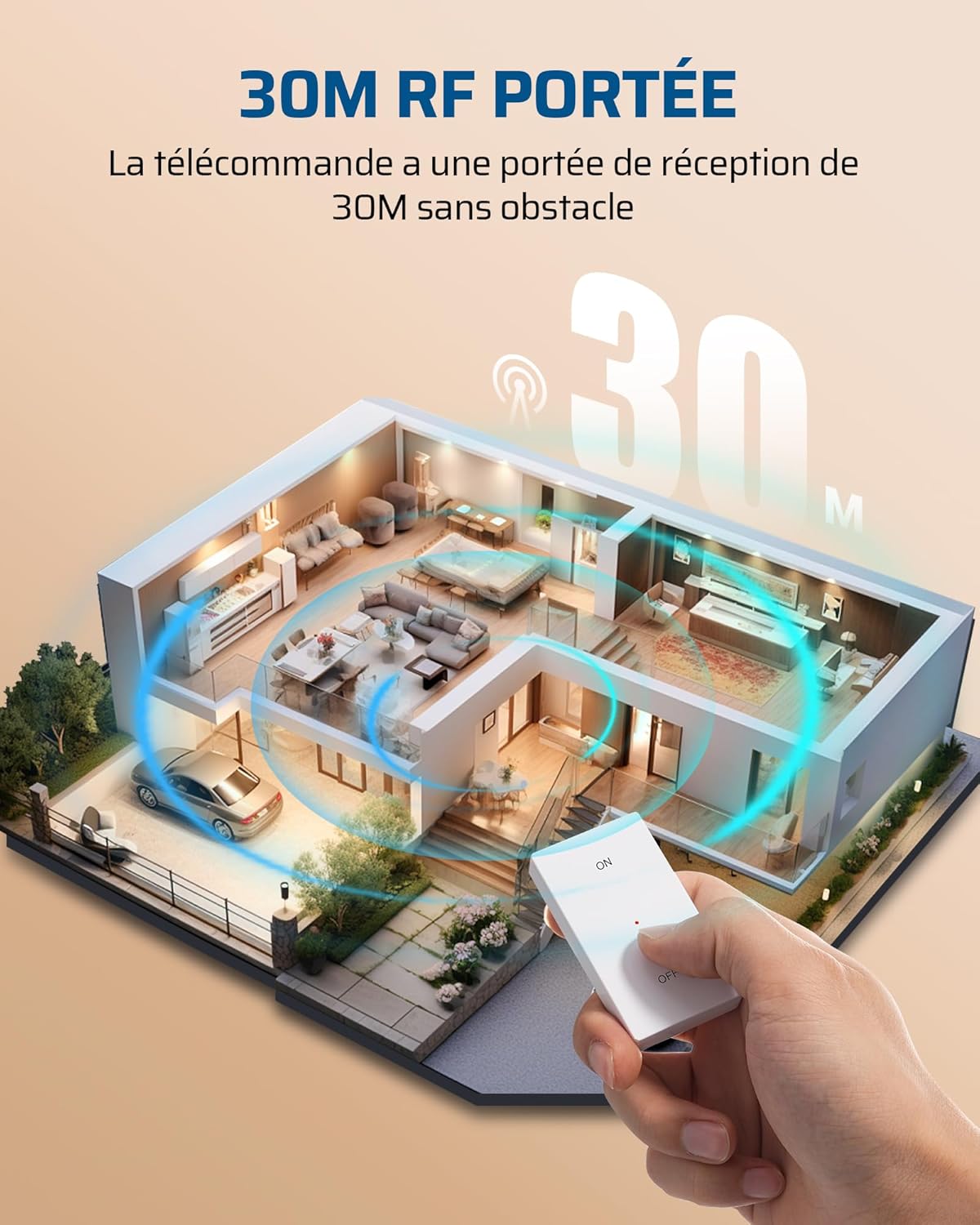
Image: A diagram showing a house layout with the remote control operating an appliance from a distance, demonstrating the 30-meter RF range.
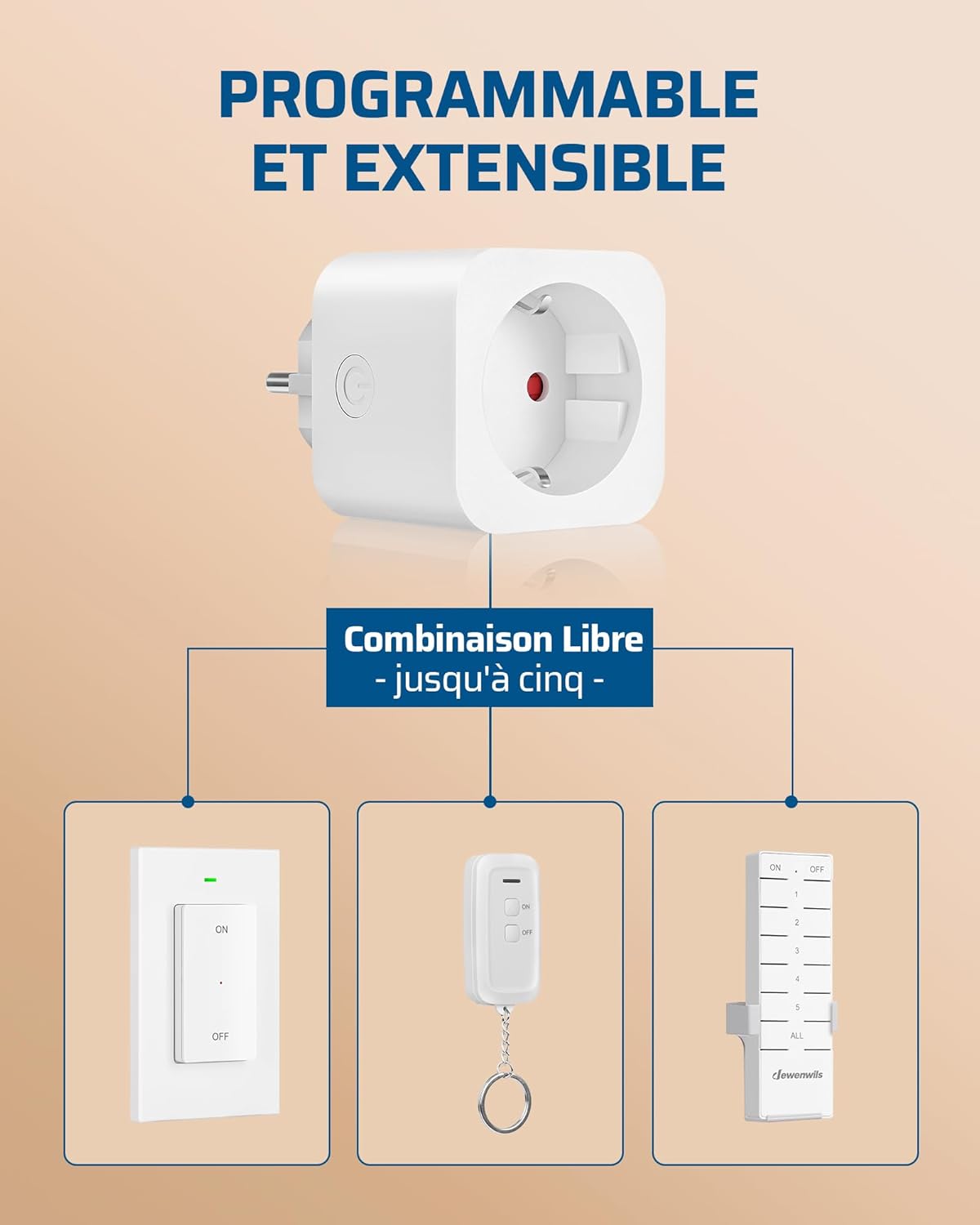
Image: Close-up of the mini plug showing its compact dimensions (5cm x 5cm x 4.4cm), designed not to block adjacent outlets.
5. Specifications
| Model Reference | DHRLS11L |
| Dimensions (L x W x H) | 5 x 5 x 4.4 cm |
| Weight | 170 grams |
| Color | White |
| Material | Plastic |
| Max Wattage | 3680 Watts |
| Max Current | 16 Amperes |
| Operating Voltage | 230 Volts |
| Operating Mode | ON-OFF |
| Switch Type | Push-button, 2-way |
| Remote Battery Type | 1 x CR2032 (included) |
| Operating Temperature | -25°C to 40°C |
6. Setup
- Install Wall Switch: Choose a desired location for the wall switch. The base plate can be fixed to the wall using screws (not included) or adhesive (not included). Once the base plate is secured, the switch unit magnetically attaches to it.
- Insert Outlet: Plug the DEWENWILS wireless remote control outlet into any standard wall socket.
- Connect Appliance: Plug your desired electrical appliance into the DEWENWILS remote control outlet.
- Initial Use: The wall switch and outlet are pre-paired from the factory. You can immediately use the ON/OFF buttons on the wall switch to control the connected appliance.

Image: Illustrates the simple setup process, showing the outlet plugged into a wall socket and the wall switch mounted, ready for use.
7. Operating Instructions
- Using the Wall Switch: Press the 'ON' button on the removable wall switch to turn on the connected appliance. Press the 'OFF' button to turn it off.
- Using the Manual Button on the Outlet: The outlet itself has a manual ON/OFF button. Press this button to toggle the power to the connected appliance.
- Extending the System (Optional): To add more DEWENWILS outlets or remote controls (up to five), refer to the specific pairing instructions provided with those additional devices. Generally, this involves putting the new device into pairing mode and activating an existing remote.

Image: A hand holding the remote control, operating an appliance connected to the outlet, demonstrating ease of use in a home setting.
8. Maintenance
- Cleaning: Wipe the device with a dry, soft cloth. Do not use abrasive cleaners or solvents.
- Battery Replacement (CR2032): If the wall switch's indicator light does not illuminate or its range decreases significantly, the CR2032 battery may need replacement. Carefully open the battery compartment on the back of the switch, replace the old battery with a new CR2032 battery, ensuring correct polarity, and close the compartment.
- Storage: When not in use for extended periods, store the device in a cool, dry place away from direct sunlight.
9. Troubleshooting
| Problem | Possible Cause | Solution |
|---|---|---|
| Appliance does not turn ON/OFF via remote. | 1. Outlet not plugged in. 2. Appliance not plugged into outlet. 3. Remote battery is low or dead. 4. Remote is out of range. 5. Interference from other devices. | 1. Ensure the outlet is securely plugged into a live wall socket. 2. Ensure the appliance is securely plugged into the DEWENWILS outlet. 3. Replace the CR2032 battery in the wall switch. 4. Move closer to the outlet or remove obstacles. 5. Try moving the outlet or remote to a different location. |
| Remote range is shorter than expected. | 1. Obstacles (walls, furniture) blocking signal. 2. Low remote battery. 3. Electromagnetic interference. | 1. Reduce obstacles between remote and outlet. 2. Replace the CR2032 battery. 3. Avoid placing the outlet near large metal objects or other strong RF emitters. |
| Outlet does not respond to manual button. | 1. Outlet not receiving power. 2. Internal fault. | 1. Check the wall socket with another appliance. Ensure the outlet is fully inserted. 2. If the outlet is receiving power and the manual button still doesn't work, contact customer support. |
10. Warranty and Support
DEWENWILS products are designed for reliability and performance. While specific warranty details are not provided in this manual, please retain your proof of purchase for any warranty claims.
For technical support, troubleshooting assistance, or inquiries regarding spare parts, please contact DEWENWILS customer service through the retailer's platform or the official DEWENWILS website. Information regarding spare parts availability is currently unavailable.


