
MASSII MASSII-007
MASSII Digital Talking Clock User Manual
Model: MASSII-007
1. Introduction
Thank you for choosing the MASSII Upgraded Loud Voice Talking Digital Clock. This clock is designed to provide clear time and date information, along with advanced features like custom reminders, automatic Daylight Saving Time (DST) adjustment, and smart dimming. It is particularly beneficial for seniors, individuals with dementia, and school-age children due to its large, vivid display and voice announcement capabilities.
This manual provides detailed instructions for setting up, operating, and maintaining your new digital clock. Please read it thoroughly before use to ensure optimal performance and longevity of the device.
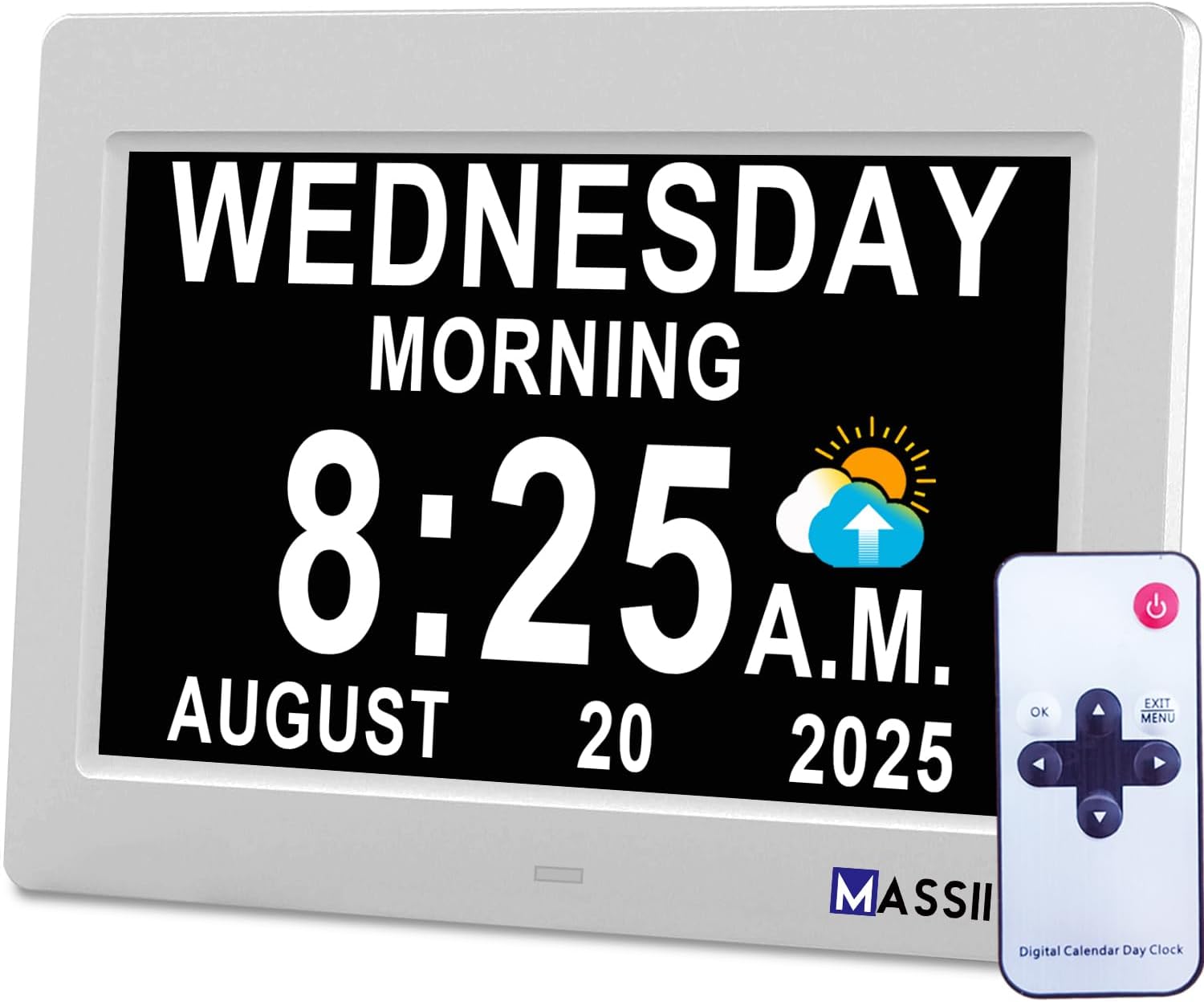
Figure 1.1: The MASSII Digital Talking Clock and its remote control. The clock displays "WEDNESDAY MORNING 8:25 A.M. AUGUST 20 2025" with a sun and cloud icon.
2. Setup
2.1 Unpacking and Initial Power-On
- Carefully remove the clock and all accessories from the packaging. Ensure all components are present: the digital clock unit, power adapter, and remote control.
- Connect the provided power adapter to the DC IN port on the back of the clock.
- Plug the power adapter into a standard electrical outlet. The clock will automatically power on and display the current time and date.
- The clock is equipped with a cell battery backup to retain time and date settings during power outages, eliminating the need for AAA batteries.

Figure 2.1: The clock's dimensions (5.67"W x 8.03"H) and the included power adapter. The image highlights that the clock uses a dedicated adapter with a cord, unlike some alternatives that only provide a cable.
2.2 Placement Options
- Table Stand: Extend the built-in stand on the back of the clock to place it on any flat surface, such as a desk, nightstand, or shelf.
- Wall Mount: Use the integrated wall mounting hole on the back of the clock to hang it on a wall. Ensure the wall mount is secure before hanging the clock.

Figure 2.2: Rear view of the clock, showing the power input, control buttons, and the retractable stand for table placement.
3. Operation
3.1 Basic Display and Time Announcement
The clock features a vivid IPS screen (1280*800HD resolution) that clearly displays the time, date, and day of the week. It also includes a loud voice announcement feature for time and date.
- To hear the time and date announced, press the "OK" button on the remote control.
- The display can show various time-of-day indicators such as Morning, Noon, Afternoon, Evening, Night, and Predawn, often accompanied by intuitive sun/moon icons.

Figure 3.1: The clock displaying "WEDNESDAY NOON 12:15 P.M. OCTOBER 21 2022" with a sun icon. Below are icons for Morning, Noon Afternoon, Evening, Night Midnight, and Predawn.
3.2 Setting Time and Date
While the clock typically sets itself upon power-on, manual adjustments can be made using the remote control.
- Press the "MENU" button on the remote control to access the settings menu.
- Use the arrow keys (Up/Down) to navigate through the menu options.
- Select "Time Settings" or "Date Settings" and press "OK".
- Use the arrow keys (Up/Down/Left/Right) to adjust the values (hour, minute, year, month, day).
- Press "OK" to confirm each setting.
- Press "EXIT" to return to the main display.
3.3 Automatic Daylight Saving Time (DST) Adjustment
The clock is designed to automatically adjust for Daylight Saving Time in March and November, eliminating the need for manual changes.
- Ensure the DST setting is enabled in the clock's menu if automatic adjustment is desired. Refer to the "Time Settings" section in the menu.

Figure 3.2: A comparison highlighting the MASSII clock's features, including automatic DST adjustment, compared to other clocks.
4. Advanced Features
4.1 Custom Reminders and Alarms
The clock supports up to 19 alarms, including pre-set reminders for medication and drinking water, and 15 customizable reminders. These can be set for daily, weekly, or specific dates.
- Press the "MENU" button on the remote.
- Navigate to "Alarm Settings" or "Reminder Settings" and press "OK".
- Select an alarm slot and configure the time, frequency (daily, weekly, specific date), and a custom message or icon.
- Press "OK" to save the reminder.

Figure 4.1: The clock displaying various custom reminders such as "Wake up 7:30 A.M.", "Drink Some Water 10:30 A.M.", and "Medication Reminder #1 11:30 A.M.".
4.2 Smart Dimming (10 Levels)
The clock offers 10 levels of brightness adjustment and smart dimming options. You can customize specific time points for night-dimming and morning-bright settings.
- From the main menu, select "Display Settings" or "Brightness Settings".
- Adjust the brightness level manually or set custom dimming schedules.
- Press "OK" to save.
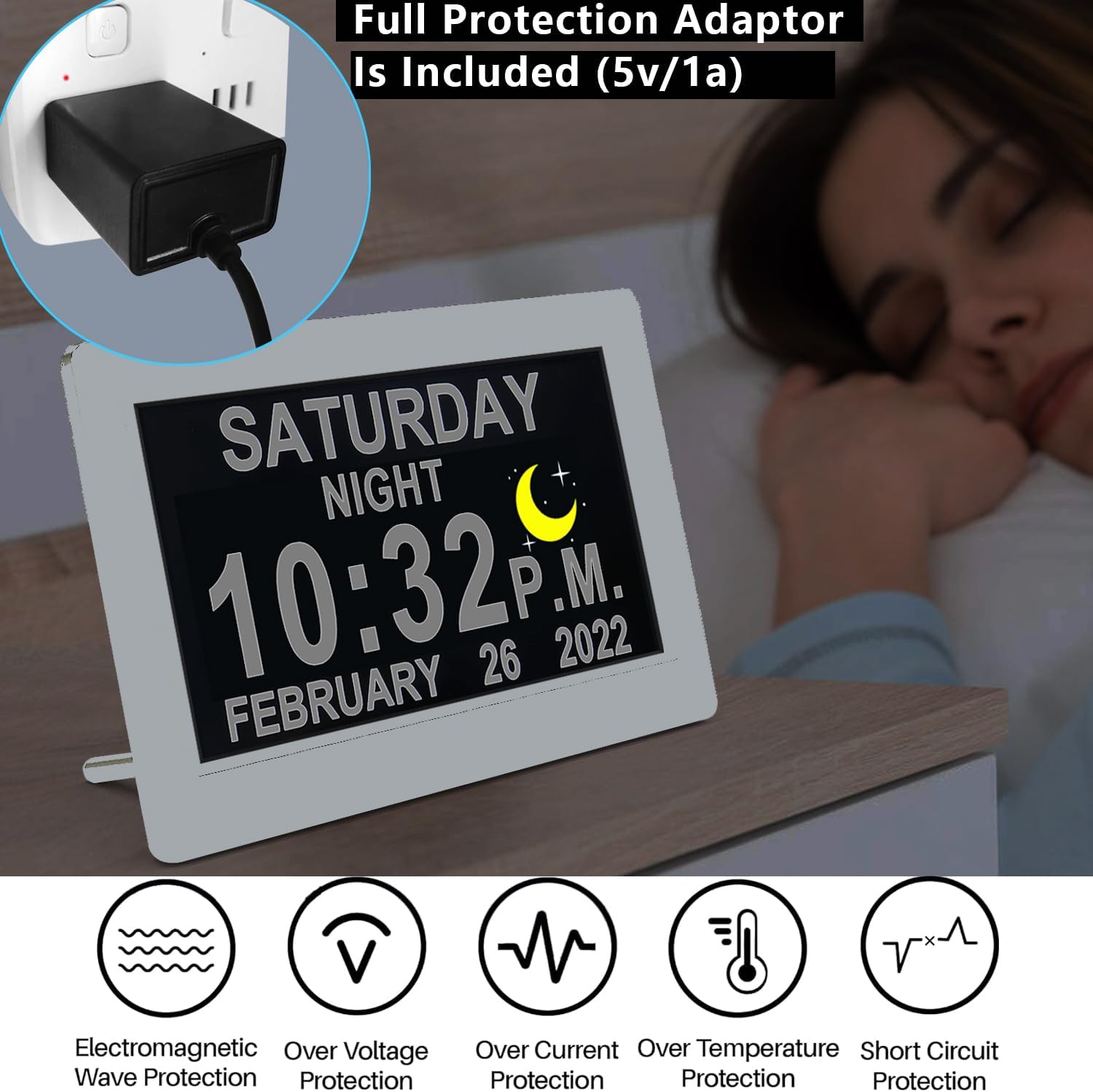
Figure 4.2: The clock displaying "SATURDAY NIGHT 10:32 P.M. FEBRUARY 26 2022" with a moon icon, illustrating its dimming capability for nighttime use.
4.3 Sleep Trainer Functionality
The unique sleep trainer function allows you to set specific time points for the clock to signal when it's time to wind down for the night. This feature is beneficial for establishing consistent sleep routines.
- Access "Sleep Trainer" or "Night Mode" settings in the menu.
- Configure the start and end times for the sleep training period.
4.4 Multiple Display Modes and Colors
The clock offers 8 color themes and various display modes, including analog clock faces and different date formats (non-abbreviated or abbreviated).
- Navigate to "Display Settings" or "Theme Settings" in the menu to customize the appearance.
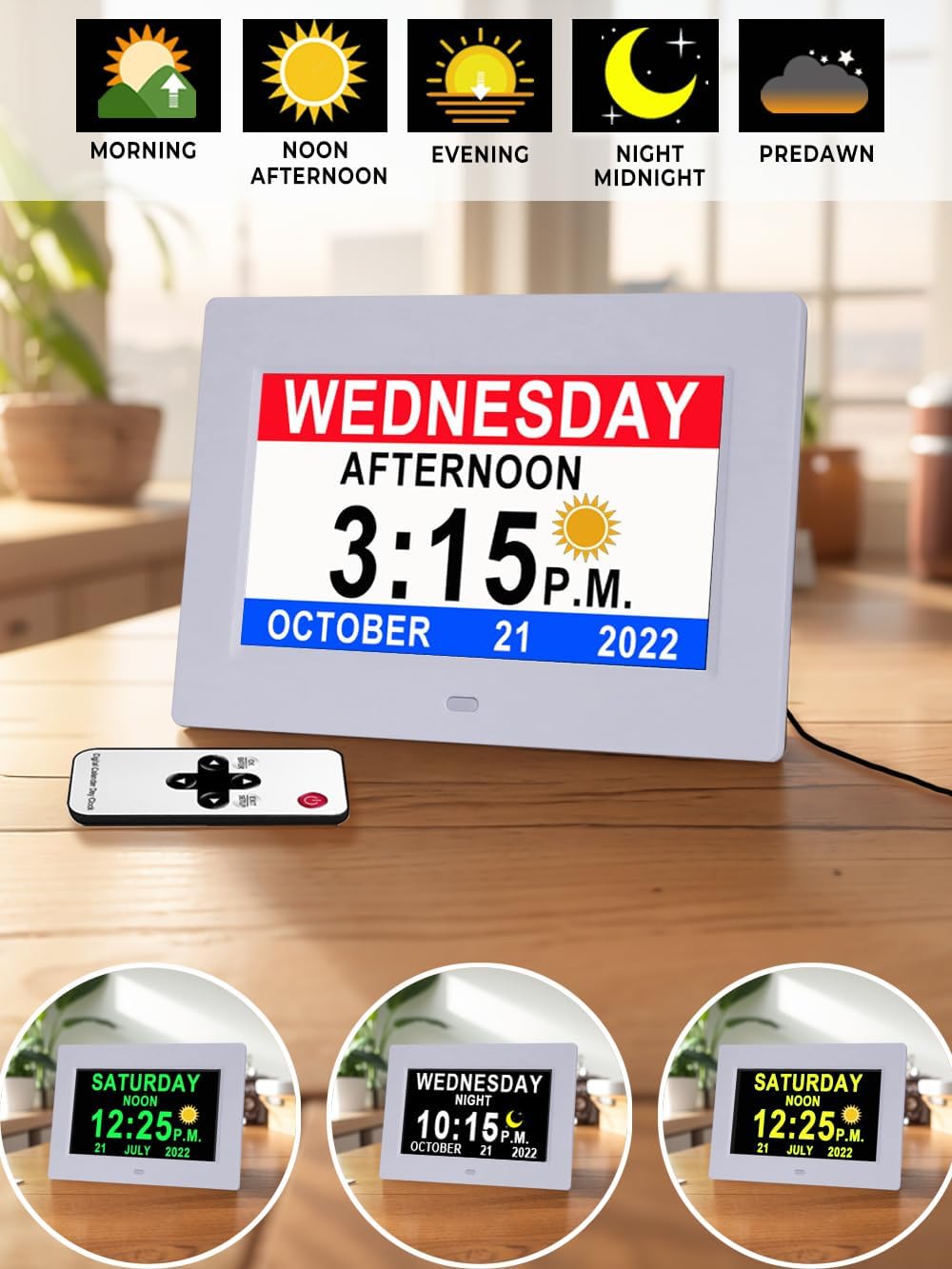
Figure 4.3: The clock displaying different visual themes and time-of-day indicators, including "WEDNESDAY AFTERNOON 3:15 P.M. OCTOBER 21 2022" and various color options.
4.5 Photo Display Functionality
The clock can display personal photos, allowing you to share great moments with loved ones. A USB drive is required for this feature.
- Insert a USB drive containing your desired images into the USB port on the clock.
- Access the "Photo Display" or "Slideshow" option in the menu to configure.

Figure 4.4: The clock displaying a "HAPPY BIRTHDAY MOM" message with a photo of a mother and child, demonstrating its photo display capability.
5. Maintenance
- Cleaning: Use a soft, dry cloth to gently wipe the screen and body of the clock. Avoid using abrasive cleaners, solvents, or spray directly onto the clock.
- Power Supply: Always use the original power adapter provided with the clock. Ensure the power cord is not pinched or damaged.
- Environment: Keep the clock in a dry environment, away from direct sunlight, extreme temperatures, and high humidity.
6. Troubleshooting
| Problem | Possible Cause | Solution |
|---|---|---|
| Clock does not power on. | Power adapter not connected or outlet not working. | Ensure the power adapter is securely plugged into the clock and a working electrical outlet. Test the outlet with another device. |
| Display is too dim or too bright. | Brightness settings need adjustment. | Access "Display Settings" in the menu using the remote control and adjust the brightness levels. Check custom dimming schedules. |
| Time/Date is incorrect. | Incorrect manual setting or DST setting. | Manually adjust time/date via "Time Settings" in the menu. Verify the DST setting is correct for your region. |
| Voice announcement is not working. | Volume is too low or muted. | Check the volume settings in the menu. Ensure the remote control is pointed directly at the clock when pressing the "OK" button for announcement. |
| Remote control is not responding. | Remote battery low or obstruction. | Ensure there are no obstructions between the remote and the clock. Replace the remote control battery if necessary. The remote works up to 16 feet. |
7. Specifications
| Feature | Detail |
|---|---|
| Brand | MASSII |
| Model Number | MASSII-007 |
| Display Type | Digital (IPS Screen, 1280*800HD resolution) |
| Color | 7" Hd-white (as per current variant) |
| Product Dimensions | 5.67"W x 8.03"H |
| Item Weight | 1.01 pounds |
| Power Source | Plug-in cord (certified adapter included) |
| Special Features | Loud Voice Talking Time/Date, Auto DST Adjustment, 10-Levels Auto Dimmer, 19 Alarms/Custom Reminders, Sleep Trainer, Photo Display (USB required) |
| Languages | English, Español, français, Deutsche, italiano |
| Material | Acrylonitrile Butadiene Styrene (ABS), Crystal |
| Mounting Type | Wall Mount, Table |
8. Warranty and Support
8.1 Warranty Information
The MASSII Digital Talking Clock comes with a 365-day warranty from the date of purchase. This warranty covers manufacturing defects and ensures free replacement for any issues arising from normal use. Please retain your proof of purchase for warranty claims.
8.2 Customer Support
For any questions, technical assistance, or warranty claims, please contact MASSII customer support. Our team is available to assist you.
- Online Support: Visit the official MASSII store on Amazon for FAQs and contact options: MASSII Store
- Email Support: Refer to the contact information provided in your product packaging or on the official MASSII website.
Ask a question about this manual
Ask about setup, troubleshooting, compatibility, parts, safety, or missing instructions. Manuals+ will review the question and use this page’s manual context to help answer it.