Introduction
This manual provides essential information for the safe and efficient operation, maintenance, and troubleshooting of your BWT Cosmy The Bot 200 Robotic Pool Cleaner. Please read this manual thoroughly before first use and keep it for future reference.

The BWT Cosmy The Bot 200 Robotic Pool Cleaner, designed for efficient pool cleaning.
Key Features
- Floating Cable: Equipped with a premium 52 ft grey floating cable for extensive reach.
- Feather Weight: Weighs approximately 12.5 lbs, making it half as heavy as most conventional robotic cleaners for easy handling.
- Smart Navigation: Features an intelligent scanning system to avoid obstacles and ensure thorough cleaning.
- Efficient Cleaning Cycle: Designed for optimal cleaning performance.
- App Control: Can be controlled and monitored via a smartphone application with Bluetooth connectivity.
- Easy-Access Filter: Top-loading filter for simple cleaning and maintenance.
- Effortless Water Release: Quick water drain system for easy removal from the pool.
- Optimal Cleaning Technology: Utilizes dual drive motors, gyroscope, and accelerometer for precise control and efficient cleaning.
- Versatile Cleaning: Cleans the bottom, walls, and waterline of the pool.

The underside of the BWT Cosmy The Bot 200, highlighting its cleaning brushes and robust tracks.

The BWT Cosmy The Bot 200 demonstrating its smart navigation capabilities underwater, ensuring comprehensive pool coverage.
Setup Instructions
- Unpacking: Carefully remove the Cosmy The Bot 200 from its packaging.
- Power Connection: Connect the power supply to the pool cleaner. Ensure the power supply is placed in a dry, shaded area, away from direct sunlight and water.
- Power Outlet: Plug the power supply into a grounded power outlet.
- Placement in Pool: Gently place the Cosmy The Bot 200 into the pool. Ensure the floating cable is untangled and freely extends across the pool surface.
- Initial Power On: Press the power button on the control panel to initiate the cleaner.
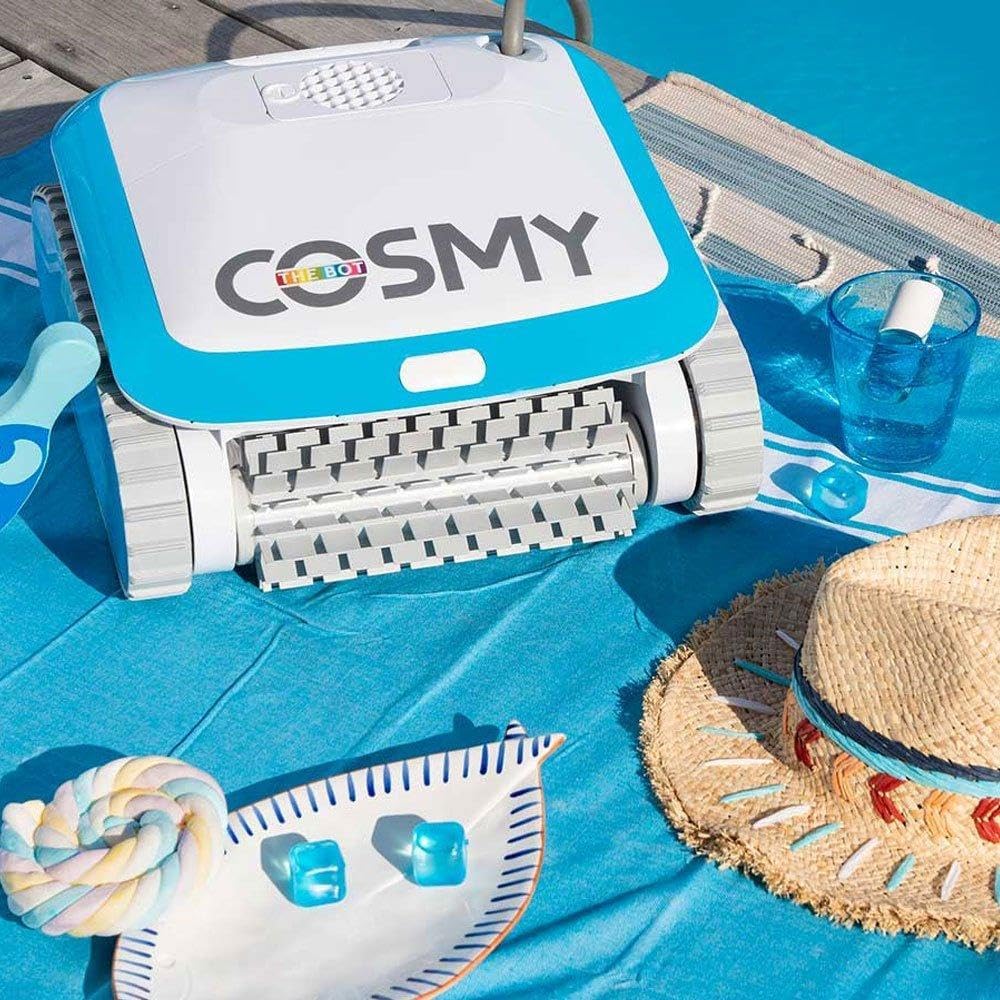
The BWT Cosmy The Bot 200 ready for deployment by the poolside, with its power unit nearby.
Operating Instructions
Manual Operation
Once placed in the pool and powered on, the Cosmy The Bot 200 will begin its cleaning cycle automatically. Its smart navigation system will guide it across the pool floor, walls, and waterline.

The control panel for the BWT Cosmy The Bot 200, featuring simple button controls for quick start.
App Control (Bluetooth)
For enhanced control and monitoring, download the official BWT Cosmy app on your smartphone. The app allows you to:
- Control the cleaner's movement.
- Monitor the cleaning progress.
- Adjust cleaning cycle duration (e.g., 1.5 hr, 2 hr, 2.5 hr).
- Set pool shape and type for optimized cleaning paths.

A user interacting with the BWT Cosmy mobile application to control the pool cleaner's settings and operations.
Official BWT video demonstrating the Cosmy 200 robotic pool cleaner's features and operation, including its lightweight design, smart navigation, and easy filter access.
Maintenance
Removing from Pool
After the cleaning cycle is complete, or when you wish to remove the cleaner, utilize the quick water drain system. This feature allows water to rapidly exit the unit, making it lighter and easier to lift from the pool.

Demonstration of the effortless water release feature as the cleaner is lifted from the pool, allowing water to drain quickly.
Filter Cleaning
The Cosmy The Bot 200 features a top-loading filter basket for convenient access and cleaning. It is recommended to clean the filter after each use to maintain optimal performance.
- Open the top lid of the cleaner.
- Remove the filter basket.
- Empty any collected debris.
- Rinse the filter basket thoroughly with a hose until clean.
- Reinsert the clean filter basket and close the lid securely.

The easy-access filter being cleaned, showing the simple process of removing and rinsing the filter basket for maintenance.
Troubleshooting
| Problem | Possible Cause | Solution |
|---|---|---|
| Cleaner not moving or erratic movement. | Tangled cable, clogged impeller, debris in tracks, low power. | Ensure cable is untangled. Check and clear impeller/tracks. Verify power supply connection. |
| Poor cleaning performance. | Full or dirty filter basket, worn brushes, incorrect suction setting. | Clean filter basket thoroughly. Inspect brushes for wear and replace if necessary. Adjust suction power via app if applicable. |
| Cleaner not climbing walls. | Air in unit, dirty filter, pool water chemistry imbalance (e.g., algae). | Ensure unit is fully submerged and air has escaped. Clean filter. Check pool water chemistry. |
| App connectivity issues. | Bluetooth range, app not updated, device issues. | Ensure you are within Bluetooth range. Restart app and/or smartphone. Check for app updates. |
If problems persist, please refer to the full troubleshooting guide on the manufacturer's website or contact customer support.
Specifications
| Feature | Detail |
|---|---|
| Model Name | Cosmy The Bot 200 |
| Brand | BWT |
| Item Model Number | 200 |
| Product Dimensions | 20 x 20 x 15 inches |
| Item Weight | 23.7 pounds (Note: The unit itself is approximately 12.5 lbs, while 23.7 lbs may include packaging or accessories.) |
| Hose Length | 52 Feet (Floating Cable) |
| Power Source | AC |
| Control Method | App (Bluetooth) |
| Installation Type | Robotic |
| UPC | 810045771922 |
| Engine Type | Electric |
| Assembly Required | No |
| Efficiency | High efficiency |
Warranty and Support
The BWT Cosmy The Bot 200 Robotic Pool Cleaner comes with a Limited Warranty. For specific terms and conditions of the warranty, please refer to the warranty card included with your product or visit the official BWT website.
For technical support, service, or warranty claims, please contact BWT customer service directly. Contact information can typically be found on the product packaging, the official BWT website, or through your authorized dealer.


