
Introduction
Thank you for choosing the Loowoko Heated Vest. This manual provides essential information for the safe and effective use of your heated vest. Please read it thoroughly before operation and retain it for future reference.
Package Contents
- 1 x Loowoko Heated Vest
- 1 x 10000mAh Power Bank
- 1 x User Manual (English, German, Italian, Spanish, French)
Safety Information
- Do not use the vest if you have a pacemaker, are pregnant, or have any medical conditions that may be affected by heat. Consult a physician before use.
- Keep the power bank and electrical connections dry. Do not expose to water or excessive moisture.
- Do not puncture, cut, or modify the heating elements or wiring.
- Always remove the power bank before washing the vest.
- Do not use the vest while sleeping.
- If you experience discomfort, excessive heat, or skin irritation, immediately turn off the vest and discontinue use.
- Keep out of reach of children.
Setup
1. Charging the Power Bank
Before initial use, fully charge the included 10000mAh power bank. Connect the power bank to a suitable USB power adapter (not included) using a standard USB charging cable. The power bank's indicator lights will show the charging status.
2. Connecting the Power Bank
- Locate the USB cable inside the vest's designated battery pocket.
- Connect the USB cable from the vest to the output port of the fully charged 10000mAh power bank.
- Place the power bank securely into the vest's battery pocket and zip it closed.

Image: The 10000mAh power bank, highlighting its capacity, portability, safety certification, and dual USB ports.
Operating Instructions
1. Wearing the Vest
Put on the heated vest as you would any regular vest. Ensure it fits comfortably and allows for full range of motion. The vest is designed to be lightweight and can be worn over a thin layer of clothing.
2. Powering On/Off
- Once the power bank is connected, press and hold the power button located on the left chest area of the vest for approximately 3 seconds to turn it on. The button will illuminate.
- To turn off the vest, press and hold the power button again for approximately 3 seconds until the light turns off.
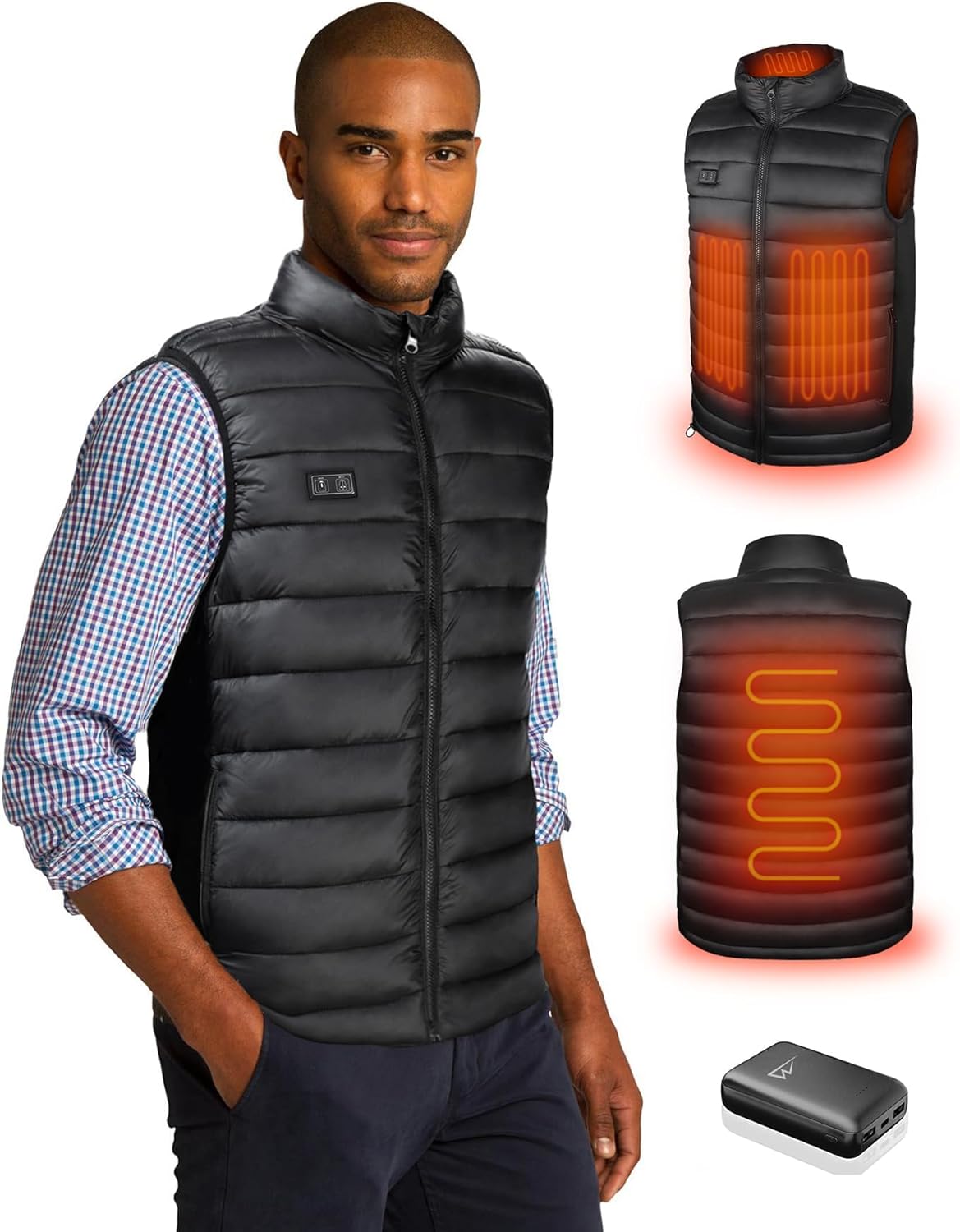
Image: A person demonstrating how to activate the heated vest by pressing the power button located on the chest.
3. Adjusting Heat Settings
The vest features 3 temperature settings. After powering on, short press the power button to cycle through the heat modes:
- Red Light: High heat setting (approximately 55°C / 149°F)
- White Light: Medium heat setting (approximately 45°C / 113°F)
- Blue Light: Low heat setting (approximately 39°C / 102°F)
The vest heats rapidly, with warmth felt in the neck area within three seconds and spreading throughout the body within one minute.
Maintenance
1. Cleaning Instructions
- Always remove the power bank before washing.
- The vest is hand washable or machine washable.
- For machine washing, use a laundry bag and a gentle cycle with cold water (maximum 30°C / 86°F).
- Do not bleach, iron, or dry clean.
- Hang dry only. Do not tumble dry.
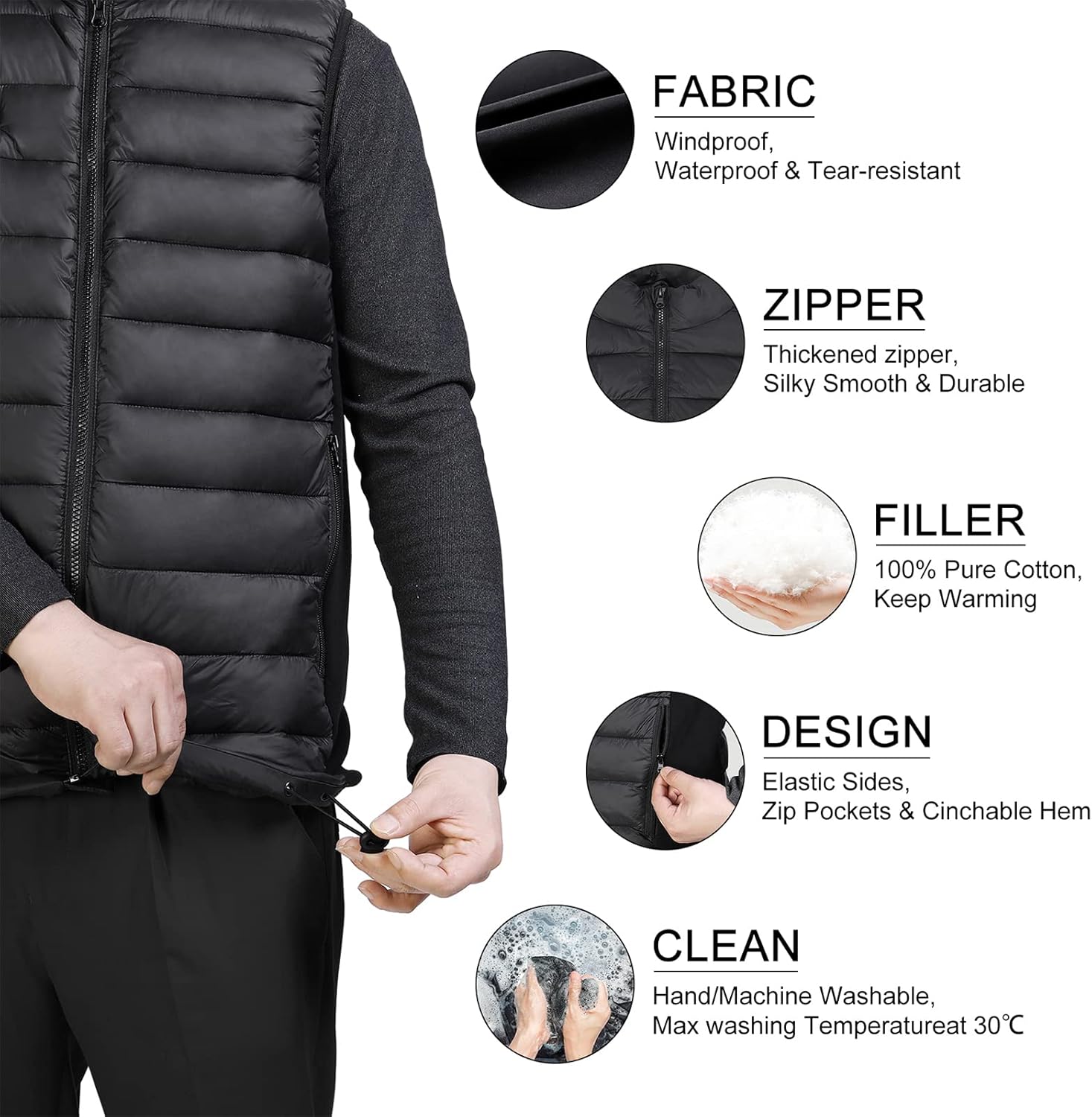
Image: Visual guide showing the vest's fabric properties, zipper quality, cotton filler, design features, and cleaning recommendations (hand/machine wash).
2. Storage
When not in use, ensure the vest is clean and completely dry. Store it in a cool, dry place away from direct sunlight and extreme temperatures. Disconnect the power bank for long-term storage.
Troubleshooting
- Vest not heating:
- Ensure the power bank is fully charged.
- Verify the power bank is securely connected to the vest's USB cable.
- Press and hold the power button for 3 seconds to ensure it's turned on.
- Power button light not illuminating:
- Check power bank connection and charge level.
- Try a different USB port on the power bank if available.
- Vest feels too hot or not warm enough:
- Adjust the heat setting by short pressing the power button to cycle through Red (High), White (Medium), and Blue (Low).
- Ensure the vest is worn correctly and not too loose, which can reduce perceived warmth.
- Power bank not charging:
- Ensure the charging cable and adapter are functioning correctly.
- Try a different charging cable or adapter.
Specifications
| Model Number | HV066 |
| Material (Fabric & Lining) | 100% Nylon |
| Material (Filling) | 100% Cotton |
| Power Bank Capacity | 10000mAh (included) |
| Input/Output (Power Bank) | 5V/2.1A (compatible with most market power banks) |
| Heating Zones | 4 (Neck, Back, Left Abdomen, Right Abdomen) |
| Temperature Settings | High: 55°C (149°F), Medium: 45°C (113°F), Low: 39°C (102°F) |
| Estimated Heating Time (10000mAh) | Up to 7 hours |
| Care Instructions | Hand wash or machine wash (gentle cycle, max 30°C). Remove power bank before washing. Do not bleach, iron, tumble dry, or dry clean. |
| Water Resistance | Water-resistant |
Size & Fit Guide (Men's)

Image: Detailed size chart for men, including shoulder, chest, hip, and length measurements in inches for various sizes.
Warranty Information
Loowoko products are manufactured to high-quality standards. This product is covered by a limited warranty against defects in materials and workmanship from the date of purchase. Please retain your proof of purchase for warranty claims. The warranty does not cover damage caused by misuse, accident, unauthorized modification, or failure to follow the instructions in this manual.
Customer Support
If you have any questions, concerns, or require assistance with your Loowoko Heated Vest, please contact our customer support team. Refer to the contact information provided on the product packaging or our official website.
We are committed to providing excellent service and support.