
1. Introduction
Thank you for choosing the Geevon 12-Inch Atomic Wall Clock. This self-setting analog clock is designed for accurate timekeeping through automatic synchronization with WWVB broadcasts. Its durable construction and clear display make it suitable for various indoor environments.
2. What's in the Box
- 1 x Geevon 12-Inch Atomic Wall Clock
- 1 x AA Alkaline Battery
- 1 x Wall Hanging Hook
- 1 x Waterproof Dustproof Cover (for indoor use only)
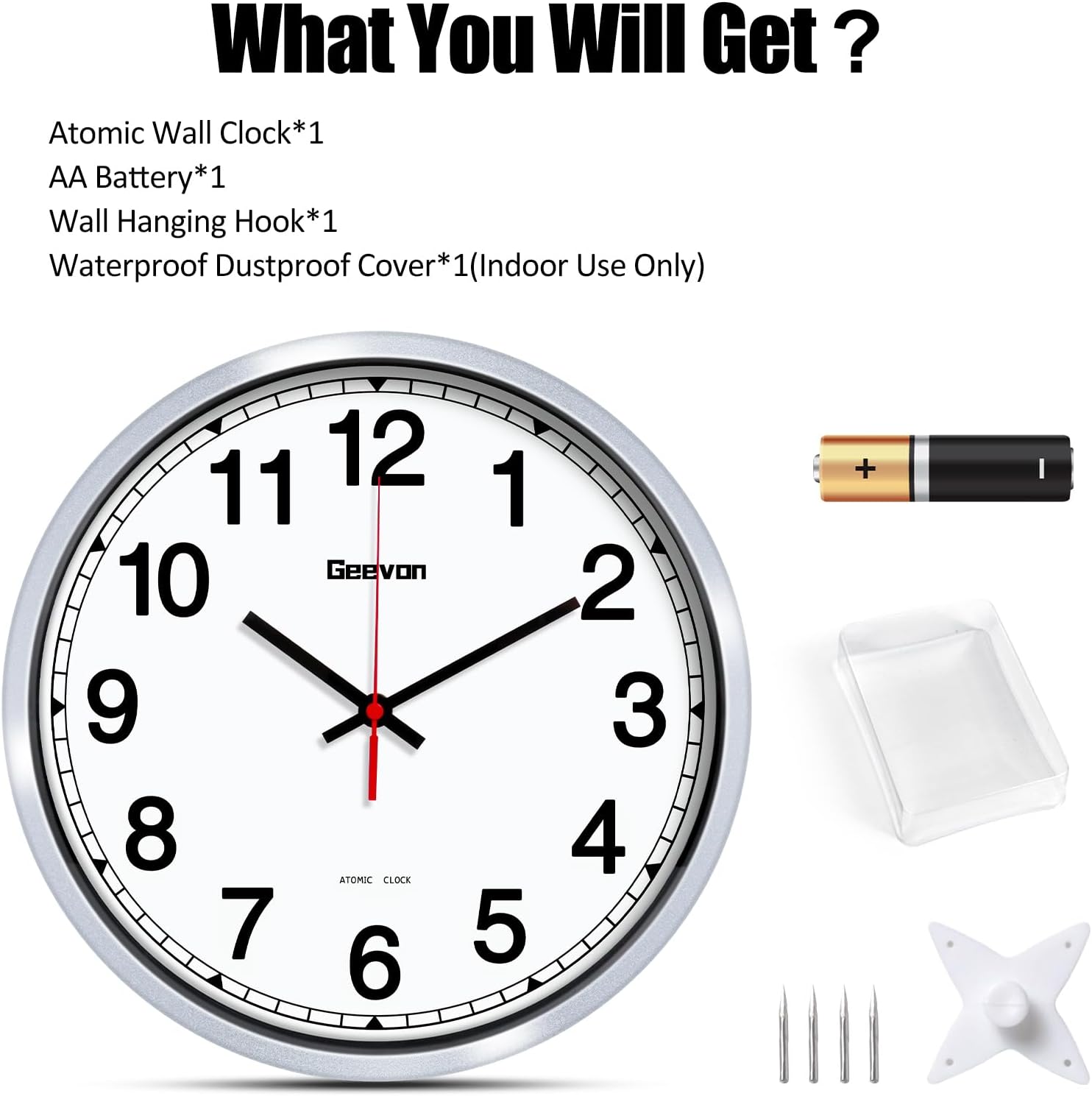
Image: Package contents including the 12-inch atomic wall clock, AA battery, wall hanging hook, and dustproof cover.
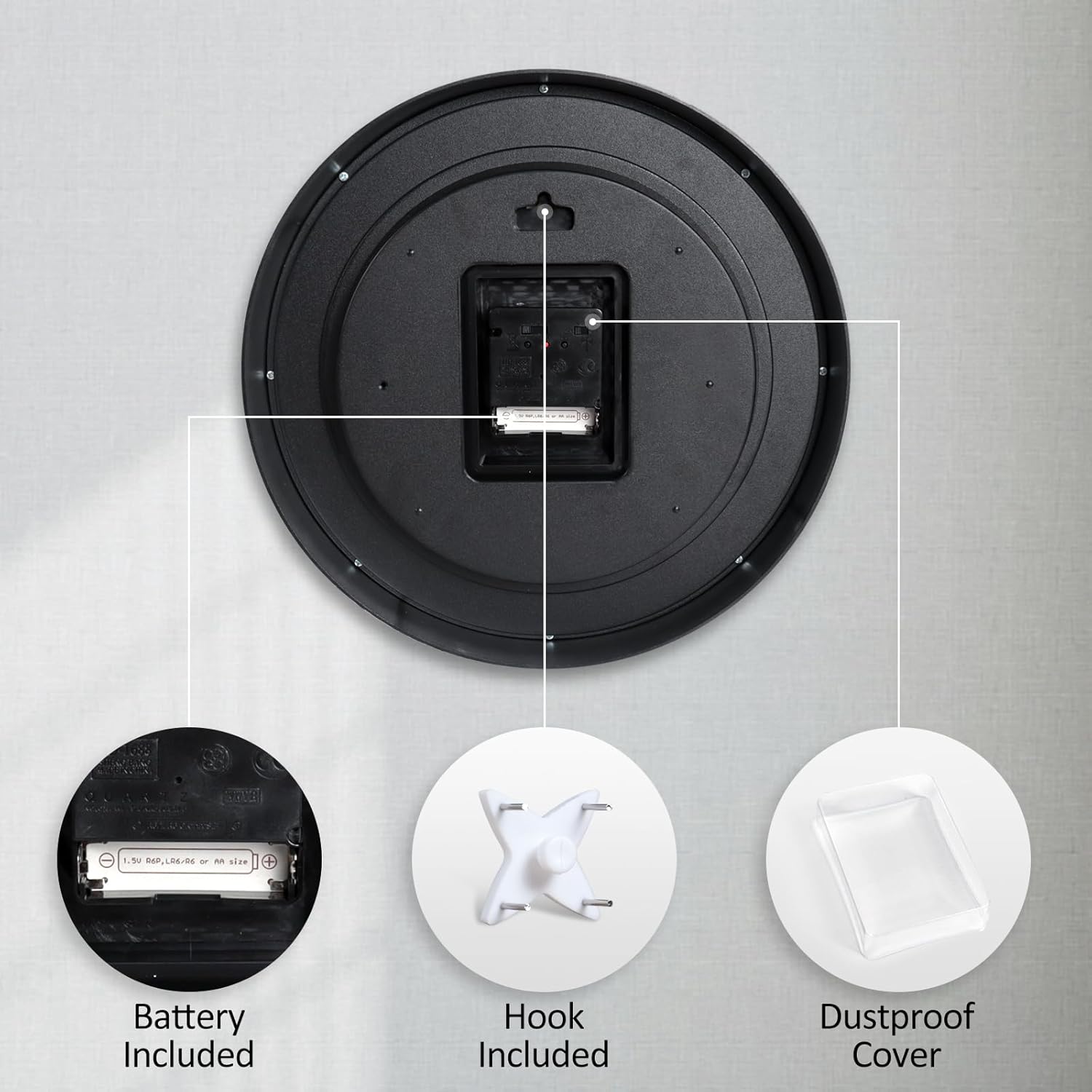
Image: Detailed view of the clock's rear, highlighting the battery compartment, wall hook, and dustproof cover.
3. Setup Instructions
- Select Time Zone and DST: On the back of the clock, locate the time zone selector and the Daylight Saving Time (DST) ON/OFF switch. Choose your appropriate time zone (PST, MST, CST, EST) and set the DST switch to ON or OFF as required for your region.
- Insert Battery: Open the battery compartment and insert the included 1 AA alkaline battery, ensuring correct polarity (+/-). The clock hands will begin to move and search for the WWVB signal.
- Signal Reception: The clock will attempt to synchronize with the WWVB atomic clock signal. In most areas, the signal is best received at night. If the clock does not set immediately, allow up to 48 hours for it to receive the signal and set itself. For optimal reception, place the clock near a window.

Image: Quick Start Guide illustrating initial setup steps and time zone map.

Image: Rear of the clock detailing the time zone selector, DST switch, and control buttons.
4. Operating Instructions
Once the battery is inserted and the time zone/DST settings are configured, the clock will automatically attempt to receive the WWVB atomic signal. This signal ensures precise timekeeping, automatically adjusting for Daylight Saving Time if the DST switch is set to ON.
The clock features a silent, non-ticking movement, providing a quiet environment suitable for bedrooms, offices, and classrooms.

Image: The atomic clock on a wall, demonstrating its radio-controlled time synchronization.
5. Time Zone and DST Settings
The back of your Geevon Atomic Wall Clock includes controls for time zone selection and Daylight Saving Time (DST) adjustment:
- Time Zone Selector: A switch allows you to select between Pacific (PST), Mountain (MST), Central (CST), and Eastern (EST) time zones. Ensure this is set correctly for your location.
- DST Switch: An ON/OFF switch for Daylight Saving Time. Set to ON for automatic adjustments or OFF to disable this feature.
- M.SET (Manual Setting): Use this button for manual time adjustments if needed, though automatic synchronization is the primary method.
- RESET: A small button to reset the clock's mechanism.
- REC (Signal Receiving): This button can be used to initiate a manual attempt to receive the WWVB signal.
6. Mounting Instructions
The Geevon Atomic Wall Clock is designed for easy wall mounting. It comes with a sturdy wall hanging hook that ensures secure installation.
- Choose a suitable location on your wall, preferably near a window for optimal atomic signal reception.
- Use the provided wall hanging hook. Position the hook and gently tap the small nails into the wall until secure.
- Align the hanging slot on the back of the clock with the installed hook and carefully place the clock onto the hook.
7. Maintenance
To ensure the longevity and optimal performance of your Geevon Atomic Wall Clock, follow these maintenance guidelines:
- Cleaning: Wipe the clock's frame and glass with a soft, dry cloth. Avoid abrasive cleaners or solvents that may damage the finish.
- Battery Replacement: Replace the AA battery annually or when the clock hands stop moving or become erratic.
- Dust Protection: The movement is equipped with a dust cover to prevent dust from affecting its operation. Ensure this cover remains in place.
8. Troubleshooting
- Clock Not Setting Automatically:
- Ensure the correct time zone is selected on the back of the clock.
- Verify the battery is fresh and inserted with correct polarity.
- Place the clock near a window, especially overnight, as signal reception is often stronger during these hours. It may take up to 48 hours for the clock to receive the WWVB signal and set itself.
- Press the REC button on the back to manually initiate signal reception.
- Incorrect Time After DST Change:
- Check if the DST switch on the back of the clock is set to ON.
- If the clock does not adjust automatically, try manually setting the time using the M.SET button or resetting the clock and allowing it to resynchronize.
- Clock Hands Not Moving:
- Replace the AA battery with a new one.
- Ensure the battery is inserted correctly.
9. Specifications
| Feature | Detail |
|---|---|
| Brand | Geevon |
| Model Number | GN-230012-US |
| ASIN | B0CDPWX1SN |
| GTIN/UPC | 729911890561 |
| Size | 12 Inch |
| Color | Silver Frame, White Dial |
| Display Type | Analog |
| Operation Mode | Atomic (WWVB) |
| Power Source | Battery Powered (1 AA battery included) |
| Material | Acrylonitrile Butadiene Styrene (ABS) |
| Special Features | 4 Time Zones & DST, Battery Operated, Hook & Battery (Included), Silver Frame |
| Indoor/Outdoor Usage | Indoor |
| Item Weight | 1.6 Pounds |
10. Warranty and Support
Geevon is committed to providing high-quality products and excellent customer service. If you encounter any problems or have questions regarding your Geevon Atomic Wall Clock, please do not hesitate to contact our support team.
- Customer Service: We offer lifetime consulting services. Our team is available 7 days a week, 24 hours a day to assist you.
- Contact Information: Please refer to the contact details provided in your product packaging or visit the official Geevon website for support.


