
1. Introduction
This manual provides essential information for the safe and effective use of your Soocas X3U-NEW Pink Electric Toothbrush. Please read it thoroughly before first use and retain it for future reference.

Image: The Soocas X3U-NEW Pink Electric Toothbrush, including the handle, three different brush heads, a facial brush, and a travel case.
2. Safety Information
- Do not charge the device in a wet environment to prevent electrical hazards.
- Do not use this product while it is charging.
- Keep out of reach of children under 6 years old.
- Consult a dentist before use if you have severe gum disease or oral surgery.
- The product contains ABS and METAL components.
3. Package Contents
Verify that all items are present in your package:
- Soocas X3U-NEW Pink Electric Toothbrush Handle
- 3 x Toothbrush Heads (Clean, Sensitive, Polish)
- 1 x Facial Brush Head
- 1 x Travel Case
- 1 x USB-C Charging Cable
- User Manual (this document)

Image: Various brush heads included with the toothbrush, designed for different cleaning needs.

Image: An illustration showing the four different brush types: whitening, facial cleansing, sensitive, and standard cleaning.

Image: The electric toothbrush and its heads neatly stored within the included travel case.
4. Setup
- Charge the Device: Before first use, fully charge the toothbrush. Connect the USB-C charging cable to the port at the bottom of the handle and plug it into a compatible USB power source (e.g., power bank, laptop, adapter, car charger). A full charge takes approximately 4 hours.
- Attach Brush Head: Align the desired brush head with the metal shaft on the toothbrush handle and push it down firmly until it clicks into place.

Image: The Soocas electric toothbrush connected to a USB-C charging cable, illustrating the charging process.

Image: A detailed view of the USB-C charging port located at the base of the toothbrush handle, showing compatibility with various power sources.
5. Operating Instructions
5.1 Power On/Off and Mode Selection
- Press the power button once to turn on the toothbrush. It will start in the last used mode due to the Smart Memory Chip Technology.
- Press the power button repeatedly within 5 seconds to cycle through the available modes: Cleaning, Sensitive, Gentle, Whitening.
- To turn off the toothbrush, press and hold the power button for 2 seconds, or press the power button once if it has been operating in the same mode for more than 5 seconds.

Image: A close-up of the toothbrush handle, highlighting the power button and the four distinct cleaning modes: Cleaning, Sensitive, Gentle, and Whitening.

Image: An internal diagram of the toothbrush highlighting the Smart Memory Chip Technology, which remembers the last used brushing mode.
5.2 Brushing Technique and Smart Timer
- Apply a small amount of toothpaste to the brush head.
- Place the brush head against your teeth at a slight angle towards the gum line.
- Move the brush slowly across your teeth, allowing the sonic vibrations to clean each tooth surface. Do not scrub vigorously.
- The toothbrush features a 2-minute Smart Timer, which is the dentist-recommended brushing time.
- A 30-second Reminder will briefly pause the vibrations every 30 seconds, signaling you to move to a different quadrant of your mouth.

Image: A user demonstrating proper brushing technique with the Soocas electric toothbrush, highlighting the integrated 2-minute smart timer and 30-second quadrant reminder.
5.3 Using the Facial Brush
- Attach the facial brush head to the toothbrush handle.
- Wet your face and apply your preferred facial cleanser to the brush head or directly to your skin.
- Gently move the facial brush in circular motions across your face. The high-density bristles provide deep cleaning, while the patterned silicone massages and soothes the skin.
- Rinse your face and the facial brush thoroughly after use.

Image: A woman using the facial cleansing brush attachment, demonstrating its application for deep cleaning and skin massage.
5.4 Product Video Guide
Video: An official product video from the seller demonstrating the features and operation of the Soocas X3U-NEW Pink Electric Toothbrush.
6. Charging
- The Soocas X3U-NEW Pink Electric Toothbrush features a long-lasting battery. A 4-hour charge provides approximately 30 days of use (based on 2 minutes of brushing, twice daily).
- To charge, locate the USB-C port at the bottom of the handle.
- Connect the provided USB-C cable to the toothbrush and a suitable USB power source.
- The battery indicator light will show charging status.
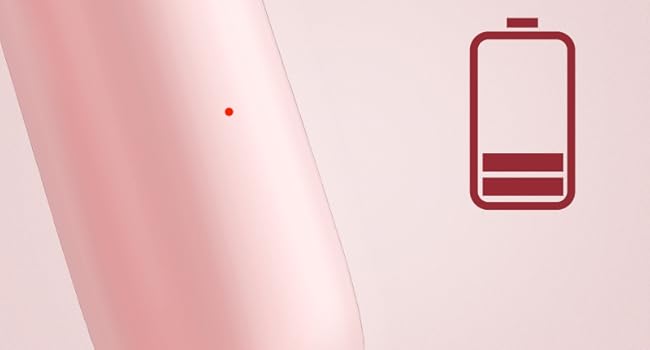
Image: An illustration of the battery indicator on the toothbrush handle, showing the current charge level.
7. Maintenance and Care
7.1 Cleaning the Toothbrush
- After each use, rinse the brush head thoroughly under running water while the toothbrush is still on to remove any remaining toothpaste and debris.
- Turn off the toothbrush and remove the brush head. Rinse the brush head and the metal shaft of the handle separately.
- Wipe the handle with a damp cloth. Do not immerse the entire handle in water for extended periods, although it is IPX7 waterproof.
- Ensure the charging port cover is securely closed when not charging to maintain water resistance.

Image: The Soocas electric toothbrush partially submerged in water, demonstrating its IPX7 waterproof capability for easy cleaning.
7.2 Replacing Brush Heads
- Dentists recommend replacing toothbrush heads every 3 months, or sooner if the bristles appear frayed or worn.
- To remove a brush head, pull it straight off the handle.
- To attach a new brush head, align it with the metal shaft and push down firmly until it clicks.
- The brush heads feature DuPont Soft Bristles with 100% rounded ends and non-metal bristles for effective yet gentle cleaning.

Image: A diagram detailing the DuPont Soft Bristles technology, highlighting features like increased bristle count, 100% rounded ends, and non-metal construction for gentle and effective cleaning.
8. Troubleshooting
| Problem | Possible Cause | Solution |
|---|---|---|
| Toothbrush does not turn on. | Battery is depleted. | Charge the toothbrush for at least 4 hours. |
| Weak vibration or reduced performance. | Low battery or worn brush head. | Recharge the toothbrush. Replace the brush head if it is old or frayed. |
| Toothbrush does not charge. | Charging cable or adapter issue; charging port not clean. | Ensure the USB-C cable is properly connected and the power source is functional. Clean the charging port if necessary. |
| Unusual noise during operation. | Brush head not properly attached. | Remove and re-attach the brush head, ensuring it clicks into place. |
9. Specifications
- Model: X3U-NEW Pink
- Power Source: Corded Electric, Battery Powered
- Battery: 1 Lithium Ion battery required (included)
- Charging Time: Approximately 4 hours
- Battery Life: Up to 30 days (based on 2 minutes, twice daily)
- Brushing Modes: 4 (Cleaning, Sensitive, Gentle, Whitening)
- Vibrations: 30,600 vibrations/minute
- Special Features: 3 Toothbrush Heads + 1 Facial Brush, Brushing Timer, Gum Care, Smart Memory Chip, Low Noise (<65dB)
- Waterproof Rating: IPX7
- Bristle Type: DuPont Soft Bristles, 100% Rounded Ends, Non-metal
- Product Dimensions: 3.8 x 9.84 x 2.8 inches
- Item Weight: 1.09 Pounds
- Materials: ABS, Metal
- Age Range: Adult and Kids over 6 years old

Image: A visual representation indicating the low noise level of the toothbrush, operating at less than 65 decibels.
10. Warranty and Support
Soocas is committed to providing quality products and customer satisfaction. Your Soocas X3U-NEW Pink Electric Toothbrush comes with the following:
- 2-Year Warranty: Enjoy peace of mind with a 2-year warranty covering manufacturing defects.
- Free Replacement: Defective products are eligible for free replacement.
For any inquiries, support, or warranty claims, please contact our dedicated support team:
Email: support@soocas.com

Image: Information on how to contact Soocas customer support via email for assistance.


