
1. Introduction
Thank you for choosing the magicplux MDW4CW01 Mini Tabletop Dishwasher. This appliance is designed to provide efficient and convenient dishwashing for small kitchens, offices, or even camping environments. Its compact size and versatile features aim to simplify your daily routine. Please read this manual thoroughly before operating the dishwasher to ensure safe and optimal performance.
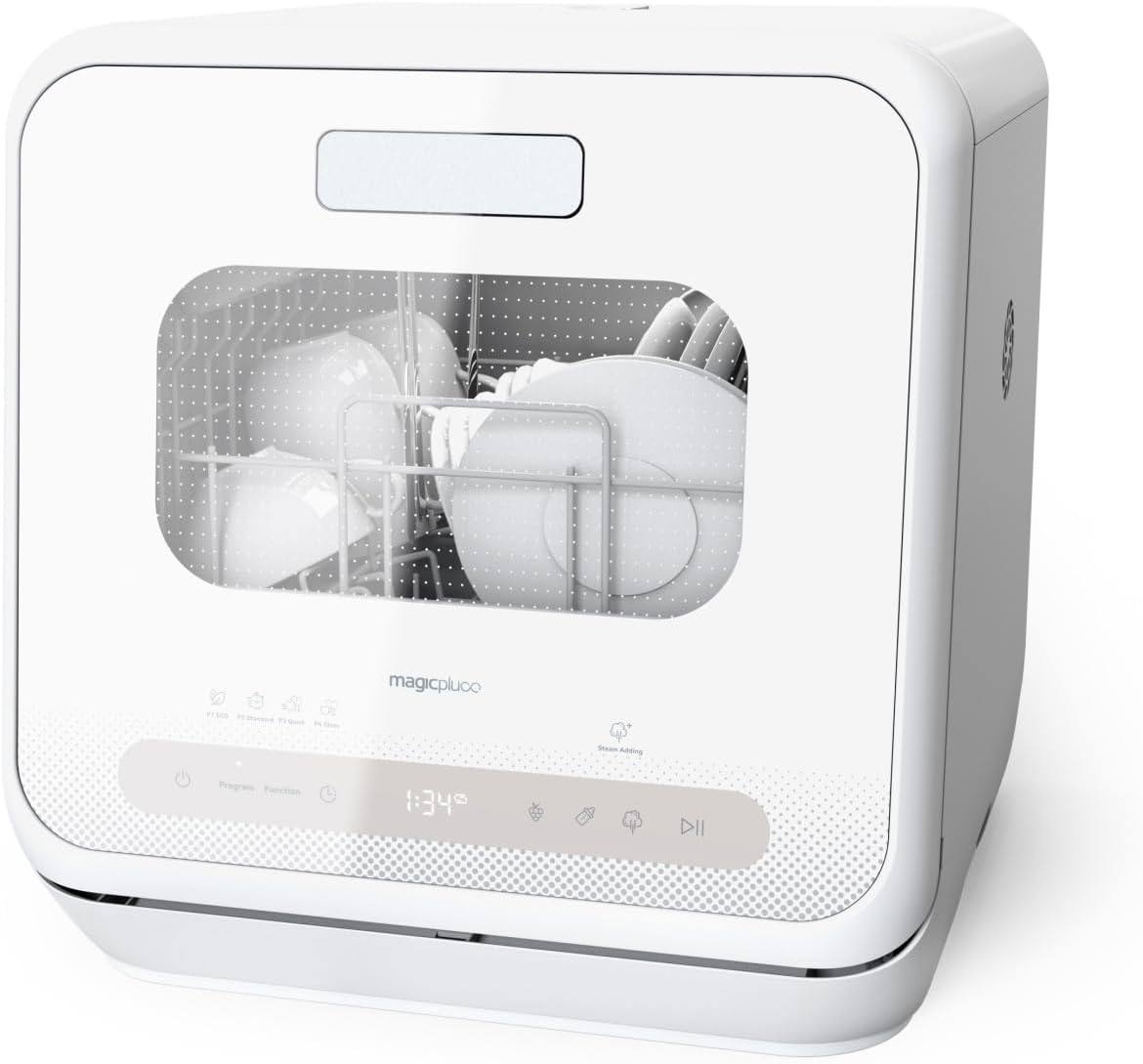
This image displays the magicplux MDW4CW01 Mini Tabletop Dishwasher in a kitchen setting, showcasing its compact design and modern aesthetic. The front panel features a viewing window and touch controls.
2. Important Safety Instructions
To reduce the risk of fire, electric shock, or injury when using your dishwasher, follow these basic precautions:
- Read all instructions before using the dishwasher.
- Use the dishwasher only for its intended function.
- Do not touch the heating element during or immediately after use.
- Do not operate the dishwasher if the power cord or plug is damaged.
- Keep children away from the dishwasher, especially when the door is open.
- Use only detergents and rinse aids specifically designed for dishwashers.
- Be careful when opening the door during or after a wash cycle, as hot steam may escape.
- Ensure the dishwasher is properly grounded.

This image illustrates the child lock function, showing a family with young children near the dishwasher, emphasizing safety. The child lock ensures the appliance cannot be accidentally operated by children.
3. Package Contents
The magicplux MDW4CW01 Mini Tabletop Dishwasher package includes the following items:
- Mini Tabletop Dishwasher Unit
- Cutlery Basket
- Drain Hose
- Inlet Hose
- Water Filling Funnel
- Measuring Cup
- Salt Filling Funnel
- Adapter (if applicable)
4. Product Overview
The magicplux MDW4CW01 is designed for convenience and efficiency in compact spaces. Its dimensions are 420 x 435 x 435 mm (Length x Width x Height), making it suitable for various settings.
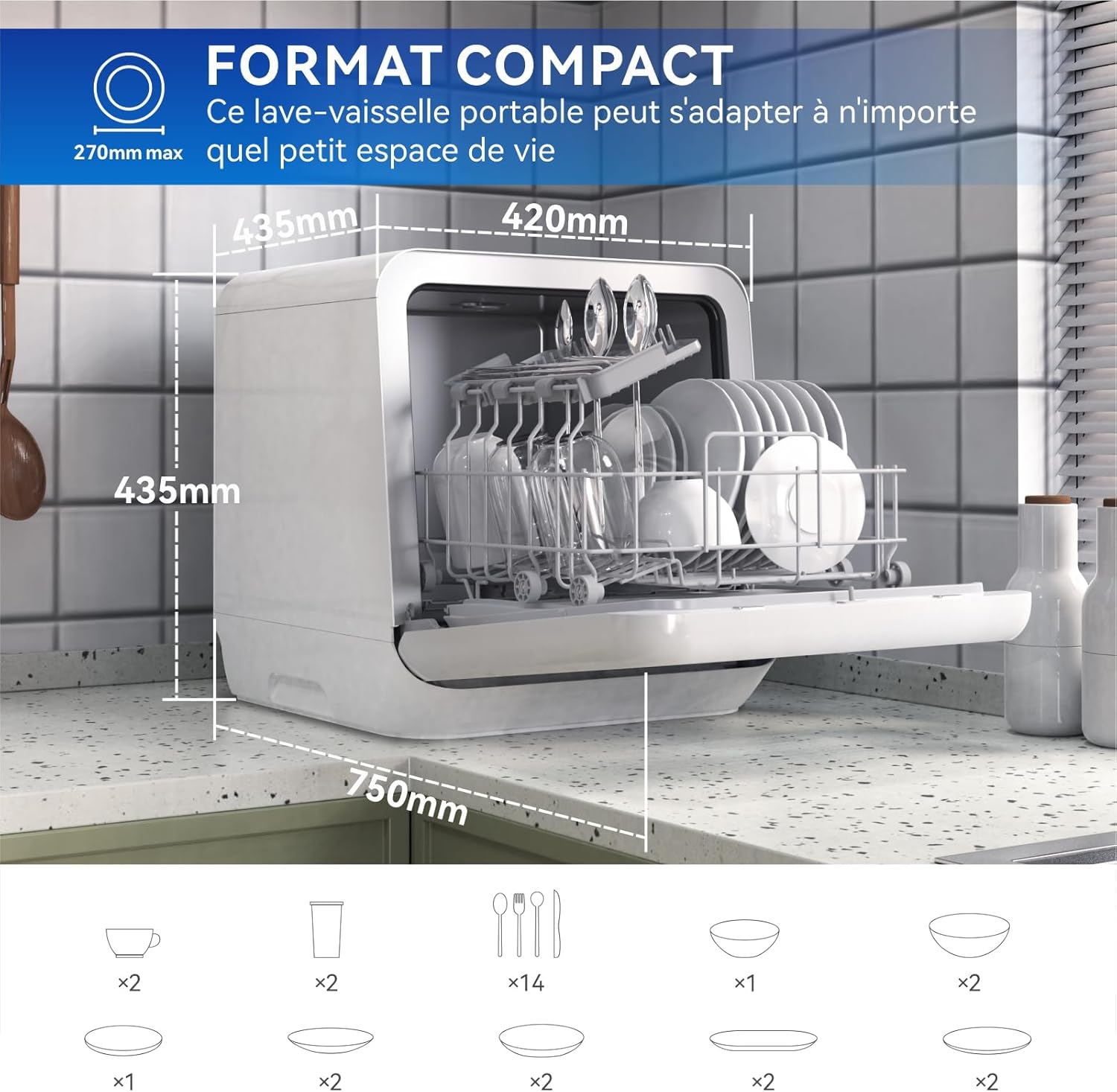
This image illustrates the compact dimensions of the magicplux MDW4CW01 dishwasher, showing its measurements (420mm L x 435mm W x 435mm H) and how it fits into a small kitchen space. It also indicates the capacity for 4 place settings.
5. Setup
5.1 Water Supply Modes
The dishwasher offers two convenient water supply options:
- Manual Filling: Use the provided measuring cup and funnel to manually pour water into the designated inlet on top of the dishwasher. The appliance will signal when the water tank is full.
- Direct Connection: Connect the inlet hose to a kitchen faucet for automatic water supply. Ensure the connection is secure to prevent leaks.

This image demonstrates the two methods for water supply: manual filling using a pitcher and funnel into the top inlet, and direct connection to a kitchen faucet via the inlet hose.
5.2 Salt Addition
To reduce water hardness and prevent limescale buildup, add dishwasher salt to the dedicated salt dispenser. This helps improve cleaning performance and prolong the appliance's lifespan.

This image shows the process of adding dishwasher salt into the appliance using a funnel, which helps to reduce water hardness and prevent limescale deposits.
5.3 Loading the Dishwasher
Before loading, remove large food scraps from dishes to prevent drain blockage. Arrange dishes in the basket as shown in the illustrations below, ensuring proper water circulation.

This close-up image demonstrates how to correctly load plates into the dishwasher basket for optimal cleaning.

This close-up image demonstrates how to correctly load cups into the dishwasher basket for optimal cleaning.

This close-up image demonstrates how to correctly load cutlery into the dishwasher basket for optimal cleaning.
6. Operating Instructions
6.1 Control Panel
The dishwasher features an intuitive LED touch control panel for easy operation. The panel displays cycle status and allows selection of various programs and functions.
6.2 Wash Programs
Choose from 6+1 wash programs to suit your needs:
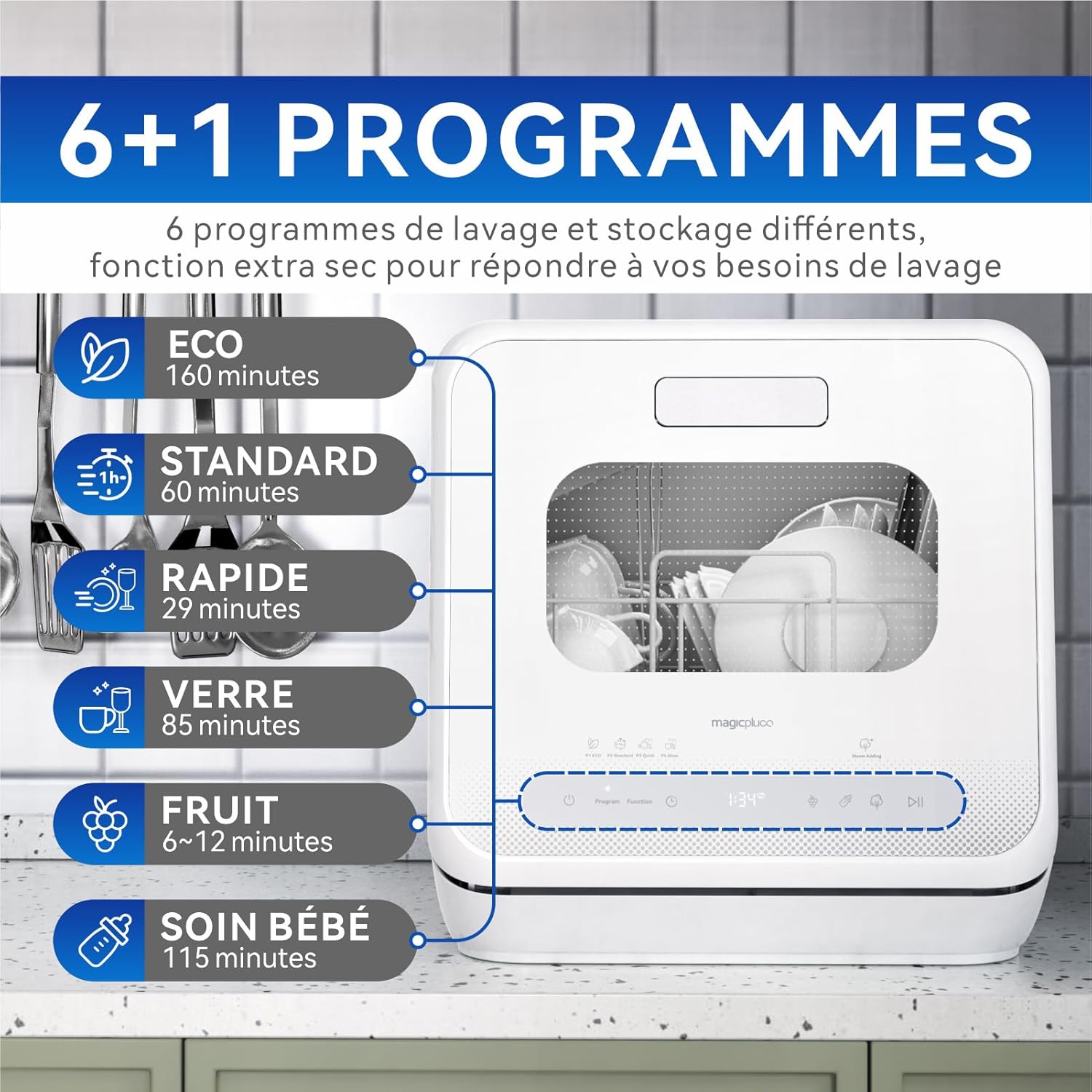
This image displays the 6+1 wash programs available on the magicplux MDW4CW01 dishwasher, including ECO (160 min), Standard (60 min), Rapid (29 min), Glass (85 min), Fruit (6-12 min), and Baby Care (115 min).
- ECO (160 minutes): Energy-saving program for normally soiled dishes.
- Standard (60 minutes): Regular program for daily use.
- Rapid (29 minutes): Quick wash for lightly soiled dishes.
- Gentle (Glass) (85 minutes): For delicate items like glassware.
- Fruit (6-12 minutes): Specialized program for washing fruits.
- Baby Care (115 minutes): High-temperature wash for baby bottles and items.
- Extra Dry Function: Provides enhanced drying performance.
6.3 Steam Function
The steam function helps to soften and dissolve hardened food residues on dishes before the main wash cycle, improving overall cleaning effectiveness.

This image visually represents the steam addition feature within the dishwasher, showing steam circulating to pre-treat dishes and loosen stubborn food particles.
6.4 Delayed Start
The delayed start mode allows you to program the dishwasher to begin a wash cycle at a later time (1-24 hours). This feature can be used to take advantage of off-peak electricity rates or to have dishes ready at a convenient time.

This image illustrates the delayed start function, showing the dishwasher operating at night, suggesting energy savings during off-peak hours.
6.5 LED Interior Light
The transparent door combined with the LED interior light allows you to observe the washing process and easily load or unload dishes.

This image highlights the LED interior lighting of the dishwasher, providing visibility into the washing chamber through the transparent door.
7. Maintenance
7.1 Cleaning the Filters
Regularly clean the dishwasher filters to ensure optimal performance and prevent odors. Refer to the appliance diagram for filter location and removal instructions.
7.2 Exterior Cleaning
Wipe the exterior of the dishwasher with a soft, damp cloth. Do not use abrasive cleaners or solvents.
7.3 Interior Cleaning
Periodically run a self-clean cycle or use a dishwasher cleaner to remove any buildup and maintain hygiene.

This image visually compares a dirty plate before washing with a clean, sparkling plate after being processed by the dishwasher, demonstrating its cleaning effectiveness.
8. Troubleshooting
If you encounter issues with your dishwasher, consult the table below for common problems and solutions:
| Problem | Possible Cause | Solution |
|---|---|---|
| Dishwasher does not start | Power supply issue, door not closed properly, program not selected. | Check power connection, ensure door is latched, select a wash program. |
| Dishes are not clean | Improper loading, clogged spray arms, insufficient detergent, water hardness. | Reload dishes correctly, clean spray arms, use appropriate detergent, add dishwasher salt. |
| Water remaining in the tub | Clogged drain hose or filter. | Clean the drain filter, check for kinks in the drain hose. |
| Unusual noise during operation | Dishes interfering with spray arm, foreign object in pump. | Rearrange dishes, inspect pump area for obstructions. |
If the problem persists after attempting these solutions, please contact customer support.
9. Specifications
Detailed technical specifications for the magicplux MDW4CW01 Mini Tabletop Dishwasher:
| Feature | Value |
|---|---|
| Model Name | MDW4CW01 |
| Dimensions (L x W x H) | 43.5 x 42 x 42.5 cm |
| Item Weight | 12.5 kg (27.56 pounds) |
| Voltage | 220 Volts (AC) |
| Water Consumption | 5 Liters (per cycle) |
| Noise Level | 58 Decibels |
| Interior Material | Stainless Steel |
| Special Features | Extra Drying Function, Cycle Status Indicator, Rapid Wash, LED Interior Lighting, Touch Screen |
| Color | White |
| Installation Type | Freestanding |
9.1 Energy Label Information
For detailed energy efficiency information, please refer to the official EU energy label:

This image displays the EU Energy Label for the magicplux MDW4CW01 dishwasher, indicating its energy efficiency class (G), energy consumption (40 kWh/100 cycles), water consumption (5.0 L), and noise level (58 dB).
You can also access the product information sheet and energy label details online: EPREL Product Information Sheet
10. Warranty and Customer Support
magicplux products are covered by a 12-month warranty. In case of any product issues, magicplux is committed to providing a satisfactory solution. We strive to offer excellent customer service and will do our best to resolve any problems promptly.
For assistance, please contact magicplux customer support through your purchase platform or visit the official magicplux store for more information.